
Aprende a convertir una fotografía simple en una escena sensorial. Descubre cómo combinar luz, niebla y nieve para lograr una imagen con carácter de la mano de Agustín Devani.
View tutorial in Photoshop
Follow along in the app
What you’ll need
Practice in the app
De la toma a la visión final: entrenando la mirada
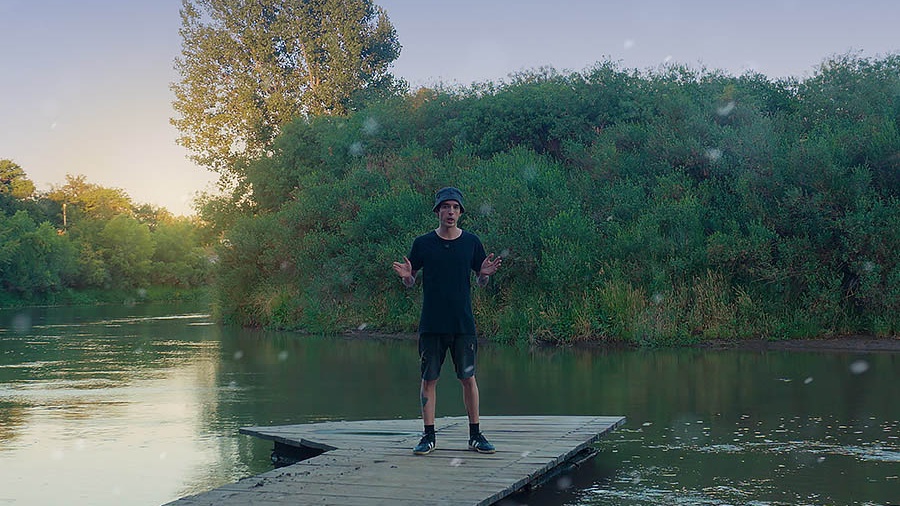
Todo gran retoque comienza antes de abrir Photoshop. Este tutorial nace en la reserva natural urbana, Parque Francisco Tau (Bell Ville, Córdoba, Argentina), un espacio natural, de calma, donde Agustín suele ir a pasar tiempo de descanso, disfrutar del lugar y fotografiar.
El secreto no es solo la edición, sino la intención de la imagen con la que trabajarás en este tutorial. Agustín diseñó esta imagen desde la toma: buscó una composición simple, con "aire" y sin elementos que compitan, dejando el espacio perfecto para lo que vendrá después: potenciar la luminosidad y construir una atmósfera envolvente con el efecto Orton, ¡sumando nieve!
¿Qué vas a aprender en este tutorial?
En esta guía paso a paso, dominarás el flujo de trabajo completo para llevar una foto de naturaleza al siguiente nivel.
Preparar la imagen: La base lo es todo
Agustín te guiará con la primera etapa, que ya estará preparada, asegurándose de que la exposición y el color estén listos para recibir los efectos.
Sumar el Efecto Orton: Suavidad y ensueño
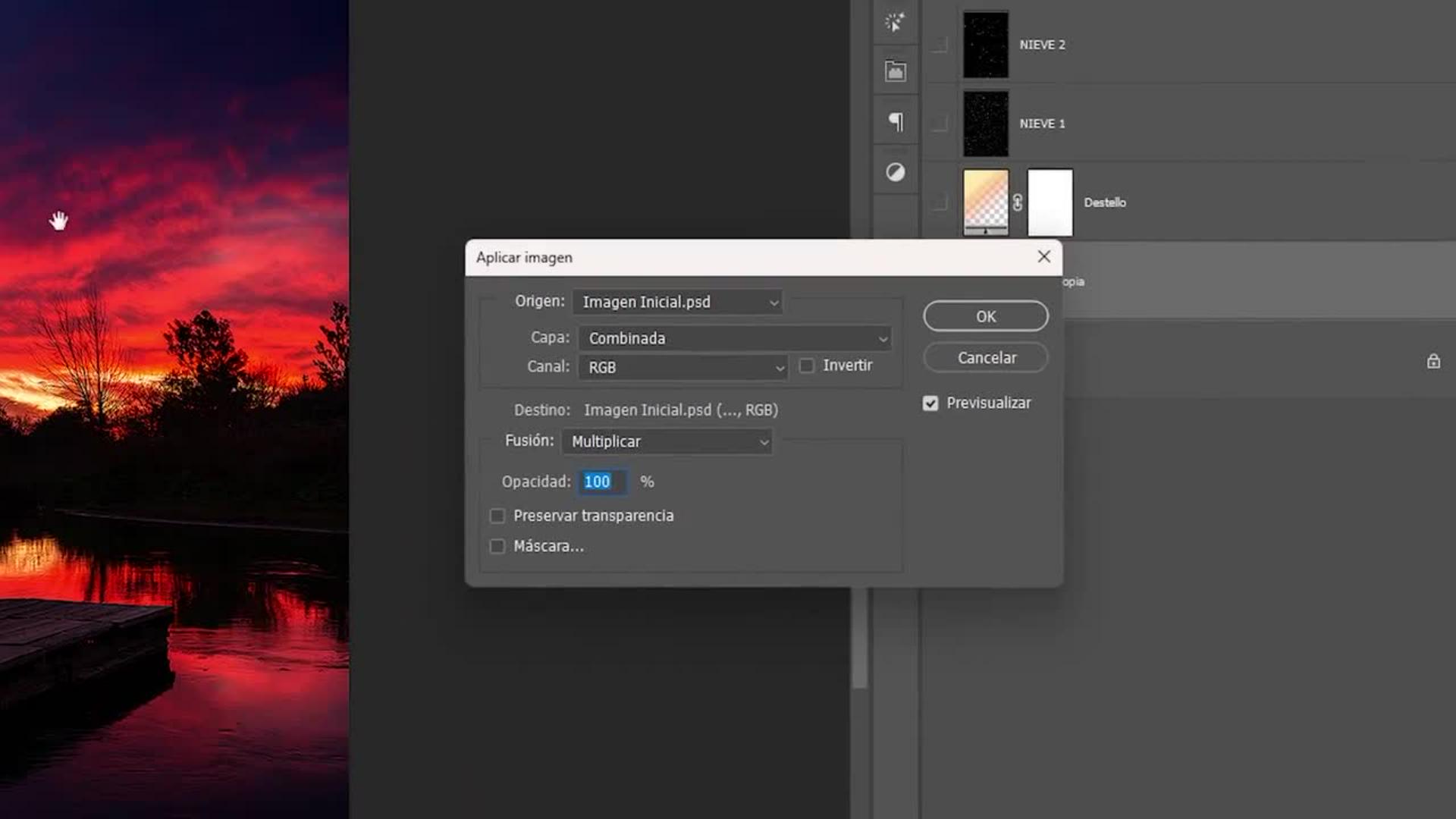
¿Qué es el Efecto Orton? Es una técnica creativa que transforma la fotografía en una experiencia sensorial. Combinarás desenfoque gaussiano y modos de fusión para realzar la luz, suavizar los detalles duros y darle a la imagen ese toque onírico y pictórico. Este efecto puede aplicarse de muchas maneras y con diferentes tipos de fotografías, por lo cual, cuando finalices este tutorial, podrás probar cómo queda ¡en tus propias fotografías!
Ajustar con Máscaras de Capa: Control total
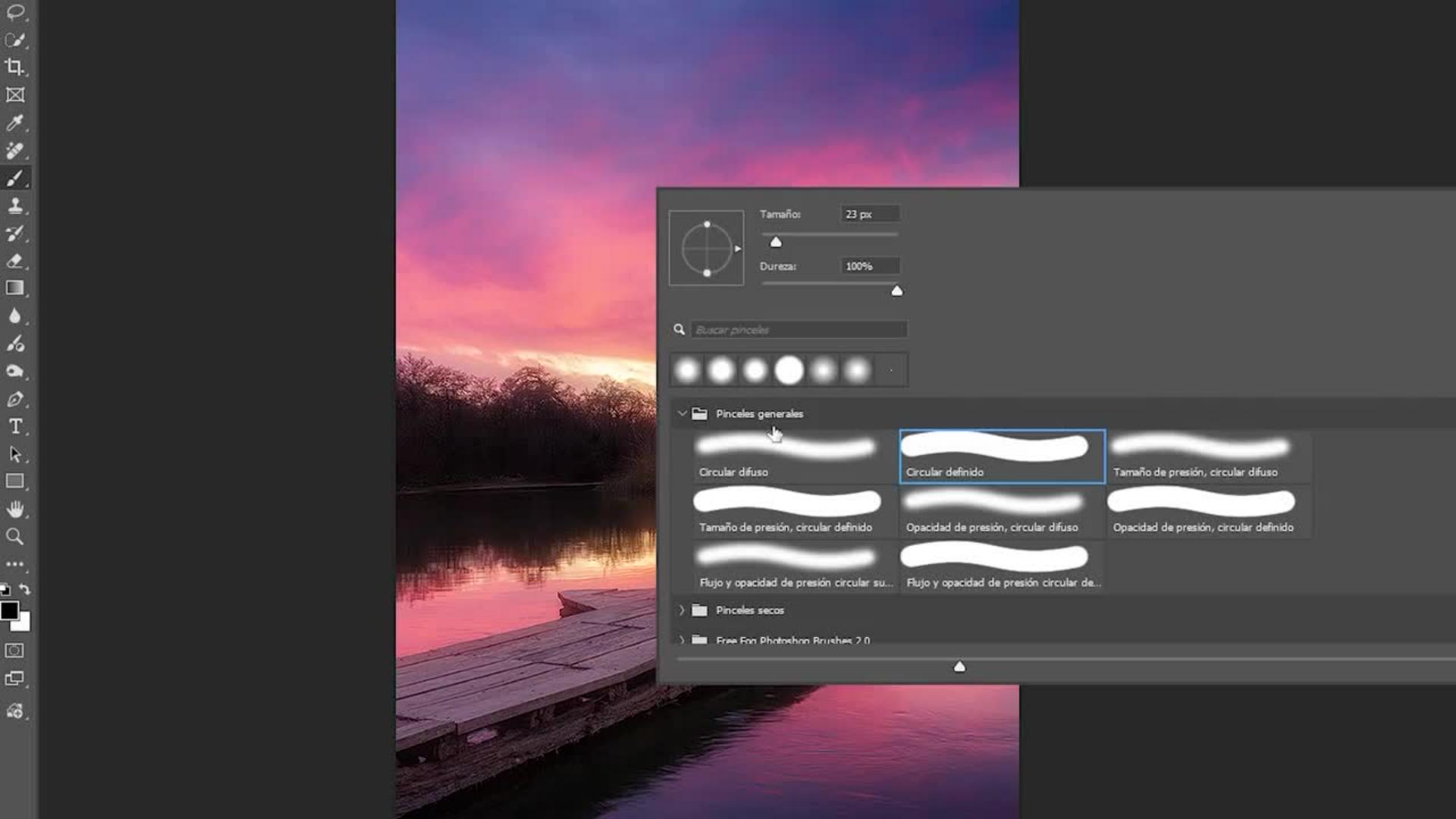
La clave de un buen editor es saber dónde no aplicar el efecto. Crearás y utilizarás máscaras para recuperar nitidez en zonas clave y dejar el efecto Orton solo donde aporta atmósfera, manteniendo la coherencia visual.
Añadir nieve y clima: Agregando al efecto dramatismo estacional
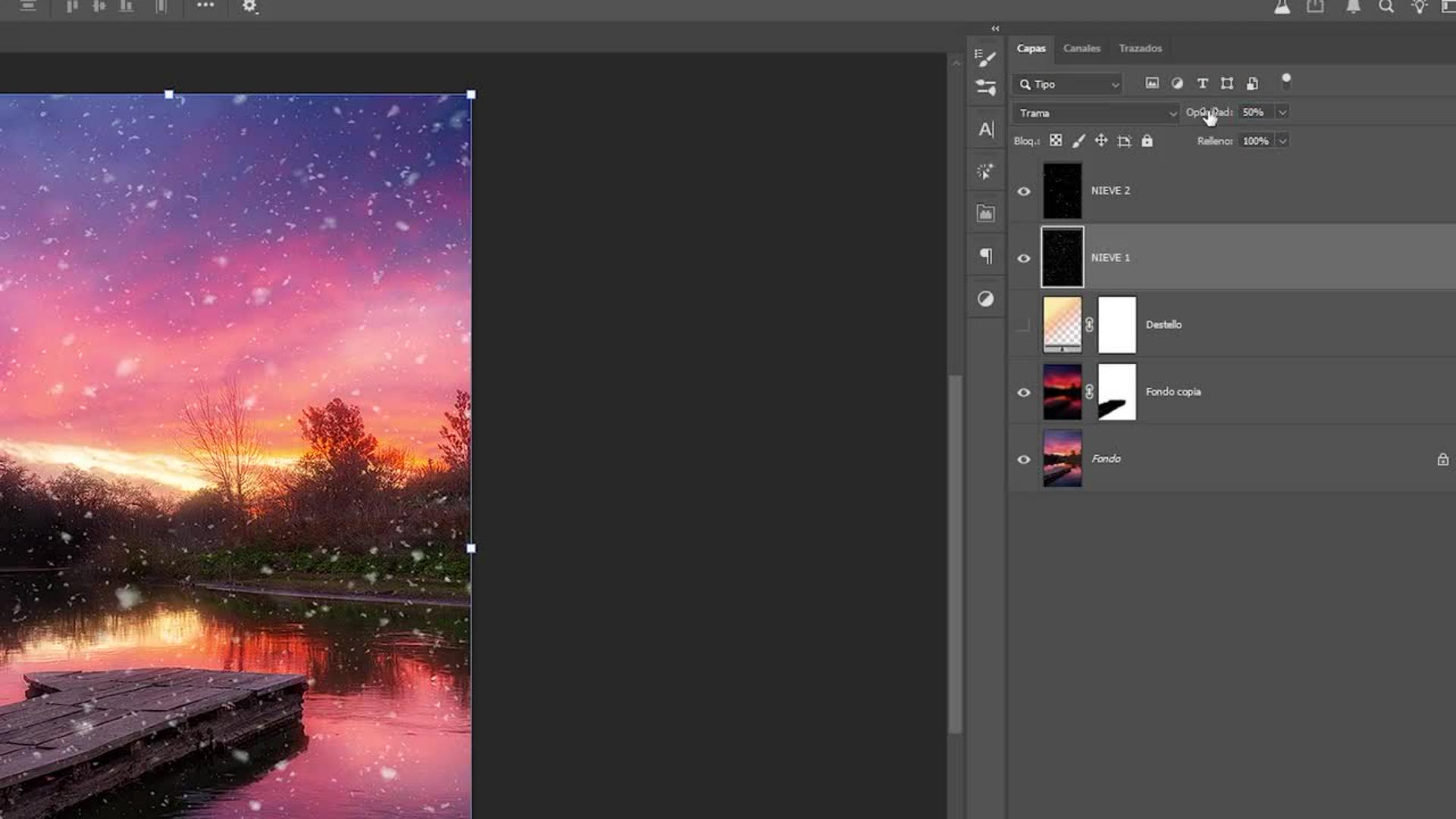
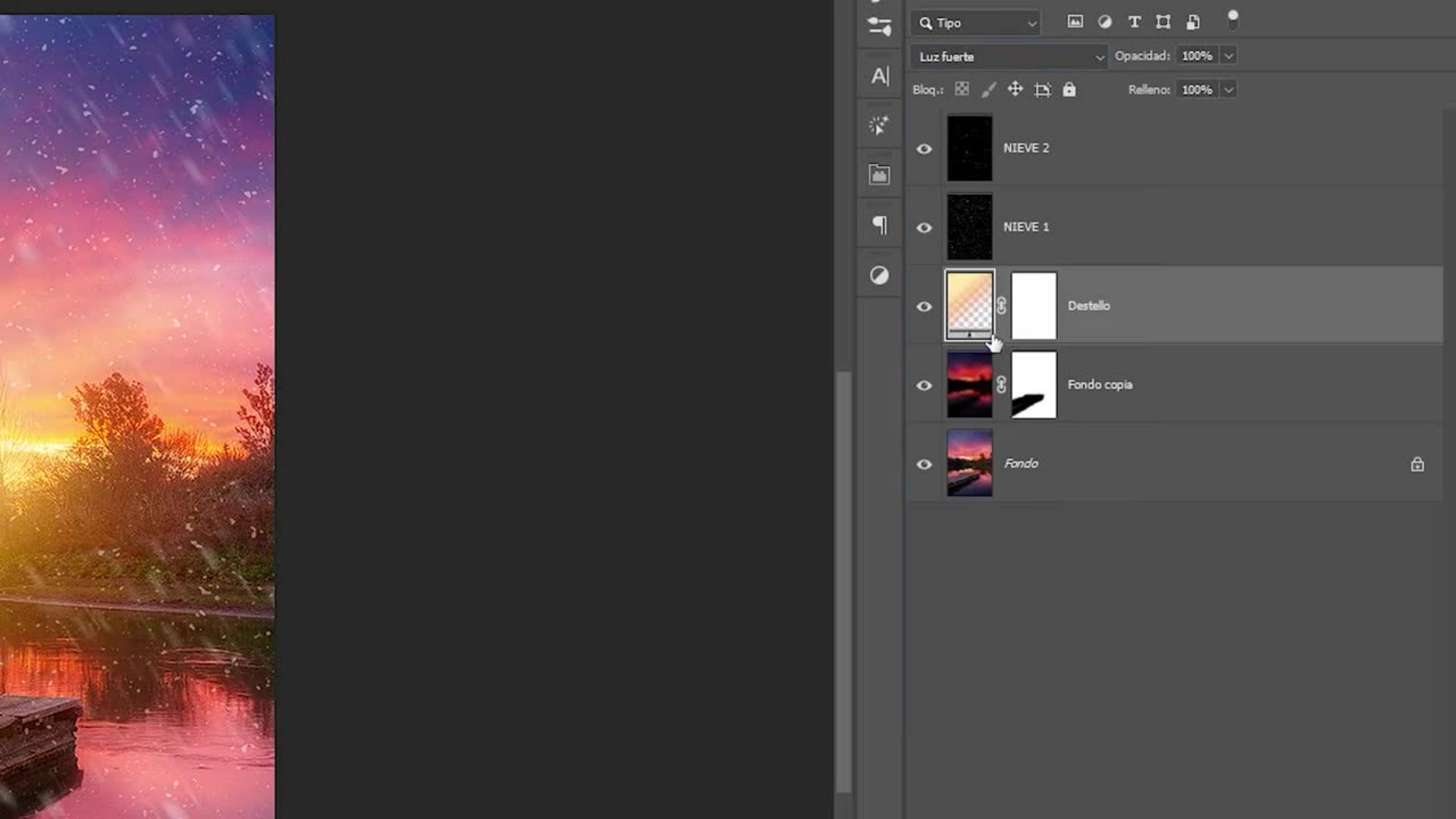
Agustín propone no solo quedarse en el efecto en sí, sino, más bien, agregar nieve para darle un cambio total a la imagen principal. Cambiarás con diferentes tipos de desenfoques la narrativa de la foto. Aprenderás a integrar texturas de nieve y partículas para reforzar la sensación de frío y profundidad, convirtiendo un paisaje neutro en una escena invernal inmersiva.
El toque final: Destello de luz
Por último, añadirás un punto de luz estratégico. Este detalle no es solo estético; sirve para guiar el ojo del espectador y potenciar la direccionalidad de la luz que se busca desde la toma original.
La filosofía de Agustín detrás del retoque
¿Cómo se captura la calma de un atardecer o el frío de la nieve? Agustín Devani cree firmemente que el Efecto Orton no es solo un filtro, sino una herramienta narrativa. Su objetivo no es ocultar la realidad, sino transformarla en algo más sensorial, con más "carácter".
En este tutorial, Agustín desmitifica el proceso de postproducción. Te demostrará que crear una atmósfera onírica y profesional en Photoshop es un proceso simple y rápido. Con pocos pasos, aprenderás a suavizar detalles duros y guiar la luz para que tu espectador no solo vea un paisaje, sino que sienta el clima del lugar.
"Busco que la imagen tenga sensibilidad. El Parque Tau me enseñó cómo cambia la luz en un mismo lugar. Con el Efecto Orton no busco ocultar la foto, sino generar una imagen con más presencia y carácter, ideal para escenas contemplativas."Agustín Devani.
Sobre el artista
Agustín Devani es un fotógrafo argentino especializado en fotos de paisaje y naturaleza. Su trabajo se caracteriza por una mirada amplia, serena y contemplativa, donde la presencia humana es mínima y la naturaleza se vuelve protagonista. Inspirado por los viajes y el contacto directo con el entorno, busca transmitir la belleza y el equilibrio de los espacios naturales. Ha sido publicado por National Geographic Latinoamérica y reconocido en certámenes como los Premios Yaguareté 2021 y el Concurso ArteSOSlidario en España, acumulando más de quince distinciones a nivel local, nacional e internacional.
You can control how Adobe websites use cookies and similar technologies by making choices below. But note that if you disable cookies and similar technologies entirely, Adobe websites may not function properly.
Cookies are small text files stored by your web browser when you use websites. There are also other technologies that can be used for similar purposes like HTML5 Local Storage and local shared objects, web beacons, and embedded scripts. These technologies help us do things like remembering you and your preferences when you return to our sites, measure how you use the website, conduct market research, and gather information about the ads you see and interact with.
You can make choices in the menu below about what cookies and other technologies you want us to use on Adobe sites when you visit them from this browser. You can always change those choices later by clicking on the Cookie Preferences link at the bottom of the page.
If enabled:
We can improve your experience by tailoring the site and the content to things we think might be of interest
We can better keep track of your preferences — like what language you prefer to use
We will better understand your likely interests so we can provide you more relevant Adobe ads and content on non-Adobe websites and in non-Adobe apps
It will help us improve the performance of our website and those of our partners who use the Adobe Experience Cloud
If disabled:
We won’t be able to remember you from session to session so the experience may not be tailored to your interests
You’ll still have access to the content of the site but certain features that depend on cookies may not function
You’ll still see ads, they just may not be as relevant to you
General information
You can control how Adobe websites use cookies and similar technologies by making choices below. But note that if you disable cookies and similar technologies entirely, Adobe websites may not function properly.
Cookies are small text files stored by your web browser when you use websites. There are also other technologies that can be used for similar purposes like HTML5 Local Storage, web beacons, and embedded scripts. These technologies help us do things like remembering you and your preferences when you return to our sites, measure how you use the website, conduct market research, and gather information about the ads you see and interact with.
You can make choices in the menu below about what cookies and other technologies you want us to use on Adobe sites when you visit them from this browser. You can always change those choices later by clicking on the Cookie Preferences link at the bottom of the page.
If enabled:
We can improve your experience by tailoring the site and the content to things we think might be of interest
We can better keep track of your preferences — like what language you prefer to use
We will better understand your likely interests so we can provide you more relevant Adobe ads and content on non-Adobe websites and in non-Adobe apps
It will help us improve the performance of our website and those of our partners who use the Adobe Experience Cloud
If disabled:
We won’t be able to remember you from session to session so the experience may not be tailored to your interests
We’ll still count your use of our site and services
You’ll still have access to the content of the site but certain features that depend on cookies may not function
You’ll still see ads, they just may not be as relevant to you
Operate the site and core servicesOperate site and measure engagement
Always active
These cookies are required, and they are used to enable the site and related services core functionality. Without them the site could not operate, so they cannot be disabled.
These cookies enable the site and related services’ core functionality and collect statistics about user engagement, such as counting active use to help us understand trends. These cookies cannot be disabled.
Measure performance
These cookies are used to analyze site usage to measure and improve performance. Without them Adobe cannot know what content is most valued and how often unique visitors return to the site, making it hard to improve information we offer to you.
These cookies are used to analyze site usage to measure and improve performance. Without them Adobe cannot know what content is most valued, making it hard to improve information we offer to you.
Extend functionality
These cookies are used to enhance the functionality of Adobe sites such as remembering your settings and preferences to deliver a personalized experience; for example, your username, your repeated visits, preferred language, your country, or any other saved preference.
Personalize advertising
These cookies are used to enable Adobe and our partners to serve ads more relevant to your interests. Without them you will still see ads, but they might not be as relevant to you.
Personalize advertising
These cookies are used to enable Adobe and our partners to serve ads more relevant to your interests. Without them you will still see ads, but they might not be as relevant to you.