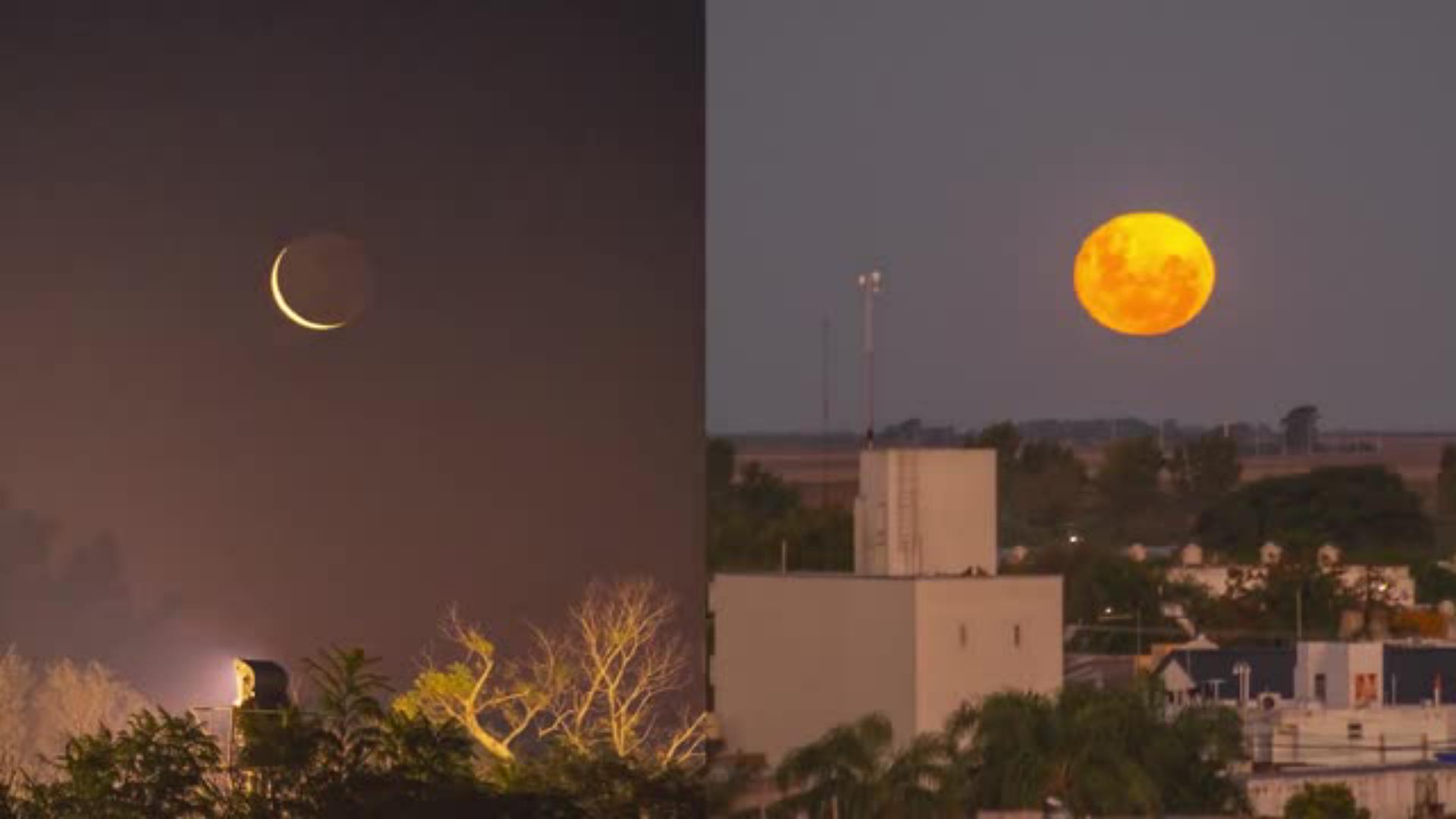
¿Alguna vez tomaste una foto de la luna llena y sentiste que no reflejaba la belleza del momento? El fotógrafo y artista visual Agustín Devani te invita a aprender cómo editar fotos de la luna con Adobe Photoshop, aplicando técnicas profesionales y brindándote consejos que realzan la calidad de tus imágenes. En este tutorial, transformarás una fotografía de paisaje con luna llena en una pieza visual impactante, combinando herramientas clásicas de Photoshop —como niveles, selecciones, enfoque y desenfoques— con recursos de IA generativa para sumar profundidad y un estilo cinematográfico.
View tutorial in Photoshop
Follow along in the app
What you’ll need
Practice in the app
Cómo capturar la magia del atardecer y la luna llena
El artista comparte su pasión por la fotografía de paisajes nocturnos, retratando la luna en el momento exacto en que aparece por el horizonte durante el atardecer. Ese instante, donde la luz cálida del cielo se mezcla con los tonos fríos de la luna, es el punto de partida para este proceso de edición.
Aprenderás a ajustar color, contraste y nitidez con Photoshop para lograr un resultado profesional, equilibrando realismo y emoción. Este flujo incluye el uso de cámara, trípode, teleobjetivo y ajustes de exposición para capturar los detalles y la textura de la superficie lunar.
Aprende paso a paso como editar fotos de la luna con Photoshop
Este tutorial está diseñado para que descubras cómo editar fotos de la luna de manera técnica y creativa, sin necesidad de conocimientos avanzados. Encontrarás videos, contenido y ejemplos paso a paso para explorar el proceso completo de edición, incluyendo:
Ajustes generales de contraste y color
Aprenderás a equilibrar luces y sombras mediante niveles y capas de ajuste, optimizando el balance de blancos, la sensibilidad ISO y la luz del cielo nocturno para lograr una integración visual natural.
Corrección cromática y enfoque del primer plano
Con herramientas como Tono/Saturación y el filtro Paso alto, conseguirás resaltar elementos clave del plano sin perder la suavidad en la composición.
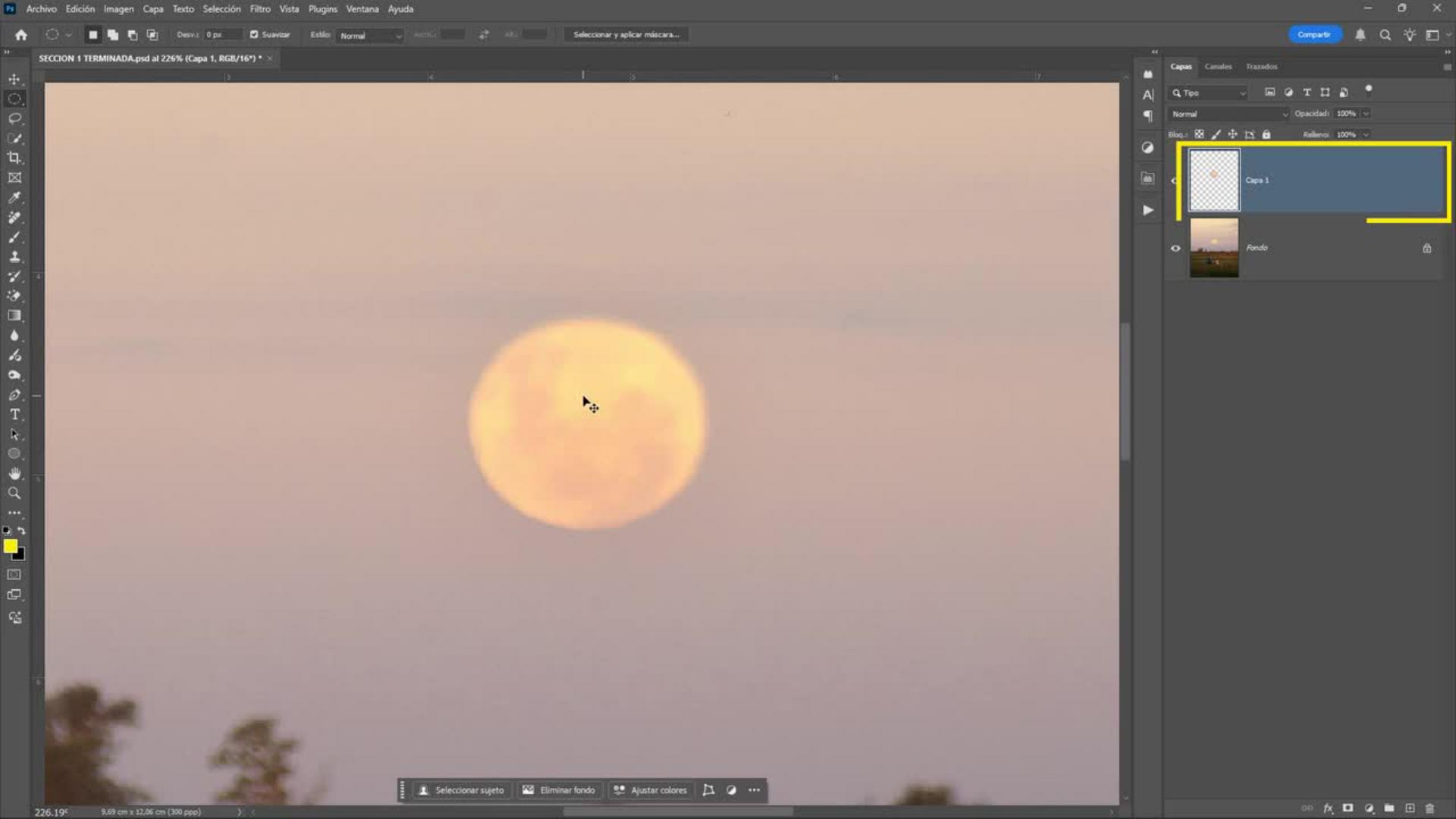
Ampliación y suavizado de la luna
Descubrirás cómo agrandar la luna, mantener la textura de su superficie y suavizar los bordes para un acabado profesional que dirija la atención hacia el centro de tu imagen.
Creación de atmósfera y profundidad con Camera Raw
Aplicarás Camera Raw para mejorar nitidez, color y contraste, sumando profundidad y tridimensionalidad a tu escena. Con los ajustes de este plugin, podrás manipular filtros, exposición, apertura y objetos de tu foto para un resultado más cinematográfico.
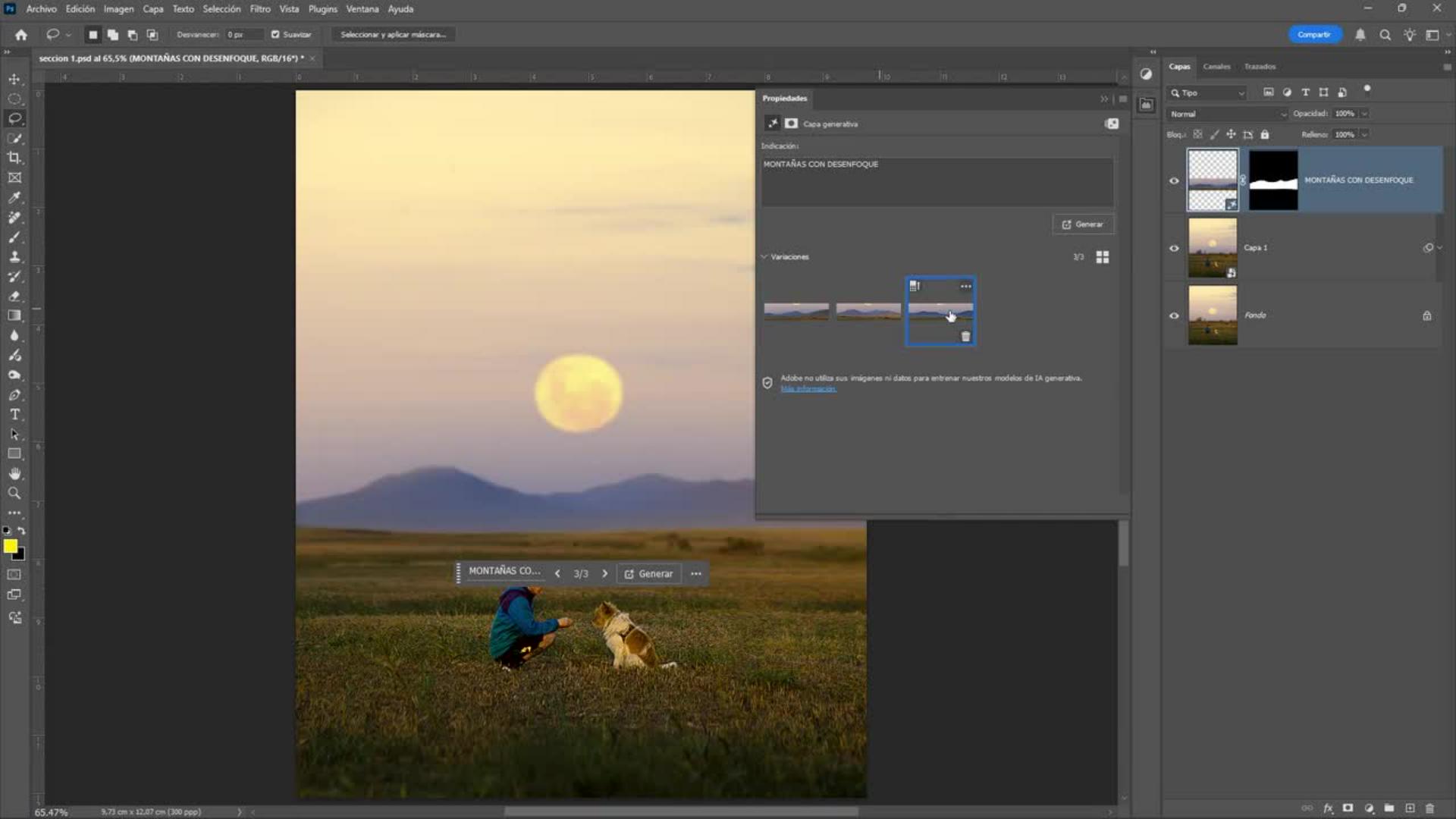
Más profundidad con IA y estilo cinematográfico
Finalmente, integrarás la potencia de la IA generativa en Photoshop para agregar elementos naturales, suavizar fondos, y aplicar LUTs de color que potencien la luz y la atmósfera de tu luna llena. Esto permite crear paisajes nocturnos que parecen sacados de una serie o publicación profesional.
Por qué este tutorial te va a inspirar
Más que un paso a paso, este tutorial es una invitación a reinterpretar tus fotos de luna llena y transformarlas en obras de arte digitales. Agu Devani combina su mirada artística con la versatilidad de Photoshop para mostrar cómo pequeños ajustes pueden convertir una toma común de la luna en una imagen poderosa, cuidando cada detalle y proporcionando datos útiles para tu propio equipo y dispositivo de trabajo.
Ya seas principiante o profesional, encontrarás en esta experiencia un espacio para aprender, experimentar y practicar con técnicas que elevan tu creatividad. Dale protagonismo a la luna, ajusta fase y color, y crea una composición que combine fondo, plano y elementos de manera armoniosa.
Potencia tu creatividad y lleva tus fotos de la luna al siguiente nivel
Esta propuesta se enfoca en acción práctica y aplicación del tutorial. Para aprovechar todo el potencial de tus fotos, explora cada parte del tutorial y experimenta con las diferentes opciones y configuración disponibles en Photoshop y Camera Raw. Desde el efecto de luz hasta la obturación, cada detalle cuenta para lograr imágenes impactantes del cielo nocturno.
Si tienes preguntas o quieres compartir tus avances, puedes dejar comentarios; cada clic te conecta con más información y recursos que te ayudarán a resolver cualquier problema. Tener a mano tus datos, dispositivo, equipo y conocer el modo y la escala de tus imágenes marca la diferencia al trabajar en cualquier lugar o ciudad.
Experimenta con tus opciones, explora cada área de la composición y disfruta del acceso a herramientas profesionales que te permiten transformar tu creatividad en resultados reales. Gracias por acompañarnos en este viaje; ¡ahora es tu turno de poner en práctica todo lo aprendido y crear tus propias escenas mágicas de luna!
Sobre el artista
Agustín Devani es un fotógrafo argentino especializado en fotos de paisaje y naturaleza. Su trabajo se caracteriza por una mirada amplia, serena y contemplativa, donde la presencia humana es mínima y la naturaleza se vuelve protagonista. Inspirado por los viajes y el contacto directo con el entorno, busca transmitir la belleza y el equilibrio de los espacios naturales. Ha sido publicado por National Geographic Latinoamérica y reconocido en certámenes como los Premios Yaguareté 2021 y el Concurso ArteSOSlidario en España, acumulando más de quince distinciones a nivel local, nacional e internacional.
You can control how Adobe websites use cookies and similar technologies by making choices below. But note that if you disable cookies and similar technologies entirely, Adobe websites may not function properly.
Cookies are small text files stored by your web browser when you use websites. There are also other technologies that can be used for similar purposes like HTML5 Local Storage and local shared objects, web beacons, and embedded scripts. These technologies help us do things like remembering you and your preferences when you return to our sites, measure how you use the website, conduct market research, and gather information about the ads you see and interact with.
You can make choices in the menu below about what cookies and other technologies you want us to use on Adobe sites when you visit them from this browser. You can always change those choices later by clicking on the Cookie Preferences link at the bottom of the page.
If enabled:
We can improve your experience by tailoring the site and the content to things we think might be of interest
We can better keep track of your preferences — like what language you prefer to use
We will better understand your likely interests so we can provide you more relevant Adobe ads and content on non-Adobe websites and in non-Adobe apps
It will help us improve the performance of our website and those of our partners who use the Adobe Experience Cloud
If disabled:
We won’t be able to remember you from session to session so the experience may not be tailored to your interests
You’ll still have access to the content of the site but certain features that depend on cookies may not function
You’ll still see ads, they just may not be as relevant to you
General information
You can control how Adobe websites use cookies and similar technologies by making choices below. But note that if you disable cookies and similar technologies entirely, Adobe websites may not function properly.
Cookies are small text files stored by your web browser when you use websites. There are also other technologies that can be used for similar purposes like HTML5 Local Storage, web beacons, and embedded scripts. These technologies help us do things like remembering you and your preferences when you return to our sites, measure how you use the website, conduct market research, and gather information about the ads you see and interact with.
You can make choices in the menu below about what cookies and other technologies you want us to use on Adobe sites when you visit them from this browser. You can always change those choices later by clicking on the Cookie Preferences link at the bottom of the page.
If enabled:
We can improve your experience by tailoring the site and the content to things we think might be of interest
We can better keep track of your preferences — like what language you prefer to use
We will better understand your likely interests so we can provide you more relevant Adobe ads and content on non-Adobe websites and in non-Adobe apps
It will help us improve the performance of our website and those of our partners who use the Adobe Experience Cloud
If disabled:
We won’t be able to remember you from session to session so the experience may not be tailored to your interests
We’ll still count your use of our site and services
You’ll still have access to the content of the site but certain features that depend on cookies may not function
You’ll still see ads, they just may not be as relevant to you
Operate the site and core servicesOperate site and measure engagement
Always active
These cookies are required, and they are used to enable the site and related services core functionality. Without them the site could not operate, so they cannot be disabled.
These cookies enable the site and related services’ core functionality and collect statistics about user engagement, such as counting active use to help us understand trends. These cookies cannot be disabled.
Measure performance
These cookies are used to analyze site usage to measure and improve performance. Without them Adobe cannot know what content is most valued and how often unique visitors return to the site, making it hard to improve information we offer to you.
These cookies are used to analyze site usage to measure and improve performance. Without them Adobe cannot know what content is most valued, making it hard to improve information we offer to you.
Extend functionality
These cookies are used to enhance the functionality of Adobe sites such as remembering your settings and preferences to deliver a personalized experience; for example, your username, your repeated visits, preferred language, your country, or any other saved preference.
Personalize advertising
These cookies are used to enable Adobe and our partners to serve ads more relevant to your interests. Without them you will still see ads, but they might not be as relevant to you.
Personalize advertising
These cookies are used to enable Adobe and our partners to serve ads more relevant to your interests. Without them you will still see ads, but they might not be as relevant to you.