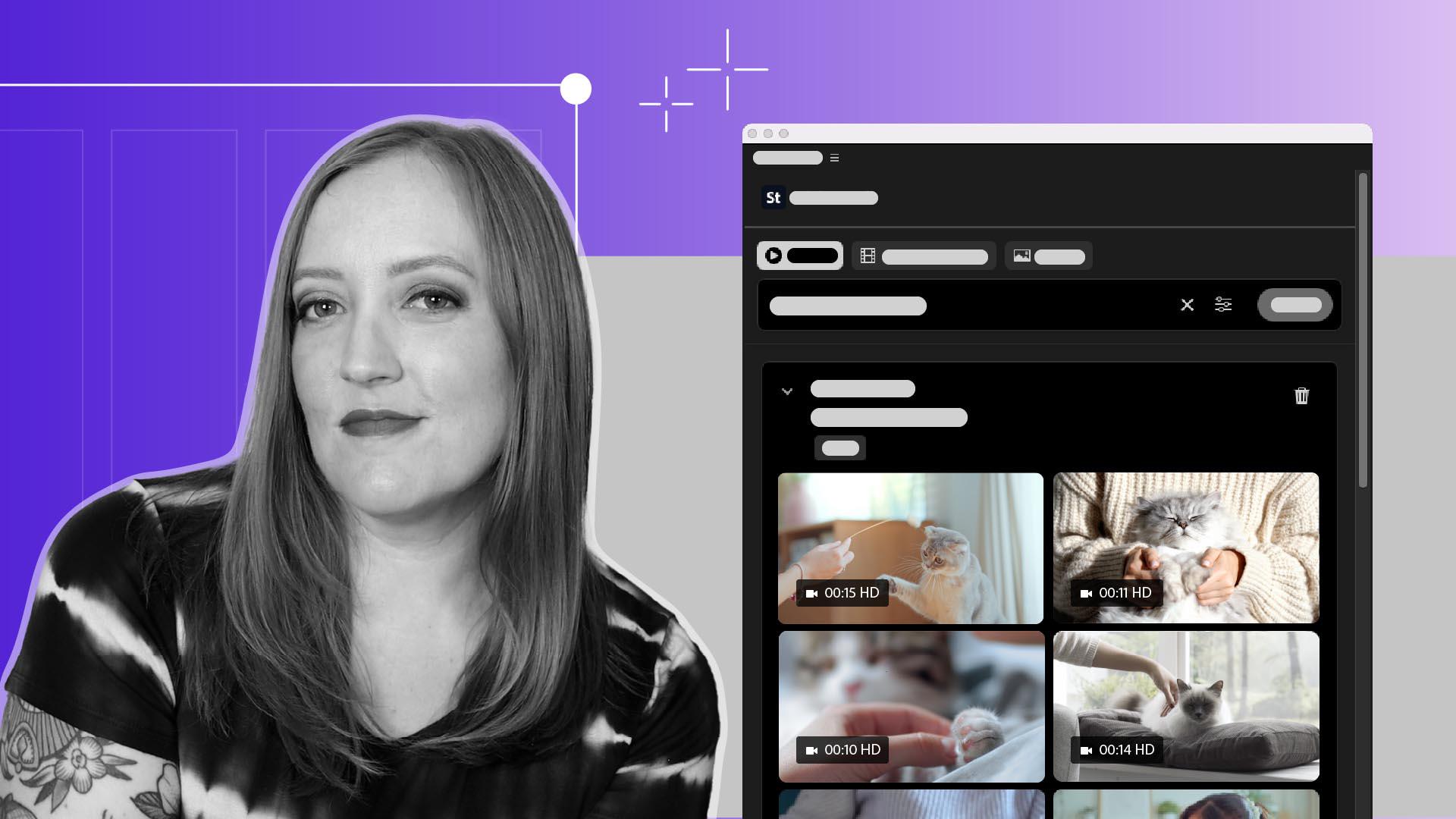
Añade medios de Adobe Stock mediante el panel de Stock
Busca, previsualiza y obtén la licencia de material gráfico de Adobe Stock directamente en Premiere.
Introducción
[Sarah John]: Uno de los problemas más frecuentes como editores de vídeo es conseguir que una persona que hable a la cámara enganche a la gente.
Por suerte para nosotros, Premiere ahora integra la biblioteca de Adobe Stock directamente en el flujo de trabajo.
Con el panel de Stock, podemos buscar entre millones de vídeos, imágenes y plantillas, incluidas más de 92 000 que se incluyen gratis.
Después nos ocupamos de las licencias e inmediatamente importamos el vídeo en nuestro proyecto, y sin salir de Premiere.
Soy Sara y estoy deseando enseñaros cómo funciona.
Accede a millones de recursos
Con el panel Stock, podemos buscar entre millones de vídeos, junto a nuestros archivos del proyecto.
Podemos tener una vista aún mejor en el espacio de las bibliotecas.
Tenemos varios filtros de búsqueda disponibles: imágenes, vídeos y plantillas de vídeos.
También podemos ser un poco más precisos entrando en la configuración de los filtros.
Si quisiera trabajar en este clip mío hablando y partirlo con material adicional de una persona acariciando un gato, y mi gato está ocupado ese día para que le grabe en vídeo, Puedo escribir en la búsqueda: "mujer acariciando a un gato", elegir los filtros para restringir las opciones, y aquí me salen miniaturas de todas las opciones que tengo,
Previsualiza y prueba clips al instante
y podemos verlas mejor si pasamos el cursor por cada una.
¡Mirad qué personajes!
Este se parece a mi gato.
Cuando paso el cursor por la imagen, veo algunas opciones.
Podemos Descargar la vista previa para añadir una vista previa del clip a nuestro proyecto para probar.
Y aquí tenemos el botón Descargar, una vez que decidamos cuál.
Licencia e importa sin salir de Premiere
Cuando estamos listos, hacemos clic en el botón Descargar.
Y aquí tenemos la opción de obtener la licencia del vídeo para lo que lo vayamos a usar.
Lo mejor es que todo el proceso de licencia y de pago podéis hacerlo aquí en el panel.
Cuando lo tengamos todo introducido y enviado, podemos descargar el clip y añadirlo a nuestro proyecto.
Ahora que ya sabéis cómo utilizar el panel Adobe Stock, podéis continuar y encontrar y obtener fácilmente la licencia todo el material adicional de gatos felices que podáis necesitar.
¡Divertíos!
Contenido
Accede a millones de recursos
Utiliza el panel de Adobe Stock para examinar vídeos, imágenes y plantillas de gráficos animados, incluidos más de 92 000 recursos gratuitos disponibles directamente en Premiere. Usa los filtros disponibles para pulir los resultados y encontrar el clip perfecto.
Previsualiza y prueba clips al instante
Pasa el puntero por encima de cualquier miniatura para previsualizar el material gráfico antes de descargarlo, o añade un clip de vista previa a tu secuencia para probar cómo encaja la edición antes de efectuar la compra.
Obtén licencias e importa sin salir de Premiere
Cuando lo tengas todo listo, obtén la licencia del clip elegido y descárgalo directamente del panel.
You can control how Adobe websites use cookies and similar technologies by making choices below. But note that if you disable cookies and similar technologies entirely, Adobe websites may not function properly.
Cookies are small text files stored by your web browser when you use websites. There are also other technologies that can be used for similar purposes like HTML5 Local Storage and local shared objects, web beacons, and embedded scripts. These technologies help us do things like remembering you and your preferences when you return to our sites, measure how you use the website, conduct market research, and gather information about the ads you see and interact with.
You can make choices in the menu below about what cookies and other technologies you want us to use on Adobe sites when you visit them from this browser. You can always change those choices later by clicking on the Cookie Preferences link at the bottom of the page.
If enabled:
We can improve your experience by tailoring the site and the content to things we think might be of interest
We can better keep track of your preferences — like what language you prefer to use
We will better understand your likely interests so we can provide you more relevant Adobe ads and content on non-Adobe websites and in non-Adobe apps
It will help us improve the performance of our website and those of our partners who use the Adobe Experience Cloud
If disabled:
We won’t be able to remember you from session to session so the experience may not be tailored to your interests
You’ll still have access to the content of the site but certain features that depend on cookies may not function
You’ll still see ads, they just may not be as relevant to you
General information
You can control how Adobe websites use cookies and similar technologies by making choices below. But note that if you disable cookies and similar technologies entirely, Adobe websites may not function properly.
Cookies are small text files stored by your web browser when you use websites. There are also other technologies that can be used for similar purposes like HTML5 Local Storage, web beacons, and embedded scripts. These technologies help us do things like remembering you and your preferences when you return to our sites, measure how you use the website, conduct market research, and gather information about the ads you see and interact with.
You can make choices in the menu below about what cookies and other technologies you want us to use on Adobe sites when you visit them from this browser. You can always change those choices later by clicking on the Cookie Preferences link at the bottom of the page.
If enabled:
We can improve your experience by tailoring the site and the content to things we think might be of interest
We can better keep track of your preferences — like what language you prefer to use
We will better understand your likely interests so we can provide you more relevant Adobe ads and content on non-Adobe websites and in non-Adobe apps
It will help us improve the performance of our website and those of our partners who use the Adobe Experience Cloud
If disabled:
We won’t be able to remember you from session to session so the experience may not be tailored to your interests
We’ll still count your use of our site and services
You’ll still have access to the content of the site but certain features that depend on cookies may not function
You’ll still see ads, they just may not be as relevant to you
Operate the site and core servicesOperate site and measure engagement
Always active
These cookies are required, and they are used to enable the site and related services core functionality. Without them the site could not operate, so they cannot be disabled.
These cookies enable the site and related services’ core functionality and collect statistics about user engagement, such as counting active use to help us understand trends. These cookies cannot be disabled.
Measure performance
These cookies are used to analyze site usage to measure and improve performance. Without them Adobe cannot know what content is most valued and how often unique visitors return to the site, making it hard to improve information we offer to you.
These cookies are used to analyze site usage to measure and improve performance. Without them Adobe cannot know what content is most valued, making it hard to improve information we offer to you.
Extend functionality
These cookies are used to enhance the functionality of Adobe sites such as remembering your settings and preferences to deliver a personalized experience; for example, your username, your repeated visits, preferred language, your country, or any other saved preference.
Personalize advertising
These cookies are used to enable Adobe and our partners to serve ads more relevant to your interests. Without them you will still see ads, but they might not be as relevant to you.
Personalize advertising
These cookies are used to enable Adobe and our partners to serve ads more relevant to your interests. Without them you will still see ads, but they might not be as relevant to you.