https://www.adobe.com/content/dam/www/us/en/sensei/firefly/6-sep/firefly_appicon_256.svg Adobe Firefly
Your imagination’s new best friend.
Use simple prompts and generative AI to create anything you can imagine with the new Adobe Firefly web app. From photorealistic portraits and fantasy creatures to text effects and fresh color palettes, the possibilities are pure magic. Now available for commercial use.
-----------------------------------------------------------
https://firefly.adobe.com/generate/images#_dnt|Text to Image
Dog in a sweater, primary|Generate

-----------------------------------------------------------
https://firefly.adobe.com/upload/inpaint#_dnt|Generative Fill
Prompt Used[Turquoise water reflecting a starry sky]|Try Generative Fill
-----------------------------------------------------------
https://firefly.adobe.com/generate/font-styles#_dnt|Text Effects
Tiger Fur|Generate

You have to try it to believe it.
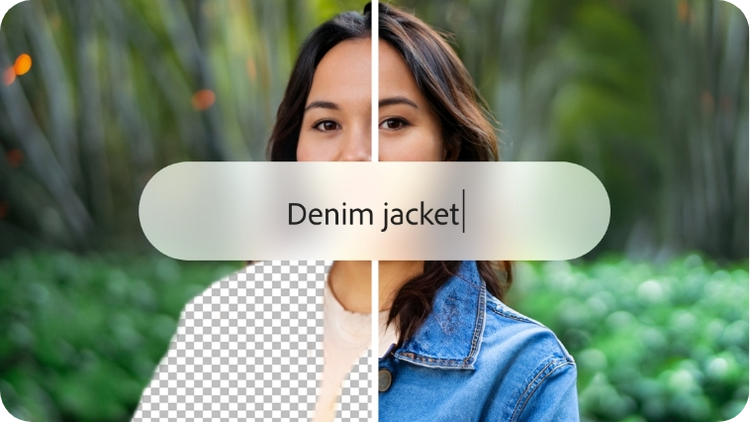
With simple text prompts in over 100 languages, you can generate images, add or remove objects, transform text, and so much more.



Find the right Firefly plan for you.
Unlock creative magic in Firefly, Adobe Photoshop, Illustrator, and more with Adobe generative credits, which give you access to AI-powered features. Get started with the free plan. Or do even more with the premium plan. Generative credits are also included in many other Adobe Creative Cloud plans.
Free
Get started with 25 monthly generative credits.
US$0.00/mo
No credit card required.
Premium
Get 100 monthly generative credits, Adobe Fonts Free, and no watermarks on images generated by Firefly.
Billed monthly. Cancel anytime.

OUR APPROACH TO GENERATIVE AI
Creators first.
Adobe is committed to developing generative AI responsibly, with creators at the center. Our mission is to give creators every advantage — not just creatively, but practically. As Firefly evolves, we’ll continue to work closely with the creative community to build technology that supports and improves the creative process.

Enhance the creative process.
The vision for Firefly is to help people expand upon their natural creativity. As both a product and an embedded model inside Adobe apps, Firefly offers generative AI tools made specifically for creative needs, use cases, and workflows.
Give creators practical advantages.
Trained on Adobe Stock images, openly licensed content, and public domain content, Firefly is designed to be safe for commercial use. To ensure that creators can benefit from generative AI, we’ve developed a compensation model for Adobe Stock contributors whose content is used in the dataset to retrain Firefly models.
Set the standard for responsibility.
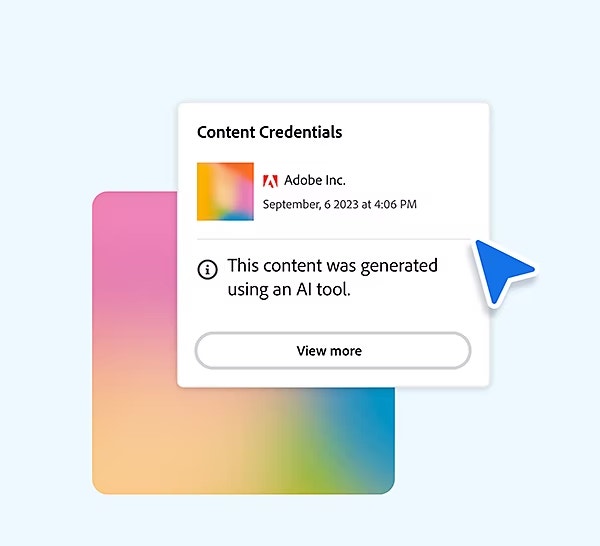
Through efforts like the Content Authenticity Initiative and the Coalition for Content Provenance and Authenticity, we’re standing up for accountability, responsibility, and transparency in generative AI. We’re working toward a universal “Do Not Train” Content Credentials tag that will remain associated with a piece of content wherever it’s used, published, or stored.
Next-generation Firefly.
Next-level creativity.
Step into the future with the next generation of Firefly models — made for creators. Now it’s faster and easier to explore, create, and iterate in the Firefly web app. Create with confidence knowing your output is the highest quality, built with models that are designed to be safe for commercial use.
Find Firefly inside Adobe apps.
Make amazing transformations in a snap with new features powered by Firefly generative AI. In just a few words, create new graphics, unlock endless color combinations, fill in or expand images, and produce dazzling text effects.
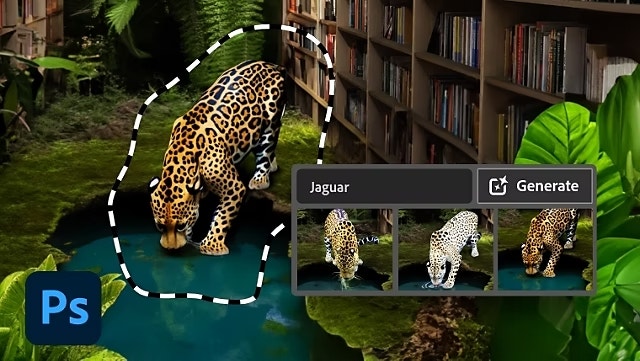
Generative Fill and Generative Expand
in Photoshop
Use a simple text prompt to add or remove content from any image. Click and drag beyond the image border to seamlessly fill the expanded canvas with matching content. Powered by Adobe Firefly.
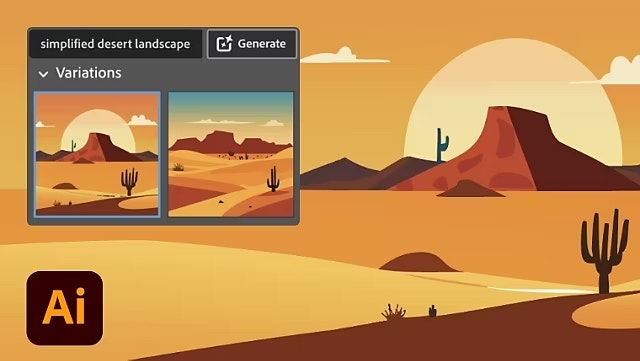
Text to Vector Graphic
in Illustrator
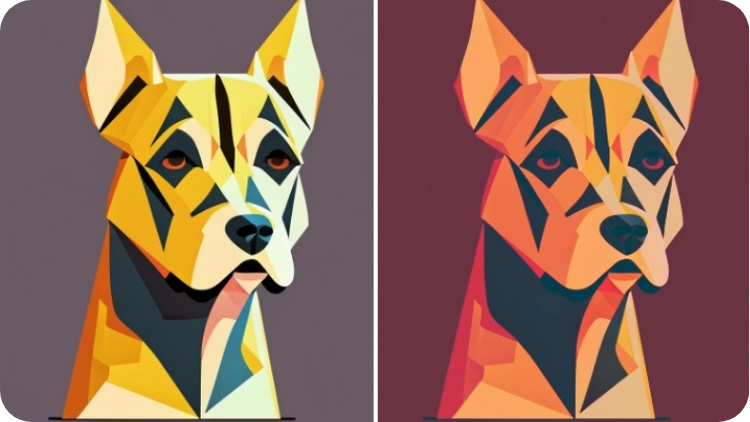
Generate customizable, scalable vector graphics with a simple description and Text to Vector Graphic, powered by Firefly. Make icons, patterns, and more for brand assets, social graphics, and beyond.
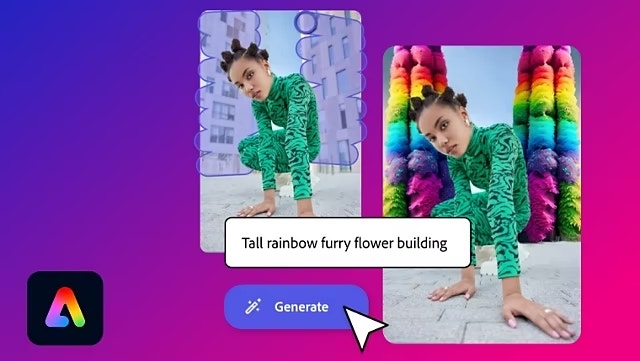
Generative Fill and Text to Template
in Adobe Express
With the all-in-one content creation app for social posts, videos, PDFs, and more, you can use Generative Fill to add, remove, or replace any part of your image. Plus, generate a template from a prompt with Text to Template.
Questions? We have answers.
What is Adobe Firefly?
Adobe Firefly is a standalone web application available at firefly.adobe.com. It offers new ways to ideate, create, and communicate while significantly improving creative workflows using generative AI. In addition to the Firefly web app, Adobe also has the broader Firefly family of creative generative AI models, along with features powered by Firefly in Adobe’s flagship apps and Adobe Stock.
Firefly is the natural extension of the technology Adobe has produced over the past 40 years, driven by the belief that people should be empowered to bring their ideas into the world precisely as they imagine them.
What is generative AI?
What is Adobe doing to ensure AI-generated images are created responsibly?
To As part of Adobe’s effort to design Firefly to be commercially safe, we’re training our initial commercial Firefly model on licensed content, such as Adobe Stock, and public domain content where copyright has expired. Additionally, as a founding collaborator of the Content Authenticity Initiative (CAI), Adobe is setting the industry standard for responsible generative AI. The CAI is a community of media and tech companies, NGOs, academics, and others working to promote adoption of an open industry standard for content authenticity and provenance.
This is in conjunction with the Coalition for Content Provenance and Authenticity (C2PA), which has developed an open technical standard providing publishers, creators, and consumers the ability to understand the origin of different types of media, including the ability to add a Content Credential that allows creators to indicate that generative AI was used. Find out more about content credentials.
What are some uses for AI generators?
AI generators like Firefly can enhance creativity by giving people new ways to imagine, experiment, and bring their ideas to life. Firefly is unique because Adobe intends it to be more than an AI text-to-image generator. As part of Creative Cloud, we’re building Firefly to supplement the tools Adobe creators know and love with text-based editing and generation of a variety of media, from still images to video to 3D, as well as “creative building blocks” like brushes, vectors, textures, and more.
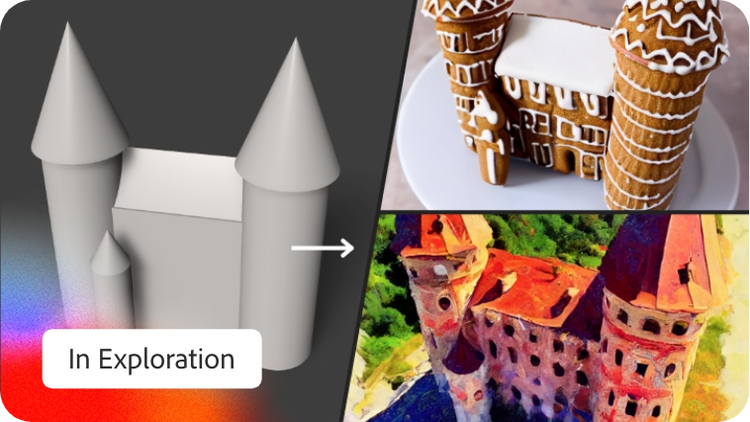
For Firefly, the future vision is for creators to be able to use everyday language and other inputs to quickly be able to test out design variations, remove distractions from photos, add elements to an illustration, change the mood of a video, add texture to 3D objects, create digital experiences, and more — then seamlessly customize and edit their content using a combination of Firefly and other Creative Cloud tools.
How do AI art generators work?
Which Creative Cloud apps have Firefly?
What is the Adobe Firefly Premium plan?
What are generative credits?
What languages does Firefly support?
What if my prompt isn’t accurately translated?
How can I try Generative Fill or Generative Expand?
What is Adobe Firefly Image 2 Model?
How is the new Adobe Firefly Image Model different from the previous one?
Where can I try the Firefly Image 2 Model?
Where does Firefly get its data from?
The current Firefly generative AI model is trained on a dataset of licensed content, such as Adobe Stock, and public domain content where copyright has expired.
As Firefly evolves, Adobe is exploring ways for creators to be able to train the machine learning model with their own assets so they can generate content that matches their unique style, branding, and design language without the influence of other creators’ content. Adobe will continue to listen to and work with the creative community to address future developments to the Firefly training models.