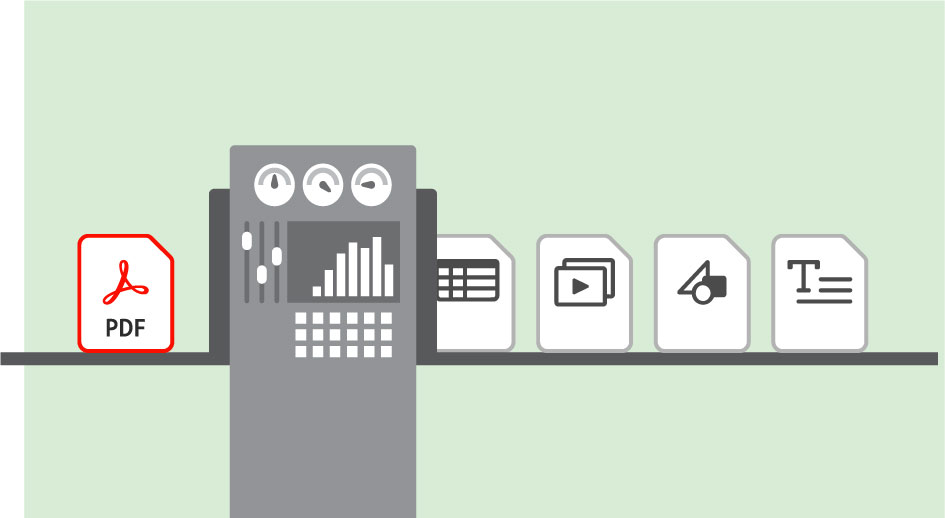
PDF-Dateien in gängige Formate exportieren und das Layout beibehalten.
Konvertiere PDF-Dateien in gängige Formate wie Microsoft Word und PowerPoint, ohne dass das Layout verloren geht.
Veröffentlicht am
In Adobe Acrobat lassen sich PDF-Dateien in vollständig editierbare Microsoft Word-, Excel- oder PowerPoint-Dokumente umwandeln. Layout und Textfluss bleiben erhalten. Gib die Dokumente für dein Team frei, um euren Workflow unabhängig von eingesetztem Gerät oder Betriebssystem zu optimieren.
PDF-Dateien in andere Dateitypen konvertieren.
Öffne dein PDF-Dokument in Acrobat.
Wähle entweder Datei > Exportieren in oder Werkzeuge > PDF-Datei exportieren.
Wähle eines der verfügbaren Formate: Microsoft Word (DOCX), Arbeitsblatt (XLSX oder XML), Microsoft PowerPoint (PPTX), Bild (JPEG, TIFF oder PNG), HTML-Webseite (HTML) oder weitere Formate wie Rich Text Format (RTF), Encapsulated Postscript (EPS) oder Text (TXT).
Klicke neben dem gewünschten Format auf das Zahnrad-Symbol, und wähle die passenden Exportoptionen.
Klicke auf OK. Gib einen Speicherort für das Dokument an. Wenn du Ergebnis anzeigen aktivierst, wird das entsprechende Programm nach dem Speichern der Datei geöffnet.
Exportoptionen für PDF-Dateien.
Durch Exportieren einer PDF-Datei in ein anderes Dateiformat sparst du den Aufwand, der sonst durch Tippen, Kopieren, Einfügen und Neuformatieren von Text entsteht. Es ist nicht nur wichtig zu wissen, wie eine PDF-Datei etwa in eine PowerPoint-Präsentation umgewandelt wird, sondern auch, wie du die Exportoptionen
verwendest, damit das Layout erhalten bleibt.
Fließtext beibehalten: Mit dieser Option wird festgelegt, dass der Textfluss im exportierten Dokument beibehalten wird.
Seitenlayout beibehalten: Wähle diese Option, wenn das Layout des exportierten Dokuments dem Layout im PDF-Dokument entsprechen soll. Eventuell muss der Text in Textfelder aufgeteilt werden, damit das ursprüngliche Layout erhalten bleiben kann.
Kommentare einschließen:
Diese Option ist nützlich, wenn du das PDF-Dokument zur Abstimmung freigegeben hast und andere Feedback hinzugefügt haben. Alle Kommentare werden mitexportiert.
Bilder einschließen: Du hast die Möglichkeit, dein PDF-Dokument mit oder ohne Bilder zu exportieren. Beim Export ohne Bilder wird nur der Text in das neue Format ausgegeben.
Texterkennung bei Bedarf: Wähle diese Option, wenn du ein gescanntes Dokument umwandelst. Die Texterkennung wird ausgeführt, bevor die Datei in das gewünschten Format ausgegeben wird.
Diese zeitsparenden Exportoptionen bieten dir flexible Optionen für unterschiedliche Anforderungen bei der Konvertierung.
Cookie Settings
General information
You can control how Adobe websites use cookies and similar technologies by making choices below. But note that if you disable cookies and similar technologies entirely, Adobe websites may not function properly.
Cookies are small text files stored by your web browser when you use websites. There are also other technologies that can be used for similar purposes like HTML5 Local Storage and local shared objects, web beacons, and embedded scripts. These technologies help us do things like remembering you and your preferences when you return to our sites, measure how you use the website, conduct market research, and gather information about the ads you see and interact with.
You can make choices in the menu below about what cookies and other technologies you want us to use on Adobe sites when you visit them from this browser. You can always change those choices later by clicking on the Cookie Preferences link at the bottom of the page.
If enabled:
We can improve your experience by tailoring the site and the content to things we think might be of interest
We can better keep track of your preferences — like what language you prefer to use
We will better understand your likely interests so we can provide you more relevant Adobe ads and content on non-Adobe websites and in non-Adobe apps
It will help us improve the performance of our website and those of our partners who use the Adobe Experience Cloud
If disabled:
We won’t be able to remember you from session to session so the experience may not be tailored to your interests
You’ll still have access to the content of the site but certain features that depend on cookies may not function
You’ll still see ads, they just may not be as relevant to you
General information
You can control how Adobe websites use cookies and similar technologies by making choices below. But note that if you disable cookies and similar technologies entirely, Adobe websites may not function properly.
Cookies are small text files stored by your web browser when you use websites. There are also other technologies that can be used for similar purposes like HTML5 Local Storage, web beacons, and embedded scripts. These technologies help us do things like remembering you and your preferences when you return to our sites, measure how you use the website, conduct market research, and gather information about the ads you see and interact with.
You can make choices in the menu below about what cookies and other technologies you want us to use on Adobe sites when you visit them from this browser. You can always change those choices later by clicking on the Cookie Preferences link at the bottom of the page.
If enabled:
We can improve your experience by tailoring the site and the content to things we think might be of interest
We can better keep track of your preferences — like what language you prefer to use
We will better understand your likely interests so we can provide you more relevant Adobe ads and content on non-Adobe websites and in non-Adobe apps
It will help us improve the performance of our website and those of our partners who use the Adobe Experience Cloud
If disabled:
We won’t be able to remember you from session to session so the experience may not be tailored to your interests
We’ll still count your use of our site and services
You’ll still have access to the content of the site but certain features that depend on cookies may not function
You’ll still see ads, they just may not be as relevant to you
Operate the site and core servicesOperate site and measure engagement
Always active
These cookies are required, and they are used to enable the site and related services core functionality. Without them the site could not operate, so they cannot be disabled.
These cookies enable the site and related services’ core functionality and collect statistics about user engagement, such as counting active use to help us understand trends. These cookies cannot be disabled.
Measure performance
These cookies are used to analyze site usage to measure and improve performance. Without them Adobe cannot know what content is most valued and how often unique visitors return to the site, making it hard to improve information we offer to you.
These cookies are used to analyze site usage to measure and improve performance. Without them Adobe cannot know what content is most valued, making it hard to improve information we offer to you.
Extend functionality
These cookies are used to enhance the functionality of Adobe sites such as remembering your settings and preferences to deliver a personalized experience; for example, your username, your repeated visits, preferred language, your country, or any other saved preference.
Personalize advertising
These cookies are used to enable Adobe and our partners to serve ads more relevant to your interests. Without them you will still see ads, but they might not be as relevant to you.
Personalize advertising
These cookies are used to enable Adobe and our partners to serve ads more relevant to your interests. Without them you will still see ads, but they might not be as relevant to you.