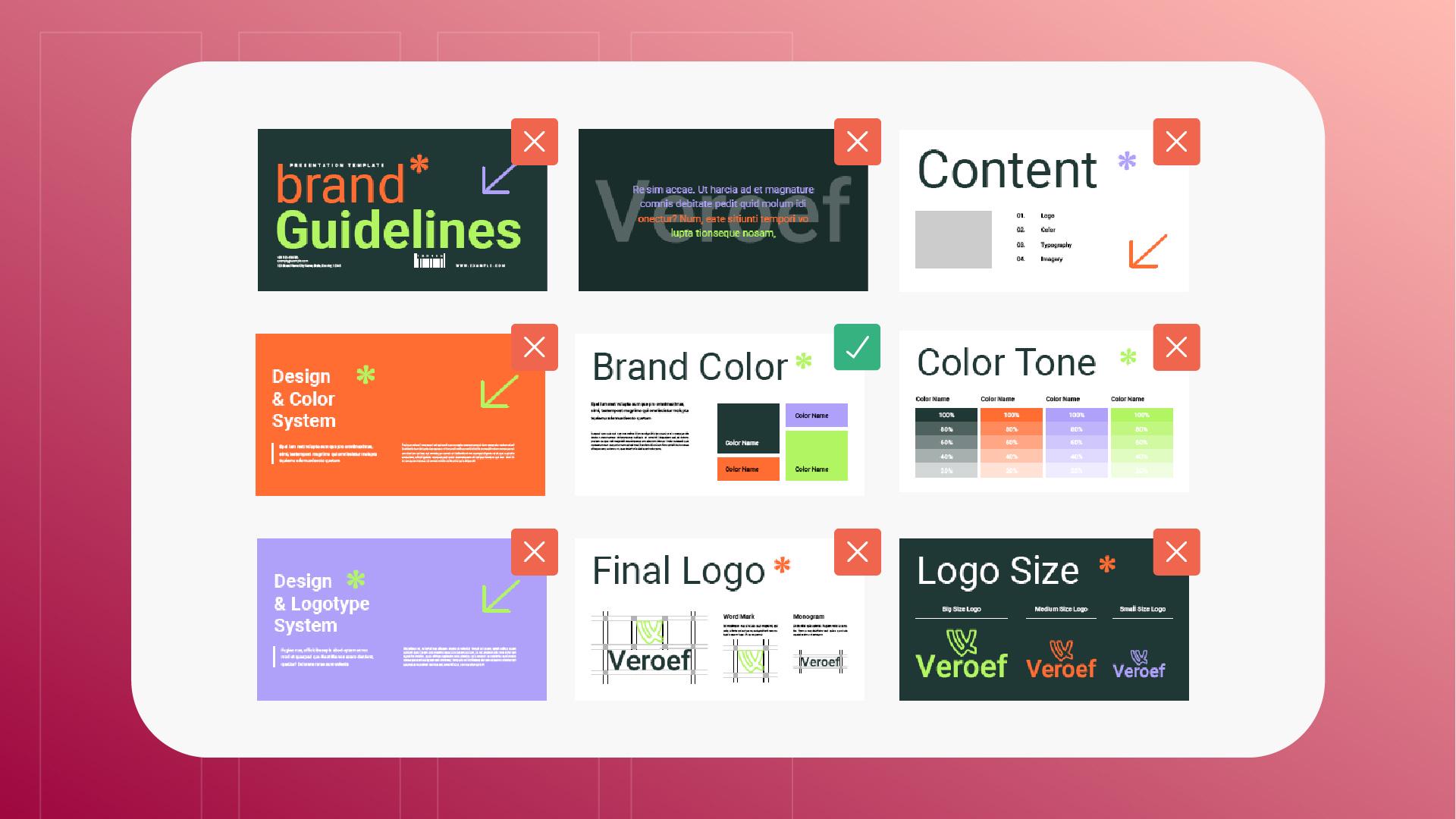
Du hast gerade eine riesige PDF-Datei mit vielen Grafiken erhalten, über 100 Seiten.
Alles sehr interessant, klar, doch einige dieser Seiten enthalten Informationen, die für dein Aufgabengebiet besonders relevant sind – Inhalte, auf die du dich immer wieder beziehen musst.
Leider dauert es aufgrund ihrer Größe ewig, die Datei zu öffnen, und sie hängt beim Durchscrollen.
Tag für Tag mühst du dich mit dieser riesigen, sperrigen Datei ab, die deinen Workflow verlangsamt und dich allmählich in den Wahnsinn treibt.
Fokus aufs Wesentliche
Ich bin Sarah, und ich habe gute Nachrichten: Mit „Seiten verwalten“ (Organize pages) in Adobe Acrobat kannst du wichtige Seiten extrahieren, in separaten Dateien speichern und viel Zeit sparen.
Im Menü „Alle Tools“ (All tools) wähle ich „Seiten verwalten“ (Organize pages) und öffne die Datei.
In diesem Beispiel verwende ich diese Branding-Richtlinien.
Die Marken-Story ist großartig.
Ebenso die Erläuterungen zu unseren Entscheidungen.
Doch alles, was ich für die tägliche Arbeit brauche,
Bestimmte Seiten auswählen und extrahieren
ist diese eine Seite mit der überarbeiteten Farbpalette.
Deshalb wähle ich sie nun aus und klicke auf „Seiten extrahieren“ (Extract pages) hier auf der Seitenleiste.
In diesem Menü kann ich die Seite nach der Entnahme löschen, was hier aber nicht notwendig ist, oder die ausgewählte Seite in eine separate Datei extrahieren.
Ich aktiviere dieses Kontrollkästchen und klicke auf „Extrahieren“ (Extract).
Acrobat fragt nun, wo die neue Datei gespeichert werden soll.
Ich wähle den Ort aus, klicke auf „OK“, und schon habe ich eine neue Datei.
Für einen schnellen Zugriff auf die aktuellen Hex-Codes der Marke muss ich jetzt nur noch diese neue, kompakte und übersichtlichere PDF-Datei öffnen und kann dadurch viel schneller arbeiten.
Bitte sehr!
Hinweis: Die zur Verfügung gestellten Medien aus Adobe Stock dürfen nur zu Übungszwecken verwendet werden. Bedingungen beachten
Zusammenfassung.
Fokus aufs Wesentliche.
Extrahiere mit „Seiten verwalten“ relevante Seiten aus langen Dokumenten. Erstelle eine kleinere Datei, die sich leicht öffnen und überblicken lässt.
Bestimmte Seiten auswählen und extrahieren.
Nachdem du eine Auswahl getroffen und auf der Seitenleiste auf „Seiten extrahieren“ geklickt hast, kannst du die Seiten als neue, kleinere PDF-Datei speichern.
You can control how Adobe websites use cookies and similar technologies by making choices below. But note that if you disable cookies and similar technologies entirely, Adobe websites may not function properly.
Cookies are small text files stored by your web browser when you use websites. There are also other technologies that can be used for similar purposes like HTML5 Local Storage and local shared objects, web beacons, and embedded scripts. These technologies help us do things like remembering you and your preferences when you return to our sites, measure how you use the website, conduct market research, and gather information about the ads you see and interact with.
You can make choices in the menu below about what cookies and other technologies you want us to use on Adobe sites when you visit them from this browser. You can always change those choices later by clicking on the Cookie Preferences link at the bottom of the page.
If enabled:
We can improve your experience by tailoring the site and the content to things we think might be of interest
We can better keep track of your preferences — like what language you prefer to use
We will better understand your likely interests so we can provide you more relevant Adobe ads and content on non-Adobe websites and in non-Adobe apps
It will help us improve the performance of our website and those of our partners who use the Adobe Experience Cloud
If disabled:
We won’t be able to remember you from session to session so the experience may not be tailored to your interests
You’ll still have access to the content of the site but certain features that depend on cookies may not function
You’ll still see ads, they just may not be as relevant to you
General information
You can control how Adobe websites use cookies and similar technologies by making choices below. But note that if you disable cookies and similar technologies entirely, Adobe websites may not function properly.
Cookies are small text files stored by your web browser when you use websites. There are also other technologies that can be used for similar purposes like HTML5 Local Storage, web beacons, and embedded scripts. These technologies help us do things like remembering you and your preferences when you return to our sites, measure how you use the website, conduct market research, and gather information about the ads you see and interact with.
You can make choices in the menu below about what cookies and other technologies you want us to use on Adobe sites when you visit them from this browser. You can always change those choices later by clicking on the Cookie Preferences link at the bottom of the page.
If enabled:
We can improve your experience by tailoring the site and the content to things we think might be of interest
We can better keep track of your preferences — like what language you prefer to use
We will better understand your likely interests so we can provide you more relevant Adobe ads and content on non-Adobe websites and in non-Adobe apps
It will help us improve the performance of our website and those of our partners who use the Adobe Experience Cloud
If disabled:
We won’t be able to remember you from session to session so the experience may not be tailored to your interests
We’ll still count your use of our site and services
You’ll still have access to the content of the site but certain features that depend on cookies may not function
You’ll still see ads, they just may not be as relevant to you
Operate the site and core servicesOperate site and measure engagement
Always active
These cookies are required, and they are used to enable the site and related services core functionality. Without them the site could not operate, so they cannot be disabled.
These cookies enable the site and related services’ core functionality and collect statistics about user engagement, such as counting active use to help us understand trends. These cookies cannot be disabled.
Measure performance
These cookies are used to analyze site usage to measure and improve performance. Without them Adobe cannot know what content is most valued and how often unique visitors return to the site, making it hard to improve information we offer to you.
These cookies are used to analyze site usage to measure and improve performance. Without them Adobe cannot know what content is most valued, making it hard to improve information we offer to you.
Extend functionality
These cookies are used to enhance the functionality of Adobe sites such as remembering your settings and preferences to deliver a personalized experience; for example, your username, your repeated visits, preferred language, your country, or any other saved preference.
Personalize advertising
These cookies are used to enable Adobe and our partners to serve ads more relevant to your interests. Without them you will still see ads, but they might not be as relevant to you.
Personalize advertising
These cookies are used to enable Adobe and our partners to serve ads more relevant to your interests. Without them you will still see ads, but they might not be as relevant to you.