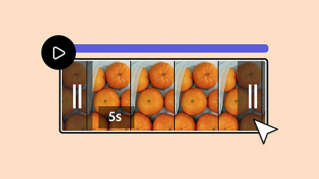
Medien zum Editor oder zu einer Vorlage hinzufügen.
Mit Fotos, Videos und Audio machst du mehr aus deinen Projekten. Hier erfährst du, wie’s geht.
Benötigte Materialien
In der Anwendung üben
Medien zu Projekten oder Videos hinzufügen.
In Adobe Express lassen sich Fotos, Videos und Audio zu jedem Design hinzufügen.
Beginne mit einer leeren Arbeitsfläche im Editor.
Klicke auf „Vorlagen“ (Templates), um die Auswahl zu durchsuchen.
Klicke dann auf „Medien“ (Media).
Wähle „Fotos“ (Photos), „Videos“ oder „Audio“.
Du kannst Medien von deinem Gerät hochladen oder aus der Adobe Stock-Bibliothek wählen.
Suche nach Kategorie oder nach Stichwort.
Klicke auf eine Datei, um sie hinzuzufügen.
Fotos oder Videos in Vorlagen lassen sich einfach austauschen.
Die auf diesen Medien angewendeten Effekte bleiben erhalten.
Klicke auf „Ersetzen“ (Replace).
Wähle Medien von dir oder von Adobe Stock.
Fertig.
Adobe Express.
Bleibe kreativ.
Mit wenigen Klicks wird ein Projekt multimedial: Beginne mit einem neuen, leeren Dokument, oder wähle eine Vorlage aus. Lade eine eigene Datei hoch, oder verwende eine der zahlreichen Dateien, die wir für dich erstellt haben.
Wähle zunächst die Projektart, z. B. „Social Media“ oder „Marketing“.
Du kannst mit einem neuen, leeren Dokument beginnen oder eine Vorlage auswählen. Klicke auf die gewünschte Option, um den Editor zu öffnen.
Klicke links im Editor auf das Icon „Medien“, um ein Menü mit Optionen aufzurufen.
Du kannst 3 Arten von Medien zu deinen Projekten hinzufügen: Fotos, Videos und Audio.
Auf jedem Tab hast du die Möglichkeit, eigene Medien hochzuladen oder die Bibliothek von Adobe Express zu durchsuchen.
Klicke auf eine Mediendatei, um sie zum Editor hinzuzufügen, oder platziere sie per Drag-and-Drop. Jetzt hast du deinem Projekt Medien hinzugefügt.
You can control how Adobe websites use cookies and similar technologies by making choices below. But note that if you disable cookies and similar technologies entirely, Adobe websites may not function properly.
Cookies are small text files stored by your web browser when you use websites. There are also other technologies that can be used for similar purposes like HTML5 Local Storage and local shared objects, web beacons, and embedded scripts. These technologies help us do things like remembering you and your preferences when you return to our sites, measure how you use the website, conduct market research, and gather information about the ads you see and interact with.
You can make choices in the menu below about what cookies and other technologies you want us to use on Adobe sites when you visit them from this browser. You can always change those choices later by clicking on the Cookie Preferences link at the bottom of the page.
If enabled:
We can improve your experience by tailoring the site and the content to things we think might be of interest
We can better keep track of your preferences — like what language you prefer to use
We will better understand your likely interests so we can provide you more relevant Adobe ads and content on non-Adobe websites and in non-Adobe apps
It will help us improve the performance of our website and those of our partners who use the Adobe Experience Cloud
If disabled:
We won’t be able to remember you from session to session so the experience may not be tailored to your interests
You’ll still have access to the content of the site but certain features that depend on cookies may not function
You’ll still see ads, they just may not be as relevant to you
General information
You can control how Adobe websites use cookies and similar technologies by making choices below. But note that if you disable cookies and similar technologies entirely, Adobe websites may not function properly.
Cookies are small text files stored by your web browser when you use websites. There are also other technologies that can be used for similar purposes like HTML5 Local Storage, web beacons, and embedded scripts. These technologies help us do things like remembering you and your preferences when you return to our sites, measure how you use the website, conduct market research, and gather information about the ads you see and interact with.
You can make choices in the menu below about what cookies and other technologies you want us to use on Adobe sites when you visit them from this browser. You can always change those choices later by clicking on the Cookie Preferences link at the bottom of the page.
If enabled:
We can improve your experience by tailoring the site and the content to things we think might be of interest
We can better keep track of your preferences — like what language you prefer to use
We will better understand your likely interests so we can provide you more relevant Adobe ads and content on non-Adobe websites and in non-Adobe apps
It will help us improve the performance of our website and those of our partners who use the Adobe Experience Cloud
If disabled:
We won’t be able to remember you from session to session so the experience may not be tailored to your interests
We’ll still count your use of our site and services
You’ll still have access to the content of the site but certain features that depend on cookies may not function
You’ll still see ads, they just may not be as relevant to you
Operate the site and core servicesOperate site and measure engagement
Always active
These cookies are required, and they are used to enable the site and related services core functionality. Without them the site could not operate, so they cannot be disabled.
These cookies enable the site and related services’ core functionality and collect statistics about user engagement, such as counting active use to help us understand trends. These cookies cannot be disabled.
Measure performance
These cookies are used to analyze site usage to measure and improve performance. Without them Adobe cannot know what content is most valued and how often unique visitors return to the site, making it hard to improve information we offer to you.
These cookies are used to analyze site usage to measure and improve performance. Without them Adobe cannot know what content is most valued, making it hard to improve information we offer to you.
Extend functionality
These cookies are used to enhance the functionality of Adobe sites such as remembering your settings and preferences to deliver a personalized experience; for example, your username, your repeated visits, preferred language, your country, or any other saved preference.
Personalize advertising
These cookies are used to enable Adobe and our partners to serve ads more relevant to your interests. Without them you will still see ads, but they might not be as relevant to you.
Personalize advertising
These cookies are used to enable Adobe and our partners to serve ads more relevant to your interests. Without them you will still see ads, but they might not be as relevant to you.