Die Optionen zum Spiegeln und Drehen sind praktisch, wenn dein Foto auf dem Kopf steht, in die falsche Richtung zeigt oder du seine Position verändern möchtest.
Benötigte Materialien
In der Anwendung üben
Fotos spiegeln oder drehen.
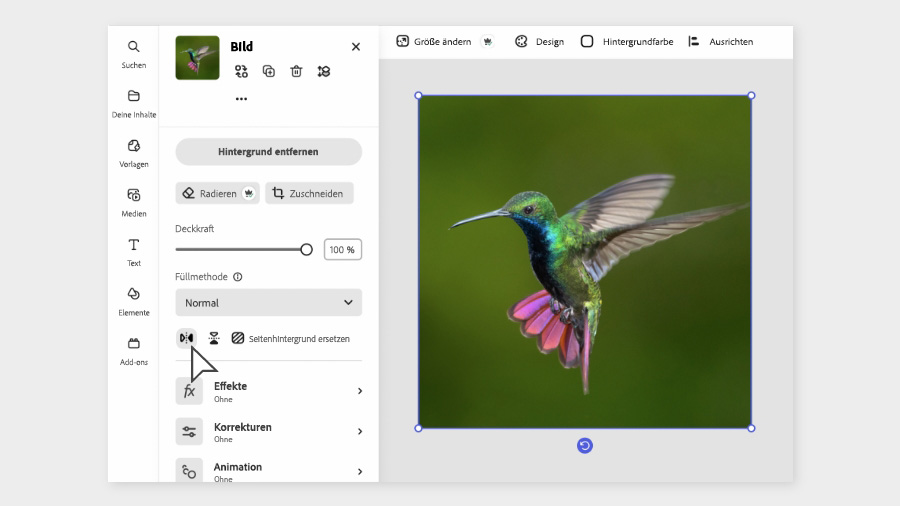
Klicke auf das Foto, das du spiegeln willst.
Das Bedienfeld „Bild“ (Image) öffnet sich.
Klicke auf das linke Icon für horizontales Spiegeln.
Klicke auf das Icon daneben für vertikales Spiegeln.
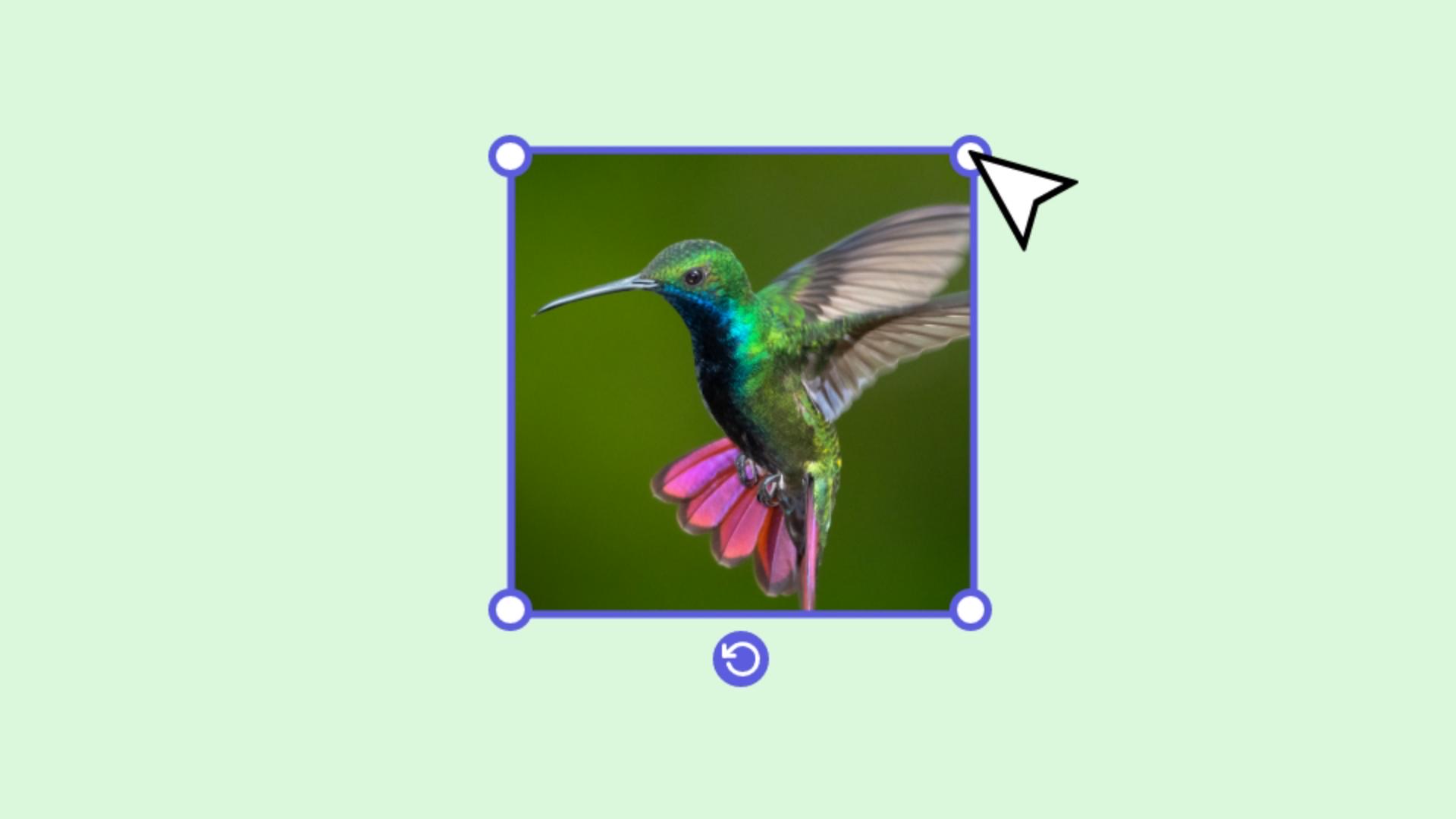
Um das Foto zu drehen, wähle es aus.
Das Drehen-Icon erscheint.
Klicke und ziehe mit gedrückter Maustaste an dem Icon.
Adobe Express – bleibe kreativ.
Änderungen wie Spiegeln und Drehen sind schnell erledigt, z. B. wenn ein Foto im falschen Winkel steht, du Platz für Text oder Formen benötigst oder einfach nur der Gesamteindruck eines Bilds optimiert werden soll. Dabei kannst du mit unterschiedlichen Winkeln experimentieren und Änderungen schnell rückgängig machen, wenn sie nicht funktionieren.
Der Winkel des Fotomotivs lenkt den Blick der Betrachtenden, sodass sich die Aufmerksamkeit auf einen von dir bestimmten Bildteil richtet. Das heißt, durch Spiegeln oder Drehen kannst du die Aussage beeinflussen, die ein Foto transportiert. Oder du spielst einfach nur mit verschiedenen Effekten, indem du Bilder duplizierst und in verschiedenen Winkeln übereinander legst. Mit den folgenden Schritten kannst du deine Bilder schnell korrigieren oder kreativ bearbeiten:
Ein Foto horizontal oder vertikal spiegeln.
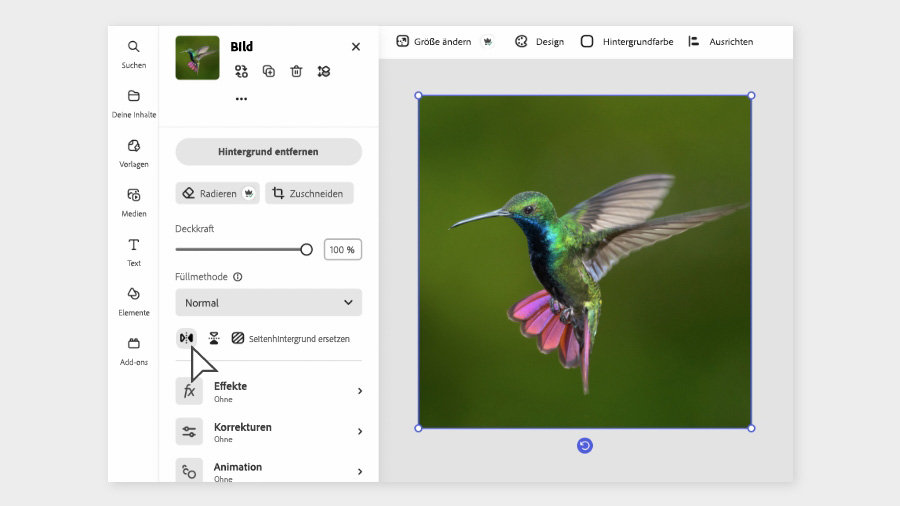
Wähle das Bild aus.
Klicke auf das Icon „Horizontal spiegeln“ oder auf das Icon „Vertikal spiegeln“.
Ein Foto drehen:
Wähle ein Foto aus.
Klicke und ziehe mit gedrückter Maustaste an dem Icon mit dem gebogenen Pfeil, um das Foto in den gewünschten Winkel zu bringen.
Mehrere Fotos gleichzeitig spiegeln oder drehen:
Du kannst Fotos einzeln oder gruppenweise spiegeln oder drehen.
Eine Gruppe spiegeln oder drehen.
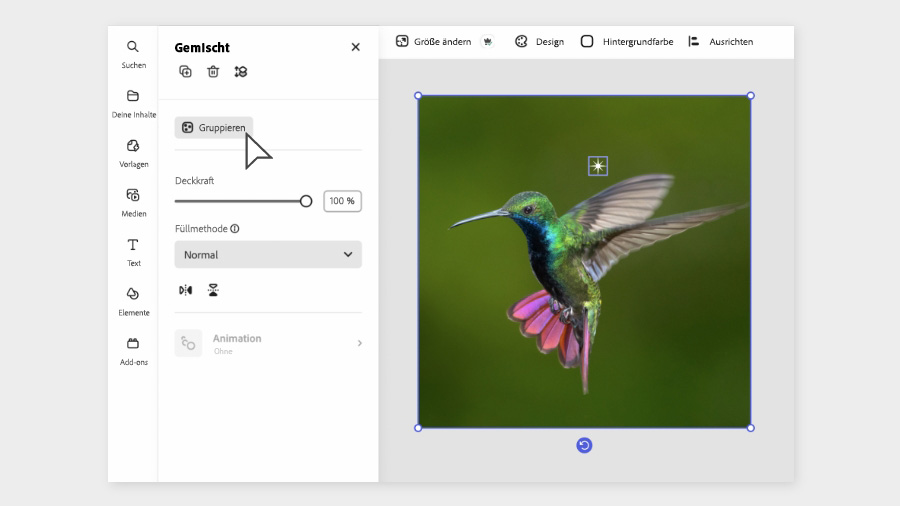
Halte die Umschalttaste gedrückt, und klicke auf alle Fotos, die du auswählen möchtest.
Klicke im linken Bedienfeld auf Gruppieren.
Nun kannst die Tools zum Spiegeln und Drehen für die ganze Gruppe verwenden.
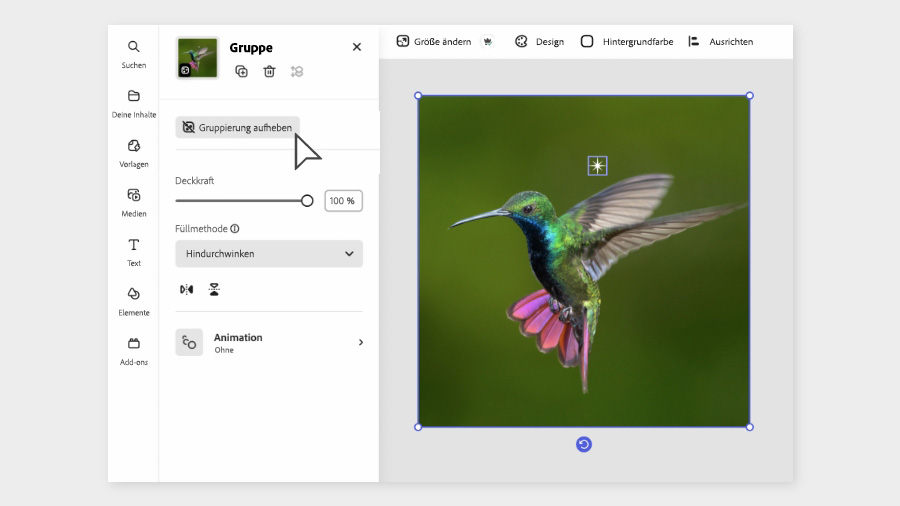
Wenn du Fotos versehentlich gruppiert hast oder doch nur ein einzelnes Foto bearbeiten möchtest, löse die Gruppierung einfach auf. Klicke auf den Button
Gruppierung aufheben.
Wähle nun das Foto aus, das du bearbeiten möchtest.
You can control how Adobe websites use cookies and similar technologies by making choices below. But note that if you disable cookies and similar technologies entirely, Adobe websites may not function properly.
Cookies are small text files stored by your web browser when you use websites. There are also other technologies that can be used for similar purposes like HTML5 Local Storage and local shared objects, web beacons, and embedded scripts. These technologies help us do things like remembering you and your preferences when you return to our sites, measure how you use the website, conduct market research, and gather information about the ads you see and interact with.
You can make choices in the menu below about what cookies and other technologies you want us to use on Adobe sites when you visit them from this browser. You can always change those choices later by clicking on the Cookie Preferences link at the bottom of the page.
If enabled:
We can improve your experience by tailoring the site and the content to things we think might be of interest
We can better keep track of your preferences — like what language you prefer to use
We will better understand your likely interests so we can provide you more relevant Adobe ads and content on non-Adobe websites and in non-Adobe apps
It will help us improve the performance of our website and those of our partners who use the Adobe Experience Cloud
If disabled:
We won’t be able to remember you from session to session so the experience may not be tailored to your interests
You’ll still have access to the content of the site but certain features that depend on cookies may not function
You’ll still see ads, they just may not be as relevant to you
General information
You can control how Adobe websites use cookies and similar technologies by making choices below. But note that if you disable cookies and similar technologies entirely, Adobe websites may not function properly.
Cookies are small text files stored by your web browser when you use websites. There are also other technologies that can be used for similar purposes like HTML5 Local Storage, web beacons, and embedded scripts. These technologies help us do things like remembering you and your preferences when you return to our sites, measure how you use the website, conduct market research, and gather information about the ads you see and interact with.
You can make choices in the menu below about what cookies and other technologies you want us to use on Adobe sites when you visit them from this browser. You can always change those choices later by clicking on the Cookie Preferences link at the bottom of the page.
If enabled:
We can improve your experience by tailoring the site and the content to things we think might be of interest
We can better keep track of your preferences — like what language you prefer to use
We will better understand your likely interests so we can provide you more relevant Adobe ads and content on non-Adobe websites and in non-Adobe apps
It will help us improve the performance of our website and those of our partners who use the Adobe Experience Cloud
If disabled:
We won’t be able to remember you from session to session so the experience may not be tailored to your interests
We’ll still count your use of our site and services
You’ll still have access to the content of the site but certain features that depend on cookies may not function
You’ll still see ads, they just may not be as relevant to you
Operate the site and core servicesOperate site and measure engagement
Always active
These cookies are required, and they are used to enable the site and related services core functionality. Without them the site could not operate, so they cannot be disabled.
These cookies enable the site and related services’ core functionality and collect statistics about user engagement, such as counting active use to help us understand trends. These cookies cannot be disabled.
Measure performance
These cookies are used to analyze site usage to measure and improve performance. Without them Adobe cannot know what content is most valued and how often unique visitors return to the site, making it hard to improve information we offer to you.
These cookies are used to analyze site usage to measure and improve performance. Without them Adobe cannot know what content is most valued, making it hard to improve information we offer to you.
Extend functionality
These cookies are used to enhance the functionality of Adobe sites such as remembering your settings and preferences to deliver a personalized experience; for example, your username, your repeated visits, preferred language, your country, or any other saved preference.
Personalize advertising
These cookies are used to enable Adobe and our partners to serve ads more relevant to your interests. Without them you will still see ads, but they might not be as relevant to you.
Personalize advertising
These cookies are used to enable Adobe and our partners to serve ads more relevant to your interests. Without them you will still see ads, but they might not be as relevant to you.