
Kurzform-Content und Social-Media-Videos auf ein neues Level bringen.
Erfahre, wie du mit einfachen Mitteln außergewöhnlichen Content erstellen kannst.
Benötigte Materialien
In der Anwendung üben
Einführung.
Vergiss aufwendiges Equipment – alles, was du für ansprechenden Video-Content brauchst, ist dein Smartphone. In diesem Kurs zeigt dir Produzent, Fotograf und DJ Matt Francisco, wie du mehr aus Kurzform-Content und Social-Media-Videos machen kannst – mit Tools und Materialien, die dir bereits zur Verfügung stehen.
Wie entstehen gute Ideen?
Am Anfang jedes Kreativprozesses steht eine Idee. Du musst schließlich wissen, was du erstellen willst, bevor du anfangen kannst. Woher du deine Inspiration beziehst, ist nicht wichtig. Matt empfiehlt, bewusst offline zu gehen.
Gehe spazieren.
Höre Musik.
Sieh dir einen Film an.
Probiere etwas Neues aus.
Eine andere Option: Wirf einen Blick auf Content, den du schon hast. Nimm dir ein paar Minuten (oder auch etwas länger) Zeit, die Bilder und Videos auf deinem Smartphone durchzusehen. Behalte dabei im Kopf, wer deine Zielgruppe ist und was sie vermutlich anspricht oder interessiert.
Du hast immer noch keine Idee? Hier ein paar Content-Arten als Anregung:
Tutorial mit Voiceover
Visuelles Konzept
Comedy-Sketch
Story
Unterhaltung
Je nach Art des geplanten Contents kann ein Skript oder eine Gliederung nützlich sein. Du kannst aber auch einfach improvisieren. Matt findet, die besten Ideen entstehen, wenn der eigene visuelle Stil und die eigene Persönlichkeit zusammenkommen und wenn bei der Entstehung der Idee Spannung im Spiel war.
Wie gelingt dir ein interessantes Video unter 10 Sekunden?
Einschränkungen machen es leichter, den richtigen Schwerpunkt bei einem Kreativprojekt zu setzen. Dies gilt besonders, wenn du die Einschränkungen als Inspirationsquelle nutzt. In diesem Fall lautet die Anweisung: Fasse dich kurz.
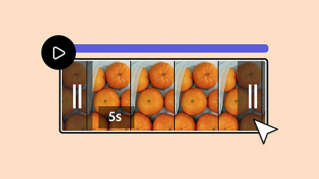
Eine einfache Möglichkeit, die Wirkung deines Contents zu erweitern, ist ein Clip mit Dauerschleife. Durch Hinzufügen von Bewegung und Richtung kannst du Footage mit einer einfachen Handlung (z. B. einem Clip von dir, wie du Auto fährst oder über eine Wiese gehst) mehr Dynamik und Dramatik geben.
Wie lässt sich aus Fotos ein cooles Video machen?
Videos müssen nicht ausschließlich aus Filmaufnahmen geschnitten werden – du kannst auch Fotos als Ausgangspunkt verwenden. Lade die gewünschten Bilder in Adobe Express, und wende Animationen darauf an. So erstellst du eine kurze, interaktive Dia-Show, die in deinem Feed garantiert auffällt.
Kann ich eigene Animationen definieren?
Die Animations-Tools in Adobe Express ermöglichen jetzt auch unabhängige Animationen für einzelne Ebenen. Experimentiere mit „Ebenen-Timing anzeigen“, um zu steuern, wann sich welches Element bewegt.
Fazit.
Zur Erinnerung:
Du brauchst keine Spezialausrüstung, um in Adobe Express hochwertigen Video-Content zu erstellen.
Finde deine Inspiration offline.
Nutze etwas Spannendes als Ausgangspunkt für deinen Kreativprozess.
Überlege, welche Art von Content deine Zielgruppe anspricht oder interessiert.
Lasse dich vom Format oder von der Art des Contents inspirieren.
Auch mit den begrenzten Ressourcen von Adobe Express kannst du interessanten Kurzform-Content erstellen. Teste gleich die neuen Videofunktionen und Animations-Tools.

Benötigte Materialien
In der Anwendung üben
5. Mai 2024
Probiere diese Tutorials mit Adobe Express aus
Web-Seiten, Social-Media-Grafiken und Videos erstellen
You can control how Adobe websites use cookies and similar technologies by making choices below. But note that if you disable cookies and similar technologies entirely, Adobe websites may not function properly.
Cookies are small text files stored by your web browser when you use websites. There are also other technologies that can be used for similar purposes like HTML5 Local Storage and local shared objects, web beacons, and embedded scripts. These technologies help us do things like remembering you and your preferences when you return to our sites, measure how you use the website, conduct market research, and gather information about the ads you see and interact with.
You can make choices in the menu below about what cookies and other technologies you want us to use on Adobe sites when you visit them from this browser. You can always change those choices later by clicking on the Cookie Preferences link at the bottom of the page.
If enabled:
We can improve your experience by tailoring the site and the content to things we think might be of interest
We can better keep track of your preferences — like what language you prefer to use
We will better understand your likely interests so we can provide you more relevant Adobe ads and content on non-Adobe websites and in non-Adobe apps
It will help us improve the performance of our website and those of our partners who use the Adobe Experience Cloud
If disabled:
We won’t be able to remember you from session to session so the experience may not be tailored to your interests
You’ll still have access to the content of the site but certain features that depend on cookies may not function
You’ll still see ads, they just may not be as relevant to you
General information
You can control how Adobe websites use cookies and similar technologies by making choices below. But note that if you disable cookies and similar technologies entirely, Adobe websites may not function properly.
Cookies are small text files stored by your web browser when you use websites. There are also other technologies that can be used for similar purposes like HTML5 Local Storage, web beacons, and embedded scripts. These technologies help us do things like remembering you and your preferences when you return to our sites, measure how you use the website, conduct market research, and gather information about the ads you see and interact with.
You can make choices in the menu below about what cookies and other technologies you want us to use on Adobe sites when you visit them from this browser. You can always change those choices later by clicking on the Cookie Preferences link at the bottom of the page.
If enabled:
We can improve your experience by tailoring the site and the content to things we think might be of interest
We can better keep track of your preferences — like what language you prefer to use
We will better understand your likely interests so we can provide you more relevant Adobe ads and content on non-Adobe websites and in non-Adobe apps
It will help us improve the performance of our website and those of our partners who use the Adobe Experience Cloud
If disabled:
We won’t be able to remember you from session to session so the experience may not be tailored to your interests
We’ll still count your use of our site and services
You’ll still have access to the content of the site but certain features that depend on cookies may not function
You’ll still see ads, they just may not be as relevant to you
Operate the site and core servicesOperate site and measure engagement
Always active
These cookies are required, and they are used to enable the site and related services core functionality. Without them the site could not operate, so they cannot be disabled.
These cookies enable the site and related services’ core functionality and collect statistics about user engagement, such as counting active use to help us understand trends. These cookies cannot be disabled.
Measure performance
These cookies are used to analyze site usage to measure and improve performance. Without them Adobe cannot know what content is most valued and how often unique visitors return to the site, making it hard to improve information we offer to you.
These cookies are used to analyze site usage to measure and improve performance. Without them Adobe cannot know what content is most valued, making it hard to improve information we offer to you.
Extend functionality
These cookies are used to enhance the functionality of Adobe sites such as remembering your settings and preferences to deliver a personalized experience; for example, your username, your repeated visits, preferred language, your country, or any other saved preference.
Personalize advertising
These cookies are used to enable Adobe and our partners to serve ads more relevant to your interests. Without them you will still see ads, but they might not be as relevant to you.
Personalize advertising
These cookies are used to enable Adobe and our partners to serve ads more relevant to your interests. Without them you will still see ads, but they might not be as relevant to you.