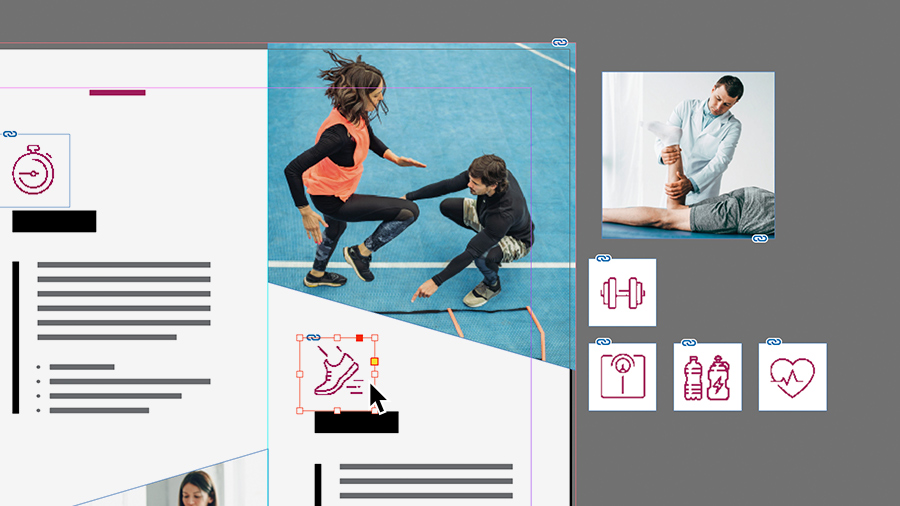
Lerne die wichtigsten Layout- und Grafikelemente für Flyer und Broschüren kennen.
Veröffentlicht am
Mit den folgenden Tools, Funktionen und Workflows gelingen Flyer- und Broschüren-Layouts einfacher und effektiver.
Ein Dokument einrichten.
Lege gleich zu Beginn deines Projekts die optimalen Einstellungen für deinen Flyer oder deine Broschüre fest.
Durchsuche die zeitsparenden Vorlagen von Adobe Stock. Oder wähle eines der vielen vordefinierten Formate aus.
Wenn du mit einem vordefinierten Format arbeiten möchtest, klicke im Dialogfeld
„Neues Dokument“ oben auf „Druck“. Damit setzt du den Farbmodus auf CMYK (Cyan, Magenta, Gelb, Schwarz). Lege die gewünschte Einheit für Abmessungen fest.
Richte Spalten und Ränder für die zu platzierenden Inhalte ein. Diese Einstellungen kannst du später bei Bedarf ändern.
Text hinzufügen und formatieren.
Print-Materialien mit kreativer Typografie fallen sofort auf. Nutze die vielfältigen Möglichkeiten im Bedienfeld „Eigenschaften“.
Experimentiere mit vorhandenen Schriften, oder lade neue Schriften von Adobe Fonts herunter.
Ändere Einstellungen wie Schriftgrad, Durchschuss (Zeilenabstand) und Laufweite (Zeichenabstand).
Farben anwenden.
Farben wecken Emotionen und unterstreichen die Aussage deiner Story. InDesign bietet viele Methoden, um Farben zu mischen und anzuwenden.
Speichere Farben, die du wiederverwenden möchtest, im Bedienfeld „Farbfelder“.
Entdecke inspirierende, harmonische Farbkombinationen auf Basis eines bestimmten Farbtons im Bedienfeld
„Adobe Color-Themen“.
Grafiken hinzufügen.
Bilder, Logos und andere Grafiken kannst du aus vielen Quellen und in zahlreichen Formaten importieren, z. B. JPEG, SVG, TIFF, PNG, AI und PSD. Wähle hierzu „Datei > Platzieren“.
Wenn du Bildmaterial in professioneller Qualität benötigst, aber weder Zeit noch Budget für ein Foto-Shooting hast, nutze die riesige Auswahl an hochwertigen Fotos und Grafiken bei Adobe Stock. Durchsuche und lizenziere Elemente direkt in InDesign.
Projekt teilen.
Wenn du mit dem Ergebnis deiner kreativen Arbeit zufrieden bist, kannst du es auf verschiedene Weise mit anderen teilen.
Drucke das Design auf deinem Drucker aus.
Speichere es als PDF-Datei, und versende es zum Drucken an einen Kollegen oder an eine Druckerei.
Teile dein Layout als digitales Dokument (im PDF- oder EPUB-Format). Oder generiere mit „Publish Online“ einen Link zu deinem Projekt.
Halte dich an diese Grundlagen, wenn du einen Flyer für ein besonderes Event oder eine Broschüre für dein Unternehmen gestalten möchtest.
Probiere diese Tutorials mit InDesign aus
Seiten-Layouts für Print und Digital Publishing gestalten
You can control how Adobe websites use cookies and similar technologies by making choices below. But note that if you disable cookies and similar technologies entirely, Adobe websites may not function properly.
Cookies are small text files stored by your web browser when you use websites. There are also other technologies that can be used for similar purposes like HTML5 Local Storage and local shared objects, web beacons, and embedded scripts. These technologies help us do things like remembering you and your preferences when you return to our sites, measure how you use the website, conduct market research, and gather information about the ads you see and interact with.
You can make choices in the menu below about what cookies and other technologies you want us to use on Adobe sites when you visit them from this browser. You can always change those choices later by clicking on the Cookie Preferences link at the bottom of the page.
If enabled:
We can improve your experience by tailoring the site and the content to things we think might be of interest
We can better keep track of your preferences — like what language you prefer to use
We will better understand your likely interests so we can provide you more relevant Adobe ads and content on non-Adobe websites and in non-Adobe apps
It will help us improve the performance of our website and those of our partners who use the Adobe Experience Cloud
If disabled:
We won’t be able to remember you from session to session so the experience may not be tailored to your interests
You’ll still have access to the content of the site but certain features that depend on cookies may not function
You’ll still see ads, they just may not be as relevant to you
General information
You can control how Adobe websites use cookies and similar technologies by making choices below. But note that if you disable cookies and similar technologies entirely, Adobe websites may not function properly.
Cookies are small text files stored by your web browser when you use websites. There are also other technologies that can be used for similar purposes like HTML5 Local Storage, web beacons, and embedded scripts. These technologies help us do things like remembering you and your preferences when you return to our sites, measure how you use the website, conduct market research, and gather information about the ads you see and interact with.
You can make choices in the menu below about what cookies and other technologies you want us to use on Adobe sites when you visit them from this browser. You can always change those choices later by clicking on the Cookie Preferences link at the bottom of the page.
If enabled:
We can improve your experience by tailoring the site and the content to things we think might be of interest
We can better keep track of your preferences — like what language you prefer to use
We will better understand your likely interests so we can provide you more relevant Adobe ads and content on non-Adobe websites and in non-Adobe apps
It will help us improve the performance of our website and those of our partners who use the Adobe Experience Cloud
If disabled:
We won’t be able to remember you from session to session so the experience may not be tailored to your interests
We’ll still count your use of our site and services
You’ll still have access to the content of the site but certain features that depend on cookies may not function
You’ll still see ads, they just may not be as relevant to you
Operate the site and core servicesOperate site and measure engagement
Always active
These cookies are required, and they are used to enable the site and related services core functionality. Without them the site could not operate, so they cannot be disabled.
These cookies enable the site and related services’ core functionality and collect statistics about user engagement, such as counting active use to help us understand trends. These cookies cannot be disabled.
Measure performance
These cookies are used to analyze site usage to measure and improve performance. Without them Adobe cannot know what content is most valued and how often unique visitors return to the site, making it hard to improve information we offer to you.
These cookies are used to analyze site usage to measure and improve performance. Without them Adobe cannot know what content is most valued, making it hard to improve information we offer to you.
Extend functionality
These cookies are used to enhance the functionality of Adobe sites such as remembering your settings and preferences to deliver a personalized experience; for example, your username, your repeated visits, preferred language, your country, or any other saved preference.
Personalize advertising
These cookies are used to enable Adobe and our partners to serve ads more relevant to your interests. Without them you will still see ads, but they might not be as relevant to you.
Personalize advertising
These cookies are used to enable Adobe and our partners to serve ads more relevant to your interests. Without them you will still see ads, but they might not be as relevant to you.