Hinter Glas: Realistische Glasillusion in Photoshop
Du erfährst, wie man eine realistische Glasillusion mit Hilfe von Licht, Highlights und KI erzeugen kann.
Veröffentlicht am
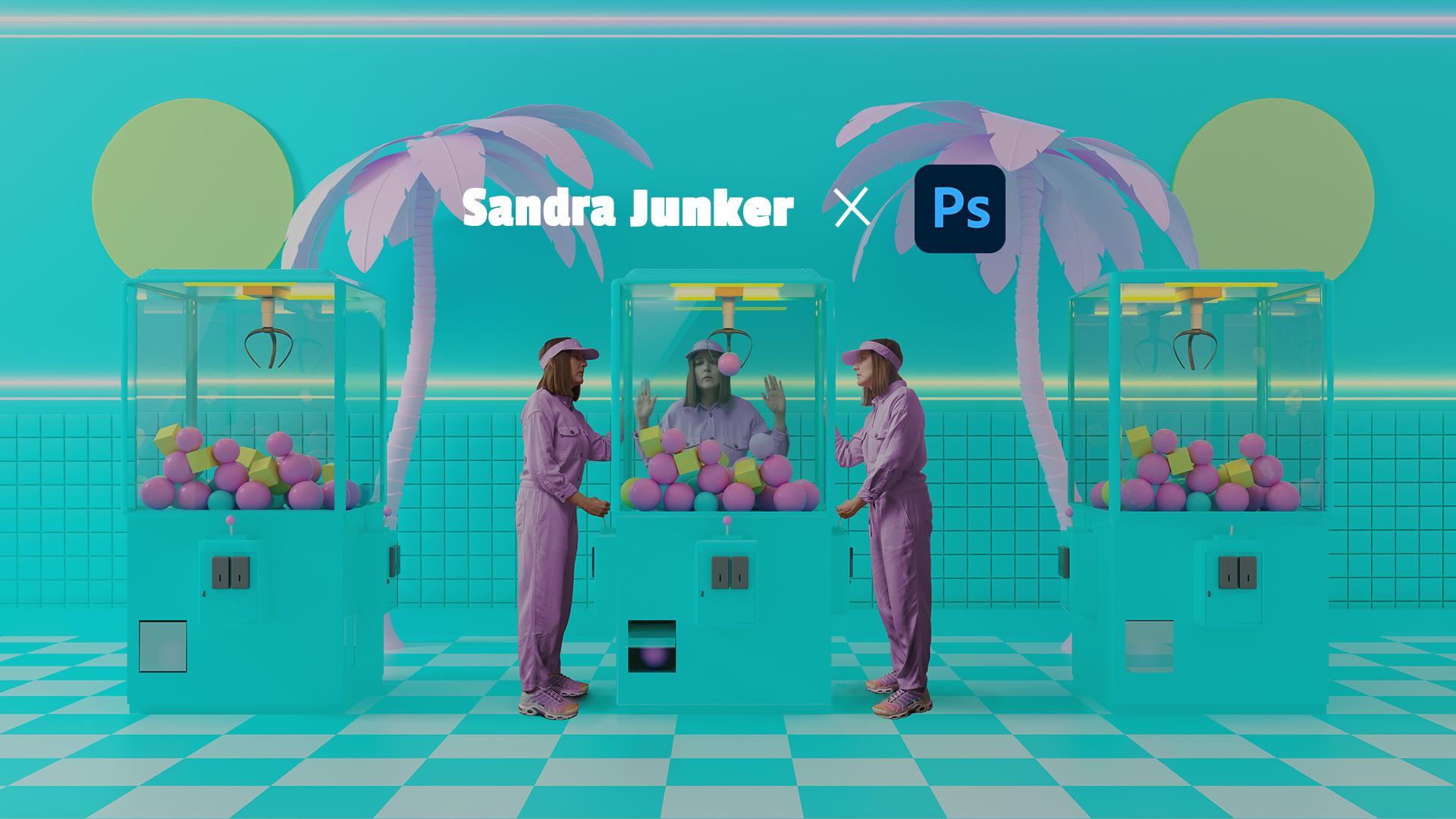
Wann wirkt es, als stünde eine Person wirklich hinter einer Glasscheibe? Im diesem Tutorial lernst du, wie dieser Effekt entsteht. Gemeinsam mit der Künstlerin Sandra Junker erschaffst du eine überzeugende Glasillusion für einen Spielzeugautomaten. Dabei arbeitest du mit einer semitransparenten Fläche, doppelst Lichtquellen, erstellst Highlights und setzt KI ein, um Tiefe und Materialität glaubwürdig darzustellen.
In diesem Tutorial geht es um eine konkrete Illusion: Glas.
Hallo?
Hallo.
Mein Name ist Sandra Junker und ich arbeite irgendwo zwischen KI, Fotografie und Art Direction.
Dieses Bild ist ein Teil der Serie "Me, My Team and I".
Ich habe mich lange Zeit als Solo-Selbstständige hinter den Charakteren meines Studios versteckt, doch damit ist mit dieser Serie Schluss.
Denn die Wahrheit sieht so aus.
Ich habe mich dazu entschieden, diesen Fakt eher zu feiern als zu verstecken.
In diesem Bild haben "Me, My Team and I" Spaß in der Spielhalle.
Dabei steht eine Person hinter dem Spielautomaten und somit hinter der Glasscheibe.
Und genau diese Glasscheibe bauen wir jetzt nach.
Wir starten mit einer transparenten Farbfläche, spiegeln die Neonröhren realistisch in der Scheibe und setzen mit einem Verlauf einen subtilen Glare, ohne das Gesicht zu überdecken.
Zum Schluss setzen wir KI gezielt dort ein, wo sie wirklich hilft, bei den Details.
Also lasst uns loslegen.
Im interaktiven Tutorial von Sandra Junker lernst du:
Eine farbige, transparente Glasfläche stimmig in die Szene einzubinden.
Neonlichter als realistisch wirkende Spiegelungen auf das Glas zu platzieren.
Mit Formauswahl und Verlauf einen subtilen Lichtreflex auf der Scheibe zu gestalten.
Mit Hilfe des KI-Tools „Generatives Füllen“ Kontaktpunkte zwischen Hand und Glas zu erzeugen.
Für das Tutorial stellt dir Sandra ein Bild aus ihrer kreativen Foto-Serie „Me, My Team, and I“ bereit. Schritt für Schritt entwickelst du daraus eine stimmige Spielhallenszene. Öffne das interaktive Tutorial über den Button unter dem Video und setze den Effekt direkt selbst um.
Über die Künstlerin
Sandra Junker ist Art Directorin und Visual Creatorin mit Sitz in Deutschland. Ihre Arbeiten verbinden Fotografie, 3D und KI zu einer konzeptionellen Bildsprache, die Geschichten, Marken und Emotionen visuell erlebbar macht.
Bekannt für ihren klaren Stil und ihr Gespür für Farbe, spielt sie in ihren Projekten mit der Grenze zwischen Realität und digitaler Transformation. Sandra teilt ihr Wissen regelmäßig in Workshops und Vorträgen rund um KI, Fotografie und Photoshop – mit Fokus auf kreative und kritische Auseinandersetzungen mit neuen Bildwelten. In ihren interaktiven Photoshop Tutorials zeigt sie dir Schritt für Schritt ihre kreativen Bearbeitungstechniken und erklärt, wie ihre Lieblingstools funktionieren.
You can control how Adobe websites use cookies and similar technologies by making choices below. But note that if you disable cookies and similar technologies entirely, Adobe websites may not function properly.
Cookies are small text files stored by your web browser when you use websites. There are also other technologies that can be used for similar purposes like HTML5 Local Storage and local shared objects, web beacons, and embedded scripts. These technologies help us do things like remembering you and your preferences when you return to our sites, measure how you use the website, conduct market research, and gather information about the ads you see and interact with.
You can make choices in the menu below about what cookies and other technologies you want us to use on Adobe sites when you visit them from this browser. You can always change those choices later by clicking on the Cookie Preferences link at the bottom of the page.
If enabled:
We can improve your experience by tailoring the site and the content to things we think might be of interest
We can better keep track of your preferences — like what language you prefer to use
We will better understand your likely interests so we can provide you more relevant Adobe ads and content on non-Adobe websites and in non-Adobe apps
It will help us improve the performance of our website and those of our partners who use the Adobe Experience Cloud
If disabled:
We won’t be able to remember you from session to session so the experience may not be tailored to your interests
You’ll still have access to the content of the site but certain features that depend on cookies may not function
You’ll still see ads, they just may not be as relevant to you
General information
You can control how Adobe websites use cookies and similar technologies by making choices below. But note that if you disable cookies and similar technologies entirely, Adobe websites may not function properly.
Cookies are small text files stored by your web browser when you use websites. There are also other technologies that can be used for similar purposes like HTML5 Local Storage, web beacons, and embedded scripts. These technologies help us do things like remembering you and your preferences when you return to our sites, measure how you use the website, conduct market research, and gather information about the ads you see and interact with.
You can make choices in the menu below about what cookies and other technologies you want us to use on Adobe sites when you visit them from this browser. You can always change those choices later by clicking on the Cookie Preferences link at the bottom of the page.
If enabled:
We can improve your experience by tailoring the site and the content to things we think might be of interest
We can better keep track of your preferences — like what language you prefer to use
We will better understand your likely interests so we can provide you more relevant Adobe ads and content on non-Adobe websites and in non-Adobe apps
It will help us improve the performance of our website and those of our partners who use the Adobe Experience Cloud
If disabled:
We won’t be able to remember you from session to session so the experience may not be tailored to your interests
We’ll still count your use of our site and services
You’ll still have access to the content of the site but certain features that depend on cookies may not function
You’ll still see ads, they just may not be as relevant to you
Operate the site and core servicesOperate site and measure engagement
Always active
These cookies are required, and they are used to enable the site and related services core functionality. Without them the site could not operate, so they cannot be disabled.
These cookies enable the site and related services’ core functionality and collect statistics about user engagement, such as counting active use to help us understand trends. These cookies cannot be disabled.
Measure performance
These cookies are used to analyze site usage to measure and improve performance. Without them Adobe cannot know what content is most valued and how often unique visitors return to the site, making it hard to improve information we offer to you.
These cookies are used to analyze site usage to measure and improve performance. Without them Adobe cannot know what content is most valued, making it hard to improve information we offer to you.
Extend functionality
These cookies are used to enhance the functionality of Adobe sites such as remembering your settings and preferences to deliver a personalized experience; for example, your username, your repeated visits, preferred language, your country, or any other saved preference.
Personalize advertising
These cookies are used to enable Adobe and our partners to serve ads more relevant to your interests. Without them you will still see ads, but they might not be as relevant to you.
Personalize advertising
These cookies are used to enable Adobe and our partners to serve ads more relevant to your interests. Without them you will still see ads, but they might not be as relevant to you.