[Musik] [Fanny Papay]: Hallo, ich bin Fanny Papay, Illustratorin und Branding-Designerin in Budapest.
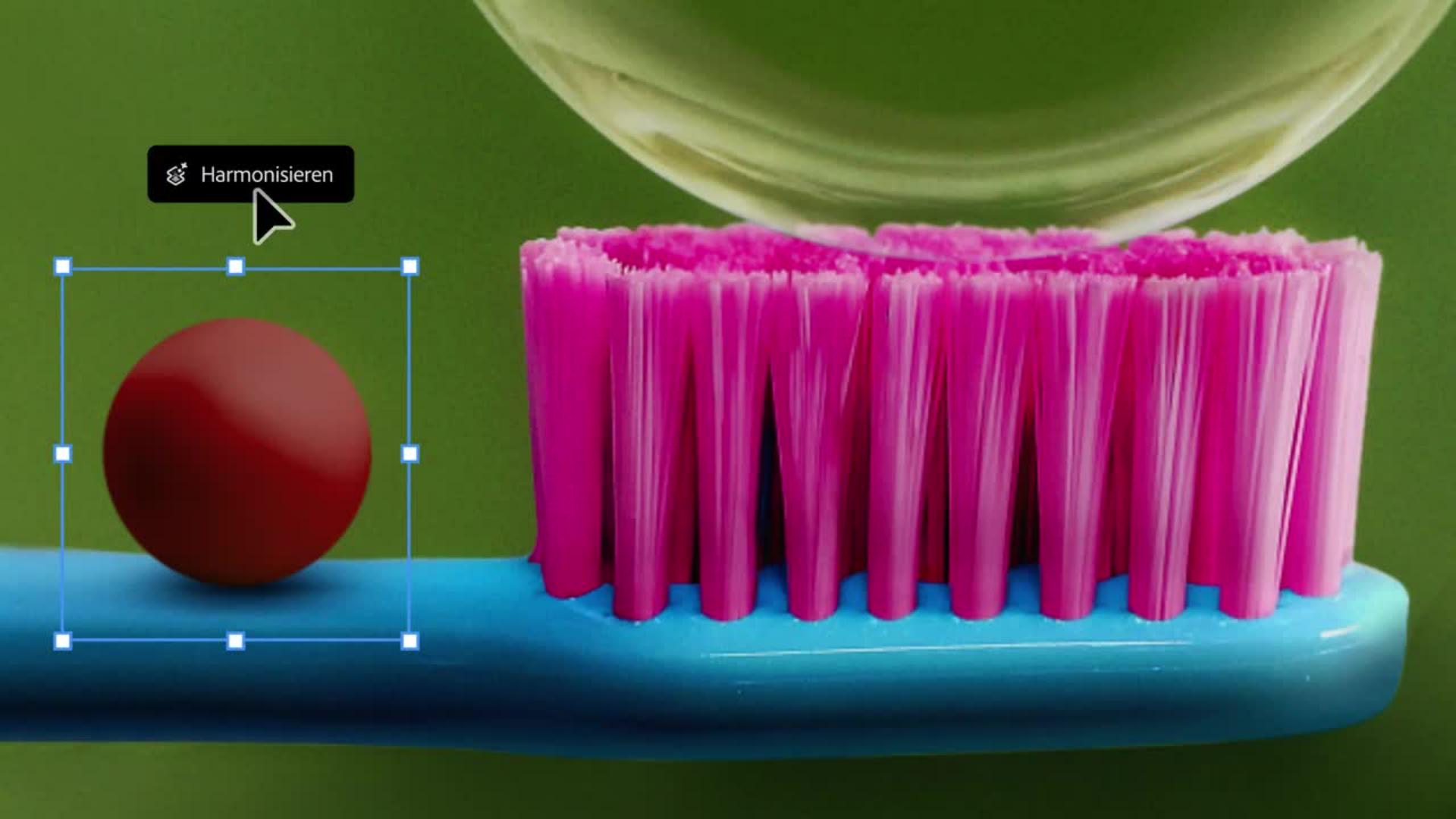
Ich gestalte digitale Collagen und erstelle in Photoshop mit „Harmonisieren“ und KI-Tools Kompositionen, die es in der Realität nicht geben kann.
„Harmonisieren“ erzeugt die richtigen Schatten und korrektes Licht im Gesamtbild, bei jedem Element.
Es ist schwierig, eine Bildkomposition mit verschiedenen Lichtquellen und Schatten zu erstellen.
Mit „Harmonisieren“ geht das superschnell, aber mehr noch: Es erzeugt Effekte, die mir selbst nicht gelungen wären.
Diesen Grad an Perfektion kann ich definitiv nicht toppen.
Ich breche gerne Regeln.
Mit „Harmonisieren“ mache ich Unmögliches möglich.
„Für meine Illustrationen erstelle ich in Photoshop mit ,Harmonisieren‘ und KI-Tools Kompositionen, die es in der Realität nicht geben kann.“
Schritt 1: Einen Bildbereich ausschneiden.
Fanny erstellt surreale Collagen, indem sie alltägliche Objekte in überraschenden, traumartigen Kompositionen zusammenführt. Hier hat sie ein Stockfoto eines Steins eingefügt und mit dem Tool „Hintergrund entfernen“ auf der kontextbezogenen Task-Leiste einen Bildausschnitt sauber ausgeschnitten.
Transkript nicht verfügbar
Schritt 2: Den Ausschnitt in die Szene einfügen.
Passe ein Objekt oder Motiv mit nur einem Klick an die restliche Komposition an. Nachdem der Stein in das surreale Arrangement eingefügt war, hat Fanny ihn mit „Harmonisieren“ automatisch an die Farbe, das Licht, den Ton und die Schatten der Gesamtszene angepasst.
Transkript nicht verfügbar
Schritt 3: Die Details finalisieren.
Fanny hat „Harmonisieren“ auch für weitere Objekte wie den roten Ball verwendet, um ihre fantastische Komposition mit realistischen Details anzureichern. „Ich breche gerne Regeln“, sagt sie. „Mit ,Harmonisieren‘ mache ich Unmögliches möglich.“
Transkript nicht verfügbar
Tutorial:
Fanny Papay
Probiere diese Tutorials mit Photoshop aus
Fotos bearbeiten, um neue Bilder und Grafiken zu schaffen
You can control how Adobe websites use cookies and similar technologies by making choices below. But note that if you disable cookies and similar technologies entirely, Adobe websites may not function properly.
Cookies are small text files stored by your web browser when you use websites. There are also other technologies that can be used for similar purposes like HTML5 Local Storage and local shared objects, web beacons, and embedded scripts. These technologies help us do things like remembering you and your preferences when you return to our sites, measure how you use the website, conduct market research, and gather information about the ads you see and interact with.
You can make choices in the menu below about what cookies and other technologies you want us to use on Adobe sites when you visit them from this browser. You can always change those choices later by clicking on the Cookie Preferences link at the bottom of the page.
If enabled:
We can improve your experience by tailoring the site and the content to things we think might be of interest
We can better keep track of your preferences — like what language you prefer to use
We will better understand your likely interests so we can provide you more relevant Adobe ads and content on non-Adobe websites and in non-Adobe apps
It will help us improve the performance of our website and those of our partners who use the Adobe Experience Cloud
If disabled:
We won’t be able to remember you from session to session so the experience may not be tailored to your interests
You’ll still have access to the content of the site but certain features that depend on cookies may not function
You’ll still see ads, they just may not be as relevant to you
General information
You can control how Adobe websites use cookies and similar technologies by making choices below. But note that if you disable cookies and similar technologies entirely, Adobe websites may not function properly.
Cookies are small text files stored by your web browser when you use websites. There are also other technologies that can be used for similar purposes like HTML5 Local Storage, web beacons, and embedded scripts. These technologies help us do things like remembering you and your preferences when you return to our sites, measure how you use the website, conduct market research, and gather information about the ads you see and interact with.
You can make choices in the menu below about what cookies and other technologies you want us to use on Adobe sites when you visit them from this browser. You can always change those choices later by clicking on the Cookie Preferences link at the bottom of the page.
If enabled:
We can improve your experience by tailoring the site and the content to things we think might be of interest
We can better keep track of your preferences — like what language you prefer to use
We will better understand your likely interests so we can provide you more relevant Adobe ads and content on non-Adobe websites and in non-Adobe apps
It will help us improve the performance of our website and those of our partners who use the Adobe Experience Cloud
If disabled:
We won’t be able to remember you from session to session so the experience may not be tailored to your interests
We’ll still count your use of our site and services
You’ll still have access to the content of the site but certain features that depend on cookies may not function
You’ll still see ads, they just may not be as relevant to you
Operate the site and core servicesOperate site and measure engagement
Always active
These cookies are required, and they are used to enable the site and related services core functionality. Without them the site could not operate, so they cannot be disabled.
These cookies enable the site and related services’ core functionality and collect statistics about user engagement, such as counting active use to help us understand trends. These cookies cannot be disabled.
Measure performance
These cookies are used to analyze site usage to measure and improve performance. Without them Adobe cannot know what content is most valued and how often unique visitors return to the site, making it hard to improve information we offer to you.
These cookies are used to analyze site usage to measure and improve performance. Without them Adobe cannot know what content is most valued, making it hard to improve information we offer to you.
Extend functionality
These cookies are used to enhance the functionality of Adobe sites such as remembering your settings and preferences to deliver a personalized experience; for example, your username, your repeated visits, preferred language, your country, or any other saved preference.
Personalize advertising
These cookies are used to enable Adobe and our partners to serve ads more relevant to your interests. Without them you will still see ads, but they might not be as relevant to you.
Personalize advertising
These cookies are used to enable Adobe and our partners to serve ads more relevant to your interests. Without them you will still see ads, but they might not be as relevant to you.