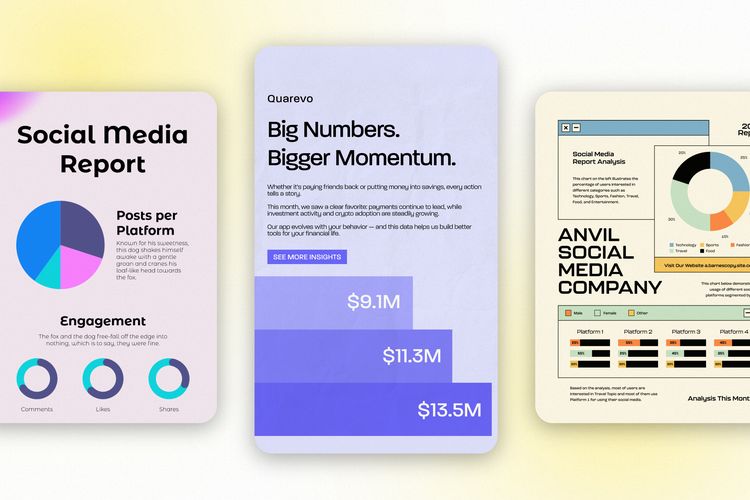
It won’t matter if you’re the smartest person in the room if you can’t clearly communicate what your data means. Data becomes useful only when people can understand it — and that’s where charts and graphs come in.
Visualizing data helps turn numbers into insights. The right chart can highlight trends, reveal patterns, and support better decision-making across teams. The wrong chart can confuse, overwhelm, or even mislead your audience.
This guide walks through the most common and effective types of charts and graphs, explains when to use each one, and shows how to pair your data with the right visual — quickly and confidently.
Key takeaways
- Charts and graphs help transform raw data into clear, actionable insights.
- The right chart type is just as important as the data itself.
- Different charts serve different purposes: comparison, trends, distribution, or composition.
- Simple, well-designed visuals communicate data more effectively than complicated ones.
What’s the difference between charts and graphs?
The terms chart and graph are often used interchangeably, but there is a subtle distinction.
A chart is a broad term for any visual representation of data. Charts can appear as tables, diagrams, or visual summaries.
A graph is a specific type of chart where data is plotted along two or more axes — most commonly an X and Y axis — to show relationships or changes over time.
In short: All graphs are charts, but not all charts are graphs.
Understand your data before choosing a chart
Before selecting a chart type, it helps to understand what kind of data you’re working with.
- Qualitative data describes qualities or categories (e.g., regions, product types, departments).
- Quantitative data represents numerical values (e.g., revenue, growth rate, percentages).
Different chart types work better depending on whether you’re comparing values, tracking change, showing distribution, or illustrating parts of a whole.
Common types of charts and graphs (and when to use them)
These six common types of charts and graphs cover the bulk of data visualization types, so it’s good to be familiar with these and know when to use one instead of another.
Bar chart
Bar charts (also called column charts) are ideal for comparing values across categories or showing differences between groups. They’re easy to read and effective for spotting patterns or changes over time.
Best for:
- Comparing categories
- Showing trends across time intervals
- Ranking values
Line graph
Line graphs show how values change over time. They’re especially useful when tracking progress, performance, or trends across short or long periods.
Best for:
- Time-based trends
- Continuous data
- Comparing multiple data sets over time
Pie chart
Pie charts show how a whole is divided into parts. Each slice represents a percentage of the total.
Best for:
- Showing proportions
- Highlighting composition
- Comparing parts of a whole
Tip: Avoid pie charts when you have too many categories or very small differences between values.
Scatter plot
Scatter plots visualize relationships between two variables. They help reveal correlations, clusters, or outliers in data.
Best for:
- Identifying relationships
- Spotting trends or anomalies
- Comparing two numerical variables
Histogram
Histograms display the distribution of numerical data across ranges or “bins.” They help show how often values occur within a dataset.
Best for:
- Understanding data distribution
- Showing frequency patterns
- Identifying skew or spread
Area chart
Area charts are similar to line graphs but emphasize volume by filling the area beneath the line. They’re useful for showing cumulative totals over time.
Best for:
- Visualizing growth
- Comparing volume changes
- Showing cumulative trends
How to choose the right chart for your data
To determine which chart is best for your use case, ask yourself:
- Am I comparing values or showing change over time?
- Do I want to show proportions or relationships?
- Is clarity more important than detail?
- Who is my audience, and how familiar are they with data?
The simplest chart that communicates your message clearly is usually the best choice.
Best practices for effective chart design
Do
- Use the full axis range for accurate comparison
- Choose the chart type that best fits your data goal
- Use color intentionally to guide attention
- Label clearly and consistently
- Keep visuals clean and focused
Don’t
- Overload charts with too much information
- Mix chart styles in a single visualization
- Use colors that are too similar or distracting
- Prioritize aesthetics over accuracy
A good chart makes the insight obvious at a glance.
Free chart and graph templates
Creating effective charts doesn’t require starting from scratch. Free, customizable chart templates make it easier to visualize your data quickly while staying consistent with your brand.
With Adobe Express, you can:
- Customize charts with your brand colors and fonts.
- Resize visuals for presentations, reports, or social media.
- Turn raw data into polished, shareable visuals in minutes.
Explore the template library to find chart and graph designs for business, education, marketing, and more.