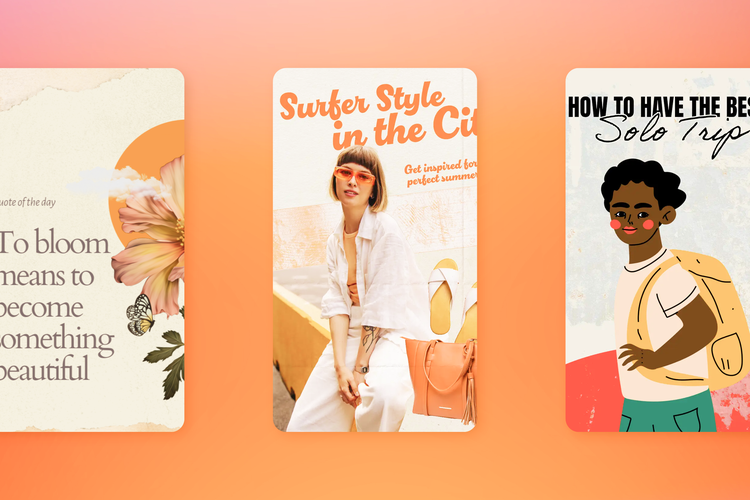
Pinterest boards are used to save and collate Pins around a particular theme or topic. Great for keeping your Pins organized, Pinterest boards can increase the discovery of your Pinterest content by keeping all content around a particular topic separate from the rest of your Pinterest page. Additionally, each Pinterest board is given its own URL, which can be shared with anyone who has access to Pinterest.
How to create a Pinterest board
Boards can either be created from your Pinterest profile or while saving a Pin. To create a board from your profile, select your profile picture from the top right-hand corner of the screen and then select the “+” icon from the right of the screen. Select “board” and then enter a name and either a date range or an end date. Toggle to “keep this board secret” if you wish to maintain privacy around your subject matter. Select “Create.”
Once your board is created, any content you publish or Pin from other accounts can be saved to your new board.
The benefits of Pinterest Boards
Pinterest boards can be used to create a mood board for your next project or to gather inspiration or advice around a particular topic. Using boards to collate content around a particular theme into one central space can make it easier for your audience to consume and appreciate, as well as for you to revisit yourself. If you’re a brand, Pinterest boards are a great way to create more targeted advice for your customers around a particular topic, or a way to unite content around a certain theme to craft a more compelling story. You can also create boards to showcase your product catalog using Rich Product Pins.
Further reading: How to get more followers on Pinterest
14 Ideas for Pinterest boards
Home decor and interior design inspiration
It’s very popular to use Pinterest as a source of inspiration for home decor and interior design concepts. Play into this by pinning pictures of living rooms, bedrooms, kitchens, bathrooms, and even some exterior design imagery too, such as front doors and gardens.
recipe
Recipes
Many people use Pinterest to find new recipes and meal inspiration. Collate your best recipes into multiple boards, such as ones for breakfasts, lunches, dinners, and snacks. Alternatively, create a board for your quickest and easiest dishes, one-pot meals, or ones that focus on vegetarian or vegan options.
DIY and crafts
Content around DIY and crafts is often very successful on Pinterest, especially when that content revolves around party planning, wedding planning, or interior decor.
Mood boards
Mood boards are a popular use of Pinterest boards and can be great for bringing together Pins around a particular mood or theme. Boards of this type can be wonderful for manifestation or crafting a future vision, or even just brainstorming for your next project, party, or adventure.
recipe
Books
Creating boards for Pinterest books is a wonderful way to share your favorite reads and categorize them by genre to help with discoverability. Boards could be created for non-fiction reads, books about psychology, history, romance, etc.
Photography
A Pinterest board can be a great place to showcase either your own photography or the photography of others. It can also be a fun way to collect inspiration for future snaps you intend to recreate.
Fashion
Use Pinterest boards to collect seasonal fashion inspiration, notes around a particular type of style, or to collate inspiration around how to style one specific item, such as a trench coat.
recipe
Illustrations
Illustrations, whether they’re all your own work or the creations of others, can easily be collated and organized into Pinterest boards to serve as inspiration for others, or to simply be discovered and appreciated by fans of the medium.
Further reading: Guide to types of Pinterest aesthetics
Travel
Whether it’s images relating to your upcoming vacation or your most recent holiday snaps, Pinterest boards can be great for collecting imagery around particular locations and travel destinations to serve as a reminder of your trip or as inspiration for other travelers.
recipe
Tips and tricks
Pinterest is a wonderful place for visual information, but also for practical advice sharing. Compile your best tips and tricks around a particular topic, whether it’s household cleaning hacks, advice for job interviews, or tips for making friends. Article Pins are especially great for this type of content by giving your audience additional reading material instead of visual-only Pins.
Fitness
Content around fitness will always be popular on social media platforms like Pinterest. Gathering your best content around fitness, such as beginner workouts, yoga poses, or circuit training, is a great way to create an engaging and interesting board for fitness enthusiasts.
Quotes
Inspirational quotes are commonplace in the world of Pinterest. Why not create a board of your favorite meaningful or motivational quotes to share with your audience?
recipe
Event planning
There are oodles of amazing tips and inspiration for event production on Pinterest, especially when it comes to wedding planning. Create boards centered around particular occasions and pin content to inspire elements such as food, invitations, posters, dress code, floral arrangements, and more.
Further reading: Using Pinterest in the wedding industry
Product showcase
Naturally, any brand with a presence on Pinterest should seek to create a board that showcases their products. While it’s possible to create a product catalog using Product Rich Pins, a board with a less direct selling point will allow you to showcase your products more naturally and authentically. Make use of flat-lay photography or pin images of your customers using your products to show what you have to offer without appearing like a direct advertisement.
Further reading: 10 Pinterest ideas for posts and marketing effectiveness
Pinterest boards can be a great way to categorize the content you have on your profile and make it easier for your audience to navigate and find the Pins that will interest them the most. Whatever your industry or niche, anyone can benefit from a little bit of organization via Pinterest boards to group content together, and better manage your presence on Pinterest.