
Reusing top performers, end-of-year wrap ups, and more social media trends to try right now
Adobe Express is teaming up with social media expert Rachel Karten to bring you five high-impact post ideas every month. With over a decade of experience in social marketing — including her time at Bon Appétit Magazine**— Rachel knows what works. She also writes** Link in Bio, a must-read Substack newsletter for social pros.
We get it — consistently creating engaging content is one of the biggest challenges of running a social account. That’s where Rachel comes in! She scrolls the Internet so you don’t have to, curating the most effective post formats that drive engagement. Each month, she’ll break down five proven ideas — plus easy ways to bring them to life with Adobe Express.
You did it. You made it to the end of the year. Take a moment to look back on all of the posts you created! The trends you participated in; the trends you didn’t participate in. Now, it’s time to dive into what worked and what didn’t — and go into the new year feeling re-energized. For this month’s social post ideas, let's use this time of reflection to fuel content to end the year with some strong posts and begin the new one with even stronger ones. Let’s dig in.
1. Repost a top performing piece of content
Reusing past top-performing posts is an exercise I like to do. I ask: What are the posts that overperformed the most over the past few years? Then I look for ways to tweak them and repost. A brand that just did this got 100K on the original post and then 3 million on the repost! The end of the year is a good time to resurface these top performers.
- Express tip: Use the Metricool Add-On to review the performance of your previous content and identify the posts that are most likely to resonate as a re-share.
2. Use an internal stat as a hook
Data can be a powerful way into videos like “This is our most popular product this year” or “Our most expensive order ever”. The most important part of any video is those first few seconds. A good piece of data hooks people, and they’ll be more likely to stick around for the whole video.
- Examples here and here.
- Express tip: Ensure your data-driven insight doesn’t get lost by restating it as on-screen text. Choose a bold font from Adobe Fonts and a bright color to really drive it home. Bonus: A frame with your text will make a great cover image for a Reel or a TikTok!
3. Post a popular post from a text-based platform onto a photo-based platform
I’ve worked in social for over a decade, and the most tried-and-true post continues to be reposting a funny text-based post. Why? It’s immediately shareable and sendable. Using your analytics, find a high performing tweet or Threads post, and share it to Instagram.
- Examples here and here
- Express Tip: Overlay a screenshot of your text onto a background image from Adobe Stock to make it pop – and then resize the image for any channel.
4. Turn social listening into a post
Oftentimes your community is already telling you what they want to see. Look through some of the most popular comments you received this year — is there a theme you can create a carousel or video around? For example, a beauty company notices that their makeup bag keeps getting tagged in TSA bin photos. What do they do? Make a meme around traveling with that makeup bag, of course.
- Examples here and here
- Express tip: Add some playful motion with Animated Stickers. A blinking arrow, a spray of confetti, or a comic-style exclamation can add a fun layer of commentary to your post.
5. End of year wrap up
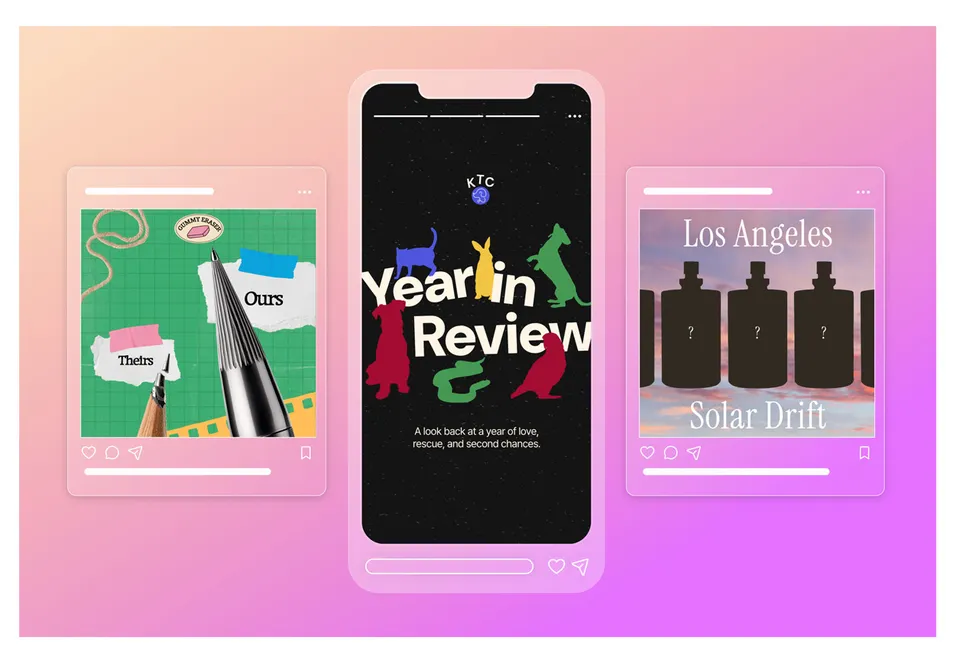
Put a bow on 2025 with a carousel that recaps the year. Show your audience the biggest (and funniest) stats from the year. Everything from the most-loved products to the most unhinged DM you received. Make a fun-to-swipe ode to the past 365 days. Use Adobe Express to make it interactive and on-brand!
- Express Tip: Use TikTok Symphony Assistant to find trending music that matches the vibe of each slide. Or browse Adobe Stock audio to explore even more options to set the tone of your post.
That’s it! Tag me @milkkarten and @adobeexpress when you try one of these formats!