
5 social media trends to try right now | September
Adobe Express is teaming up with social media expert Rachel Karten to bring you five high-impact post ideas every month. With over a decade of experience in social marketing — including her time at Bon Appétit Magazine — Rachel knows what works. She also writes Link in Bio, a must-read Substack newsletter for social pros.
We get it — consistently creating engaging content is one of the biggest challenges of running a social account. That’s where Rachel comes in! She scrolls the Internet so you don’t have to, curating the most effective post formats that drive engagement. Each month, she’ll break down five proven ideas — plus easy ways to bring them to life with Adobe Express.
5 social ideas to try this month
It’s September, let’s go back to school. Social media school, that is. One of the best skills that a social media professional can have is to be able to explain why a post works. What made it resonate? Why did the intro work? How did humor play a role? A trend is a trend because there are certain mechanics and tools making it successful. Approaching social media like an anthropologist will make you a better marketer in the process. Today, I want to share five post ideas, along with a bit of reasoning on why they work. Class is in session!
1. Twist a trend
You hook viewers in the first 3–5 seconds of a video. Some of the best brands right now are taking their audience for a wild ride. They start their videos with a familiar trend intro (“How to care for our product” or “Make our most popular recipe”) and then turn it on its head halfway through. This works because the audience is hooked by a traditional format, but then they’re entertained by an unexpected twist from the brand.
- Check out these examples from Xbox and Cava
- Express Tip: Upload your clips into Adobe Express to trim, reorder, and stitch them together for perfect comedic timing. Add captions to land the twist — even for viewers watching with the sound off.
Feeling inspired? Check out our collection of templates for this trend and others
2. Create a faux social post
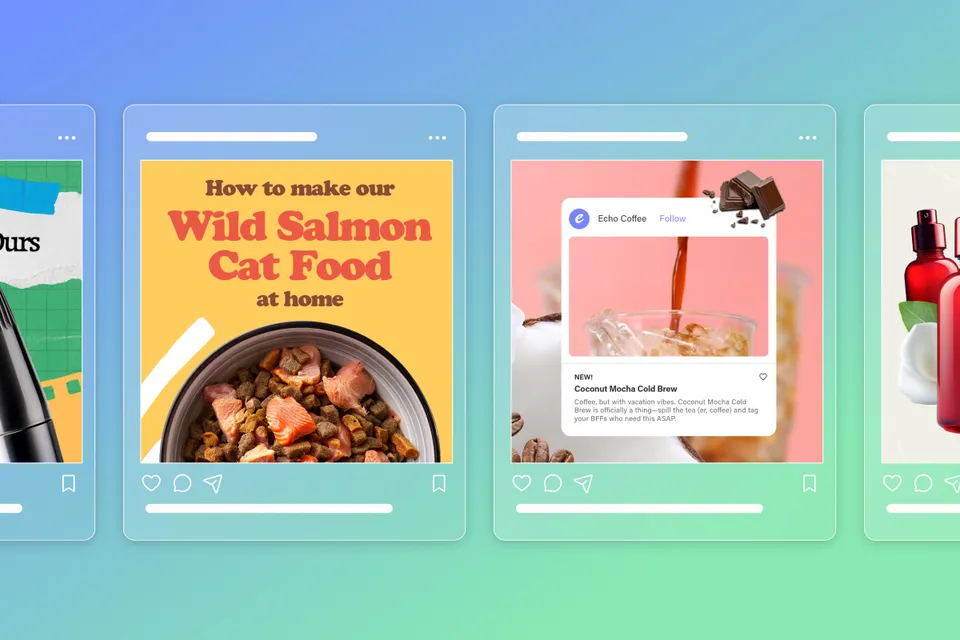
Here’s a trend that’s been popping up lately. Brands are using social media platform UI to stop people’s scrolls. Meta. The typical way that brands use this trend is by having something surprising happen within the UI of the post — like a drink being poured from one Instagram “post” to the other. This format works because it’s surprising to see the UI of a social platform… within a social platform.
- Check out these examples from Meshki and Dreamworks
- Express Tip: Mimic a social platform by using Custom Canvas Sizes for Instagram, TikTok, or Reels. Then search the Icons section of the Elements panel with terms like “send,” “heart,” or “bookmark” to build your own UI in seconds.
3. Solve a problem
Present a problem, then solve it. Instead of starting a video with what your product is, start with the problem your product is solving. For example, “Working in social media means my desktop is FULL of screenshots — here’s the app I invented to solve that.” This format works well because often the problem is more relatable and interesting than your product. Use that hook as a jumping off point to explain your product development process. Not only is this an entertaining format, but it also allows for deep storytelling about the work you do.
- Check out these examples from Cozy Clip and Craighill.
- Express Tip: Drop all your clips into Adobe Express to merge and layer seamlessly. Use text highlights and animated callouts to spotlight the problem, then introduce your product as the solution for a satisfying reveal.
4. Leverage consumer insights
Use real consumer insight to fuel a post. Some of the best brands on social media hold a mirror up to their audience. What user behavior have you noticed about your customers? Do they use your product in a funny, unexpected way? Do they always leave a comment on the color or look of your product? Brainstorm post ideas built around that very specific insight. Brands often spend too much time on social media telling users how they want them to react, instead of empowering existing user reactions. This format works because your post is rooted in a real truth that you already know your followers will relate to.
- Check out these examples from Liquid Death and McDonalds.
- Express Tip: Turn customer reviews, screenshots, or quirky behaviors into content. Use Remove Background to isolate product or user images, then overlay bold, reactive text to show your audience you get them.
5. Compare yourself to competitors (tastefully)
The tone of this style of post can be tough to get right, but when it works, it really works. This can happen through a side-by-side visual comparison, a list of differentiators, or a video that shows why your product is better. You’re not trashing the other brand (or even showing their logo) but you’re making very clear how your brand is superior. This post format is good because it very clearly connects the dots for a consumer. It’s the type of post you see that finally convinces you to purchase.
- Check out these examples from Fishwife and Merit
- Express Tip: To create a tasteful, side-by-side comparison, start with a split layout template in Adobe Express. Use Remove Object to cleanly remove competitor logos or distractions and adjust image scale to make your product shine — without saying too much.
Thanks for attending social media class today! Tag me @milkkarten and @adobeexpress when you try one of these formats!