
.

5 social media trends to try right now | July

Struggling to come up with fresh social media content? Social media expert Rachel Karten has you covered.

Rachel Karten
06/24/2025
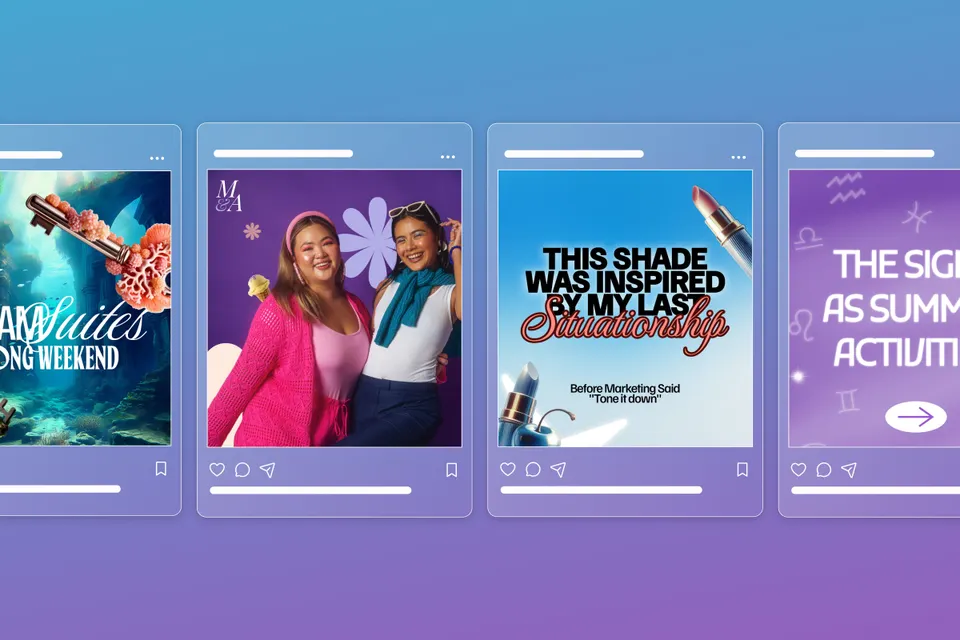
5 social media trends for July header image featuring Instagram posts over a blue to purple gradient background
Black Friday offer - Get Premium access for 30-days, on us. No credit card required. Ends Dec 07.
Claim offer

Adobe Express is teaming up with social media expert Rachel Karten to bring you five high-impact post ideas every month. With over a decade of experience in social marketing — including her time at Bon Appétit Magazine — Rachel knows what works. She also writes Link in Bio, a must-read Substack newsletter for social pros.

We get it — consistently creating engaging content is one of the biggest challenges of running a social account. That’s where Rachel comes in! She scrolls the Internet so you don’t have to, curating the most effective post formats that drive engagement. Each month, she’ll break down five proven ideas — plus easy ways to bring them to life with Adobe Express.

5 social ideas to try this month

Let’s do a deep dive on carousel posts. Earlier this year, I conducted a survey asking social marketers which post format works best for them. The answer? Carousel posts. That’s right — they even beat out short-form videos.

When I first read the data, I was surprised, but then it started to make sense. Carousels work for a number of reasons. More media means more opportunity to engage. The algorithm often resurfaces carousel posts and shows the second slide to see if more people engage. And carousel posts with music are eligible for the same discovery methods as Reels.

Carousels are a powerhouse post format that social marketers are using in smart ways. Here are five post formats for a carousel:

The one-two punch carousel is a two-slide post that sets up a joke, with the swipe delivering the punchline. It’s like a call and response... in swipe format. These work best when the first slide creates intrigue or mystery, and the second answers it in a funny or surprising way.

Some prompt ideas:

  • “Someone sent you a card... swipe to open”
  • “Before [insert brand name]” → (next slide is the after)
  • “How to become [insert product]” → (next slide says “why did you swipe”)
  • Check out these examples from Dunkin and Grillo’s Pickles
  • Express Tip: Want to make the reveal on your second slide pop? Use Animate All to add movement across the entire design in just one click.

https://www.instagram.com/p/DHMOotcJfea/?hl=en&img_index=1

Themed carousels can contain lots of slides, but they all fit under a specific category. Think: a roundup of product reviews, UGC of one item, or “what to buy based on your sign.” These work because they clearly state their purpose up front. I find them especially helpful for conversion — seeing how different people use the same product or style it in other ways.

  • Check out these examples from Crocs and Saie beauty
  • Express Tip: Speed up your workflow by duplicating your first slide, then use Quick Replace to swap in new images or text without starting from scratch.

https://www.instagram.com/p/DJhVJ8zulep/?img_index=1

The trend carousel is all about staying up to date with the formats that are currently popping off. A recent one I loved: “[insert product] yesterday, [insert product] today, [insert product] tomorrow,” with photos of your product in different situations. The best place to spot these is by scrolling TikTok and Instagram.

  • Check out these examples from Chipotle and Taco Bell
  • Express Tip: Keep your visuals cohesive by applying the same filter to each image. Browse 30+ new Photoshop-powered filters in the Effects menu.

https://www.instagram.com/p/DGgUxY3yPPv/?img_index=1

In storytelling carousels, you use the swipe format to tell a story. Add text to each slide to captivate viewers and keep them swiping. Maybe you’re explaining how a product was developed or giving advice to your younger self by going back and forth between then and now. There are so many creative ways to use this format.

  • Check out these examples from National Park Service and Cocokind
  • Express Tip: Not sure what font to use? Check the recommended fonts at the top of the Text panel. Tap the ≈ icon to see similar font options that match your vibe.

https://www.instagram.com/p/DJZtyQaxvIq/?hl=en&img_index=1

The “what’s your sign” carousel is where you relate your brand back to astrology in a clever way. These are always super shareable across a bunch of different audiences. Some ways to try it:

  • “Our products as astrological signs”
  • “How each sign orders our product”
  • Check out these examples from Cava and Poppi
  • Express Tip: Search for zodiac signs in the Elements panel to find icons in different styles. Update the colors to match your brand, then add a little motion with Animation for extra flair.

https://www.instagram.com/p/C9PxaIGxDWs/

When you try one of these carousel posts, tag me and @adobeexpress. Go forth and carousel!