Key considerations when posting on Instagram
When you’re trying to figure out the best times to post, there are many things to think about. We have compiled the top four key considerations when deciding when to post on Instagram.
1. Day of the week
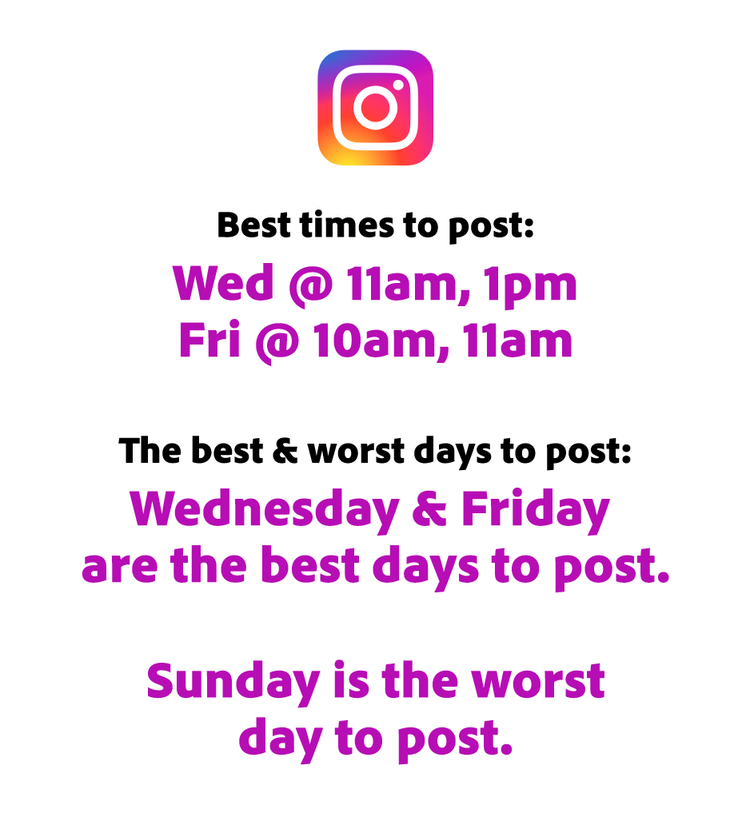
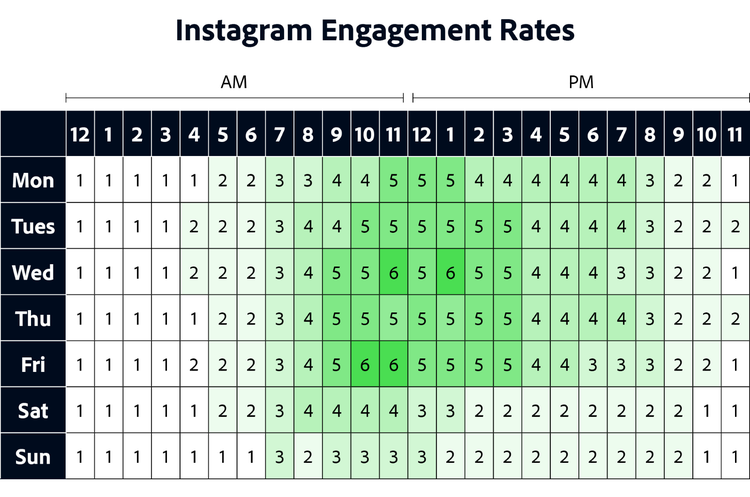
Some days of the week are better than others for posting content. In general, more people are using Instagram during the weekdays (Monday-Friday) than on the weekends (Saturday-Sunday). People are often out on the weekends, meaning they might not be on their phones. Even during the workday, think about when people typically are on their phones (during work breaks and lunch breaks) and when they are often away from their phones (during commutes, dinner, and overnight).
2. Time zones
Adjust your posting schedule to fit the time zones of your most engaged followers. Where are the majority of your followers located? One of the things you can look at in Instagram Insights is your followers’ top locations. If you live in a time zone that differs from most of your target audience, consider posting on their schedule rather than yours. Think about the specific times that work best for your followers.
3. Breaks during the workday
Instagram engagement peaks during working hours Monday-Friday. Why? Because people love to hop on social media during their work breaks to get a bit of relief from the workday. Think about when your followers may have their breaks and time your posts so they can see them as they eat lunch.
4. Frequency of posts
How often should you post on Instagram? A better question might be, “How often can you produce amazing content?” Once a week or three times a day, no matter how often you can post, the key is consistency. Create a content calendar to get yourself on a consistent Instagram schedule. Creating a social media schedule that you can stick to is an important part of a successful Instagram marketing strategy. Think about users’ feeds and how often they would want to see your content. Consider your ratio of Instagram posts to Instagram stories. Find a few times that work for you, then try to regularly post at those times.
With Adobe Express, you can browse and remix thousands of beautiful templates to create standout social content that will attract attention and encourage engagement on your social networks. Then use a scheduling tool and publish your posts using the Content Scheduler. Get started by uploading your logo, brand colors, and fonts so you can quickly make each post you create on-brand.
This post was updated on January 12, 2024.
Try Adobe Express today