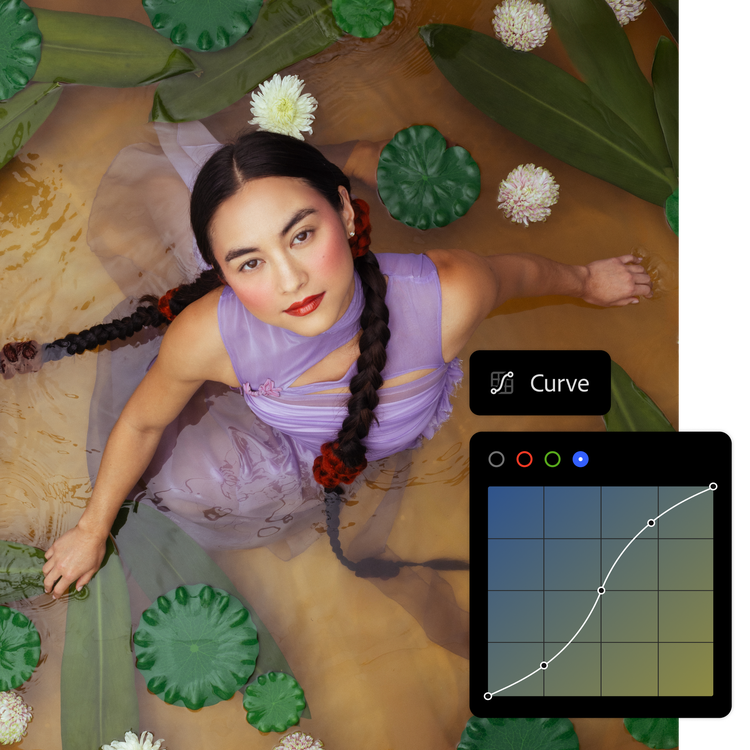
A felvétel elkészítése után tovább finomíthatja, retusálhatja vagy akár teljesen át is alakíthatja a képet. Az Adobe Creative Cloud Fotós csomagjában megtalálható a Lightroom és a Photoshop, így Ön bármire képes lehet.
A Lightroom Generative Remove (Generatív eltávolítás) funkciójával ezentúl minden eddiginél könnyebben eltávolíthatók a fényképek tetszőleges tartalomelemei anélkül, hogy ennek nyoma maradna.
Szerkesztés bárhol
A mobilos, az asztali vagy a webes Lightroomban onnan folytathatja a munkát, ahol abbahagyta. Projektjei automatikusan szinkronizálódni fognak.
Készségfejlesztés
Közvetlenül a Lightroomban tanulhat a részletes oktatóanyagokból, és még több ihletet meríthet a Lightroom Discover közösségéből.
Minden tónust és textúrát pontosan beállíthat. Hozzáadhatja saját egyedi megoldásait, és az intelligensebb fényképrendszerezéssel pillanatok alatt megtalálhatja a legjobb képeit. A hatékony, mégis könnyen használható szerkesztőeszközökkel minden fényképet igazán egyedivé tehet.
Fényképeket retusálhat, vagy újraértelmezheti őket. A precíz szerkesztőeszközökkel és az ultramodern MI-funkciókkal túlléphet a képkeretek határain, mindezt a minőség és az alkotói szabadság feláldozása nélkül.
three up, l-gap, no-spacing-top, xxxl spacing bottom
Kezdőként kérdezne valamit az Adobe fényképszerkesztő alkalmazásairól? Mi tudjuk a választ.
Az Adobe fotós csomagok között az a különbség, hogy az Adobe Lightroom csomag tartalmazza az Adobe Lightroom szoftvert, az Adobe Lightroom Classic szoftvert és 1 TB felhőalapú tárhelyet a fotók bárhonnan elérhető szerkesztéséhez, míg az Adobe Creative Cloud Fotós csomag mindezek – az Adobe Lightroom és az Adobe Lightroom Classic – mellett az Adobe Photoshopot is magában foglalja. Hasonlítsa össze a fotós csomagok árait és funkcióit.
Igen. Az Adobe Creative Cloud hétnapos ingyenes próbaverzióját letöltve kipróbálhatja az Adobe fotós csomagjait, és eldöntheti, hogy melyik felel meg Önnek. Ingyenes próba
Bár a két digitális fotószerkesztő alkalmazás hasonló, a fő különbség az Adobe Photoshop és az Adobe Lightroom között az, hogy az Adobe Photoshop a képmanipulációra, az alkotásra és a képjavításra specializálódott, míg az Adobe Lightroom inkább a fotók szerkesztésére, rendszerezésére és feldolgozására összpontosít. Tudja meg többet az Adobe Photoshop és az Adobe Lightroom különbségeiről.
A Creative Cloud Fotós csomag ára 25,39€/hóáfával (havonta fizetett éves csomaggal) vagy 303,12€/éváfával (előre fizetett éves csomaggal). A Lightroom, a Lightroom Classic és a Photoshop alkalmazást tartalmazza, emellett 1 TB felhőtárhely is jár mellé. A Fotós csomagok és az áraik összehasonlítása
style
xxl spacing
Találja meg az Önnek megfelelő Adobe Creative Cloud előfizetési csomagot.
style
three merch cards, dark, center, grid width 12, static links, no-spacing
background
#000
Lightroom (1 TB)
15,47€/hóáfával. Éves előfizetés, havi számlázással
Ez a csomag a Lightroom asztali, mobilos és webes verzióját tartalmazza, emellett a Lightroom Classic is a része.
25,39€/hóáfával. Éves előfizetés, havi számlázással
Ez a csomag a Lightroom asztali, mobilos és webes verzióját, a Lightroom Classicot, valamint az asztali gépre és az iPadhez készült Photoshopot tartalmazza.
Regularly at 83,24€/hóMásik lehetőség: 46,60€/hóáfával. Éves előfizetés, havi számlázással
Csatlakozzon a Creative Cloud Pro előfizetőinek világszerte több mint hétmillió tagot számláló táborához! Az első év végéig 44% kedvezményt adunk Lightroom, Photoshop és Lightroom Classic termékünk teljes verziójának árából, valamint húsznál is több másik alkalmazás és az Adobe Firefly kreatív MI-eszközeinek árából. Az első év előfizetési díja 46,60€/hóáfával, utána pedig 83,24€/hóáfával a fizetendő összeg. Csak új előfizetők élhetnek az ajánlattal. Feltételek megtekintése | A csomag tartalma
Fényképezés, videószerkesztés, grafikai tervezés, illusztrálás és rengeteg egyéb funkció. Szolgáltatásunkban mindent megtalál elképzelései megvalósításához.
You can control how Adobe websites use cookies and similar technologies by making choices below. But note that if you disable cookies and similar technologies entirely, Adobe websites may not function properly.
Cookies are small text files stored by your web browser when you use websites. There are also other technologies that can be used for similar purposes like HTML5 Local Storage and local shared objects, web beacons, and embedded scripts. These technologies help us do things like remembering you and your preferences when you return to our sites, measure how you use the website, conduct market research, and gather information about the ads you see and interact with.
You can make choices in the menu below about what cookies and other technologies you want us to use on Adobe sites when you visit them from this browser. You can always change those choices later by clicking on the Cookie Preferences link at the bottom of the page.
If enabled:
We can improve your experience by tailoring the site and the content to things we think might be of interest
We can better keep track of your preferences — like what language you prefer to use
We will better understand your likely interests so we can provide you more relevant Adobe ads and content on non-Adobe websites and in non-Adobe apps
It will help us improve the performance of our website and those of our partners who use the Adobe Experience Cloud
If disabled:
We won’t be able to remember you from session to session so the experience may not be tailored to your interests
You’ll still have access to the content of the site but certain features that depend on cookies may not function
You’ll still see ads, they just may not be as relevant to you
General information
You can control how Adobe websites use cookies and similar technologies by making choices below. But note that if you disable cookies and similar technologies entirely, Adobe websites may not function properly.
Cookies are small text files stored by your web browser when you use websites. There are also other technologies that can be used for similar purposes like HTML5 Local Storage, web beacons, and embedded scripts. These technologies help us do things like remembering you and your preferences when you return to our sites, measure how you use the website, conduct market research, and gather information about the ads you see and interact with.
You can make choices in the menu below about what cookies and other technologies you want us to use on Adobe sites when you visit them from this browser. You can always change those choices later by clicking on the Cookie Preferences link at the bottom of the page.
If enabled:
We can improve your experience by tailoring the site and the content to things we think might be of interest
We can better keep track of your preferences — like what language you prefer to use
We will better understand your likely interests so we can provide you more relevant Adobe ads and content on non-Adobe websites and in non-Adobe apps
It will help us improve the performance of our website and those of our partners who use the Adobe Experience Cloud
If disabled:
We won’t be able to remember you from session to session so the experience may not be tailored to your interests
We’ll still count your use of our site and services
You’ll still have access to the content of the site but certain features that depend on cookies may not function
You’ll still see ads, they just may not be as relevant to you
Operate the site and core servicesOperate site and measure engagement
Always active
These cookies are required, and they are used to enable the site and related services core functionality. Without them the site could not operate, so they cannot be disabled.
These cookies enable the site and related services’ core functionality and collect statistics about user engagement, such as counting active use to help us understand trends. These cookies cannot be disabled.
Measure performance
These cookies are used to analyze site usage to measure and improve performance. Without them Adobe cannot know what content is most valued and how often unique visitors return to the site, making it hard to improve information we offer to you.
These cookies are used to analyze site usage to measure and improve performance. Without them Adobe cannot know what content is most valued, making it hard to improve information we offer to you.
Extend functionality
These cookies are used to enhance the functionality of Adobe sites such as remembering your settings and preferences to deliver a personalized experience; for example, your username, your repeated visits, preferred language, your country, or any other saved preference.
Personalize advertising
These cookies are used to enable Adobe and our partners to serve ads more relevant to your interests. Without them you will still see ads, but they might not be as relevant to you.