Introduction
What happens when you have a design or illustration and feel like it needs a little something extra?
With Adobe Illustrator and Generate Patterns, you'll be able to add extra character and texture to your artwork.
Hi, my name is Carra Sykes, I'm an Illustrator, Designer, and Creative Director.
In this video, I'm going to show you how I add a little extra personality to a band poster using Generate Patterns in Adobe Illustrator.
Generating patterned texture for poster artwork
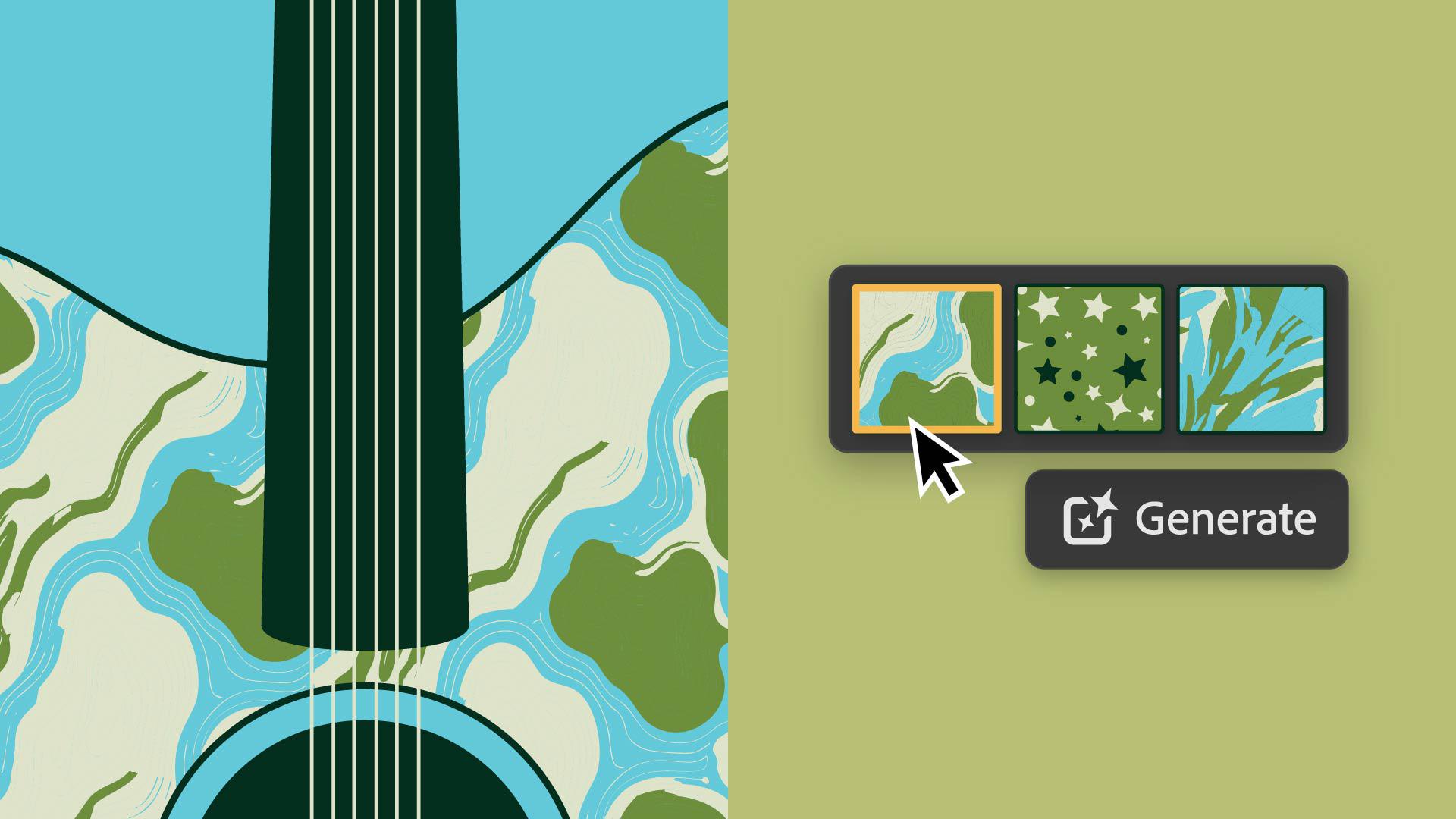
I work here on a poster design for my friend's band, but I feel like there's something missing from the overall look and feel.
Let's select the guitar and go to Object, Pattern, Generate Patterns.
I'm going to pick a style effect.
We're going to do Flat Design.
And then I'll put in my prompt, dark and large starry sky.
Generate and see what we get.
Exploring and selecting pattern variations
I'm going to click through the options that were generated and see if there's anything that we think we want to use.
Looking through these I want to explore a little further.
So I'm going to click Generate again.
Let's check these out.
I think I'm going to go back to this one.
I really like this one.
Now, this pattern isn't in the palette of the poster,
Customizing patterns to match style and color palette
so I'm going to double-click on the swatch, so I can edit it.
I'm going to go in and edit some of the elements in my own style, like the star.
I'm going to make it like a star, I like to draw.
And then I'm going to edit the color, so it fits the palette of the poster.
I'm going to add a few more elements and there we go.
Now I'm going to rescale the pattern by going to Object, Transform, Scale...
But don't transform the objects, only the patterns.
We are making about 120%, make it a little bit bigger.
I'm happy with how this looks, but I'm ready to explore further.
So let's do a different prompt and see what happens.
Creating alternative pattern concepts
Let's do, topographic map.
My friend really likes to hike.
I'll go in and I'll make it about 3 colors.
Yes.
And then pick one of my palette colors, and then I'll go into Effects and do the Geometric style, and also let's do a Flat Design style.
Let's generate.
Wow, these are a bit more complex.
Look at the colors on these.
Let's generate a few more.
Oh let's see this one right here.
Oh that's really cool.
I like the texture of this one.
I'm going to update the colors to be the palette of the poster and then I'm going to change the Scale of the pattern and also the Rotation with Transform.
That's so cool.
I really like this one.
Now that I know I can move quickly to ideate and customize these patterns, I'll generate and refine a few more patterns to share with my friend.
Iterating and refining patterns for final designs
I might even play with a few color palettes and use Generative Recolor.
I like to use some of the prompts that already exist, because sometimes I have trouble figuring out what prompt I would use.
Have some fun with Adobe's Generate Patterns to add some extra personality and texture to your work.
Again, my name is Carra Sykes, and I cannot wait to see what you create.