ADOBE ACROBAT Express FOR TEAMS
Create on brand. Work better together. Move faster with AI.
Empower your team to understand documents faster with AI and turn insights into polished, on-brand content — all in one trusted workspace. Plans include 1,000 monthly generative credits per license to create images, video and audio.
mas-field: ACOM-DC/Headless/Team/com/Acrobat Express → ctas[Free trial - segmentation - modal] See all plans | See all plans Adobe Acrobat
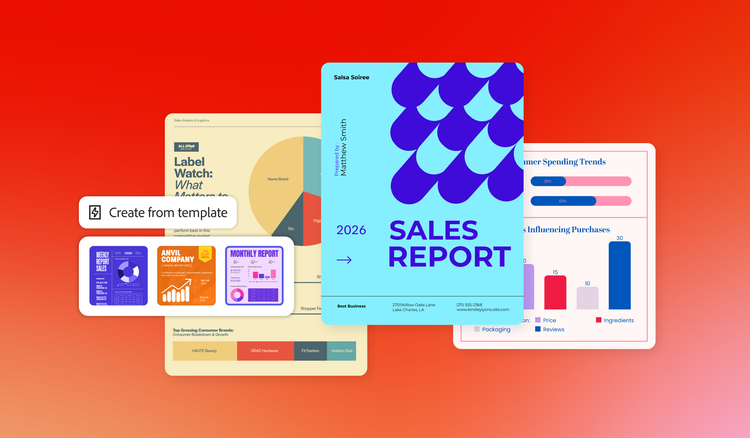
Grow your business with Acrobat Express for teams.
Get the same core Acrobat Express tools that individual users rely on plus brand control, secure sharing and central administration.
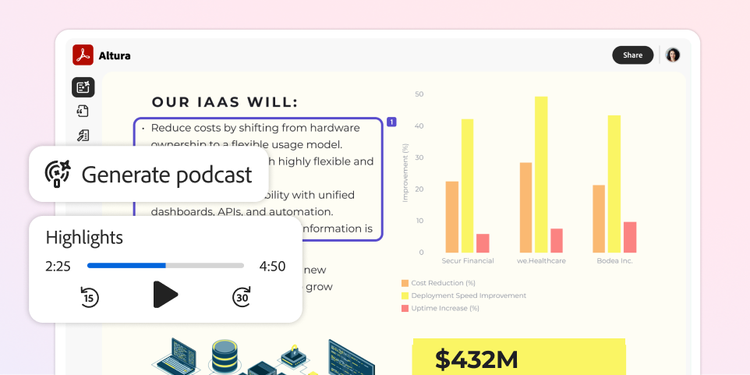
Find what matters, with citations you can verify.
Reduce time spent digging through long contracts, proposals and reports. Ask questions across up to 100 documents at once in a PDF Space and get cited answers and summaries in seconds.
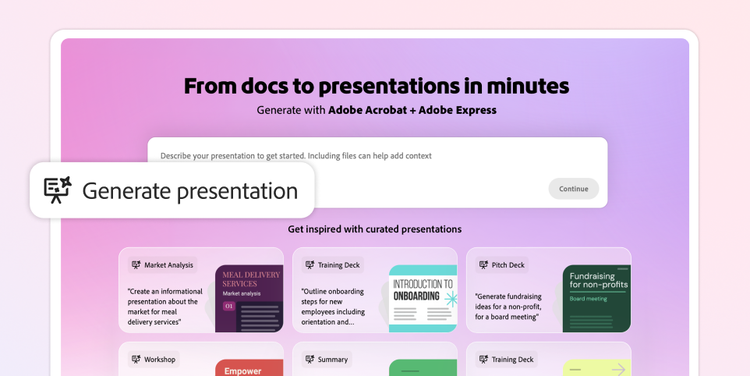
Quickly create standout, on-brand content.
Turn docs and ideas into presentations, flyers, social posts and ads with Adobe Express. Start from approved templates with your logos, colours and fonts locked in — no design skills needed. With 1,000 monthly generative credits per licence, you can use features powered by Adobe Firefly to produce commercially safe content.
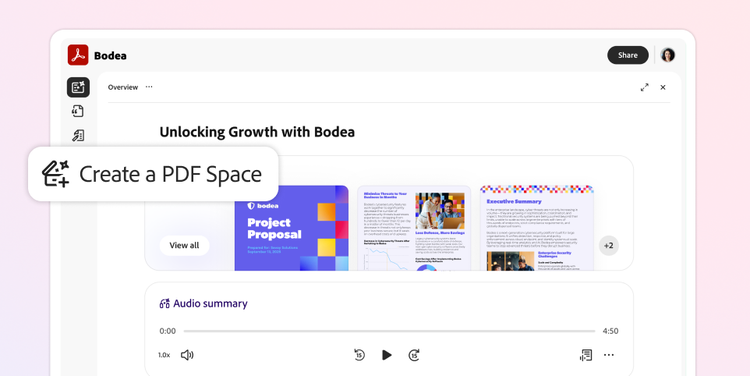
Collaborate better as a team.
Bring files together in PDF Spaces to collaborate from a single source of truth, organise materials and share insights. Control how PDF Spaces and files are shared so you can loop in partners without exposing sensitive information on unsecured channels.
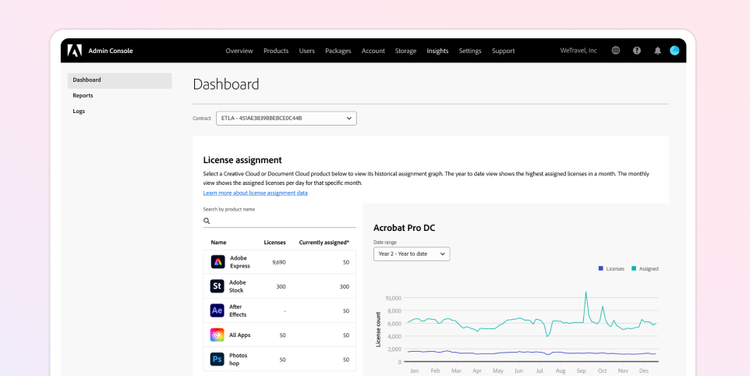
Control business licences and content for peace of mind.
Easily manage licences from a single admin console. Maintain company ownership of content created with Adobe Express. And get dedicated 24 x 7x365 technical support plus two 1:1 sessions per team member each year for help with onboarding and training.
Speed up key workflows across your organisation.

Sales
Turn customer documents into deal-ready content:
- Surface terms, pricing and key details across customer files in seconds with Acrobat AI Assistant.
- Build branded proposals and keep each account's materials in one shared PDF Space.

Marketing
Turn text-heavy content into on-brand campaigns:
- Pull key messages and proof points from long briefs with Acrobat AI Assistant.
- Produce consistent presentations, social posts, flyers and other content using brand kits and locked templates.
- Generate commercially safe images, videos and audio files with Adobe Firefly.
https://main--da-dc--adobecom.aem.page/dc-shared/assets/images/acrobat-express/icon-hr-56x56-en.svg

HR
Onboard new hires faster, from policy review to signature:
- Pull requirements and role-specific details from dense policy docs with Acrobat AI Assistant.
- Centralise onboarding guides in a shared PDF Space with audio overviews for on-the-go listening.

Finance
Turn financial data into clear reporting.
- Ask questions across reports, statements, and spreadsheets and get cited answers in seconds with Acrobat AI Assistant.
- Build branded, meeting-ready one-pagers from your data with Adobe Express.
- Turn findings into charts and interactive reports, and keep each cycle’s documents in one shared PDF Space.
PLANS AND PRICING
Compare Acrobat plans.
Questions about Acrobat Express for teams? We have answers.
Acrobat Express for teams includes the same core capabilities as Acrobat Express for individuals — plus the following business features growing teams need to create together, stay organised and keep work under control:
Control who sees what:
- Restrict how PDF Spaces and files are shared, so sensitive information stays off unsecured channels. Keep work within the business.
- Company ownership of content and asset reclamation mean projects stay put when people move on.
Keep every asset on brand:
- Lock templates and enforce approved logos, colours and fonts, so every deliverable ships on brand across your teams.
Administer and support teams at scale:
- Manage licences and AI access from a single admin console, adding or removing seats as your team changes.
- Get 24 x 7 technical support and two 1:1 expert sessions per license every year.
Get more value per seat:
- Get 1,000 generative credits for generating content with Adobe Firefly.
- Get 1 TB of pooled cloud storage per user and 180-day version histories.
Acrobat Express for teams plans also include everything in Acrobat Express for individuals:
Use Acrobat AI Assistant for quick summaries and answers with citations from your documents:
- Ask questions across multiple documents
- Summarise lengthy or complicated files into key takeaways
- Convert documents into presentations or podcast-style audio overviews
- Get answers with citations linked directly back to sources
- Compatible with PDFs, slide decks, spreadsheets and other file formats
Work smarter with PDF Spaces, AI-powered workspaces for getting insights across multiple documents, collaborating and sharing information with your team:
- Share AI-generated highlights, summaries and insights with your original content.
- Provide context by adding branding, summaries and audio overviews.
- Customise the AI Assistant to shape tone and responses before sharing with others.
- Give your team a single, centralised source of truth for projects and reviews.
- Store up to 100 files in one shared AI workspace, including PDFs, slides, spreadsheets, links and notes.
Get Adobe Express Premium with easy-to-use design features for producing polished, on-brand content:
- Create presentations, social media posts, flyers, videos and more using ready-made, professionally designed templates.
- Keep branding consistent across all materials with brand kits.
- Produce commercially licensed images and videos using Adobe Firefly generative AI.
- Browse and access millions of royalty-free images and assets from Adobe Stock.
- Adapt content for international audiences with AI-powered translation tools.
Acrobat Express for teams helps people collaborate with full context and keep business-level control in one place. Teams can bring files together in shared PDF Spaces; keep summaries, notes and AI-generated insights in context and cited; and work from a single source of truth instead of chasing files across tools.
Admins can manage seats through the admin console; maintain company ownership of content; and support growing teams with 1 TB pooled storage per licence, 180-day version histories and 24 x 7x365 technical support. That means your team can move faster while keeping access, assets and shared work under business control.
Acrobat Express includes Acrobat AI Assistant, PDF Spaces and Adobe Express Premium. It allows you to:
- Chat with your documents and get answers with citations
- Summarise documents with one click
- Ask questions using voice prompts on your mobile device
- Bring multiple files together in a PDF Space with a customisable AI Assistant to shape responses
- Share PDF Spaces with an AI-generated summary, audio overview and logo
- Transform documents into presentations and podcast-style audio overviews
- Create presentations, flyers and social content using professionally designed templates
Acrobat Pro includes 70+ PDF tools to edit, convert, protect and sign documents. It allows you to:
- Edit text and images and organise pages in PDFs
- Convert files to PDF and export PDFs to Word, Excel and PowerPoint
- Sign documents, request signatures and track responses
- Password-protect PDFs and redact sensitive information
- Turn scanned documents into editable, searchable PDFs
- Create web forms and compare versions of a PDF
- Add a logo to brand your agreements
Acrobat Studio includes Acrobat Pro and Acrobat Express, bringing together 70+ PDF tools with Acrobat AI Assistant, PDF Spaces and Adobe Express Premium.