Acrobat
How to write and format minutes of meeting (and how AI summarisers can help).
Discover what minutes of meeting are, how to draft and format them, and how AI tools in Acrobat make summaries faster.
Published by Adobe Acrobat India on 24 September 2025
Meetings are an essential part of decision-making, but without clear records, valuable points are often forgotten. This is where minutes of meeting come in. They provide a written record of discussions, decisions, and next steps.
For businesses and organisations in India, knowing how to make minutes of meeting is vital for compliance, team alignment, and accountability. Today, AI tools like Adobe Acrobat’s AI Assistant can also help summarise long discussions into accurate, easy-to-read notes.
What are minutes of meeting?
Minutes of meeting are the official written record of what took place during a meeting, they generally capture:
- Agenda items discussed.
- Key points raised.
- Decisions taken.
- Action items assigned.
Understanding what minutes of meeting are helps businesses ensure transparency and clarity. They also act as a reference point for employees, clients, and stakeholders after the meeting.
Why are minutes important in India’s workplaces?
Minutes are more than a formality; they play a crucial role in documenting organisational processes. In India, they are especially important for:
- Corporate Governance: Board meetings require detailed minutes as part of compliance with the Companies Act.
- Legal Protection: Minutes act as evidence of decisions in case of disputes.
- Project Management: Tracking responsibilities and deadlines across teams.
- Educational Institutions: Recording academic committee decisions and administrative updates.
Without accurate minutes, teams risk miscommunication and loss of accountability.
How to make and draft minutes of meeting?
Here’s a simple process for drafting professional minutes:
- Prepare in Advance: review the meeting agenda so you know what to capture.
- Record Key Information: note the date, time, participants, and agenda topics.
- Summarise Clearly: capture discussions concisely without personal opinions.
- Highlight Decisions: write down resolutions and agreed actions.
- Review and Share: edit for clarity, format properly, and distribute to attendees.
Learning how to draft minutes of meeting effectively ensures the record is professional and actionable.
Standard minutes writing format.
A good minutes writing format includes:
- Heading: name of the meeting and date.
- Participants: list of attendees and absentees.
- Agenda Items: structured order of discussion.
- Discussion Points: key details summarised objectively.
- Decisions Made: clear documentation of outcomes.
- Action Items: responsibilities assigned with deadlines.
- Sign-Off: approval by the chairperson or secretary.
Following a consistent format helps organisations keep records neat and compliant.
Using AI summarisers to write meeting minutes faster.
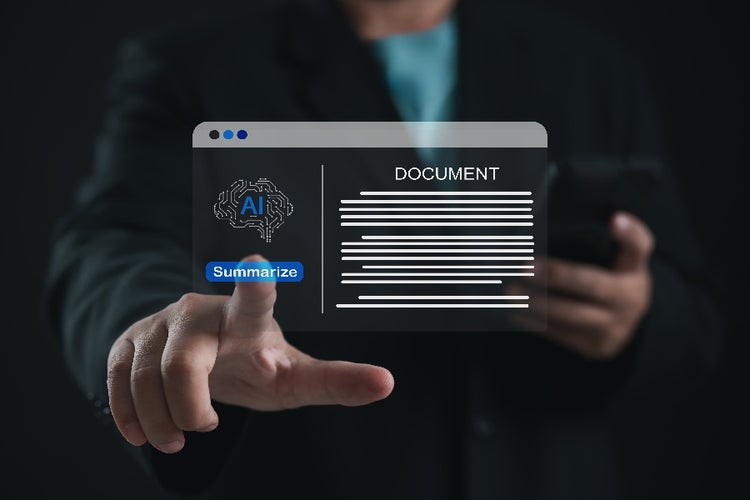
Writing minutes manually can be time-consuming, especially after long meetings. This is where minutes of meeting AI tools come in, and Adobe Acrobat’s AI Assistant can help you:
- Summarise Transcripts Quickly: Help convert long notes into concise highlights.
- Generate Action Item Lists: Pull out follow-up tasks automatically.
- Enhance Accuracy: Help reduce human error by cross-checking discussion summaries.
- Save Time: Focus on decisions rather than transcription.
For teams across India, AI summarisation helps make meetings more productive by delivering fast, reliable minutes.
Smarter meeting records with Acrobat AI.
Clear, well-structured minutes are essential for accountability, governance, and teamwork. By combining traditional minutes writing with AI-powered summarisation in Adobe Acrobat, organisations in India can improve productivity, reduce manual effort, and help ensure every meeting has a reliable record.
Frequently asked questions.
More resources