#1e1e1e

PHOTOGRAPHY

Creative aesthetic photoshoot ideas you need to try.

Explore unique aesthetic photoshoot concepts from nature and minimalism to vintage and at home setups to spark creativity and elevate your imagery.

Explore Photoshop

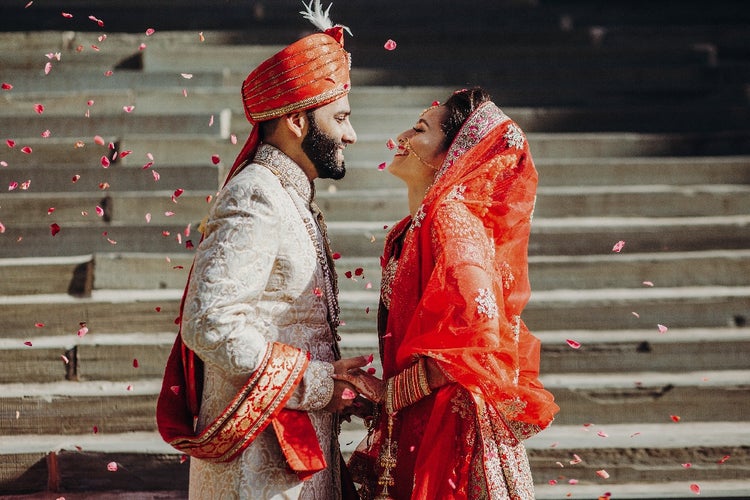
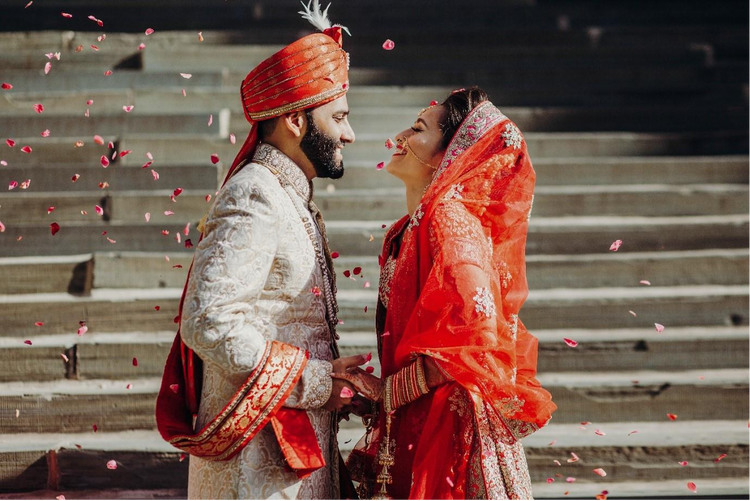
An Indian couple in traditional attire taking part in a wedding ceremony, capturing cultural rituals, vibrant colours and emotional moments.
#F5F5F5
Aesthetic photography blends style, mood and storytelling to produce images that captivate viewers. If you're a freelancer shooting portraits, a small business owner building an online store, or a multimedia artist crafting content for social media, exploring aesthetic photo ideas can take your work to the next level and help you stand out. In this guide, we explore a range of themes from nature and minimalism to vintage and at-home setups, providing practical tips on composition, lighting, props and post-production. You will discover aesthetic photo ideas at home, aesthetic photo ideas for girls, aesthetic photo ideas for boys, each tailored for creative professionals in India. With step-by-step instructions, troubleshooting advice and real-world examples, this article will help you work faster, create polished results and justify your Creative Cloud subscription investment through enhanced client satisfaction and stronger portfolios.

What makes a photo “aesthetic”?

An “aesthetic” photograph evokes a distinct mood or style through deliberate choices in:

  • Composition: Framing, negative space and leading lines
  • Lighting: Natural light, chiaroscuro or colour gels to sculpt shadows and highlights
  • Colour palette: Harmonious hues or dramatic contrasts to convey emotion
  • Props and styling: Textures, fabrics and objects that reinforce the theme
  • Post-production: Consistent colour grading, vignettes and film-like presets

By mastering these elements, you ensure that every image contributes to a cohesive visual identity, critical for freelancers, video producers and desktop publishers alike.

Tip: Create a mood board in Adobe Photoshop or Adobe XD with colour swatches, textures and example shots to guide each shoot.

https://youtu.be/CvxfzPyjQlo?si=a9NdaG2nUzuW-ghK

How can nature-inspired shoots amplify your portfolio?

Theme: Embrace the outdoors to capture organic beauty and serene moods.

Key techniques:

  • Golden hour lighting: Schedule sessions during early morning or late afternoon for soft, warm tones
  • Foreground framing: Use leaves, branches or wildflowers to create depth
  • Shallow depth of field: Select a wide aperture (f/1.8–f/2.8) to isolate subjects from busy backgrounds
  • Environmental storytelling: Show subjects interacting with nature by holding flowers or walking through fields

Step-by-step example:

  1. Location scouting: Find a park, garden or riverside with minimal foot traffic
  2. Colour coordination: Dress subjects in earthy tones or pastels that complement greenery
  3. Composition planning: Position the subject off-centre (rule of thirds) with leading lines such as paths or fences
  4. Shoot in RAW: Retain maximum dynamic range for post-production adjustments

Troubleshooting: Overexposed skies can blow out detail. Use graduated ND filters or under-expose slightly (–0.3 to –0.7 EV) and recover highlights in Lightroom.

Why minimalist setups deliver high-impact images.

Theme: Less is more. Minimalism focuses on simplicity and clean aesthetics.

Essential elements:

  • Neutral backgrounds: Plain walls or seamless paper backdrops in white, grey or muted tones
  • Single-colour motifs: One or two complementary colours for props and attire
  • Negative space: Let emptiness frame the subject, drawing attention to key details
  • Subtle textures: Incorporate textiles such as linen or suede for tactile interest

Creative process:

  1. Select a backdrop: Rent a paper roll or paint a wall in a single shade
  2. Styling: Choose clothing and props in monochromatic or analogous colours
  3. Lighting: Use a single softbox or window light to cast gentle shadows
  4. Focus: Employ eye-detect autofocus or manual focus on facial features

Tip: In Adobe Lightroom, apply a slight vignette and desaturate background tones to intensify the minimalist effect.

How to achieve vintage-style glamour shots.

Theme: Nostalgic aesthetics inspired by film photography and mid-century style.

Core techniques:

  • Warm colour grading: Push shadows to amber and highlights to cream
  • Film grain overlays: Introduce subtle texture for authenticity
  • Period-appropriate styling: Vintage costumes, pearls, retro sunglasses and classic hairstyles
  • Soft focus or diffusion: Use a diffusion filter or Vaseline on a clear filter to soften edges

Step-by-step workflow:

  1. Wardrobe and set design: Source or rent vintage clothing and props (typewriters, vinyl records)
  2. Camera settings: Shoot at ISO 100–200 to minimise digital noise; use prime lenses (50 mm or 85 mm) for a classic look
  3. Lighting setups: Combine a key softbox with a fill reflector; add low-power backlight for rim illumination
  4. Post-production: In Photoshop, apply a Curves adjustment layer for S-curve contrast and overlay a film grain texture at 5–10 percent opacity

Troubleshooting: Over-filtering can look gimmicky. Keep diffusion subtle and test presets on a variety of skin tones.

What aesthetic photo ideas at home can you try with limited gear?

Even without studio access, you can produce striking imagery using household items.

Budget-friendly tools:

  • Sheer curtains as DIY softboxes
  • Coloured paper or fabric for simple backdrops
  • Fairy lights to create bokeh and mood
  • Mirrors and reflective surfaces for creative reflections

Five at-home setups:

  1. Window silhouette: Position subject against a bright window; expose for the background to create a dramatic silhouette
  2. Textured walls: Use textured wallpaper or peel-and-stick tile as a backdrop for editorial-style portraits
  3. Flatlay still life: Arrange objects on the floor or table; shoot from above using a ladder or tripod with a remote trigger
  4. Indoor plant framing: Place potted plants in foreground and background to mimic nature shoots
  5. Chair and blanket vignette: Drape a vintage blanket over a chair; add a single lamp for cinematic chiaroscuro

Tip: In Photoshop, use the Camera Raw Filter to fine-tune exposure and remove colour casts from household lighting.

How can aesthetic photo ideas for girls inspire portraiture?

Focusing on feminine aesthetics, these concepts blend softness, colour and storytelling.

  • Florals and foliage: Flower crowns, petals falling in slow-shutter captures
  • Soft pastels: Blush pinks, lavender and baby-blue clothing against neutral backgrounds
  • Casual elegance: Sweaters, wide-leg trousers and delicate jewellery

Portrait session outline:

  1. Pre-shoot consultation: Discuss wardrobe choices and preferred colour palettes with your subject
  2. Location or backdrop selection: Choose settings that complement her dress colours (for example, lavender fields for purple outfits)
  3. Posing guidelines: Encourage natural gestures such as playing with hair, leaning against walls and walking towards the camera
  4. Lighting style: Mix natural light with a reflector; consider a ring light for soft eye catchlights

Example: A freelance photographer in Mumbai staged a lavender-themed shoot on a terrace, using sheer purple curtains and a matching dress to achieve cohesive colour harmony.

What aesthetic photo ideas for boys bring to male portraiture?

Masculine aesthetics can be just as artistic, with themes ranging from urban grit to serene minimalism.

Key styles:

  • Monochrome edge: Black leather jackets, white T-shirts and concrete walls for an urban fashion look
  • Earth-tone calm: Olive greens, browns and beiges against natural backdrops for a grounded mood
  • Sporty action: Capture mid-air jumps, dribbling basketballs or slow-motion skateboard tricks

Session blueprint:

  1. Styling consultation: Align clothing choices with the desired mood such as rebellious, serene or athletic
  2. Props and environment: Use motorcycles, graffiti walls or gym equipment as context
  3. Camera settings: For action shots, select a fast shutter speed (1/800 s or higher); for portraits, use wider apertures (f/2.0–f/2.8)
  4. Editing approach: In Lightroom, apply split toning with cool shadows and warm highlights for a cinematic feel

Troubleshooting: Under-exposed action shots lose detail. Use continuous AF-C mode and ensure ISO is sufficient (400–800) for indoor sports.

Smart ways to use aesthetic photos in your creative projects.

Applying aesthetic photo ideas across various formats enhances content versatility.

1. Social media videos.

  • Application: Animate sequences of still shots in {{premiere}} with Ken Burns pans and smooth transitions
  • Benefit: Maintains engagement with dynamic movement of static images

2. Voiceovers for reels or animations.

  • Application: Overlay spoken narration on a slideshow of themed photos in After Effects, adding motion graphics accents
  • Benefit: Reinforces messaging with visual flair

3. Short-form branded content.

  • Application: Create 15-second Instagram Reels showcasing rapid-fire aesthetic setups and behind-the-scenes snippets
  • Benefit: Demonstrates creative process and attracts prospective clients

How can you troubleshoot common aesthetic photoshoot challenges?

Even seasoned photographers encounter obstacles; below is a list of issues along with two solutions.

1. Harsh midday light.

  • Seek shaded areas or use a diffuser such as a bedsheet or reflector
  • Shoot in RAW and correct exposure later

2. Mixed colour temperatures.

  • Apply custom white balance in-camera
  • Use Colour Balance adjustment in Photoshop

3. Distracting backgrounds.

  • Blur with wide aperture
  • Move closer to the subject or reposition

4. Inconsistent skin tones.

  • Apply Adobe Camera Raw’s Hue/Saturation sliders per channel
  • Use adjustment layers for selective edits

5. Lack of cohesion across a series.

  • Develop a unified colour-grade preset in Lightroom
  • Apply the same crop ratio and aspect to all shots

Tip: Always carry a portable colour chart or grey card for precise colour calibration on location.

From Lightroom to InDesign: Managing aesthetic assets across Adobe apps.

Maximise creative speed and consistency by using Adobe’s interconnected ecosystem. Here’s how each app contributes to a unified process:

  • Adobe Lightroom – Create and sync custom colour-grading presets across desktop and mobile for a cohesive editing style.
  • Adobe Photoshop – Use layered PSD templates to build mood boards, collages and advanced composite edits with full control.
  • Creative Cloud Libraries – Store brand colours, fonts and key images for instant access across Photoshop, Illustrator and {{premiere}}.
  • Adobe {{premiere}} – Turn still photography into short cinematic reels using dynamic transitions, music and audio design.
  • Adobe After Effects – Animate stills with overlays, light leaks and subtle parallax for attention-grabbing social media visuals.
  • Adobe InDesign – Create printed lookbooks and interactive PDFs by combining brand photography with your layout guidelines.
  • Collaboration and review – Share Lightroom Collections or publish web galleries for client feedback, with in-line comments for approval.

Pro tip: When saving assets, tag them with searchable keywords like “minimalist,” “vintage,” or “home studio” to make future retrieval fast and effortless.

Transform your visuals with inspiring aesthetic photo ideas.

Embracing aesthetic photo ideas empowers creative professionals to craft striking visuals that resonate with viewers and clients alike. Whether you explore nature shoots, minimalist setups, vintage glamour, at-home portraits, aesthetic photo ideas for girls or aesthetic photo ideas for boys, these techniques combined with compelling compositions, thoughtful styling and consistent post-production will enhance your portfolio, accelerate project delivery and deliver clear ROI. By integrating your preferred workflows into Adobe Creative Cloud, you can work smarter, maintain brand cohesion and continue evolving your craft. Try these concepts today and watch your creative results captivate new audiences.

Frequently asked questions.

How can I find unique photoshoot locations in India?

Explore lesser-known cultural sites, rooftop terraces or local flea markets. Apps such as Google Earth and Instagram location tags can help you discover hidden gems in your city or while travelling. For location inspiration and planning visuals, Adobe Stock’s collection of photos and creative assets can also be a helpful resource.

Which Adobe app is best for creating mood boards before a shoot?

Adobe Express is great for designing mood boards using templates, fonts and colours that help you visualise your shoot’s aesthetic in advance. You can also explore tips from this guide on marketing mockups to bring a professional polish to your pre-shoot concepts.

What permits or permissions might I need for a public photoshoot in India?

Depending on the location, you may need approvals from local authorities, particularly for commercial shoots at heritage sites, national parks or railway stations. It is always advisable to check with local officials or property owners beforehand.

How can I create a consistent Instagram feed with aesthetic photos?

Stick to a signature colour palette, use uniform lighting styles and plan your grid layout. Tools such as Lightroom presets and scheduling apps can help maintain a cohesive visual identity.

Which Adobe app should I use to retouch skin naturally in aesthetic portraits?

Adobe Photoshop provides advanced retouching features like frequency separation and spot healing, allowing for professional yet natural-looking edits.

How can I manage harsh sunlight in outdoor shoots in Indian summers?

Use reflectors, diffusers or shoot during golden hour when the light is softer. You can also place subjects in shaded areas and adjust exposure levels in post-production using editing tools. If you're just getting started, consider Adobe’s student photography plans which offer tools tailored for aspiring photographers.

What Adobe app is ideal for batch editing aesthetic photos quickly?

Adobe Lightroom is perfect for editing multiple images simultaneously. With presets, sliders and colour grading options, it helps streamline your editing workflow while preserving a consistent aesthetic.

How do I create aesthetic product photography at home on a budget?

Use simple household items as props, natural light from windows and plain backdrops. A smartphone with a decent camera and some creative thinking can go a long way in producing high-quality results.

Can I create posters or lookbooks from my photos using Adobe apps?

Yes. Adobe InDesign is excellent for laying out your photos in a professional format that suits portfolios, lookbooks or digital posters.
Yes. Challenges on Instagram such as #MadeInIndiaPhotos or local contests by photography communities like DCP Expeditions or Photowalk Bangalore are great opportunities for exposure, learning and creative inspiration.

https://main--cc--adobecom.aem.page/creativecloud/design/roc/blog/fragments/cc-apps-banner

You may also like

Content as a Service v3 - photo - Thursday 17 July 2025 at 15:45

https://main--cc--adobecom.aem.page/cc-shared/fragments/seo-articles/do-more-photoshop-color-blade