What is a storyboard?
Storyboarding is a simple but powerful way to plan videos before production begins. This guide explains what storyboards are, how they work, and how modern tools can speed up the entire process.
https://main--cc--adobecom.aem.live/cc-shared/assets/img/product-icons/svg/firefly-80.svg
Adobe Firefly
https://main--cc--adobecom.aem.live/cc-shared/assets/img/product-icons/svg/firefly-80.svg
Adobe Firefly
The next evolution of creative AI is here for all your ideas, with image, video, audio and vector tools.
Key takeaways
- A storyboard is a sequence of visual panels that maps out how a video or story will unfold.
- Storyboards can be hand-drawn or created digitally, depending on the workflow and level of detail needed.
- Each storyboard panel includes key elements like visuals, captions, camera directions, dialogue, and sequencing notes.
- Creating a storyboard involves breaking down a script, sketching scenes, adding notes, and refining structure.
- AI tools like Adobe Firefly can generate storyboard visuals from text prompts to speed up ideation and iteration.
What is a storyboard?
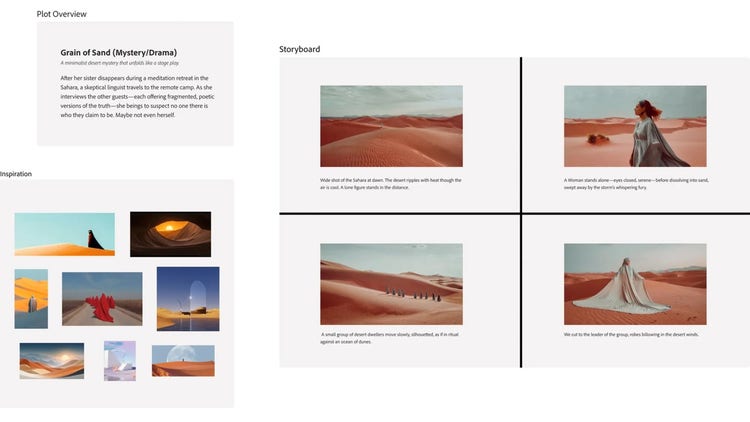
A storyboard is a visual planning tool that maps out a video, scene by scene. It contains a sequence of panels, with each panel representing a key moment or shot. It basically shows how a story will unfold before production begins, helping teams visualise the flow, pacing, and transitions from start to finish.
Why storyboards are used in video production
Storyboards are used to turn ideas into a clear, visual plan before any filming or production begins. They help simplify decision-making and reduce uncertainty.
- Visualise ideas early: Storyboards make abstract ideas concrete. You can see how scenes connect, how shots flow, and whether the concept works.
- Save time and reduce revisions: Planning upfront helps avoid costly reshoots and edits. It’s easier to adjust a frame than fix a finished video.
- Align teams and stakeholders: Storyboards give everyone (creators, editors, and clients) a shared reference point. This reduces miscommunication and speeds up approvals.
- Improve storytelling and pacing: By mapping scenes in sequence, you can refine timing, transitions, and narrative flow before production starts.
- Work across different video formats: Storyboards are useful for marketing and ad videos, films and short-form content, social media clips, and training and educational assets.
Types of storyboards
Storyboards can be as simple or as polished as your project requires. The format you choose depends on your workflow, timeline, and tools.
Traditional storyboards (Hand-drawn)
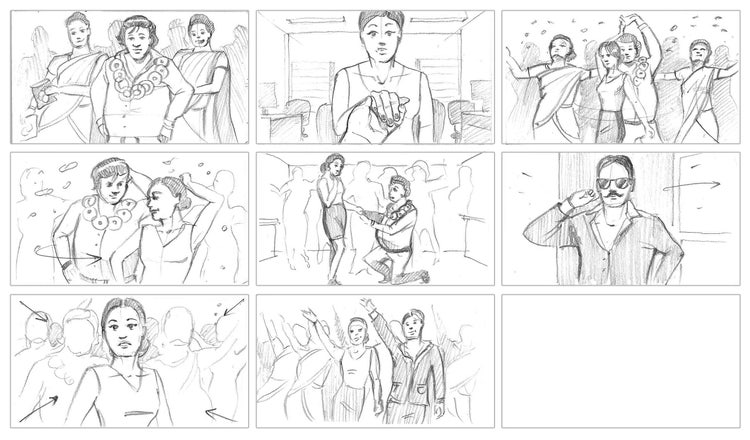
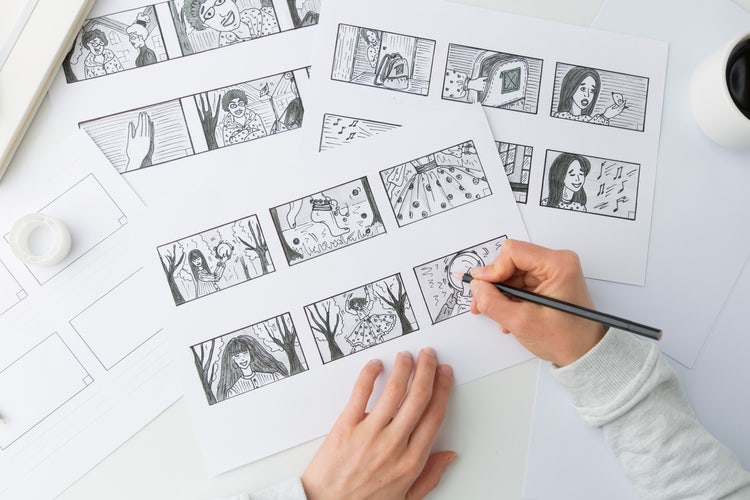
Traditional storyboards are created using simple hand-drawn sketches on paper to map out scenes in a rough, visual sequence. They are often used in the early stages of planning because they are quick, flexible, and require no digital tools. Despite their simplicity, they effectively communicate shot composition, scene flow, and key actions.
Digital storyboards
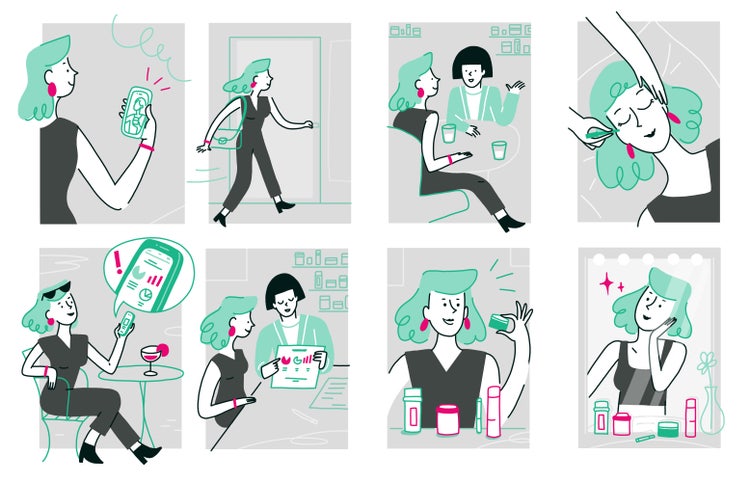
Digital storyboards are created using software or online tools, allowing users to build structured, editable visual sequences with frames, images, and notes. They are commonly used for more refined planning and collaboration, as they are easier to share, update, and present compared to hand-drawn versions.
Key components of a storyboard panel
A storyboard panel is built from several core elements that work together to clearly communicate what happens in each shot. These components help translate ideas into a structured visual sequence that guides production.
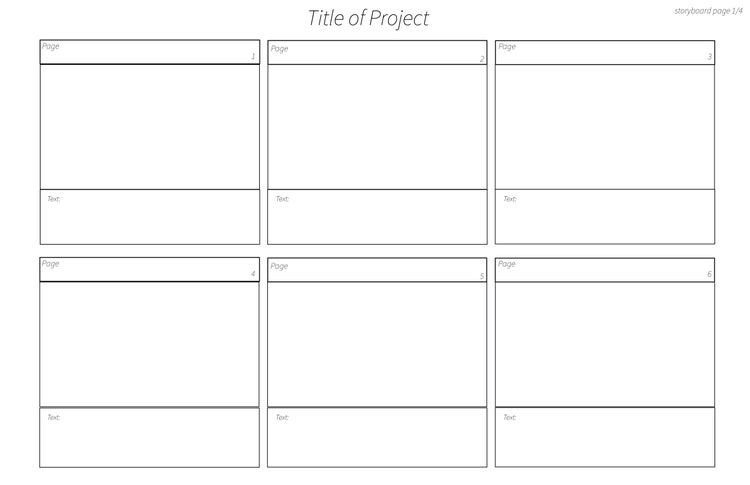
- Frames/panels: these are individual boxes that represent a single scene or moment in the video. They break the story into visual steps, so the sequence is easy to follow.
- Visuals: they can be in the form of sketches, images, or reference visuals that show what is happening in each shot.
- Captions/descriptions: these are short notes explaining the action in the scene. They help clarify what the visuals alone may not fully communicate.
- Camera directions: these cover instructions for how the shot should be captured, such as angles, movement, or transitions. This guides how the scene will look on screen.
- Timing/sequence notes: these include details on how long a shot should last and how it flows into the next one. This helps control pacing and rhythm in the final video.
- Dialogue: these include any and all spoken words or rough script lines included in the scene to keep visual planning aligned with the narration or conversation.
- Scene/shot number: this is a labelling system used to organise panels in order. It keeps the storyboard structured and easy to reference during production.
How to create a storyboard
- Start with a blank template. Begin by setting up a simple storyboard layout using either a blank sheet or a digital template. You can draw your own grid or use ready-made templates from tools like Adobe Express or stock libraries such as Adobe Stock. The goal is to have a structured space where you can organise scenes in sequence.
- Write your script. Before visualising anything, break your idea into a clear script or outline. Divide it into key scenes or moments, so you know exactly what needs to be shown in each part of the video. This step ensures your storyboard is grounded in a structured narrative.
- Sketch your scenes. Translate each script section into a visual frame. You can draw simple sketches, use stick figures, or even insert reference images and stock visuals that represent the idea. The focus is not artistic quality but clarity. Your panels only need to communicate what is happening in each scene. If you are drawing manually, keep it rough and functional; detailed illustration or colour is not required.
- Add notes and directions. Enhance each panel with supporting information, such as setting, location, character mood, camera placements and directions, or intended transitions. These notes help explain what the visuals alone cannot and make it easier for anyone reviewing the storyboard to understand intent and execution.
- Review and refine. Once your storyboard is complete, go through it as if you are watching the final video unfold. Check if the pacing feels natural, if the sequence makes sense, and if any part of the story feels unclear or rushed. Refining at this stage helps prevent confusion and costly changes during production.
Using AI to create storyboards faster
AI tools like Adobe Firefly are transforming storyboard creation by turning written ideas into visual frames in seconds. Instead of manually sketching every scene, creators can now generate, test, and refine visuals quickly, making the planning process faster and more flexible.
- Simplifies ideation and visualisation: AI helps translate rough ideas into structured visual scenes, making it easier to explore how a story might look before committing to final storyboard frames.
- Generates scenes from text prompts: You can describe a scene in natural language, and AI will generate visual interpretations that can be used as storyboard frames or references.
- Enables quick iteration of visual directions: Multiple versions of the same scene can be produced instantly, allowing you to compare composition, style, and mood options side by side.
- Reduces manual sketching time: Instead of drawing every panel by hand, AI creates initial visual drafts. You can focus more on planning the filming and getting ready for production.
Best practices for effective storyboarding
- Keep frames simple and clear: focus on communicating the idea quickly. Storyboards are meant for understanding, not detailed artwork.
- Focus on storytelling, not artistic perfection: the goal is to map out the narrative. Polished illustrations are great, but rough sketches work fine as long as the idea is clear.
- Maintain consistent structure: use a consistent layout for panels, notes, and sequencing so the storyboard is easy to read and follow.
- Think in sequences, not isolated shots: each frame should connect logically to the next, helping you visualise how the story flows from start to finish.
- Get feedback early: share your storyboard before production to catch gaps, improve clarity, and refine pacing while changes are still easy to make.