What are perspective, distortion and warping in photography.
What is perspective in photography.
Perspective refers to the relationship between a camera's location in space and the scene being photographed. Depending on the vantage point, including camera angle and distance, objects may appear smaller or larger in a photo than they do to the naked eye.
What causes perspective distortion.
Lines that should be straight may bend near the edges of a photo. This effect is known as perspective distortion and is common in architectural and wide-angle photography.
How warping helps correct perspective.
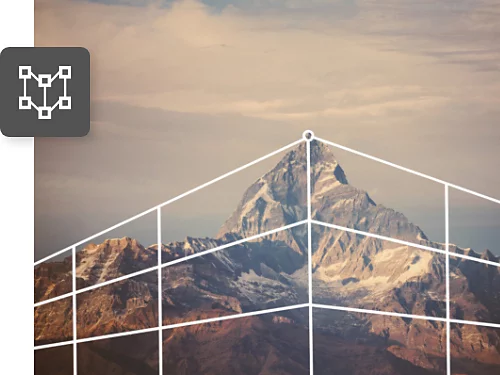
Warping allows you to correct photo tilt and adjust the angle of an image by reshaping planes within the photo using the Perspective Warp feature.
What you can do with Perspective Warp.
Make your photos look more like what you see with your eyes and add objects that blend seamlessly with the elements of the original photo. Perspective Warp also works as a powerful photo angle editor for correcting perspective issues across different types of pictures, from cityscapes to product photography.
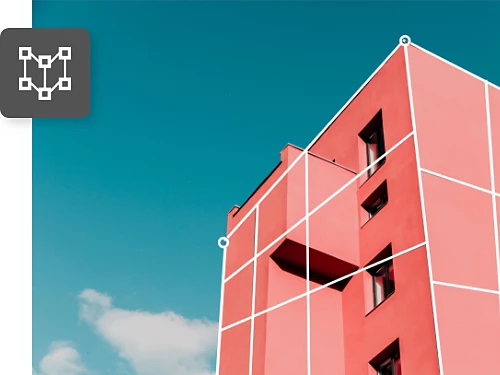
Straighten bent buildings.
To make architectural photos look more accurate, adjust the perspective of a building by reversing the warp that appears at the edges.
Align objects in the frame.
Whether you’re shooting a series of objects for a product shoot or you just want the elements in your shot to look perfectly equidistant, you can line them up just right.

Correct for lens distortion.
Turn a telephoto shot into a wide-angle shot by extending the corners outward or give a distant mountain the mass it deserves without affecting the rest of the image.
Match perspective in a composite.
When combining images to create a composite, you may find the perspectives don’t match. Use Perspective Warp to line them up so they look real.

How to change the perspective of an image with Perspective Warp.
Follow this Photoshop Perspective Warp tutorial to adjust the perspective in photos. This step-by-step guide explains how to change the angle of a photo and apply precise photo angle correction using Adobe Photoshop.
If you're still getting familiar with Photoshop tools and transformations, this Photoshop tutorial for beginners guide can help you understand the core features and workflows used throughout the app.

- Open and prep the image.
- Once you have the file open in Photoshop, select the layer you want to adjust.
- If your image is the background layer, copy it to another layer so none of your edits will permanently erase pixels in the original image. This ensures your edits are non-destructive and you always have the option to go back.
- Click Layer › Duplicate Layer in the top menu.
- Select and mask the object you want to shift.
- If you want to use Perspective Warp on the entire image, go right to Step 4.
- To shift a single object in the image, continue with this step.
- If you want to make sure your edits affect only one object in the frame, draw a mask around it with one of the Selection tools in Photoshop.
- Then click Select and Mask in the options bar to ensure your edits affect only that object.
- Convert the masked layer into a Smart Object.
- Turn the layer mask into a Smart Object to ensure that any edits you make will be non-destructive and reversible.
- First, select the layer mask in the Layers panel.
- Then, in the top menu, select Layer › Smart Object › Create Smart Object.
-
- Select Edit › Perspective Warp from the top menu.
- If the feature isn’t accessible, you need to enable the graphics processor first so the programme has enough memory to function.
- In the top menu, click Photoshop › Preferences › Performance and select Use Graphics Processor in the Graphics Processor Settings.
- Draw perspective planes on the image.
- Click and drag to draw quads (four-sided shapes) along the planes of the architecture or other objects you want to shift.
- Keep the edges parallel to the straight lines in the image and note that when you drag a corner close to another corner, they will snap together.
- Adjust the perspective using Warp mode.
- In the options bar, switch from Layout to Warp mode.
- Now you can move the object and change perspective.
- You can use the automatic buttons in the options bar to level the horizontal lines in your grid, straighten the vertical lines or do both at once.
- You can also move the corners of the quads to where you want them. For example, you might want to shift the perspective of a building so it looks like you photographed it from the exact corner.
- Just shorten one side or lengthen the other to make it work.
- Straighten lines and confirm the adjustment.
- Shift-click (hold down the shift key while you click) to make a line vertical and move a whole side instead of just a corner.
- You can Shift-click multiple lines at once to keep all of the lines straight as you move your mouse.
- When you’re happy with your changes, click the checkmark in the options bar to close the Perspective Warp feature.
- Crop the image or repair missing edges.
- Perspective Warp may cause a loss of pixels at the edges of your frame.
- Fix this by selecting the Crop tool and shrinking your frame. Or use the Healing Brush tool or the Clone Stamp tool to fill in the missing pixels. For both tools, Option-click (Mac) or Alt-click (Windows) to select an area you want to copy and then click the area with missing pixels to fill it with the pixels you copied. (Make sure the Select All Layers option is checked in the option bar.)
What is the vanishing point.
The vanishing point is a fundamental concept in perspective.
- It is the point in an image where parallel lines appear to converge as they recede into the distance.
- It represents the viewer’s eye level and helps define how depth and scale are perceived.
- In photography, the vanishing point plays a key role in perspective correction, particularly in architectural and street photography where straight lines are prominent.
Recognising the vanishing point helps you understand how objects relate to one another in space, making it easier to adjust perspective accurately using Perspective Warp.
How do you get the perspective right by finding the vanishing point.
If you have a photograph of a city street, you can draw lines from the foreground to the background that run along the tops and bottoms of doors and windows, the roofs of buildings, the street or footpath and the horizon. The point where all these lines meet is the vanishing point.
To place an object realistically in a scene, follow this technique common in perspective drawing.
- Select the Line tool.
- Select the Line tool from the toolbar or press the U key.
- Draw guide lines along objects in the scene.
- Draw lines along visible edges in the image.
- Start in the foreground and work toward the background.
- Draw the horizon line.
- Draw a horizontal line through the intersection of the lines you drew in Step 2.
- Align your object to the vanishing point.
- Use the Perspective Warp tools to make sure that if you extended the lines of your object they would also converge at the horizon line.
Frequently asked questions about Perspective Warp.
- Perspective correction adjusts how objects appear in relation to each other based on camera angle and viewpoint, such as straightening leaning buildings.
- Lens distortion correction fixes optical issues caused by the camera lens, such as curved edges or barrel distortion.
Perspective Warp focuses on spatial alignment rather than lens-based distortion.
Broaden your perspective with Photoshop tutorials.
Discover new ways to build your photography and image compositing skills.
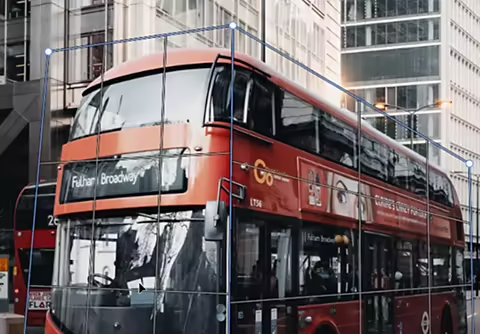
Fix perspective in a composite.
Watch this short video tutorial to learn how to use Perspective Warp and create realistic shadows for an object you’ve transferred from one photo to another.

Draw focus with intention.
Learn how to use natural or human-made lines to lead the viewer’s eyes through your photos.
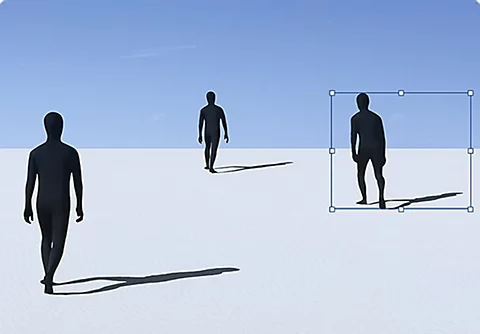
Make elemental changes.
Try more graphic design. Learn how to seamlessly add objects or remove them from your photos.
Sharpen images.
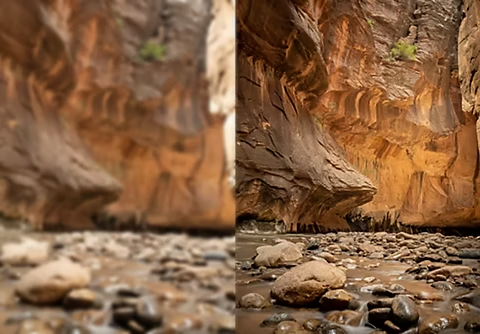
Watch this Adobe {{lightroom}} tutorial to get tips on how to edit for high-quality photographs.