|
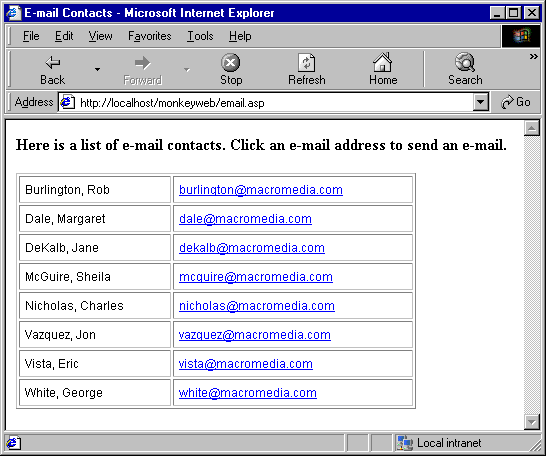
When a user clicks an e-mail address, a new blank message window opens, using the mail program associated with the user's browser. In the e-mail message window, the To field is automatically updated with the address specified in the e-mail link.
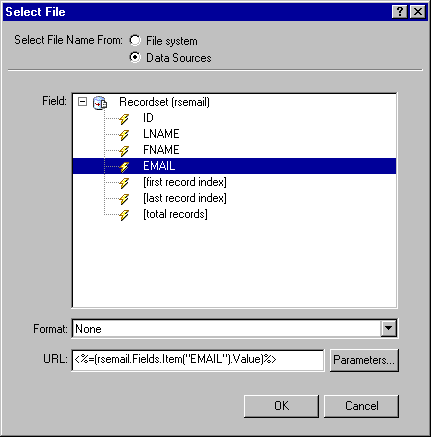
The database table providing the above information contains four columns: ID, LNAME, FNAME, and EMAIL.
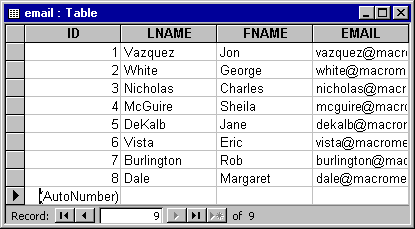
You can create a list of dynamic e-mail links by linking static or dynamic text to the values in the EMAIL table column and manually adding the mailto: attribute to the link's HTML code.
To apply a dynamic e-mail link to static or dynamic text:
| 1 |
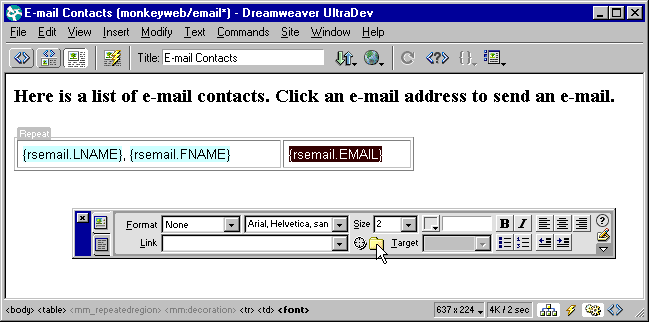
Select the static or dynamic text that will serve as the link. |
|
For example, you can select the data placeholder for e-mail addresses, or the static word "contact" in a repeat region. |
| 2 |
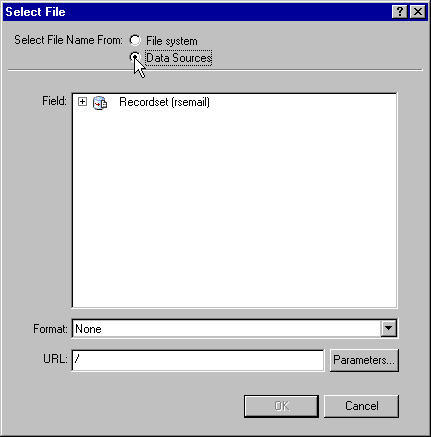
In the Property inspector (Window > Properties), select the yellow folder icon. |
 |
|
|