[Photography Basics] [Hosted by Madison Murphy] Hey, Madison here.
Today's question comes from Robin.
How do I shoot a photo where I control which object is in focus?
I know exactly what you mean, Robin.
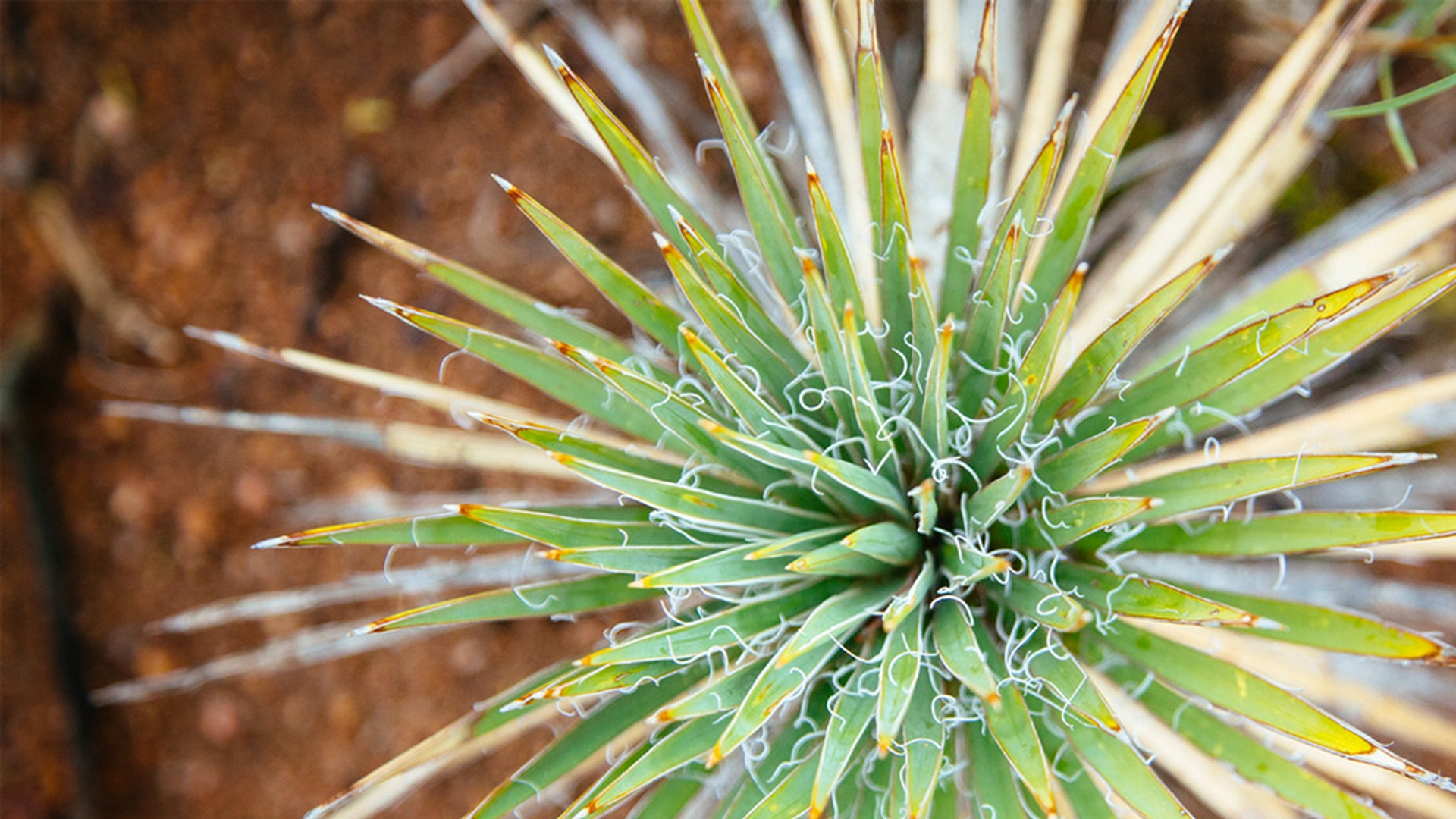
I took this picture recently but really only wanted the main subject to be sharp.
I'm not sure exactly how to make that happen.
Let's ask one of our experts.
Hi, Madison.
What you're describing here is called depth of field.
When light enters your lens it is controlled in 2 ways: through a shutter, which typically opens and closes within a fraction of a second, and through an aperture, an opening in the center of the lens with an adjustable diameter.
The aperture also controls the depth of field in your composition or how much of your image is in focus from front to back.
Think of your entire composition as a series of planes, each one sitting a certain distance from your camera.
The smaller the aperture, the greater the number of planes that will be in focus.
The bigger the aperture, the fewer the number of planes that will be in focus.
When you change your focus from one plane or object to another, the depth of field moves also.
The size of the aperture is specified using a measure called an F-stop.
The larger the aperture is, the lower the F-stop number, and the smaller the aperture is the higher the F-stop number.
For greater control of your aperture setting, adjust your program mode dial to AV, which stands for aperture value.
And rotate your main dial to your F-stop of choice.
This fixes the aperture as the priority setting, forcing the camera to automatically set the corresponding shutter speed and ISO to yield a good exposure.
I took this picture with my F-stop at f/32.
Everything is in focus, but the main subject doesn't stand out.
Then I tried a similar shot at f/5.6 and got the result I wanted.
Now you know how to make the main subject of your photo pop.
If you aren't able to control your camera's depth of field, as we've described here, or if you have photos that you already like but they aren't emphasizing your main subject enough, you can de-emphasize the rest of your composition by using the Blur Gallery in Photoshop.
[Adobe]