10%
How to Make an E-Signature Online.
Create an e-signature with Adobe Acrobat to quickly and easily sign documents wherever you are. Whether you want to create a digital or electronic signature (e-signature), the process is fast and easy.
E-signatures are as convenient as digital signatures but require less authentication. You can sign a PDF or other document quickly and securely with an e-signature. Learn how to sign with an electronic signature with Adobe below.
Key takeaways.
- You can easily create e-signatures online for free on a range of platforms, including Adobe Acrobat online.
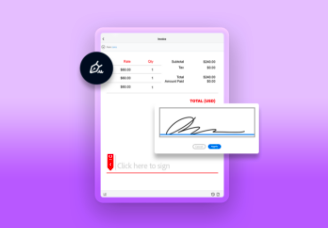
- When you create an e-signature, you can choose from a range of signature types, whether that’s text, images, or even drawings for e-signatures that appear handwritten.
- Digital signatures and e-signatures vary slightly, with the latter being better for general use.
Create a signature online.
Say goodbye to paper documents. Creating an electronic signature in a PDF file is easy with Acrobat. Start signing documents faster and more efficiently – right from your mobile device to improve your digital workflows.
What’s the difference between an electronic signature vs a digital signature?
While there may not be many obvious differences between an e-signature and a digital signature at first glance, they each have distinct purposes:
- An e-signature is a broader term that covers sounds or symbols used to sign a legal contract. It typically relies on basic user authentication, like emails or passwords.
- A digital signature is a more advanced and secure type of signature, more like a unique fingerprint. It uses cryptographic technology to authenticate the signer’s identity and ensure that the document hasn’t been tampered with. Digital signatures are often required in highly regulated industries.
For routine tasks that require a basic level of security, the speed and convenience of an e-signature may be more suitable than a digital signature. However, for situations requiring the highest level of trust and legal compliance, digital signatures are essential.
Fortunately, with Adobe, you can create both e-signatures and digital signatures, so you can be prepared for any requirement.
How to create an electronic signature.
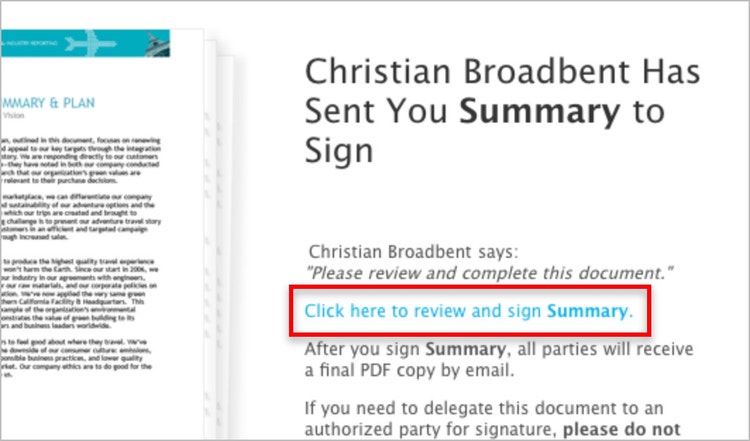
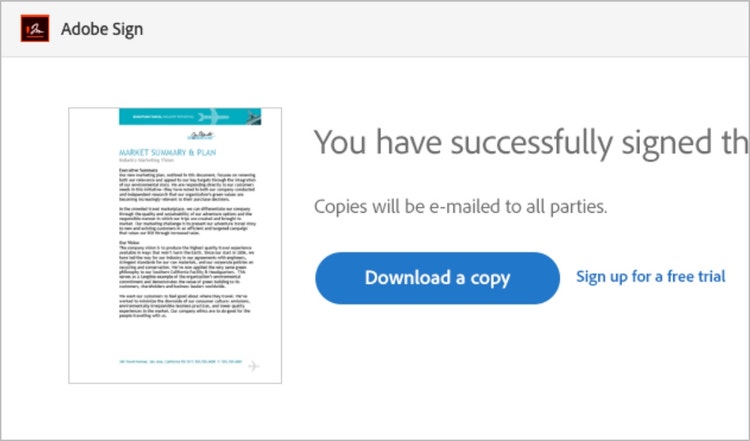
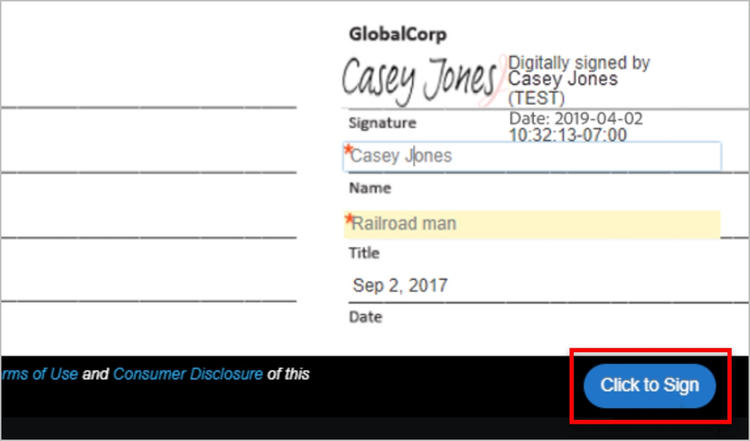
Creating an e-signature only takes a couple of quick and easy steps. Follow this simple 7-step guide to get started.
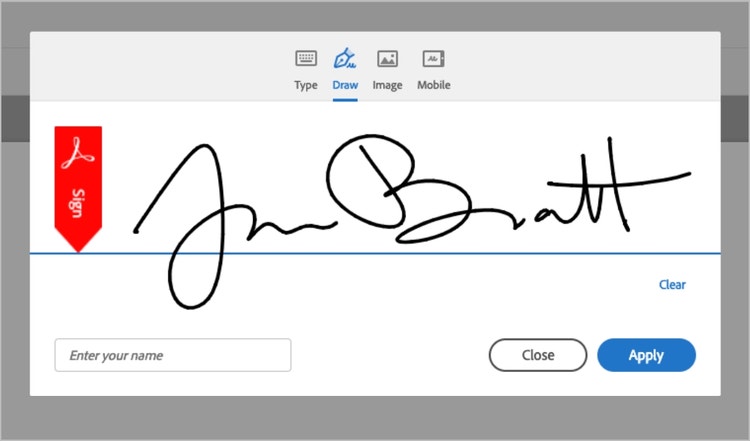
Choose from four easy options:
- Type your name
- Draw with a mouse
- Upload an image of your signature
- Draw your e-signature with your finger or stylus on a touch screen.
How to create a digital signature.
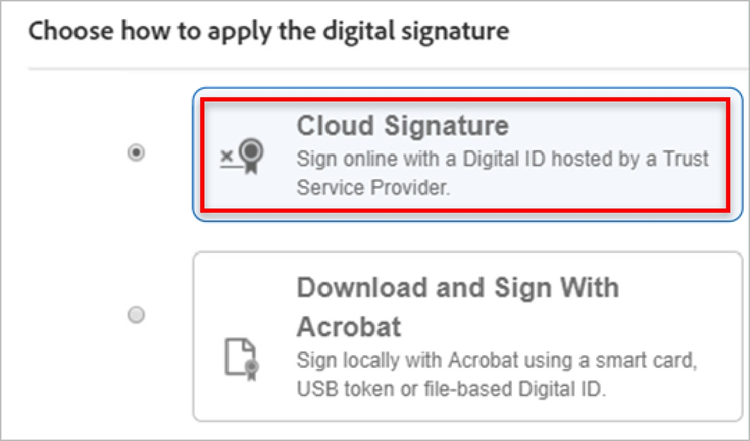
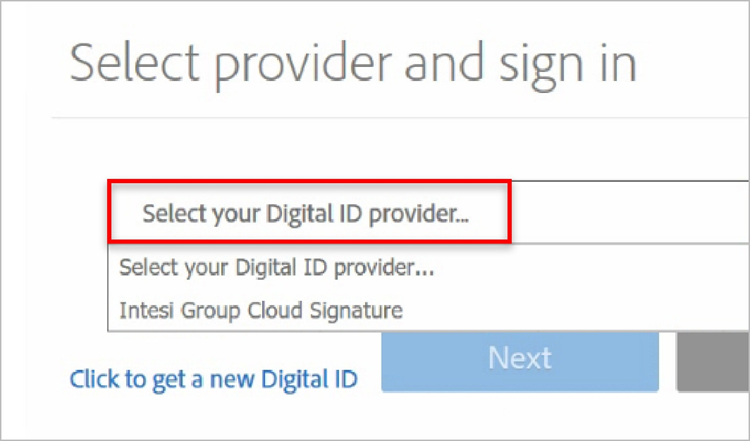
Digital signatures are simple to apply to new and existing documents. Here are the steps for how to use the Acrobat digital signature solution.
What is the best e-signature maker?
The best e-signature maker is one that offers ease of use, robust security and functionality, and seamless PDF integration. Adobe Acrobat Sign stands out by supporting both e-signatures and digital signatures, integrating with your Adobe Acrobat Cloud, and supporting Microsoft Word. This makes it an ideal choice for individuals, small businesses, and enterprises alike.
While Docusign is another trusted e-signature platform widely used by businesses and individuals, Adobe Acrobat Sign offers unique advantages and enhanced tools. Particularly for those already within the Adobe ecosystem.
Try to look for the following in your e-signature software:
- Ease-of-use across platforms
- Intelligent features and workflow tools
- Compatibility with other file types (such as Microsoft Word, PDFs, and Google Drive)
- Security, such as encryption or audit trails
- Flexibility in signature creation (typing, images, drawing to sign).
Learn more about Adobe Acrobat Sign today.
How to make an e-signature: FAQs.
Yes. Electronic signatures are legally valid and enforceable in nearly every industrialised country around the world, with an increasing number of countries beginning to enact e-signature laws.
In 2000, the United States passed the ESIGN Act, making e-signatures legal for virtually all uses. The European Union introduced the Electronic Identification and Trust Services Regulation (eIDAS), which took effect on July 1st, 2016, and was further updated on May 20, 2024. Other countries have enacted similar laws as well.
To learn more, visit our Electronic Signatures are Legal page.
Useful PDF tools
Whether it’s e-signatures or document edits, Adobe Acrobat offers a range of incredible PDF tools to bring your documents to life. Try Adobe Acrobat online today.