Adobe Acrobat
What is a bill of sale and how to write one?
Learn how to write a bill of sale, why you need one and how you can create a template to use for all future transactions.


What is a bill of sale?
A bill of sale is a legal document that proves a transfer of ownership from a seller to a buyer. Most often used for motor vehicles even though it differs from a title watercraft, aircraft or other items of significant value, a bill of sale records the transfer of any piece of property. It should include a description of the sold item, the date and location of the transaction and the amount paid from buyer to seller, as well as the names, street addresses and signatures of the buyer and seller. A completed bill of sale gives the buyer proof that they are the sole owner of the property and it frees the seller from liability after the transaction.
How to write a bill of sale
A bill of sale can range from very simple to highly detailed, depending on the nature of the transaction. For instance, a standard retail purchase receipt qualifies as a bill of sale, as it outlines the specific goods sold to the buyer and the agreed-upon price paid for each item.
For transactions involving high-value assets, such as a vehicle, it is crucial to ensure the bill of sale is accurately completed and secured at the time of the sale.
1. Include Seller's name and address - this is the party that releases the asset.
2. Include Buyer's name and address - this is the party that takes possession of the asset.
3. Mark the date of the sale - the date that the ownership of the asset has occurred.
4. Describe the item - include a detailed item description. If you are writing a bill of sale for a car, then make sure to include the vehicle identification number (VIN), serial number, milometer reading, body type or other identifying information.
5. Include a guarantee that the item is free from other claims of ownership (and, in the case of animals, that they have received necessary vaccinations and immunisations).
6. State the price - this is the sale price of the item. Some bills of sale include applicable taxes here.
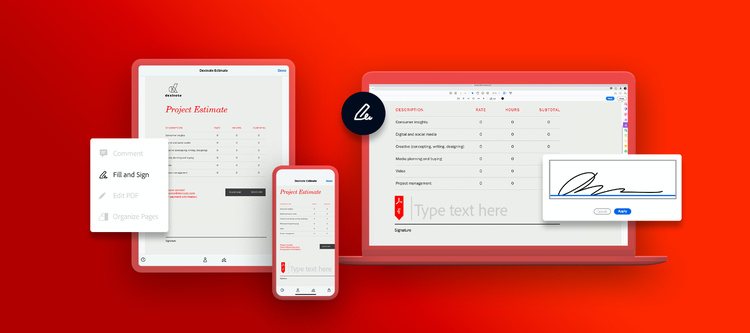
7. Add signatures - every bill of sale should include the buyer’s signature, the seller's signature and the notary’s signature or stamp (if required). In-person signatures are always valid, but if you're looking for an online process, here's how to sign a PDF electronically and get all signatures faster.
4 types of bills of sale.
Bills of sale come in various types, each tailored to specific transactions. A general bill of sale is used for everyday items, while a vehicle bill of sale documents the transfer of ownership for automobiles. Specialised bills of sale, such as those for boats or livestock, include unique identifiers relevant to the asset. In contrast, absolute bills of sale confirm outright ownership transfer, while conditional bills of sale are tied to terms like loan repayment or performance of an obligation.
1. Absolute
An absolute bill of sale describes a complete property transfer with no restrictions or payments following the sale. This type of document is logical if a property is being sold “as is.” The seller has no responsibility once the sale is complete.
2. Conditional
Use a conditional bill of sale when you’re transferring property as security for a loan or if the buyer and seller must meet specific criteria to complete the sale.In the case of a loan, the transfer is dependant or conditional, upon the debtor’s repaying the loan.
3. Quitclaim
If the seller doesn’t have a title or other documentation proving ownership, they might use a quitclaim bill of sale. This document makes no guarantees about the seller’s claim to the property but transfers whatever claim the seller has to the new owner. If there’s a lien on the property, this will pass from seller to buyer.
4. Bill of sale with warranty
This is a standard bill of sale but with additional protection for the buyer against any future claims to the property. The seller guarantees that they own the property and have the right to sell it.
Bill of Sale FAQs
Once you've checked any relevant legal requirements, you can typically put together a bill of sale with Adobe Acrobat in a few minutes by creating a form and adding fields for signatures, the date, signer name or initials, email address, and more. You can then send the form by email for the other party's signature.
You can usually make changes after sending if needed, and you can be notified once the other party has completed the agreement, on most devices.
If you already have a signed paper bill of sale, you can digitise it using the Adobe Scan app on your mobile device. Simply take a photo of the document and the app will convert it into a PDF, which you can then upload to Acrobat for record-keeping.