
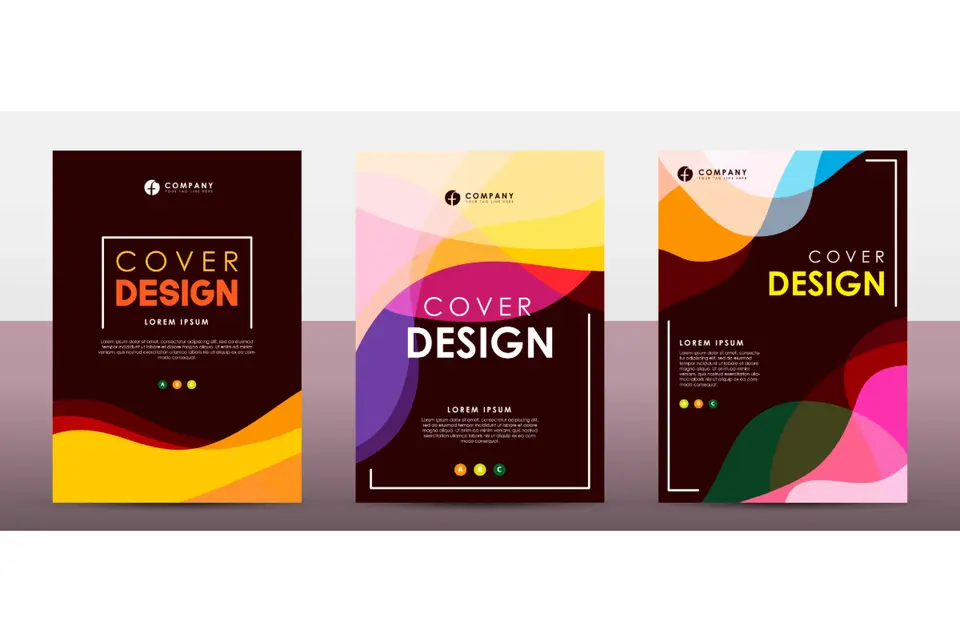
What is a cover page and when to include one.
Summary/Overview
First impressions count, and if you want to start as you mean to go on, a cover page to your document is essential. With a cover – or title – page, you can give your audience everything they need to dive into a bulkier document. Bring professionalism and context to your work with a cover page.
Discover what a cover page is, when to use one, and why to include it with Adobe Express today.
What is a Cover Page?
Think of a cover page as a welcome sign – it’s the thing you see before you turn the page and look what’s inside. Whether it’s a professional project, a report or an essay, a cover page serves similar functions – to identify the document and its author, to add context, and to bring a sense of professionalism to the piece. Cover pages are generally used in academia or business/marketing settings, with minor differences:
- Business/Marketing. In business and marketing settings, a cover page is the initial contact point between brand and reader. It needs to provide a professional and convincing first impression that sets the tone. Get it right and a cover page can encourage them to read beyond it.
- Academia. Here, the focus of your cover page is much more utility-based – it’s about your name, course, and the title of your project or thesis. It likely adheres to stricter guidelines, and as such, you might forgo decorative elements that brands or marketers may want to use. While the distinction is rarely made, this is closer to what we think of as a “title page”.
So, cover pages have similar intents and designs, but what a cover page should look like varies depending on its intent and target audience.
Free cover page template ideas.
Collection ID
(To pull in manually curated templates if needed)
Orientation
(Horizontal/Vertical)
Width
(Full, Std, sixcols)
Limit
(number of templates to load each pagination. Min. 5)
Sort
Most Viewed
Rare & Original
Newest to Oldest
Oldest to Newest
Premium
(true, false, all) true or false will limit to premium only or free only.
When to use a cover page.
You should use a cover page when you’re required (or it would be beneficial) to introduce the document, authors, and/or share other essential information on it. They’re ideal when submitting research papers and delivering essays as well as when sharing a marketing study or other professional documentation/plans.
Creating one isn’t just important for context either – in most cases, a well-designed cover page can deliver a strong first impression. While branding, imagery and so on are an important part of the puzzle, it’s simpler than that. For example, if you can’t format the way specified, or your cover page is chaotic and hard to read, it could be confusing for the reader or lead to them forming a bad impression of the report. It could potentially even lead to assumptions or penalties.
Reasons to include a cover page.
There are many benefits to including a cover page on your report, project or essay. These include:
- Makes a strong first impression. Cover pages are all about first impressions, putting your best foot forward and any other idioms you can think of that relate to them. Depending on the intent and audience of your paper, you might be able to get more creative than you think.
- Organises and identifies your document. Using a cover page makes your document identifiable at a glance, both in who wrote it but also in its subject matter. This can be a good way to capture interest and add context to the document itself.
- Supports brand consistency. Designing a coherent and consistent cover page can aid brand recognition and help to ensure branding remains consistent across reports or pitches. By utilising the right colours, logos and other imagery, you can bring your brand to life and make its work instantly recognisable.
- Adds professional visual appeal. Brand consistency (a professional, organised and artistic finish) can bring visual appeal, and even a sense of agency, to a document. An intelligent and considered design on your cover page can remove any sense of amateurism.
- Provides context and clarity. One of the most important reasons to include a cover page is for the context it provides. Done right, a cover page can clearly and concisely provide all the information you need at a glance, aiding organisation and understanding.
- Shows organisation and attention to detail. At a minimum, a cover page gives a document a finished and organised touch. At best, it can help you demonstrate fine attention to detail, which could improve the reader’s initial sentiment towards the work.
Types of cover pages.
While all cover pages sit beneath the same umbrella, their purpose can vary slightly.
Academic cover pages.
Academic cover pages are designed to give context to and provide essential information about documents, usually in higher education.
- Usage: For university assignments, dissertations, and research papers.
- Audience: Students, researchers, academic professionals.
- Content to include:
Name of the student
University/college name
Module name and code
Assignment title
Date of submission
Student cover pages.
Student cover pages serve a similar function to academic ones, but they are more general and may work across a variety of education levels.
- Usage: For projects, essays, portfolios or creative assignments.
- Audience: School-aged students, parents, or teachers.
- Content to include:
Student name
Subject or topic
Class/year level
School name
Teacher’s name (optional)
Business cover pages.
Business cover pages are an important part of delivering professional, reassuring and understandable documents while maintaining brand image.
- Usage: For reports, proposals, client pitches, presentations and brand kits.
- Audience: Marketers, freelancers, consultants, and small business owners.
- Content to include:
Company name/logo
Report/presentation title
Prepared for/by
Date
Branding elements (colours, fonts, etc.)
How to design a cover page in Adobe Express.
1. Design your own cover page from scratch.
Designing your own cover page is easier when you’ve got the right tools. Create your own cover page for free from scratch with Adobe Express and try out our create-all-app today.
2. Use a free cover page template from Adobe Express.
Not sure where to start? Or maybe you want to spend time on your project, rather than the cover page. Focus your energy elsewhere, with professional cover page templates from Adobe Express. Get fully editable cover page templates and start designing today.
3. Add your branding in one click.
Want to add your branding to your document’s cover page? We’ve got you covered – you can apply branding in a click with Adobe Express, ensuring future projects aren’t just on-brand, but more efficient as well. Visit the Adobe Express blog today, and learning about one-click branding.
Editable and printable cover page designs.
Collection ID
(To pull in manually curated templates if needed)
Orientation
(Horizontal/Vertical)
Width
(Full, Std, sixcols)
Limit
(number of templates to load each pagination. Min. 5)
Sort
Most Viewed
Rare & Original
Newest to Oldest
Oldest to Newest
Premium
(true, false, all) true or false will limit to premium only or free only.
Useful things to know.
What is a cover page for an essay?
An essay cover page is an essential component, as it provides important information such as the author, the focus area of the work, and submission details. It’s a key part of writing your essay and often a required part of your assignment by your academic institution.
What should a cover page look like?
While some cover pages may be designed differently, they often follow a similar structure and base design. Most cover pages consist of a project title and an author's name. Sometimes, that author name could be the name of a business entity.
What is in a cover page?
In most circumstances, a cover page contains basic information. Often, this is done on a simple white background, but other designs may also be appropriate, depending on the intent. Each cover letter should contain the title of the document and the author’s name, but might also include branding or other identifying information such as a course ID or submission date.