Adobe
Продукти
Creative Suite
Фамилията Photoshop
Фамилията Acrobat
Платформа Flash
Digital Marketing Suite
Цифрова платформа за големи фирми
Digital Publishing Suite
Още продукти
Решения
Авторско съдържание
Образование
Финансови услуги
Правителствени организации
Решения за маркетинг в цифрова форма
Още решения
Обучение Помощ Изтегляния Компанията
Магазин
Магазин на Adobe за дома и домашния офис
Други начини за купуване
Търсене
 
Информация Влизане
Добре дошли, Моята кошница Моите пратки Моята поддръжка
Моят акаунт
Излизане
Защо трябва да влизам? Влезте, за да управлявате акаунта си и за да имате достъп до пробни версии за изтегляне, разширения за продукти, зони на общностите и други.
Adobe
Продукти Раздели   Търси  
Решения Компанията
Помощ Обучение
Влизане Добре дошли, Моите пратки Моята поддръжка
Qty:
Subtotal
Checkout
Adobe Creative Suite family /

Adobe Illustrator CS5

Overview Features Tech specs Reviews FAQ Showcase Extend
Buying guide

What is Illustrator?

Adobe® Illustrator® CS5 software helps you create distinctive vector artwork for any project. Take advantage of the precision and power of sophisticated drawing tools, expressive natural brushes, and a host of time-savers.

Покажи ми:
All features
All features Top
New since CS4 New since CS3
For design For web design For video editing


Sophisticated vector drawing tools

Sophisticated vector drawing tools

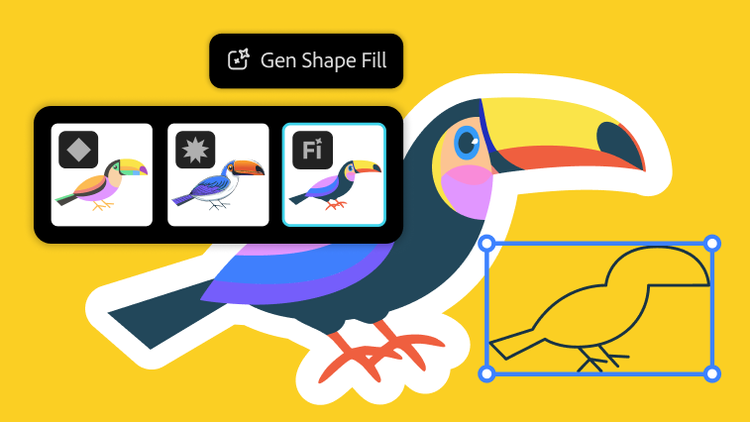
Create distinctive designs with precise shape-building tools, fluid and painterly brushes, and advanced path controls.

Beautiful Strokes

Beautiful Strokes

Fully control variable-width strokes, arrowheads, dashes, and art brush scaling along a path.

Perspective drawing

Perspective drawing

Use perspective grids to draw shapes and scenes in accurate 1-, 2-, or 3-point linear perspective, creating the look of realistic depth and distance.

Bristle Brush

Bristle Brush

Paint with vectors that resemble real-world brush strokes. Achieve the expressiveness of natural media with the scalability of vector graphics.

More ›
Sophisticated vector drawing tools

Sophisticated vector drawing tools

Create distinctive designs with precise shape-building tools, fluid and painterly brushes, and advanced path controls.

Advanced typography

Advanced typography

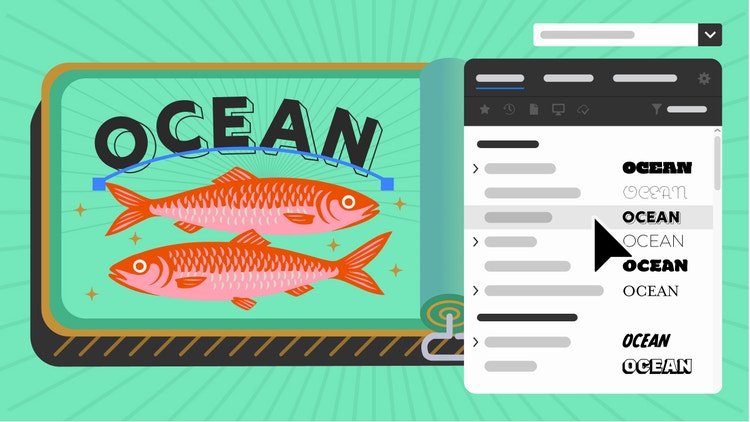
Design beautiful text for any media with professional controls for paragraph and character styles, support for OpenType®, transparent effects, and more.

Gradients and transparency

Gradients and transparency

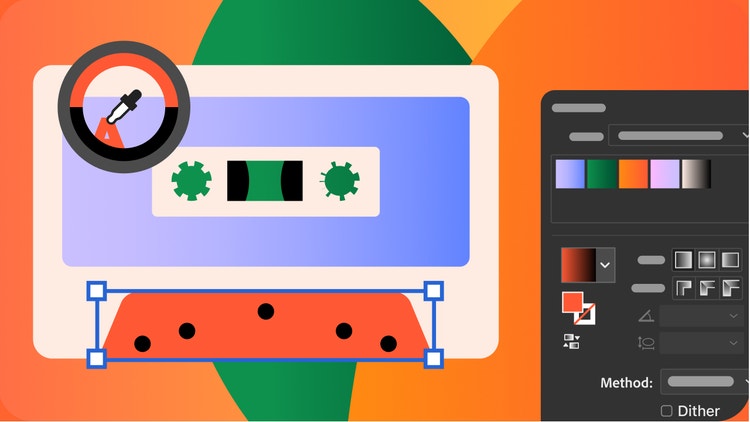
Interact with gradients directly on your objects and control the transparency of individual colors in gradients and gradient meshes.

Perspective drawing

Perspective drawing

Use perspective grids to draw shapes and scenes in accurate 1-, 2-, or 3-point linear perspective, creating the look of realistic depth and distance.

More ›
Experiment with HTML5

Experiment with HTML5

Try out the latest in HTML5 and CSS3 to more easily design web and device content with the Illustrator HTML5 Pack on Adobe Labs.

Perspective drawing

Perspective drawing

Use perspective grids to draw shapes and scenes in accurate 1-, 2-, or 3-point linear perspective, creating the look of realistic depth and distance.

Beautiful Strokes

Beautiful Strokes

Fully control variable-width strokes, arrowheads, dashes, and art brush scaling along a path.

Bristle Brush

Bristle Brush

Paint with vectors that resemble real-world brush strokes. Achieve the expressiveness of natural media with the scalability of vector graphics.

More ›
Experiment with HTML5

Experiment with HTML5

Try out the latest in HTML5 and CSS3 to more easily design web and device content with the Illustrator HTML5 Pack on Adobe Labs.

Gradients and transparency

Gradients and transparency

Interact with gradients directly on your objects and control the transparency of individual colors in gradients and gradient meshes.

In-panel appearance editing

In-panel appearance editing

Edit object characteristics directly in the Appearance panel, eliminating the need to open fill, stroke, or effects panels.

Multiple artboards

Multiple artboards for web and interactive

Define up to 100 working areas in one file. Paste objects in place across artboards for repeating artwork on multiple web pages, screens, or frames.

More ›
Beautiful Strokes

Beautiful Strokes

Fully control variable-width strokes, arrowheads, dashes, and art brush scaling along a path.

Perspective drawing

Perspective drawing

Use perspective grids to draw shapes and scenes in accurate 1-, 2-, or 3-point linear perspective, creating the look of realistic depth and distance.

Integration with Adobe CS Review

Integration with Adobe CS Review

Create and share online reviews for clients down the hall or around the world using Adobe CS Review, an Adobe CS Live online service.1, 2

Advanced typography

Advanced typography

Design beautiful text for any media with professional controls for paragraph and character styles, support for OpenType®, transparent effects, and more.

More ›
Experiment with HTML5

Experiment with HTML5

Try out the latest in HTML5 and CSS3 to more easily design web and device content with the Illustrator HTML5 Pack on Adobe Labs.

Crisp graphics and text for web, mobile

Crisp graphics and text for web, mobile

Create and align vector objects precisely on the file's pixel grid for clean, sharp raster graphics. Use text anti-aliasing options for individual text frames.

Resolution-independent effects

See raster effects such as drop shadows, blurs, and textures maintain their appearance across media. Create work for different types of output and know that raster effects will look the same no matter how your resolution settings change.

Symbols

Make symbols more powerful than ever thanks to new 9-slice scaling and registration point control. Use layers inside symbols to create extremely complex symbols that you can repeat as usual, keeping file sizes small.

More ›
Beautiful Strokes

Beautiful Strokes

Fully control variable-width strokes, arrowheads, dashes, and art brush scaling along a path.

Multiple artboards

Multiple artboards for web and interactive

Define up to 100 working areas in one file. Paste objects in place across artboards for repeating artwork on multiple web pages, screens, or frames.

Sophisticated vector drawing tools

Sophisticated vector drawing tools

Create distinctive designs with precise shape-building tools, fluid and painterly brushes, and advanced path controls.

Perspective drawing

Perspective drawing

Use perspective grids to draw shapes and scenes in accurate 1-, 2-, or 3-point linear perspective, creating the look of realistic depth and distance.

More ›

News

Illustrator CS5 HTML5 Pack

Download the Illustrator CS5 HTML5 Pack to get new HTML5 functionality for Illustrator.

Creative Suite 5/5.5 Printing Guide/etc/pagetables/link_icon/pdf/jcr:content/image/file

Learn the best ways of handling and preparing CS5 and CS5.5 files for print with this in-depth technical reference, designed especially for printers and production artists.

Showcase

More
Design Army

Design Army

Design Army takes risks, captures rewards with Adobe® Creative Suite® software.

Learning

More
  • Getting started
  • Tutorials on Adobe TV
  • How-to guides
  • Training and books
  • Training providers
  • Seminars and events
  • User groups
  • Max Online

Resources

  • Creative Suite Printing Guide/etc/pagetables/link_icon/pdf/jcr:content/image/file
  • Plug-ins
  • Illustrator Exchange
  • Inside Illustrator blog
  • For companies

Help

More
  • Help and support
  • User forums
  • Windows updates
  • Mac updates

Page Tools

Share on Facebook
Share on Twitter
Share on LinkedIn
Bookmark
Print

1CS Live online services are complimentary until April 12, 2012. Learn more.

2Adobe online services, including Adobe CS Live Services, are available only to users 13 and older and require agreement to additional terms and Adobe’s online privacy policy. Online services are not available in all countries or languages, may require user registration and may be subject to change or discontinuation without notice. Additional fees or subscription charges may apply.

Illustrator CS5

Explore new paths with the essential vector tool

Illustrator CS5
Buy Try
Do even more with...
CS5.5 Design Standard

Produce high-impact print designs and digital publications

CS5.5 Design Standard
Buy Try
Other ways to buy

Adobe Store

For home and home office

Education Store

Students, educators, and staff

Business Store

Small and medium businesses

Enterprise purchasing

Volume licensing options

Продукти

  • Creative Suite
  • Фамилия продукти Photoshop
  • Фамилията Acrobat
  • Flash Platform
  • Digital Marketing Suite
  • Digital Enterprise Suite
  • Digital Publishing Suite
  • Мобилни приложения

Решения

  • Управление на начина на работа на клиентите
  • Авторско съдържание
  • Маркетинг в цифрова форма

Индустрии

  • Образование
  • Финансови услуги
  • Правителствени организации

Помощ

  • Центрове за помощ за продукти
  • Поръчки и рекламации
  • Изтегляне и инсталиране
  • Моят Adobe

Обучение

  • Adobe Developer Connection
  • Adobe TV
  • Обучение и сертифициране
  • Форуми
  • Design Center

Начини за покупка

  • Магазин на Adobe
  • За големи организации

Файлове за изтегляне

  • Adobe Reader
  • Adobe Flash Player
  • Adobe AIR
  • Adobe Shockwave Player

Компанията

  • Отдел за новини
  • Партньорски програми
  • Фирмена социална отговорност
  • Възможности за кариера
  • Връзки с инвеститори
  • Събития
  • Правни услуги
  • Свържете се с Adobe
Изберете вашия регион България (промяна)
Изберете вашия регион Затвори

North America

Europe, Middle East and Africa

Asia Pacific

  • Canada - English
  • Canada - Français
  • Latinoamérica
  • México
  • United States

South America

  • Brasil
  • Africa - English
  • Belgium - English
  • Belgique - Français
  • België - Nederlands
  • България
  • Česká republika
  • Danmark
  • Eastern Europe - English
  • Eesti
  • España
  • France
  • Deutschland
  • Hrvatska
  • Ireland
  • Israel - English
  • Italia
  • Latvija
  • Lietuva
  • Luxembourg - Deutsch
  • Luxembourg - English
  • Luxembourg - Français
  • Magyarország
  • Middle East and North Africa - English
  • Moyen-Orient et Afrique du Nord - Français
  • Nederland
  • Norge
  • Österreich - Deutsch
  • Polska
  • Portugal
  • România
  • Россия
  • Schweiz - Deutsch
  • Suisse - Français
  • Svizzera - Italiano
  • Slovenija
  • Slovensko
  • Srbija
  • Suomi
  • Sverige
  • Türkiye
  • Україна
  • United Kingdom
  • Australia
  • 中国
  • 中國香港特別行政區
  • Hong Kong S.A.R. of China
  • India - English
  • 日本
  • 한국
  • New Zealand
  • Pacific - English
  • 台灣

Southeast Asia

  • Includes Indonesia, Malaysia, Philippines, Singapore, Thailand, and Vietnam - English

© 2012 Adobe Systems Incorporated. Всички права запазени.

С използването на този уеб сайт подписвате съгласието си с Правилата за използване и Правилата за онлайн поверителност (актуализирани на 14.07.2009 г.).