Photoshop Elements 2024

Go from quick photo fixes to total transformations.
AI, automation, and a refreshed look make photo editing easy.
US$ 99.99
US$
99.99 No subscription required.
Created using Artistic Effects.
Introducing Photoshop Elements 2024
AI, automation, and a refreshed look make photo editing easy for only US$99.99.
No subscription required.
Create photos you'll love to share.
US$ 99.99
No subscription required.
Buy the photo and video editing bundle and save US$50.
No subscription required.
WHAT'S NEW
Refreshed. Redesigned. Ready for creativity.
Now you can automatically match the color and tone of any photo, select a sky or background with one click thanks to Adobe Sensei AI*, and much more.
AI & AUTOMATION
Edit with the power of AI.
Adobe Sensei AI* and automated options do the heavy lifting so you can focus on the fun stuff.
GUIDED EDITS
Grow your skills with Guided Edits.
Make simple adjustments, custom creations, or eye-catching effects with 62 step-by-step Guided Edits.
TEMPLATES
Kick-start your projects with templates.
Present your best pics in automated Photo Reels, collages, slideshows, Quote Graphics, and more.
WEB & MOBILE APPS
Do more on the go.
Access, view, edit, and share your photos with Elements companion apps. And now, try creative overlays in the web app and one-click fixes in the mobile app. ENGLISH-ONLY BETA FOR LICENSED ELEMENTS USERS.
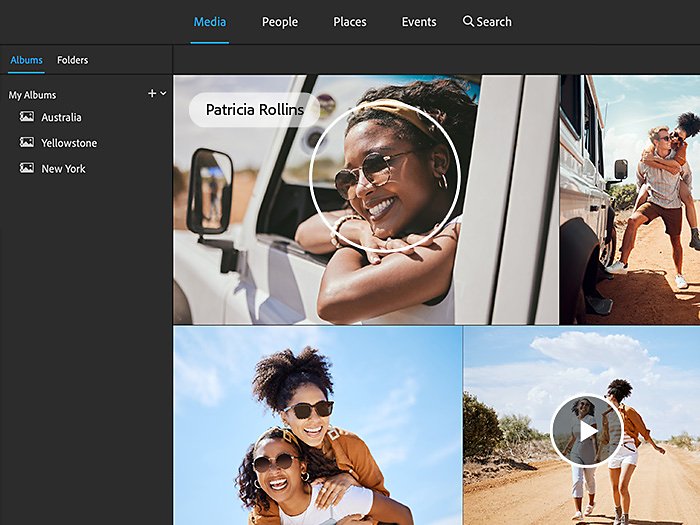
ORGANIZATION
Find photos fast.
Effortlessly organize your pics with automatic sorting and backup, and find photos fast with auto-tagging and curation.
Best value

Photoshop Elements 2024 & Premiere Elements 2024
Double your creativity and save US$50.
Edit photos and videos with the Elements 2024 bundle. Learn more
Edit photos and videos with the Elements 2024 bundle. Learn more
US$ 149.99
No subscription required.
Create photos you'll love to share.
US$ 99.99
No subscription required.
Buy the photo and video editing bundle and save US$50.
No subscription required.
Frequently asked questions.
Photoshop Elements 2024 is photo editing software for anyone who wants to edit and create with their photos. It’s a one-time purchase that doesn’t require a subscription. It offers:
• Easy editing with automation and AI
• Step-by-step guidance for editing and creating
• Fun ways to make and share creations, effects, prints, and gifts
• An Organizer to easily categorize and find your photos
• Web and mobile companion apps (English-only beta)
Adobe Sensei AI technology* powers automated options in Photoshop Elements 2024 to make things easy, and there’s always room to add your personal touch. Learn more
No, it’s a one-time purchase. A subscription is not required.
• Photoshop Elements is designed for consumers who are just getting started with photo editing and want an easy way to organize, edit, create, and share their photos. Automated options deliver great results to enjoy as is or use as a starting point for creative exploration. Photoshop Elements is offered as a one-time purchase — no subscription required.
• Photoshop is the professional standard for creating compelling images and designs.
If you like to take and share videos and photos, get the bundle to:
• Use a common Organizer for easy access to all your videos and photos.
• Edit and share videos and photos together in creative ways.
• Get a great value. Learn more
Yes, you can download a free, full-featured 30-day trial. Once the trial period ends, you can purchase right from the trial software so you don’t have to download and install it again.
You can start with visiting our FAQ page for more information.