Adobe
Izdelki
Creative Suite
Družina programov Photoshop
Družina programov Acrobat
Platforma Flash
Digital Marketing Suite
Platforma za digitalna podjetja
Zbirka za digitalno objavljanje
Več izdelkov
Rešitve
Ustvarjanje vsebine
Izobraževanje
Finančne storitve
Vlada
Rešitve za digitalno trženje
Več rešitev
Učenje Pomoč Prenosi Podjetje
Trgovina
Trgovina Adobe za dom in domače pisarne
Poslovna trgovina za majhna in srednje velika podjetja
Druge možnosti nakupa
Išči
 
Informacije Vpis
Pozdravljeni, Moj voziček Moje pošiljke Moja podpora
Moj račun
Izpis
Zakaj vpis? Vpišite se za upravljanje računa in dostopa do prenosov preizkusnih različic programov, razširitev izdelkov, območij skupnosti in še več.
Adobe
Izdelki Razdelki   Išči  
Rešitve Podjetje
Pomoč Učenje
Vpis Pozdravljeni, Moje pošiljke Moja podpora
Qty:
Subtotal
Checkout
Adobe Creative Suite family /

Adobe Illustrator CS5

Pregled Pregledi Showcase Extend Features Tech specs
Buying guide

What is Illustrator?

Adobe® Illustrator® CS5 software helps you create distinctive vector artwork for any project. Take advantage of the precision and power of sophisticated drawing tools, expressive natural brushes, and a host of time-savers.

Pokaži mi:
All
All Top
New since CS4 New since CS3
For design For web design For video editing


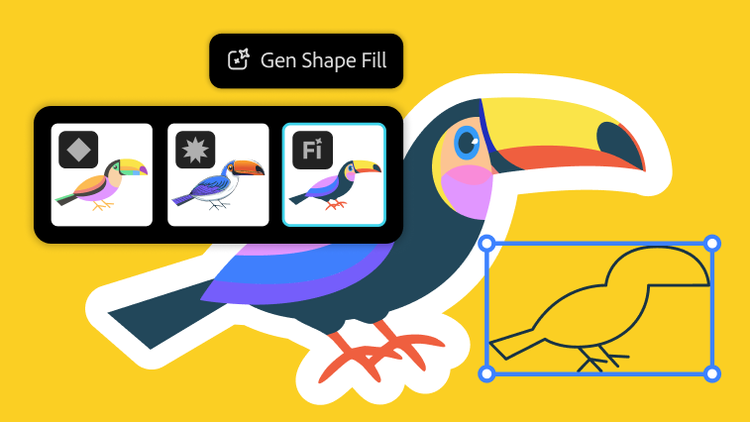
Sophisticated vector drawing tools

Sophisticated vector drawing tools

Create distinctive designs with precise shape-building tools, fluid and painterly brushes, and advanced path controls.

Beautiful Strokes

Beautiful Strokes

Fully control variable-width strokes, arrowheads, dashes, and art brush scaling along a path.

Perspective drawing

Perspective drawing

Use perspective grids to draw shapes and scenes in accurate 1-, 2-, or 3-point linear perspective, creating the look of realistic depth and distance.

Bristle Brush

Bristle Brush

Paint with vectors that resemble real-world brush strokes. Achieve the expressiveness of natural media with the scalability of vector graphics.

More
Sophisticated vector drawing tools

Sophisticated vector drawing tools

Create distinctive designs with precise shape-building tools, fluid and painterly brushes, and advanced path controls.

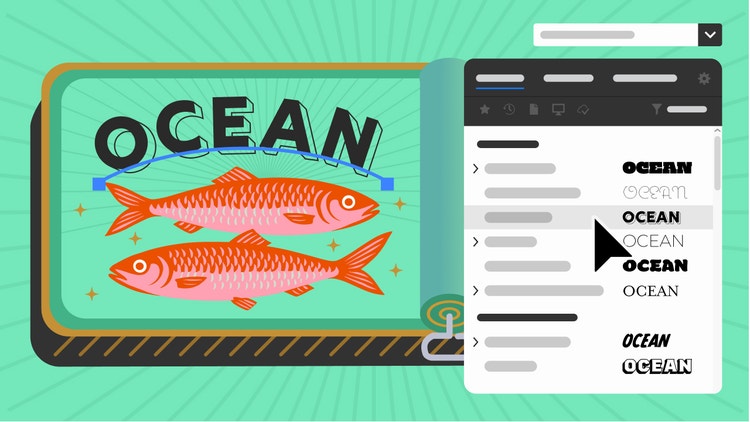
Advanced typography

Advanced typography

Design beautiful text for any media with professional controls for paragraph and character styles, support for OpenType®, transparent effects, and more.

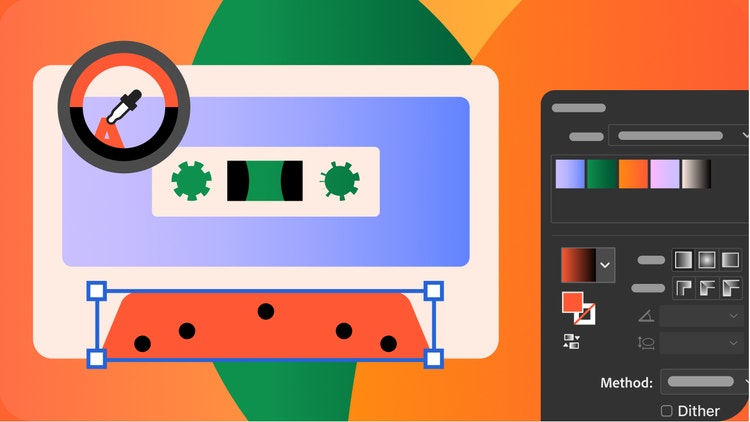
Gradients and transparency

Gradients and transparency

Interact with gradients directly on your objects and control the transparency of individual colors in gradients and gradient meshes.

Perspective drawing

Perspective drawing

Use perspective grids to draw shapes and scenes in accurate 1-, 2-, or 3-point linear perspective, creating the look of realistic depth and distance.

More
Experiment with HTML5

Experiment with HTML5

Try out the latest in HTML5 and CSS3 to more easily design web and device content with the Illustrator HTML5 Pack on Adobe Labs.

Perspective drawing

Perspective drawing

Use perspective grids to draw shapes and scenes in accurate 1-, 2-, or 3-point linear perspective, creating the look of realistic depth and distance.

Beautiful Strokes

Beautiful Strokes

Fully control variable-width strokes, arrowheads, dashes, and art brush scaling along a path.

Bristle Brush

Bristle Brush

Paint with vectors that resemble real-world brush strokes. Achieve the expressiveness of natural media with the scalability of vector graphics.

More
Experiment with HTML5

Experiment with HTML5

Try out the latest in HTML5 and CSS3 to more easily design web and device content with the Illustrator HTML5 Pack on Adobe Labs.

Gradients and transparency

Gradients and transparency

Interact with gradients directly on your objects and control the transparency of individual colors in gradients and gradient meshes.

In-panel appearance editing

In-panel appearance editing

Edit object characteristics directly in the Appearance panel, eliminating the need to open fill, stroke, or effects panels.

Multiple artboards

Multiple artboards for web and interactive

Define up to 100 working areas in one file. Paste objects in place across artboards for repeating artwork on multiple web pages, screens, or frames.

More
Beautiful Strokes

Beautiful Strokes

Fully control variable-width strokes, arrowheads, dashes, and art brush scaling along a path.

Perspective drawing

Perspective drawing

Use perspective grids to draw shapes and scenes in accurate 1-, 2-, or 3-point linear perspective, creating the look of realistic depth and distance.

Integration with Adobe CS Review

Integration with Adobe CS Review

Create and share online reviews for clients down the hall or around the world using Adobe CS Review, an Adobe CS Live online service.1, 2

Advanced typography

Advanced typography

Design beautiful text for any media with professional controls for paragraph and character styles, support for OpenType®, transparent effects, and more.

More
Experiment with HTML5

Experiment with HTML5

Try out the latest in HTML5 and CSS3 to more easily design web and device content with the Illustrator HTML5 Pack on Adobe Labs.

Crisp graphics and text for web, mobile

Crisp graphics and text for web, mobile

Create and align vector objects precisely on the file's pixel grid for clean, sharp raster graphics. Use text anti-aliasing options for individual text frames.

Resolution-independent effects

Resolution-independent effects

See raster effects such as drop shadows, blurs, and textures maintain their appearance across media. Create work for different types of output and know that raster effects will look the same no matter how your resolution settings change.

Symbols

Make symbols more powerful than ever thanks to new 9-slice scaling and registration point control. Use layers inside symbols to create extremely complex symbols that you can repeat as usual, keeping file sizes small.

More
Beautiful Strokes

Beautiful Strokes

Fully control variable-width strokes, arrowheads, dashes, and art brush scaling along a path.

Multiple artboards

Multiple artboards for web and interactive

Define up to 100 working areas in one file. Paste objects in place across artboards for repeating artwork on multiple web pages, screens, or frames.

Sophisticated vector drawing tools

Sophisticated vector drawing tools

Create distinctive designs with precise shape-building tools, fluid and painterly brushes, and advanced path controls.

Perspective drawing

Perspective drawing

Use perspective grids to draw shapes and scenes in accurate 1-, 2-, or 3-point linear perspective, creating the look of realistic depth and distance.

More

News

Illustrator CS5 HTML5 Pack

Download the Illustrator CS5 HTML5 Pack to get new HTML5 functionality for Illustrator.

Creative Suite 5/5.5 Printing Guide /etc/pagetables/link_icon/pdf/jcr:content/image/file

Learn the best ways of handling and preparing CS5 and CS5.5 files for print with this in-depth technical reference, designed especially for printers and production artists.

Showcase

More
Design Army

Design Army

Design Army takes risks, captures rewards with Adobe® Creative Suite® software.

Learning

More
  • Getting started
  • Tutorials on Adobe TV
  • How-to guides
  • Training and books
  • Training providers
  • Seminars and events
  • User groups
  • Max Online

Resources

  • Creative Suite Printing Guide /etc/pagetables/link_icon/pdf/jcr:content/image/file
  • Plug-ins
  • Illustrator Exchange
  • Inside Illustrator blog
  • For companies

Help

More
  • Help and support
  • User forums
  • Windows updates
  • Mac updates

Orodja za stran

Skupna raba v storitvi Facebook
Skupna raba v storitvi Twitter
Skupna raba v storitvi LinkedIn
Zaznamek
Natisni

1CS Live online services are complimentary until April 12, 2012. Learn more.

2Adobe online services, including Adobe CS Live Services, are available only to users 13 and older and require agreement to additional terms and Adobe’s online privacy policy. Online services are not available in all countries or languages, may require user registration and may be subject to change or discontinuation without notice. Additional fees or subscription charges may apply.

Illustrator CS5

Explore new paths with the essential vector tool

Illustrator CS5
Buy Try
Naredite še več z ...
CS5.5 Design Standard

Ustvarjajte privlačne zasnove za tisk in digitalne publikacije

CS5.5 Design Standard
Nakup Preskusna različica
Other ways to buy

Adobe Store

For home and home office

Education Store

Students, educators, and staff

Business Store

Small and medium businesses

Enterprise purchasing

Volume licensing options

Izdelki

  • Creative Suite
  • Družina izdelkov Photoshop
  • Družina programov Acrobat
  • Platforma Flash
  • Zbirka za spletno oglaševanje
  • Zbirka za digitalno poslovanje
  • Zbirka za digitalno objavljanje
  • Mobilne aplikacije

Rešitve

  • Upravljanje uporabniške izkušnje
  • Ustvarjanje vsebine
  • Digitalno trženje

Panoge

  • Izobraževanje
  • Finančne storitve
  • Vlada

Pomoč

  • Središča s pomočjo za izdelke
  • Naročila in vračila
  • Prenosi in nameščanje
  • My Adobe

Učenje

  • Povezava z razvijalci družbe Adobe
  • Televizija Adobe
  • Izobraževanje in potrdila
  • Forumi
  • Oblikovalsko središče

Načini nakupa

  • Trgovina Adobe
  • Za učence in učitelje
  • Za majhna in srednje velika podjetja
  • Za podjetja

Prenosi

  • Adobe Reader
  • Adobe Flash Player
  • Adobe AIR
  • Adobe Shockwave Player

Podjetje

  • Novice
  • Programi za partnerje
  • Socialna odgovornost podjetja
  • Možnosti zaposlitve
  • Odnosi z vlagatelji
  • Dogodki
  • Pravo
  • Stik z družbo Adobe
Izberite regijo slovenščina (Spremeni)
Izberite regijo Zapri

North America

Europe, Middle East and Africa

Asia Pacific

  • Canada - English
  • Canada - Français
  • Latinoamérica
  • México
  • United States

South America

  • Brasil
  • Africa - English
  • Belgium - English
  • Belgique - Français
  • België - Nederlands
  • България
  • Česká republika
  • Danmark
  • Eastern Europe - English
  • Eesti
  • España
  • France
  • Deutschland
  • Hrvatska
  • Ireland
  • Israel - English
  • Italia
  • Latvija
  • Lietuva
  • Luxembourg - Deutsch
  • Luxembourg - English
  • Luxembourg - Français
  • Magyarország
  • Middle East and North Africa - English
  • Moyen-Orient et Afrique du Nord - Français
  • Nederland
  • Norge
  • Österreich - Deutsch
  • Polska
  • Portugal
  • România
  • Россия
  • Schweiz - Deutsch
  • Suisse - Français
  • Svizzera - Italiano
  • Slovenija
  • Slovensko
  • Srbija
  • Suomi
  • Sverige
  • Türkiye
  • Україна
  • United Kingdom
  • Australia
  • 中国
  • 中國香港特別行政區
  • Hong Kong S.A.R. of China
  • India - English
  • 日本
  • 한국
  • New Zealand
  • Pacific - English
  • 台灣

Southeast Asia

  • Includes Indonesia, Malaysia, Philippines, Singapore, Thailand, and Vietnam - English

Copyright © 2012 Adobe Systems Incorporated. Vse pravice pridržane.

Če uporabljate to spletno mesto, se strinjate s pogoji uporabe in spletnim pravilnikom o zasebnosti (posodobljeno 14. 7. 2009).