ACROBAT | 7-MINUTE READ
How to ask AI a question.
Discover simple tips to improve the way you ask AI questions.
Explore Adobe Acrobat


ACROBAT | 7-MINUTE READ
Discover simple tips to improve the way you ask AI questions.
Explore Adobe Acrobat
Artificial Intelligence (AI) is rapidly becoming a vital part of everyday life, changing how we learn, work, and solve problems. From students using AI to study more effectively to professionals handling complex documents, AI tools are now integrated into our daily routines. One particularly powerful example is Adobe Acrobat AI, which empowers you to interact directly with your PDFs by extracting information, summarizing content, and automating tasks that were previously tedious and time-consuming.
To truly unlock the full potential of AI, you need to master a surprisingly simple yet essential skill: how to ask AI a question effectively. Learning how to ask AI questions clearly will improve your results. The way you phrase your question can make all the difference between receiving an insightful, useful answer or a vague, confusing one.
This article will walk you through six essential steps to improve your AI interactions, ensuring you get the best, most relevant answers every time you ask. Along the way, we’ll highlight how Acrobat AI tools can enhance your productivity through intuitive features like the free Chat with PDF tool and generative AI PDF prompts.
The foundation of any good AI interaction is clarity and specificity. Unlike humans, AI systems don’t have intuition, common sense, or prior knowledge beyond what you provide them. They interpret your questions literally and rely on precise instructions to generate useful answers.
Vague or general questions like “Tell me about this” or “What’s in the document?” leave too much to guesswork. The AI may respond with a broad overview that doesn’t focus on what you actually want or need to interpret multiple possible meanings.
By contrast, being clear and specific directs the AI to exactly what you want. For example, instead of asking “Tell me about the sales report,” say, “Summarize the main conclusions from pages 3 to 5 of the 2024 sales report.” This level of detail helps the AI narrow its focus and return concise, relevant information.
In practical terms, clear and specific questions often mean:
For example, saying “Explain the environmental data in section two” is far more effective than simply saying, “Explain it.”
With a free Chat with PDF tool, being specific leads to targeted summaries, direct extractions, or focused insights rather than overly broad or irrelevant responses. This aligns with best practices on questions to ask your PDF, highlighting how clear, precise prompts can lead to more accurate and useful results.
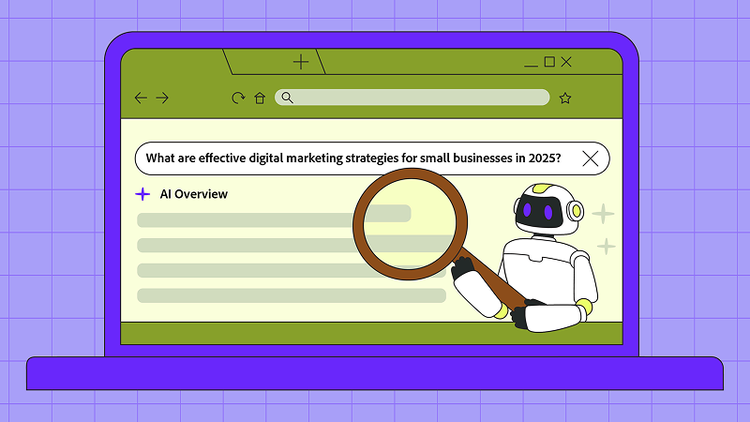
Asking yourself “How do I ask AI a question?” is the first step towards getting useful, reliable answers. Using complete sentences and proper grammar greatly improves AI responses. AI models analyze language structure and context to understand what you’re asking, and full sentences provide clearer direction.
Complete sentences help reduce ambiguity and allow you to express more specific or complex questions. For instance, instead of typing “marketing tips,” a clearer prompt would be: “What are effective digital marketing strategies for small businesses in 2025?”
Proper punctuation also plays a key role in clarifying the relationships between ideas. Commas, question marks, and periods help the AI analyze your meaning accurately. Writing your questions as if you’re addressing a knowledgeable human expert often leads to better results because it encourages you to be clear and logical.
For example:
Clear, well-structured sentences also help when you want AI to handle multistep or conditional requests. Effective prompts to chat with PDF help you craft well-formed questions for better AI responses.
Context is a critical ingredient for meaningful AI responses, especially when your question relates to specific circumstances, documents, or goals. Without sufficient background, AI might default to generic or irrelevant answers that don’t meet your needs.
To add context effectively:
For example, instead of simply asking, “When is the deadline?” try: “What is the submission deadline for the final project in the Acrobat AI tutorial scheduled for next Friday?” This extra information helps the AI tailor its response to your unique situation.
Referencing page numbers or chapters allows the AI to quickly locate the relevant information without guesswork. These tools are especially effective when applied to specific tasks like AI in Education and Exam Prep, where they can help with efficient study strategies.
Providing context is especially important in professional settings where details matter, like legal documents, financial reports, or academic papers. It ensures your AI assistant understands not just what you’re asking, but why.
Many AI questions involve multiple components. Combining them all into one broad query can result in muddled, incomplete, or overly general answers. The solution is to break complex queries into smaller, focused questions. This allows AI to address each point clearly, improving response quality.
Consider “What are the benefits of Acrobat AI, and how do I prepare for an exam using it?”
Instead, two focused questions:
This stepwise approach improves clarity and facilitates easier follow-up questions. Breaking down queries also helps with conditional or hypothetical scenarios, allowing for detailed insights to come in stages.
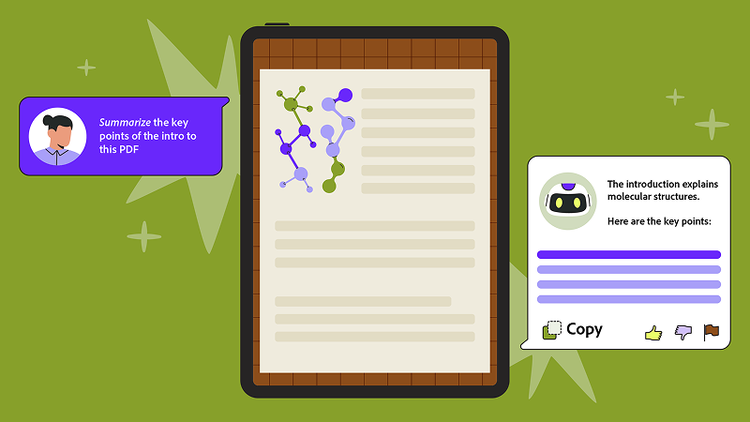
Incorporating specific keywords and action verbs in your questions signals to the AI the kind of response you want. Verbs like summarize, list, explain, and compare help shape the AI’s output clearly.
For example, instead of asking, “What about PDFs?” you might say, “Summarize the key points of the introduction in this PDF” or “List three advantages of using Adobe Acrobat’s AI features.”
Getting the perfect AI answer on the first try is uncommon. Think of AI interaction as an evolving conversation rather than a one-off query. If the response isn’t quite right:
For example, if “Explain the report” yields a vague answer, improve it by asking: “Explain the conclusions in the financial summary section of this report.” This iterative process helps AI learn your intent, resulting in smarter and more tailored responses over time. Experimenting with phrasing and structure also lets you discover prompts that work best for your particular use case, whether that’s research, document analysis, exam prep, or creative work.


