How to cite an image (APA, MLA, and Chicago)
Master APA, MLA, and Chicago citation styles for images in your academic work.
How to cite an image in different formats
Properly citing images in academic work demonstrates intellectual integrity and helps readers locate your sources.
Every image citation requires you to gather specific information about your source. Before formatting your citation in any style, collect these essential elements:
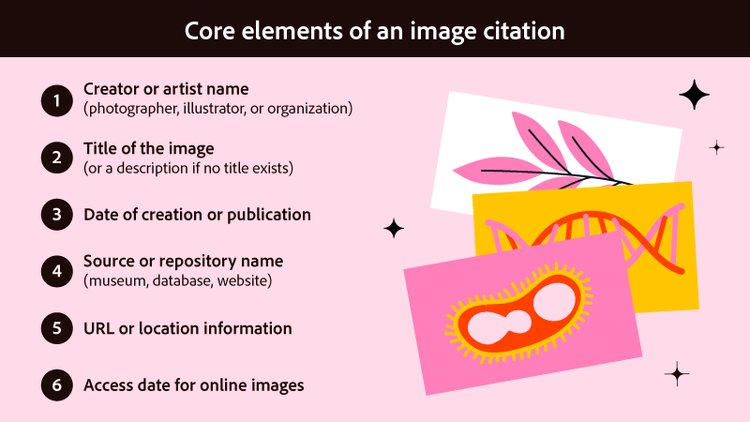
- Creator or artist name (photographer, illustrator, or organization)
- Title of the image (or a description if no title exists)
- Date of creation or publication
- Source or repository name (museum, database, website)
- URL or location information
- Access date for online images
Each citation style—American Psychological Association (APA), Modern Language Association (MLA), and Chicago—arranges these elements differently but gathering this information first ensures you can format your citation correctly for any assignment.
When learning how to write a report or complete any academic assignment, mastering these citation differences saves time and prevents formatting errors. Understanding the key distinctions helps you adapt quickly when professors require different styles across courses. Take a look at the table below for a quick formatting reference based on style:
How to cite an image in APA style
The American Psychological Association (APA) 7th edition provides clear guidelines for citing images, photographs, and other visual works. When citing an image in APA format, you'll create both an in-text citation and a reference list entry. The basic structure places the creator's name first, followed by the date in parentheses, the image title in italics, a description of the format in brackets, and the source information.
For an online image, the citation format follows this pattern. The creator's last name comes first, followed by their initials, then the year in parentheses. The image title appears in italics with only the first word capitalized (sentence case), followed by a bracketed description like [Photograph] or [Digital image]. End with the website name and URL.
Online image example: Smith, J. (2023). Morning light through autumn leaves [Photograph]. Unsplash. https://unsplash.com/photos/example
Photograph from a database example: Johnson, M. R. (2019). Urban architecture series no. 7 [Photograph]. Getty Images. https://www.gettyimages.com/detail/example
Museum artwork example: van Gogh, V. (1889). The starry night [Painting]. Museum of Modern Art, New York, NY, United States.
Screenshot example: Adobe. (2024). Acrobat Pro interface showing PDF editing tools [Screenshot]. Retrieved January 15, 2024, from https://www.adobe.com/acrobat.html
Several formatting notes ensure your APA image citations remain accurate. Always use sentence case for titles, capitalizing only the first word and proper nouns. Italicize the title of the image itself. Include "Retrieved [date], from" only when the content may change over time, such as with screenshots or social media posts. For museum works, include the city and state (or country for international locations) instead of a URL.
When no author is available, begin the citation with the image title. If no date is available, use (n.d.) to indicate "no date." These situations arise frequently with historical images or photographs from organizations rather than individual creators.
The in-text citation for images follows standard APA format: (Creator, Year) or Creator (Year) when integrated into your sentence. For figures reproduced in your paper, include a figure number and note crediting the source below the image.
How to cite an image in MLA style
The Modern Language Association (MLA) 9th edition approaches image citations through its container system, which identifies the larger work or platform holding the image. This flexible framework adapts well to various image sources, from museum collections to social media platforms. When you cite an image in MLA format, you'll create a Works Cited entry that readers can use to locate your source.
MLA citations begin with the creator's name (last name, first name), followed by the title of the image in italics. The container—whether a museum, website, or database—comes next, followed by other contributors if relevant, the version or edition, the publisher, the publication date, and the location (URL or physical location). End online citations with an access date.
Online image example: Smith, John. Morning Light Through Autumn Leaves. Unsplash, 2023, unsplash.com/photos/example. Accessed 15 Jan. 2024.
Photograph from a database example: Johnson, Maria R. Urban Architecture Series No. 7. Getty Images, 2019, www.gettyimages.com/detail/example. Accessed 15 Jan. 2024.
Museum artwork example: van Gogh, Vincent. The Starry Night. 1889. Museum of Modern Art, New York.
Screenshot example: "Acrobat Pro Interface Showing PDF Editing Tools." Adobe, 2024, www.adobe.com/acrobat.html. Accessed 15 Jan. 2024.
MLA formatting requires specific attention to punctuation and capitalization. Titles use title case, capitalizing all major words. Italicize the image title when it's an independent work; use quotation marks when the image is part of a larger work. Include the access date for any online source, formatted as day, abbreviated month, and year.
The container concept helps when images appear within multiple layers of sources. For example, an image in a journal article accessed through a database has two containers: the journal and the database. List each container with its relevant publication information.
When preparing your final document, you may need to convert Word documents to PDF to preserve your formatting before submission. This ensures your citations display correctly regardless of what software your instructor uses to view your work.
In-text citations in MLA include the creator's last name and, for visual works, may reference a figure number: (Smith, fig. 1). If you've integrated the creator's name into your sentence, no parenthetical citation is needed.
How to cite an image in Chicago style
The Chicago Manual of Style 17th edition offers two citation systems: notes-bibliography (commonly used in history and some humanities) and author-date (used in sciences and social sciences). Most students encounter the notes-bibliography system, which uses footnotes or endnotes for citations and a bibliography for the complete reference list. Understanding both systems helps you adapt to different assignment requirements.
In the notes-bibliography system, your first footnote provides complete citation information, while subsequent references to the same source use a shortened form. The bibliography entry arranges the same information slightly differently, with the author's last name first to facilitate alphabetical ordering.
Online image example (footnote): 1. John Smith, Morning Light Through Autumn Leaves, photograph, 2023, Unsplash, https://unsplash.com/photos/example.
Online image example (bibliography): Smith, John. Morning Light Through Autumn Leaves. Photograph. 2023. Unsplash. https://unsplash.com/photos/example.
Photograph from a database example (footnote): 2. Maria R. Johnson, Urban Architecture Series No. 7, photograph, 2019, Getty Images, https://www.gettyimages.com/detail/example.
Photograph from a database example (bibliography): Johnson, Maria R. Urban Architecture Series No. 7. Photograph. 2019. Getty Images. https://www.gettyimages.com/detail/example.
Museum artwork example (footnote): 3. Vincent van Gogh, The Starry Night, painting, 1889, Museum of Modern Art, New York.
Museum artwork example (bibliography): van Gogh, Vincent. The Starry Night. Painting. 1889. Museum of Modern Art, New York.
Screenshot example (footnote): 4. Adobe, "Acrobat Pro Interface Showing PDF Editing Tools," screenshot, 2024, accessed January 15, 2024, https://www.adobe.com/acrobat.html.
Screenshot example (bibliography): Adobe. "Acrobat Pro Interface Showing PDF Editing Tools." Screenshot. 2024. Accessed January 15, 2024. https://www.adobe.com/acrobat.html.
Chicago style formatting includes several distinctive features. Titles of artworks and photographs are italicized. Include a description of the medium (photograph, painting, digital image) after the title. For online sources, include "accessed [date]" before the URL. Footnote numbers appear as superscripts in your text, corresponding to numbered notes at the bottom of the page or end of the document.
The bibliography entry inverts the author's name for alphabetization and uses periods instead of commas between major elements. When creating your bibliography, maintain consistent formatting throughout.
Many student resources provide additional guidance on Chicago style formatting, including templates and examples for various source types. These tools help ensure your citations meet your institution's specific requirements.
For the author-date system, parenthetical citations include the creator's last name and year: (Smith 2023). The reference list entry resembles the bibliography format but places the date immediately after the author's name.
How to generate an image citation with AI
Artificial intelligence tools now offer powerful assistance for generating accurate citations, saving time while reducing formatting errors. AI-powered citation assistance works by analyzing the source information you provide and generating properly formatted citations in your specified style. These AI tools for document analysis can help streamline your research workflow.
1. Open your PDF document containing the images you need to cite in the AI Assistant interface. Ensure you have gathered complete source information for each image before beginning the citation process.
2. Activate the AI Assistant feature and ask it to help create a citation. Provide all relevant details about the image source, including creator name, title, date, and where you originally found it.
3. Specify your required citation style clearly in your request—APA 7th edition, MLA 9th edition, or Chicago 17th edition. For Chicago style, mention whether you need notes-bibliography or author-date format.
4. Review the generated citation carefully for accuracy against your source material. Check that all names are spelled correctly, dates match your original source, and formatting aligns with current style guide requirements.
5. Request any necessary corrections or adjustments by providing specific feedback to the AI Assistant. AI can refine citations based on additional details or formatting preferences you specify.
6. Copy the verified citation and insert it into your Works Cited page, References list, or bibliography. Ensure it integrates smoothly with your other citations and maintains consistent formatting throughout your document.
When using AI for citations, follow these best practices to ensure accuracy:
- Always verify AI-generated citations against official style guides, as AI can occasionally produce outdated formats or minor errors
- Provide complete source information to get the most accurate results from the first attempt
- Double-check author names, dates, and URLs against your original source before finalizing
- Review formatting details like italics, capitalization, and punctuation carefully
- Test any URLs included in citations to confirm they still lead to the correct image
- Keep your original source accessible in case you need to verify details or make corrections
Remember that AI serves as an assistant, not a replacement for understanding citation principles. Knowing the underlying rules helps you catch errors and make informed corrections when AI output needs adjustment.
When is image citation needed
Understanding when to cite an image prevents both plagiarism and unnecessary citation clutter. Not every image requires formal citation, but erring on the side of attribution protects your academic integrity and respects creators' rights.
Citation IS required in these situations:
- Copyrighted images used in academic work, including photographs from professional photographers, illustrations from published works, and graphics from commercial sources
- Images from books, journals, or academic databases, regardless of whether you reproduce them or simply reference them
- Photographs by identified creators, even when freely available online
- Screenshots of software interfaces, websites, or applications, which represent the intellectual property of their creators
- Charts, graphs, or infographics created by others, even when you recreate them in your own document
- Images from news sources, magazines, or online publications
- Stock photos with attribution requirements specified in their licenses
- Public domain images, which include works whose copyright has expired (generally 70+ years after the creator's death in the US) or works explicitly released to the public domain by their creators
- Images you created yourself, including your own photographs, illustrations, charts, or graphics
- Clip art or stock images with licenses that explicitly state no attribution is required
- Government-produced images in some jurisdictions, which may be in the public domain
The distinction between freely available images and copyrighted images often confuses students. An image being freely accessible online does not mean it's free to use without citation. Most images online remain copyrighted by their creators. Creative Commons licenses offer a middle ground, with some requiring attribution and others not. Always check the license terms before assuming citation isn't needed.
The safest approach is to cite an image if you are unsure. Providing attribution never hurts your academic standing, while failing to cite when required constitutes plagiarism.
Frequently asked questions
How do I cite an image from Google Images?
Do I need to cite images I find on social media?
How do I cite an image with no author?
How do I cite an AI-generated image?
How do I cite a screenshot in my paper?
What's the difference between citing and crediting an image?
You may also like