How to use AI to apply for jobs
From drafting emails to planning meals and booking travel, artificial intelligence (AI) has quietly become part of everyday life. But one of the most impactful ways people are using AI today is in their job search. Whether you're a recent graduate entering the workforce or a seasoned professional looking for your next opportunity, AI can transform how you find, apply for, and land jobs.
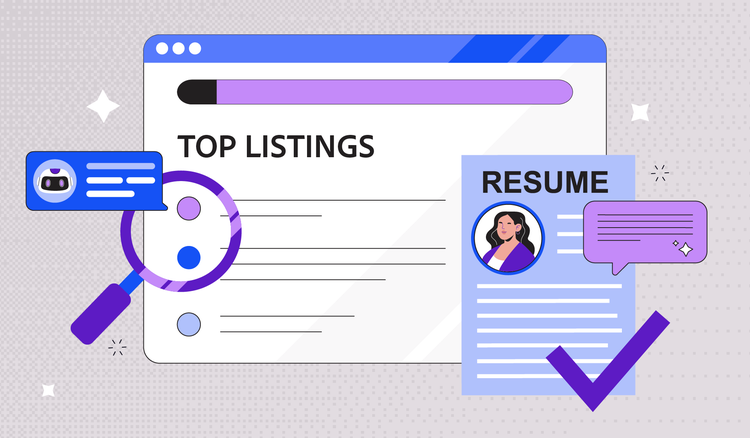
Job hunting has always been time-consuming and competitive. Researching companies, tailoring your resume and cover letter for each position, and keeping track of multiple applications can feel overwhelming. The good news? AI tools can help with much of the heavy lifting, helping you work smarter and faster.
This guide walks you through practical ways to use AI throughout your job search journey. You'll learn how to leverage AI for finding opportunities, crafting standout application materials, and staying organized as you pursue your next role—complete with prompt examples you can start using today.
How to use AI for job search
Before you can apply for jobs, you need to find the right ones. AI makes this discovery process faster and more targeted than ever before.
Finding and filtering job opportunities
Many job boards now use AI-powered matching algorithms that analyze your skills, experience, and preferences to surface relevant openings. Instead of scrolling through hundreds of listings, you get a curated list of positions that actually match your qualifications.
But AI can do more than just match keywords. You can use AI assistants to quickly summarize lengthy job postings, pulling out the essential requirements so you can decide within seconds whether a position is worth pursuing. This is especially helpful when you're evaluating dozens of opportunities and need to prioritize your time.
Try this prompt: "Summarize the key responsibilities and required skills from this job posting in bullet points."
Researching companies before applying
Understanding a company's culture, values, and recent developments helps you tailor your application and prepare for interviews. AI tools can quickly synthesize information from company websites, news articles, and annual reports.
When companies share information in PDF documents, AI chat tools can help you extract core insights from lengthy documents in seconds. Instead of spending an hour reading through a 50-page report, you can ask specific questions and get the answers you need immediately.
Try this prompt: "What are the main values and recent achievements of this company based on this annual report?"
How to use AI for job application documents
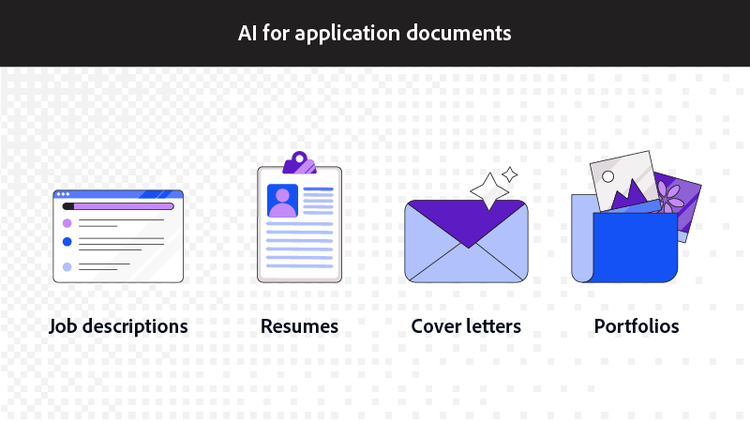
Creating compelling application materials is where AI truly shines. From understanding what employers want to crafting personalized documents, AI can help you put your best foot forward.
AI for job descriptions
Before you start writing, you need to understand exactly what the employer is looking for. AI excels at breaking down complex job descriptions into actionable insights.
Use AI to identify the must-have qualifications versus nice-to-have skills. This helps you understand whether you're a strong candidate and which experiences to emphasize. AI can also highlight keywords that frequently appear in the posting—terms you'll want to incorporate naturally into your resume and cover letter.
Try this prompt: "List the top 5 skills this employer is looking for based on this job description, and identify which requirements are essential versus preferred."
AI for resumes
The ideal resume speaks directly to each position you're applying for. Generic resumes get lost in the pile, while tailored ones catch attention.
AI can compare your existing resume against a job description and suggest specific changes to better align your experience with the requirements. It identifies gaps, recommends stronger action verbs, and helps you mirror the language the employer uses.
AI-powered resume tools can help you refine your document while maintaining your authentic voice. The key is using AI as a collaborator, not a replacement for your own experience and personality.
Try this prompt: "Review my resume against this job description and suggest specific changes to better align my experience with the requirements. Highlight any skills gaps I should address."
AI for cover letters
A strong cover letter connects your experience to the specific role and company. AI can help you draft personalized letters that go beyond generic templates.
Start by having AI generate a cover letter draft based on the job requirements and your background. Then refine the tone, add personal touches, and ensure it sounds like you. AI is particularly helpful for creating compelling opening hooks that grab attention in the first few sentences.
Try this prompt: "Write a compelling opening paragraph for a cover letter applying to the Marketing Manager position at TechCorp, emphasizing my background in digital campaigns and data analytics."
AI for portfolios
For creative professionals and those in technical fields, portfolios showcase your direct work. AI can help you present these samples more effectively.
Use AI to write concise project descriptions that highlight your role, the challenges you faced, and the results you achieved. AI can also help you create consistent formatting across portfolio pieces and generate case study summaries that tell a compelling story about your work.
Try this prompt: "Write a 100-word project description for my portfolio that explains my role in redesigning the company website, the challenges we faced, and the measurable results we achieved."
Tips for using AI effectively in your applications
When using AI to help apply for a job, it’s important to consider AI tools as a supplement rather than a replacement for your original content. These tips help you leverage AI effectively:
- Always customize AI outputs with your personal voice and specific examples
- Verify all facts, dates, and claims—AI can occasionally generate inaccurate information
- Use AI suggestions as a starting point, not the final product
- Read everything aloud to catch awkward phrasing or unnatural language
- Keep your original documents so you can reference the actual details
Avoiding tell-tale signs of AI-generated content
Employers are increasingly aware that candidates use AI, and many can spot obvious AI-generated content. Here's how to keep your materials authentic:
- Inject specific details that only you would know—particular projects, unique challenges you've faced, or lessons you've learned.
- Replace generic phrases like "passionate team player" with concrete examples of collaboration.
- Vary your sentence structure and length, since AI often produces uniformly structured paragraphs.
How to use AI for tracking job applications
Staying organized across multiple applications is crucial for job search success. AI can help you manage this process efficiently.
Create a tracking system using AI to log each application, including the company name, position, date applied, and current status. AI can help you set follow-up reminders and draft professional check-in emails when appropriate.
You can also use AI to prepare for interviews by generating likely questions based on the job description and your resume. Ask AI to create practice scenarios for behavioral questions or technical assessments specific to your target role.
Try this prompt: "Based on this job description for a Project Manager role, generate 10 likely interview questions and suggest key points I should cover in my responses based on my resume."
After interviews, AI can help you draft thoughtful thank-you notes that reference specific conversation points and reinforce your interest in the position.
Frequently asked questions
Is there an AI tool to apply for jobs?
Can I use AI to help me find a job?
Can employers tell if you used AI?
What prompts work best for summarizing documents during job research?
You may also like