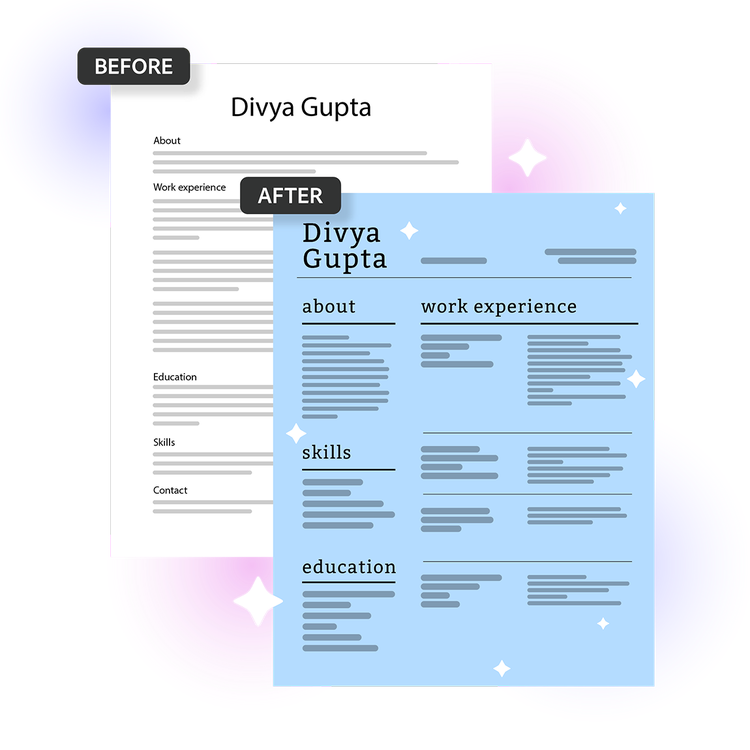
The AI resume builder from Acrobat helps you create a professional resume in minutes using AI-powered formatting and customizable templates. Upload your existing resume, choose a template, and Acrobat organizes your content into a polished layout you can customize and download.
Yes, the AI resume builder from Acrobat includes customizable resume templates that let you adjust fonts, colors, layouts, and sections to match your style or industry. The AI resume builder is built with Adobe Express design tools so you can refine as needed.
The AI resume builder from Acrobat lets you download your finished resume as a PDF, the format most employers and applicant tracking systems require. You can also convert your downloaded PDF into additional formats such as DOCX/DOC, PNG, and PPTX using
Adobe's free PDF Converter online.
Yes, with the AI resume builder from Acrobat you can duplicate your resume, customize it for different roles or industries, and export multiple versions without starting from scratch each time.
The AI resume builder from Acrobat combines professional design templates with Adobe Express tools so you can create a polished, professional resume. Simply select a template and let the AI resume builder do the rest. Because it's connected to Adobe Express, you can also create matching career materials like portfolios, presentations, and personal branding assets.
The AI resume builder from Acrobat is best for job seekers who want a professionally designed resume without spending hours on formatting. It's ideal for first-time applicants, recent graduates, career changers, and anyone re-entering the workforce who needs to put together a polished document quickly. It's also a strong choice for professionals who want a visually distinctive resume that stands out from standard word-processor formats.
The AI resume builder from Acrobat is well-suited for career changers because it gives you full control over how your experience is framed and which skills are emphasized. You can choose a template with a layout that highlights what matters most for your new field, making it easy to put transferable skills and relevant experience front and center.
The AI resume builder from Acrobat is designed to help produce clear, professional resume content based on the information provided. You should still review and personalize every section to ensure your resume accurately reflects your experience, achievements, and communication style.
The AI resume builder from Acrobat is secure and private by design. Your file is securely processed and automatically deleted unless you choose to sign in and save it. You can learn more about Adobe's privacy practices and account protections at
adobe.com/privacy.
The AI resume builder from Acrobat is designed for English-language resume creation, while
Adobe Express supports multiple interface languages across regions.
The AI resume builder from Acrobat is free to use with no sign-in or credit card required. It includes core resume creation and editing features, including access to resume templates and basic design tools. To unlock additional templates, design assets, and advanced features, consider an Adobe Express plan.