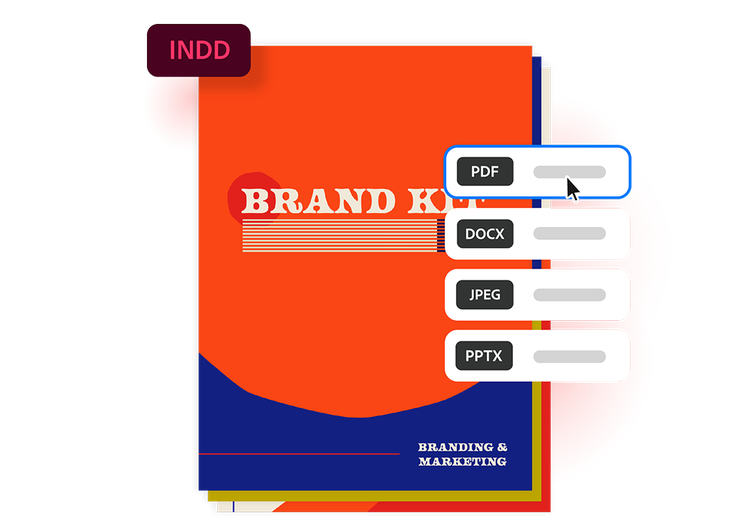
Drag and drop an InDesign file to use our INDD to PDF converter. Free to use, no sign-up to try.
How to convert INDD to PDF online
Converting your InDesign file to PDF is simple with Acrobat online tools. At your desk or on the go, you convert your designs without installing separate software. The process is simple.
Follow these steps to convert INDD to PDF:
Upload a source: Upload or drag and drop your INDD file into the converter tool above.
Convert the file: Your INDD file is processed and converted into a PDF in seconds.
Download your file: Download your newly converted file, then save, print, or share your PDF.
More ways to work with PDFs
Try our online tools to convert, compress, and merge PDF files — Acrobat can do it all.
Questions about the INDD to PDF converter? We have answers.
An INDD file is the file format used by Adobe InDesign. Designers use InDesign to create projects like magazines, brochures, eBooks, posters, and marketing materials. The files can contain text, images, styles, linked assets, and interactive elements all within a single editable project.
The online converter is designed for quick, individual conversions. For large batches or bigger files, you may encounter limits. Explore Acrobat online tools for more options and formats.
INDD files can only be viewed within Adobe InDesign. By converting INDD to PDF, you can easily share, print, and view across devices.
Absolutely. This online converter works in any supported browser on your smartphone or tablet, so you can convert INDD to PDF and iOS, Android, or any supported mobile platform.
Your privacy and file security are a priority. Files are processed and deleted from Adobe servers unless you choose to sign in and save them.
The INDD to PDF converter supports INDD as well as JPEG, JPG, PNG, HEIC, TIFF, GIF, BMP, PSD, and AI files.
style
l spacing
Try our free INDD to PDF converter
Explore the advantage of converting INDD to PDF with Acrobat’s online tool.
background
#F8F8F8
Universal file access
Send your design file to anyone as a PDF, no Adobe InDesign required. PDFs can be opened on almost any device, anywhere.
Preserve design formatting
Converting an INDD to PDF automatically locks in fonts, images, spacing, and design elements. Your file will appear exactly as you intended.
Simplify printing
Go from digital to print in no time. PDFs are ideal for commercial printing, as they reduce formatting issues and ensure more reliable print output.
Compress for easy sharing
Converting INDD to PDF reduces file size, making it easier to email, upload, and store without needing to package linked assets separately.
Easy review and collaboration
Clients and collaborators can easily comment on, annotate, and review PDFs without needing specialized design software or access to linked INDD assets.
More PDF features
Edit, organize, and sign your PDFs with all the online tools that Acrobat has to offer. You can combine multiple files into a single PDF, compress large documents, and protect sensitive information by adding password protection.
background
#F8F8F8
style
xl spacing top, xxl spacing bottom, three-up
Use Acrobat tools for free
Sign in to try 25+ tools, like convert or compress
Add comments, fill in forms, and sign PDFs for free
You can control how Adobe websites use cookies and similar technologies by making choices below. But note that if you disable cookies and similar technologies entirely, Adobe websites may not function properly.
Cookies are small text files stored by your web browser when you use websites. There are also other technologies that can be used for similar purposes like HTML5 Local Storage and local shared objects, web beacons, and embedded scripts. These technologies help us do things like remembering you and your preferences when you return to our sites, measure how you use the website, conduct market research, and gather information about the ads you see and interact with.
You can make choices in the menu below about what cookies and other technologies you want us to use on Adobe sites when you visit them from this browser. You can always change those choices later by clicking on the Cookie Preferences link at the bottom of the page.
If enabled:
We can improve your experience by tailoring the site and the content to things we think might be of interest
We can better keep track of your preferences — like what language you prefer to use
We will better understand your likely interests so we can provide you more relevant Adobe ads and content on non-Adobe websites and in non-Adobe apps
It will help us improve the performance of our website and those of our partners who use the Adobe Experience Cloud
If disabled:
We won’t be able to remember you from session to session so the experience may not be tailored to your interests
You’ll still have access to the content of the site but certain features that depend on cookies may not function
You’ll still see ads, they just may not be as relevant to you
General information
You can control how Adobe websites use cookies and similar technologies by making choices below. But note that if you disable cookies and similar technologies entirely, Adobe websites may not function properly.
Cookies are small text files stored by your web browser when you use websites. There are also other technologies that can be used for similar purposes like HTML5 Local Storage, web beacons, and embedded scripts. These technologies help us do things like remembering you and your preferences when you return to our sites, measure how you use the website, conduct market research, and gather information about the ads you see and interact with.
You can make choices in the menu below about what cookies and other technologies you want us to use on Adobe sites when you visit them from this browser. You can always change those choices later by clicking on the Cookie Preferences link at the bottom of the page.
If enabled:
We can improve your experience by tailoring the site and the content to things we think might be of interest
We can better keep track of your preferences — like what language you prefer to use
We will better understand your likely interests so we can provide you more relevant Adobe ads and content on non-Adobe websites and in non-Adobe apps
It will help us improve the performance of our website and those of our partners who use the Adobe Experience Cloud
If disabled:
We won’t be able to remember you from session to session so the experience may not be tailored to your interests
We’ll still count your use of our site and services
You’ll still have access to the content of the site but certain features that depend on cookies may not function
You’ll still see ads, they just may not be as relevant to you
Operate the site and core servicesOperate site and measure engagement
Always active
These cookies are required, and they are used to enable the site and related services core functionality. Without them the site could not operate, so they cannot be disabled.
These cookies enable the site and related services’ core functionality and collect statistics about user engagement, such as counting active use to help us understand trends. These cookies cannot be disabled.
Measure performance
These cookies are used to analyze site usage to measure and improve performance. Without them Adobe cannot know what content is most valued and how often unique visitors return to the site, making it hard to improve information we offer to you.
These cookies are used to analyze site usage to measure and improve performance. Without them Adobe cannot know what content is most valued, making it hard to improve information we offer to you.
Extend functionality
These cookies are used to enhance the functionality of Adobe sites such as remembering your settings and preferences to deliver a personalized experience; for example, your username, your repeated visits, preferred language, your country, or any other saved preference.
Personalize advertising
These cookies are used to enable Adobe and our partners to serve ads more relevant to your interests. Without them you will still see ads, but they might not be as relevant to you.