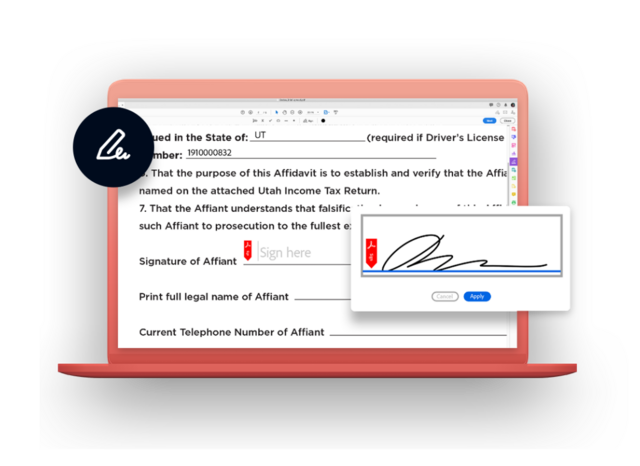
Citizen and community needs keep growing. Stay up to speed by uniting powerful e-signature capabilities with the Adobe tools they already know and trust.
Adobe Acrobat Sign is now FedRAMP Moderate Authorized — allowing your agency to address existing public sector workforce pain points and enabling government growth toward long-term IT modernization.
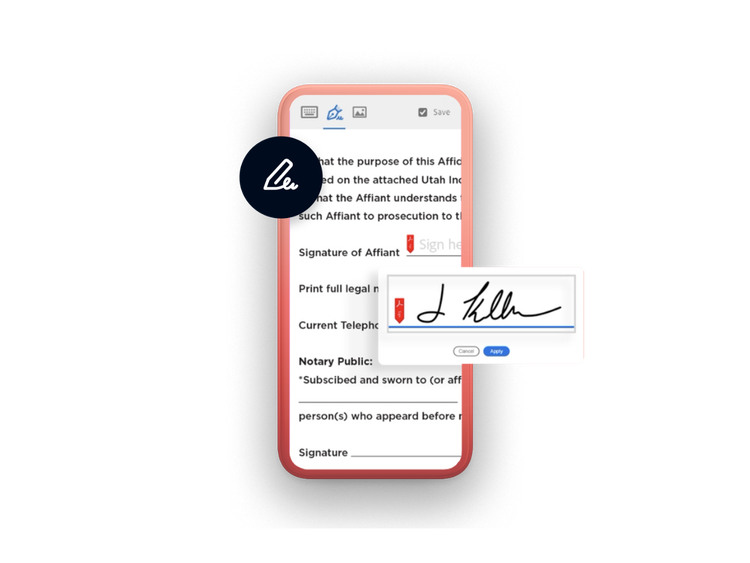
Cut costs while empowering your teams to deliver the fast, mobile-friendly services your citizens need. With Acrobat Sign, it’s easy to securely send digital documents for e-signature and track every step of the process from any device, anywhere.
Support any mission.
E-signatures improve efficiencies across all departments in your agency — from mission-critical services like requests for permits, construction planning, or health services to internal operations like human resources, procurement, and IT.
Make it automatic.
Employee-driven and self-serve workflows make it easy to initiate and track signing processes, enforce deadlines, and archive final documents automatically, complete with audit trails.
Legal e-signatures let you choose from a variety of signer identity verification methods, including US government-issued IDs, certificate-based employee IDs like PIV or CAC cards, and more.
E-signature processes protect sensitive information, ensure legality and accessibility, and enforce regulatory and policy rules automatically — so you can meet requirements for FedRAMP, HIPAA, GDPR, and more.
Easily integrate e-signatures into your Microsoft systems and other business applications you already use. Our prebuilt integrations help you get even more value from Microsoft, Salesforce, ServiceNow, Workday, and more. Learn how to get more from your business systems.
E-signatures make work faster, easier, and more secure — but getting started requires a team effort. Read this eBook to get smart about the benefits so you can be an advocate for transforming your agency’s processes. Read about five key reasons to use e-signatures.
Get started in days, not months. Visit the Acrobat Sign Rapid Response Resource Hub, where you’ll find quick-start learning videos and step-by-step use case recipes.
Whether you need some basic information about our solutions or would like a customized quote for your unique organization, we’re here to answer your questions.
You can control how Adobe websites use cookies and similar technologies by making choices below. But note that if you disable cookies and similar technologies entirely, Adobe websites may not function properly.
Cookies are small text files stored by your web browser when you use websites. There are also other technologies that can be used for similar purposes like HTML5 Local Storage and local shared objects, web beacons, and embedded scripts. These technologies help us do things like remembering you and your preferences when you return to our sites, measure how you use the website, conduct market research, and gather information about the ads you see and interact with.
You can make choices in the menu below about what cookies and other technologies you want us to use on Adobe sites when you visit them from this browser. You can always change those choices later by clicking on the Cookie Preferences link at the bottom of the page.
If enabled:
We can improve your experience by tailoring the site and the content to things we think might be of interest
We can better keep track of your preferences — like what language you prefer to use
We will better understand your likely interests so we can provide you more relevant Adobe ads and content on non-Adobe websites and in non-Adobe apps
It will help us improve the performance of our website and those of our partners who use the Adobe Experience Cloud
If disabled:
We won’t be able to remember you from session to session so the experience may not be tailored to your interests
You’ll still have access to the content of the site but certain features that depend on cookies may not function
You’ll still see ads, they just may not be as relevant to you
General information
You can control how Adobe websites use cookies and similar technologies by making choices below. But note that if you disable cookies and similar technologies entirely, Adobe websites may not function properly.
Cookies are small text files stored by your web browser when you use websites. There are also other technologies that can be used for similar purposes like HTML5 Local Storage, web beacons, and embedded scripts. These technologies help us do things like remembering you and your preferences when you return to our sites, measure how you use the website, conduct market research, and gather information about the ads you see and interact with.
You can make choices in the menu below about what cookies and other technologies you want us to use on Adobe sites when you visit them from this browser. You can always change those choices later by clicking on the Cookie Preferences link at the bottom of the page.
If enabled:
We can improve your experience by tailoring the site and the content to things we think might be of interest
We can better keep track of your preferences — like what language you prefer to use
We will better understand your likely interests so we can provide you more relevant Adobe ads and content on non-Adobe websites and in non-Adobe apps
It will help us improve the performance of our website and those of our partners who use the Adobe Experience Cloud
If disabled:
We won’t be able to remember you from session to session so the experience may not be tailored to your interests
We’ll still count your use of our site and services
You’ll still have access to the content of the site but certain features that depend on cookies may not function
You’ll still see ads, they just may not be as relevant to you
Operate the site and core servicesOperate site and measure engagement
Always active
These cookies are required, and they are used to enable the site and related services core functionality. Without them the site could not operate, so they cannot be disabled.
These cookies enable the site and related services’ core functionality and collect statistics about user engagement, such as counting active use to help us understand trends. These cookies cannot be disabled.
Measure performance
These cookies are used to analyze site usage to measure and improve performance. Without them Adobe cannot know what content is most valued and how often unique visitors return to the site, making it hard to improve information we offer to you.
These cookies are used to analyze site usage to measure and improve performance. Without them Adobe cannot know what content is most valued, making it hard to improve information we offer to you.
Extend functionality
These cookies are used to enhance the functionality of Adobe sites such as remembering your settings and preferences to deliver a personalized experience; for example, your username, your repeated visits, preferred language, your country, or any other saved preference.
Personalize advertising
These cookies are used to enable Adobe and our partners to serve ads more relevant to your interests. Without them you will still see ads, but they might not be as relevant to you.
Performance Cookies
ConsentLeg.Interest
All Consent Allowed
Questions? Get help from our experts.
Need help finding more information? Chat with our experts for answers.