ACROBAT
2026 tax document checklist and filing guide
Get ready for tax season using document AI tools.
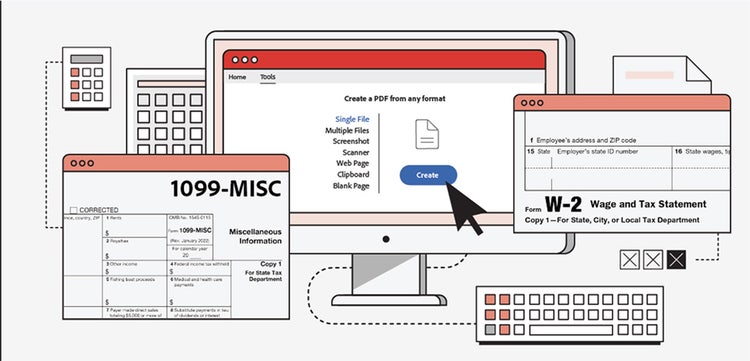
Filing your 2025 taxes is easier when your documents are organized early. This updated 2026 guide includes the latest IRS tax brackets, deadlines, and document requirements, plus tips for organizing everything using Adobe Acrobat tools. Use this as your complete checklist for the 2026 tax season.
See how Adobe Acrobat can simplify your tax preparation today.
Most taxpayers only need a few core documents to file:
- Social Security number or ITIN
- W‑2 from each employer
- 1099 forms (contract work, interest, dividends, unemployment, etc.)
- Mortgage interest statement (Form 1098)
- Investment income statements
- Charitable donation receipts
- Bank routing and account number for direct deposit
Download the full checklist below to stay organized.
2026 federal tax brackets and filing deadlines.
The IRS adjusts tax brackets each year to account for inflation. The 2026 filing season uses the 2025 tax brackets, which increased slightly from the prior year due to inflation adjustments.
Federal tax rates remain: 10%, 12%, 22%, 24%, 32%, 35%, and 37%.
Your tax bracket is based on your taxable income, not your total income.
2026 tax rate
Single filers
Married filing jointly
Head of household

FEATURED PDF SPACE
Your tax prep just got easier.
Acrobat's tools like PDF Spaces can simplify and speed up your tax filing process. Use PDF Spaces to combine your tax docs, review and prepare your forms, and share files.
2026 tax filing deadlines.
The deadline for filing your tax return is usually April 15 — though it can be extended if that date falls on a weekend or holiday. But there are other important tax deadlines to know as well. Here are several dates to be aware of for your 2025 tax filing.
- January 26, 2026: 2025 tax season begins. This marks the first day the IRS began accepting and processing 2025 federal tax returns.
- January 31: Due date for employers to send W-2 forms. To ensure you’re able to complete your tax return on time, the IRS requires all employers to send you a W-2 no later than January 31, following the close of the tax year. Generally, this means W-2s get sent by January 31, but you may not necessarily receive your form by this date.
- January 31: Certain 1099 forms are sent. Various 1099 forms, such as 1099-NEC,1099-MISC, and 1099-K, are used to report payments that typically don’t come from an employer. For example, this form applies if you work as an independent contractor, gig worker, or self-employed person or if you receive income such as interest, dividends, prize winnings, rents, royalties, or brokerage account transactions. If January 31 falls on a weekend or holiday, these forms are due to be sent the following business day.
- April 1: Required minimum distribution (RMD) due if you turned 73 in 2025. If you turned 73 in 2025, you have until April 1, 2026 to take your 2025 required minimum distribution (your first required distribution) from your retirement account. After the passage of the SECURE Act in 2019, if you turned 70 years old on or after July 1, 2019, you don't need to take RMDs until you reach age 72.
- April 15: Tax day (unless extended due to local state holiday). The tax deadline typically falls on April 15 each year, but it can be delayed if it falls on a weekend or holiday. Missing the tax deadline can have consequences like penalties and interest.
2026 standard deduction amounts
The IRS increased the standard deduction for 2026 due to inflation and legislative changes:
- Single: $16,100
- Married filing jointly: $32,200
- Head of household: $24,150
Planning ahead can help you file an accurate tax return, and a jump start on organizing your tax records makes it easier to prepare a return that’s complete. Because it can take time to track down all the necessary records, start sooner than later to make sure you have everything you need. And remember, an error-free tax return allows you to avoid processing delays that can slow your refund.
Complete 2026 tax document checklist
The documents you’ll need for tax prep depend on your particular situation. As a rule of thumb, have handy your W-2s, 1099s, receipts, canceled checks, and other documents that support any income, deductions, or credits on your return. Here’s a list to consider:
Personal information
- Social Security number or tax ID number
- Spouse’s full name, Social Security number or tax ID number, and date of birth
- Identity protection PIN (if the IRS has issued one to you, your spouse, or your dependent)
- Routing and account numbers to receive your refund by direct deposit or to pay your balance due (if you choose)
Dependent(s) information
- Dates of birth and Social Security numbers or tax ID numbers
- Child-care records (including the provider’s tax ID number), if applicable
- Income of dependents and other adults in your home
- Form 8332 showing that the child’s custodial parent is releasing their right to claim a child to you, the noncustodial parent (if applicable)

Income documents
Employed
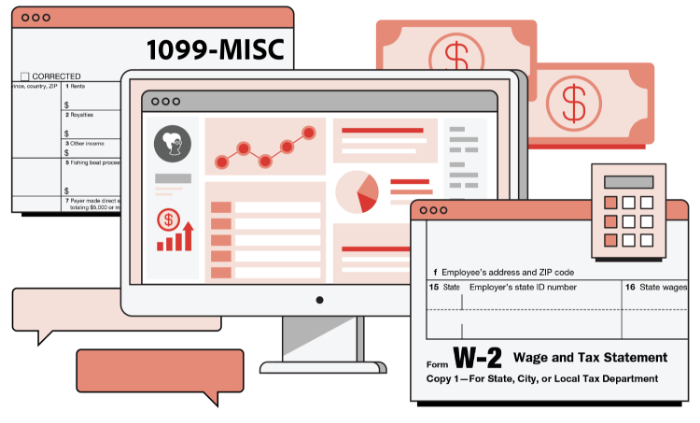
- Form W-2 from each employer
Unemployed
- 1099‑G for unemployment benefits
Self-employed
- Forms 1099, Schedules K-1, income records to verify amounts not reported on 1099-MISC or 1099-NEC
- Records of all expenses — check registers, credit card statements, and receipts
- Business-use asset information (cost, date placed in service, etc.) for depreciation
- Home office information, if applicable
- Record of estimated tax payments made (Form 1040-ES)
Rental income
- Records of income and expenses
- Rental asset information (cost, date placed in service, etc.) for depreciation
- Record of estimated tax payments made (Form 1040-ES)
Retirement income
- Pension, IRA, or annuity income (1099-R)
- Traditional IRA basis (e.g., amounts you contributed to the IRA that were already taxed)
- Social Security or RRB income: SSA-1099, RRB-1099
Savings and investments or dividends
- Interest, dividend income (1099-INT, 1099-OID, 1099-DIV)
- Income from sales of stock or other property (1099-B, 1099-S)
- Dates of acquisition and records of your cost or other basis in property you sold (if basis is not reported on 1099-B)
- Health Savings Account (HSA) and long-term care reimbursements (1099-SA or 1099-LTC)
- Expenses related to your investments
- Record of estimated tax payments made (Form 1040-ES)
- Transactions involving cryptocurrency
Other income and losses
- Payment card and third-party network transactions (1099-K)
- Gambling income (W-2G or records showing income, as well as expense records)
- Jury duty records
- Hobby income and expenses
- Prizes and awards
- Trust income
- Royalty income (1099-MISC)
- Any other 1099s received
- Record of alimony paid or received with ex-spouse’s name and SSN
- State tax refund
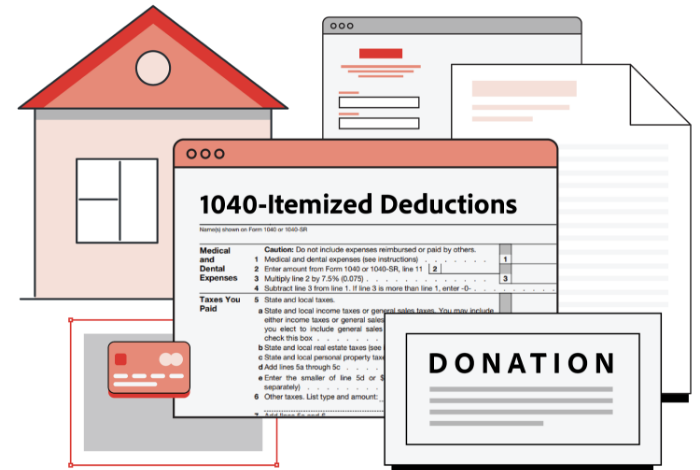
Deduction & credit documents
Homeownership
- Forms 1098 or other mortgage interest statements
- Real estate and personal property tax records
- Receipts for energy-saving home improvements (e.g., solar panels, solar water heater)
- All other 1098 series forms
Charitable donations
- Cash amounts donated to houses of worship, schools, or other charitable organizations
- Records of non-cash charitable donations
- Amounts of miles driven for charitable or medical purposes
Medical expenses
- Amounts paid for healthcare, insurance
- Amounts paid to doctors, dentists, and hospitals
- Amounts paid for qualified insurance premiums if paid outside of the Marketplace or an employer-provided plan
Health insurance
- Form 1095-A if you enrolled in an insurance plan through the Marketplace
Child-care expenses
- Fees paid to a licensed day-care center or family day-care center for care of an infant or preschooler
- Amounts paid to a babysitter or care provider for your child (under age 13) while you work
- Expenses paid through a dependent care flexible spending account at work
Educational expenses
- Forms 1098-T from educational institutions
- Receipts that itemize qualified educational expenses
- Records of any scholarships or fellowships you received
- Form 1098-E if you paid student loan interest
K–12 educator expenses
- Receipts for classroom expenses (for educators in grades K–12)
State and local taxes
- Amount of state and local income or sales tax paid (other than wage withholding)
- Invoice showing amount of vehicle sales tax paid and/or personal property tax on vehicles
Retirement and other savings
- Form 5498-SA showing HSA contributions
- Form 5498 showing IRA contributions
- All other 5498 series forms (5498-QA, 5498-ESA)
Federally declared disaster
- Proof of city or county you lived, worked, or had property in
- Records to support property losses (appraisal, clean-up costs, etc.)
- Records of rebuilding or repair costs
- Insurance reimbursements or claims to be paid
- FEMA assistance information
How to file your taxes in 2026
It’s true that there’s a lot of paperwork involved with filing taxes. But with a little organization and time, you can keep your process fairly simple. Go from start to finish with the following five steps.
Step 1. Gather your tax documents.
Use the above checklist to see which situations apply to you and which you can skip. The documents that apply to the most users include:
- W-2s
- 1099s
- Mortgage interest statements
- Investment income statements
- Charitable contribution statements
If you’re filing for the first time as a married couple, you may need to add:
- Form 8822 (to change your address if you moved)
- SS-5 (if you changed your name)
- W-4 (to adjust withholdings based on your new household income)
Your income and investment interest forms should have been sent to you physically or electronically. You can also find and download many of these documents from your mortgage provider, bank, or payroll company. If anything is missing, call the necessary people to get that paperwork quickly.
Step 2. Choose standard or itemized deductions.
For the 2025 tax year, the standard deduction is $16,100 for single filers and $30,000 for married couples filing jointly.
If your individual deductions add up to more than that for the year, it makes more sense to itemize. If not, stop the tax document treasure hunt and just take the standard deduction.
Remember, if you take the itemization route, you need to support your claims with proof. So, include itemized receipts for deductions and tax credits such as:
- Child care
- Education costs
- Charitable giving
- Medical expenses
Step 3. Decide on your filing status.
Your filing status clarifies things like what you need to do to file, what your standard deduction is, whether or not you’re eligible for certain credits, and how much you’ll owe in taxes.
Sometimes your status is clear (e.g., you’re single), and sometimes you find yourself qualifying for more than one status. Here are the options you’re choosing from:
- Single. If you’re legally separated, divorced, or not married, you’ll file as a single taxpayer.
- Married filing jointly. This is your status if you’re married and both of you agree to file a joint return. Married couples typically save more by filing jointly.
- Married filing separately. If you’re married but don’t agree to file jointly — maybe you want to be responsible only for your taxes, or maybe filing separately gives you a lower tax bill — you can use this status.
- Head of household. To qualify for this, you must be unmarried, have paid for more than half of the household expenses for the year, and must have a qualifying child or dependent. For example, if you’re a single parent taking care of an ailing family member, this status might make sense for you.
- Qualifying widow(er). If your spouse dies and you don’t remarry in the same tax year, you can file jointly with your deceased spouse. For the two years following the year of death, you can use this status if you’re still unmarried and live with a qualifying dependent.
Most people qualify as either single taxpayers or married filing jointly. But there are some instances — although rare — where another status might apply and be worth your consideration. Here, it’s important to do the math and potentially reach out to a tax professional to make sure you’re on the right track.
Step 4. File your taxes.
You’ve got your documents organized, you’ve got your status squared away, and now comes the big moment. According to the IRS, about half of Americans hire professional help to file their tax returns electronically, while 43% use tax software to self-file. The remainder are mailed in paper returns.
Which filing route should you take? Consider the complexity of your situation. Online self-filing software works well if your circumstances are pretty straightforward and you plan to take the standard deduction. If itemizing your deductions makes more sense or if your tax return will be more complicated (e.g., you own a business), hiring a professional is worth it.
Step 5. Get organized for next year.
Take stock of what you’ve learned from your refund or tax bill. Maybe you need to adjust your withholdings now to have a better end result next year. And keep all your gathered tax documents, receipts, and other information filed away. Wondering how long to keep tax records for? At least a few years. We hate to say it, but audits do happen — and keeping your info together after you’ve filed makes that process a little less difficult if the IRS comes your way.
How to organize your tax documents with Adobe Acrobat
By now, you’ve probably noticed that a key to keeping your tax process as painless as possible involves how you keep track of and organize tax-related documents.
While it’s a no-brainer that a document management system is what you need for tax-filing success, you can level up your efficiency by using an essential solution that helps you with digitizing and scan receipts for taxes and organizing files.
Here are some simple steps you can take to organize your tax documents now.
1. Scan and digitize
Scanning your documents and receipts for taxes into digital PDFs can make them much easier to organize.
- Use Adobe Scan to convert receipts and forms into PDFs
- Name files clearly
- Store backups locally and in the cloud
- Password protect PDF documents to keep them safe
2. Merge and rearrange PDFs.
Once you’ve digitized your tax documents, you can easily organize them with PDF editing software like Adobe Acrobat. Many documents have attachments that you’ll rarely access individually, so merging them into one PDF file to reduce clutter is a good idea. You can also rearrange PDF pages to be not just numerical but also in a logical order.
3. Manage your PDFs.
Freshly scanned PDFs can sometimes be large and difficult to share. Adobe Acrobat lets you compress PDFs to a smaller file size, making them much easier to email to your accountant or tax officials.
You can also make it simpler to store and distribute scanned tax documents.
Convert files to and from PDF format and JPGs to PDFs in just a few seconds.
4. Use a smart folder structure.
Keeping all your tax PDFs in one folder can make it hard to find the right document. Organize tax documents by year and category using sub-folders. For example, you could have a folder for 2022 tax documents and split PDFs into different invoice, receipt, and tax form folders.
Here is a suggested structure:
- /Taxes
- /2025
- /Income
- /Deductions
- /Receipts
- /Forms
- /2025
Tax Prep FAQ (Updated for 2026)
Understandably, many people have questions about filing taxes and preparing documents for taxes in general. Here are some of the most common.
When does the IRS start accepting 2025 tax returns?
What is the 2026 Tax Day deadline?
What are the 2026 standard deduction amounts?
What documents do I need to file taxes?
What are the five simple steps for filing taxes?
Here’s the overall process:
- Gather your personal info
- List your income and expenses
- Choose your deductions
- Digitize your documents
- Send to your preparer or file yourself
How do I organize my tax information?
Keep exploring