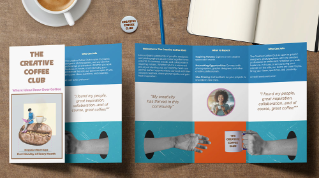
Convierte archivos PDF en diseños editables en InDesign
Convierte un PDF de cualquier aplicación en un diseño editable: el texto, los colores, las tablas y las imágenes están listos para actualizarse y perfeccionarse.
Ever need to make changes, but all you have is a PDF?
Hi, I'm Nigel French, and I'll walk you through a feature that can really save the day, converting a PDF to a fully editable InDesign document.
Imagine you've inherited a project.
The original InDesign file is lost, but your client needs changes.
If you've ever tried editing a PDF in Acrobat, you'll know how frustrating it can be to fix anything more than a simple typo.
But now you can open a PDF in InDesign,
Opening a PDF directly in InDesign
regardless of which app created the PDF.
You'll get an InDesign document that preserves the layout, and you can make any changes you need.
Is it perfect?
No, but it is a massive timesaver.
As you can see, the converted version looks almost identical to the original.
What content and styles are preserved
The Swatches panel includes the colors and gradients used, and you can edit these if you need to.
The Links panel shows the images extracted from the PDF.
They've been exported to a folder called InDesign PDF Assets in the Documents folder and are retained as linked assets.
There are Paragraph Styles and Character Styles.
It's even kept the auto numbering, so I can easily change the order of steps.
And while there aren't any in this document, the appearance of tables is also preserved.
Understanding differences after conversion
So, what's different?
So, we can compare, I actually do have the original InDesign file.
Let's view the two documents side-by-side.
Style names are different, layers are not preserved, nor are object styles.
Hyphenation settings have changed, causing some overset text which I can quickly fix.
Text that was in a multi-column frame in the original, is now split into individual text frames.
If you need to, you can thread these stories together.
While this gives you a great starting point,
Reviewing, fixing, and packaging the converted document
you'll need to check the converted file carefully against the original PDF.
Once your edits are done, package the file.
That way the graphics are copied into a links folder alongside your InDesign document.
And that's how you can open and edit PDFs directly in InDesign.
When the original file is gone, this feature saves a lot of time and frustration.
It's much quicker to fix any minor issues and to recreate the file from scratch.
Thanks for watching.
Contenido
Revisa el diseño convertido
Tras abrir el PDF, haz una comparación en paralelo para detectar diferencias de estilo, diseño o estructura.
Reutiliza recursos y estilos
El texto, los colores, las imágenes vinculadas, la numeración automática y las tablas se transfieren correctamente, junto con los estilos de párrafo y de carácter reconstruidos.
Edita y finaliza
Finaliza tus ediciones y empaqueta el archivo para reunir todos los recursos y facilitar la entrega del diseño.
You can control how Adobe websites use cookies and similar technologies by making choices below. But note that if you disable cookies and similar technologies entirely, Adobe websites may not function properly.
Cookies are small text files stored by your web browser when you use websites. There are also other technologies that can be used for similar purposes like HTML5 Local Storage and local shared objects, web beacons, and embedded scripts. These technologies help us do things like remembering you and your preferences when you return to our sites, measure how you use the website, conduct market research, and gather information about the ads you see and interact with.
You can make choices in the menu below about what cookies and other technologies you want us to use on Adobe sites when you visit them from this browser. You can always change those choices later by clicking on the Cookie Preferences link at the bottom of the page.
If enabled:
We can improve your experience by tailoring the site and the content to things we think might be of interest
We can better keep track of your preferences — like what language you prefer to use
We will better understand your likely interests so we can provide you more relevant Adobe ads and content on non-Adobe websites and in non-Adobe apps
It will help us improve the performance of our website and those of our partners who use the Adobe Experience Cloud
If disabled:
We won’t be able to remember you from session to session so the experience may not be tailored to your interests
You’ll still have access to the content of the site but certain features that depend on cookies may not function
You’ll still see ads, they just may not be as relevant to you
General information
You can control how Adobe websites use cookies and similar technologies by making choices below. But note that if you disable cookies and similar technologies entirely, Adobe websites may not function properly.
Cookies are small text files stored by your web browser when you use websites. There are also other technologies that can be used for similar purposes like HTML5 Local Storage, web beacons, and embedded scripts. These technologies help us do things like remembering you and your preferences when you return to our sites, measure how you use the website, conduct market research, and gather information about the ads you see and interact with.
You can make choices in the menu below about what cookies and other technologies you want us to use on Adobe sites when you visit them from this browser. You can always change those choices later by clicking on the Cookie Preferences link at the bottom of the page.
If enabled:
We can improve your experience by tailoring the site and the content to things we think might be of interest
We can better keep track of your preferences — like what language you prefer to use
We will better understand your likely interests so we can provide you more relevant Adobe ads and content on non-Adobe websites and in non-Adobe apps
It will help us improve the performance of our website and those of our partners who use the Adobe Experience Cloud
If disabled:
We won’t be able to remember you from session to session so the experience may not be tailored to your interests
We’ll still count your use of our site and services
You’ll still have access to the content of the site but certain features that depend on cookies may not function
You’ll still see ads, they just may not be as relevant to you
Operate the site and core servicesOperate site and measure engagement
Always active
These cookies are required, and they are used to enable the site and related services core functionality. Without them the site could not operate, so they cannot be disabled.
These cookies enable the site and related services’ core functionality and collect statistics about user engagement, such as counting active use to help us understand trends. These cookies cannot be disabled.
Measure performance
These cookies are used to analyze site usage to measure and improve performance. Without them Adobe cannot know what content is most valued and how often unique visitors return to the site, making it hard to improve information we offer to you.
These cookies are used to analyze site usage to measure and improve performance. Without them Adobe cannot know what content is most valued, making it hard to improve information we offer to you.
Extend functionality
These cookies are used to enhance the functionality of Adobe sites such as remembering your settings and preferences to deliver a personalized experience; for example, your username, your repeated visits, preferred language, your country, or any other saved preference.
Personalize advertising
These cookies are used to enable Adobe and our partners to serve ads more relevant to your interests. Without them you will still see ads, but they might not be as relevant to you.
Personalize advertising
These cookies are used to enable Adobe and our partners to serve ads more relevant to your interests. Without them you will still see ads, but they might not be as relevant to you.