Acrobat
How Acrobat Studio supports Privacy Act and APP compliance.
Adobe Acrobat Studio brings document creation, review and storage into a single, structured workspace for Australian teams. By keeping records accurate, controlled, and easy to retrieve, it helps organisations naturally align their everyday document practices with Australia’s privacy expectations.

Published by Adobe Acrobat Australia on 24 February 2026
The Australian Privacy Principles describe how personal information should be collected, used, stored and protected, but those ideas are shaped day by day through the way documents move around an organisation. Decisions about who can view a file, which version is current, where records are stored once they are final, and how information is shared internally or externally all influence how well privacy expectations are met in practice.
For most teams, privacy does not live in a policy document alone. It lives in the flow of work across invoices, employee records, customer forms, contracts and reports. This is where a shared document workspace becomes more than a productivity tool, creating a consistent, practical way for good information handling to be applied across everyday business activity.
Understanding privacy expectations for Australian organisations.
The Australian Privacy Principles (APP) provide a national framework for how organisations should collect, store, use and protect personal information. Rather than focusing on specific tools, the principles describe the outcomes businesses are expected to achieve, such as limiting access to sensitive data, keeping information accurate, and ensuring records can be located and reviewed when required.
In practice, the APP shows up in everyday document handling. Employee files, customer records, consent forms and internal reports need to move through teams without losing control over who can see them, change them or share them beyond the organisation. How documents are created, reviewed, and stored becomes just as important as the policies written about privacy.
For the most current and detailed guidance, organisations can read the Australian Privacy Principles, which sets out the legal standards for managing personal information across the full information lifecycle.
How Adobe Acrobat Studio supports privacy requirements compliance for organisations in Australia.
Acrobat Studio helps organisations apply privacy expectations through the everyday way documents are handled, rather than treating privacy as a separate policy layer. By shaping how information is collected, reviewed, shared and stored, teams can build consistent handling of personal and sensitive data into their normal workflows across departments and locations.
Responsible collection and recording of personal information.
Privacy obligations begin at the point of capture. Acrobat Studio supports this with PDF form creation and editing tools that allow organisations to design structured fields for customer details, employee records and consent information. Using consistent templates reduces the risk of unnecessary or incomplete data being collected, while PDF Spaces keep related forms, guidance and supporting documents grouped together for clear context.
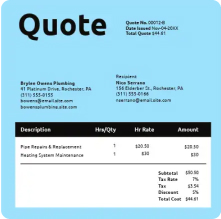
Select pre-designed templates in Adobe Express and start editing.
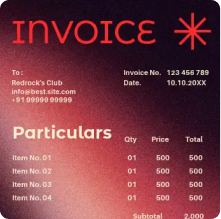
Invoices

Project proposals
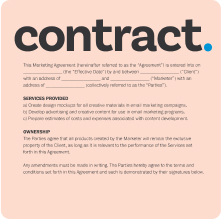
Contracts

Travel intinerary

Annual reports

Controlled access aligned to role and purpose.
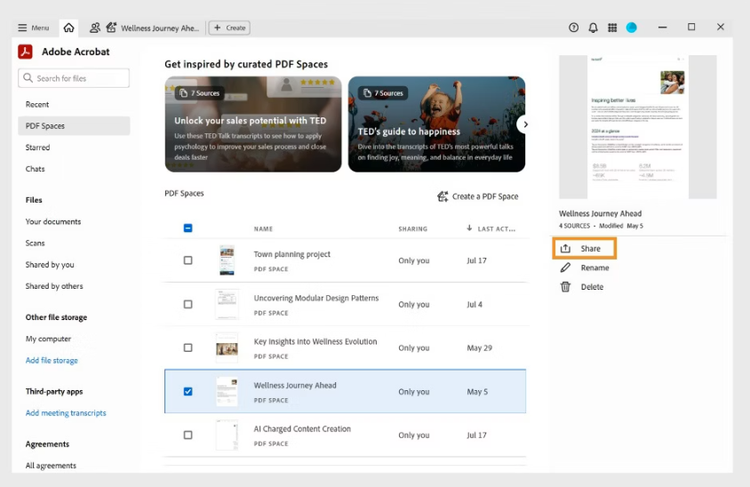
Personal information should only be available to those who need it. Acrobat Studio enables this through secure sharing and access controls within PDF Spaces, allowing document owners to define who can view, comment on or modify records. This supports collaboration with internal teams and external partners while maintaining boundaries around sensitive content.
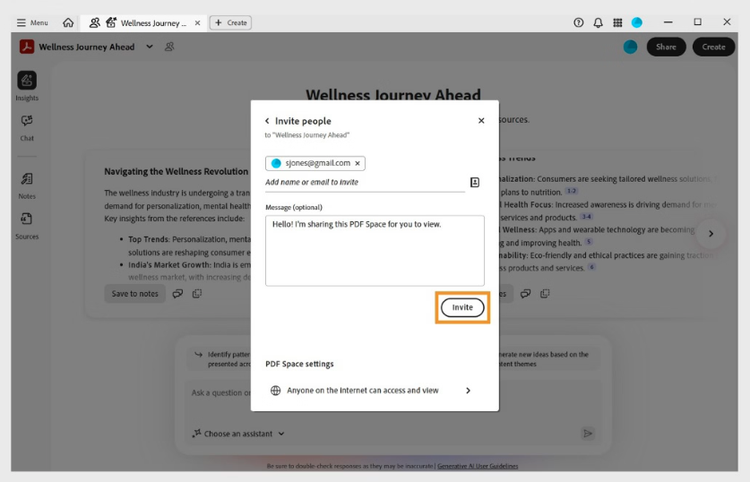
Integrity of records across review and approval stages.
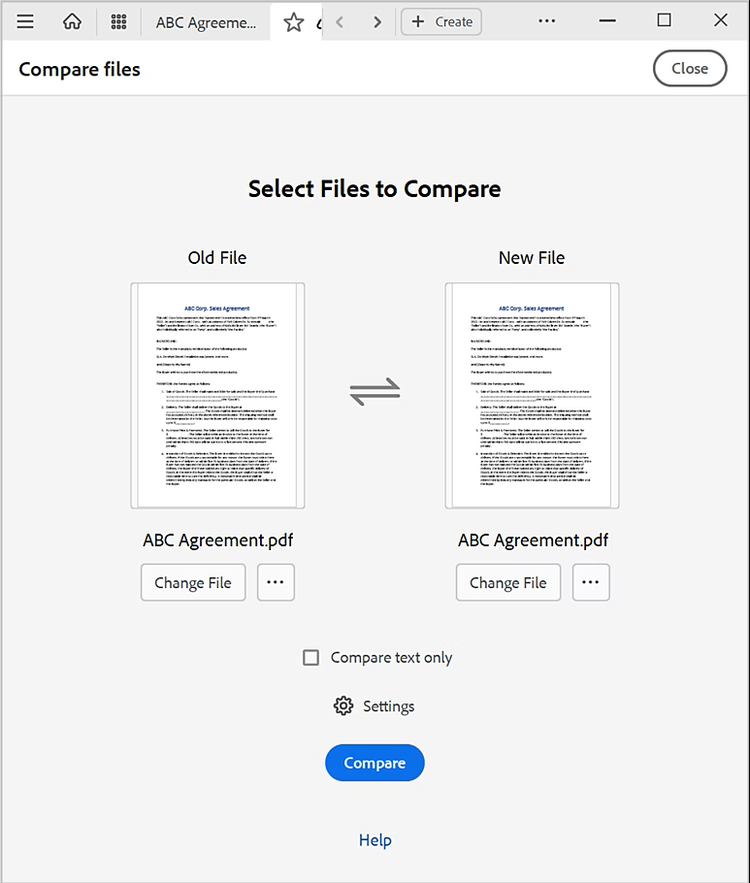
As documents move between drafts and approved versions, maintaining accuracy is essential. Acrobat Studio supports this with Compare Files to highlight changes between versions and document protection tools to lock final records. This helps ensure personal information is not altered once a document has been approved or issued.
Privacy conscious discovery of stored information.
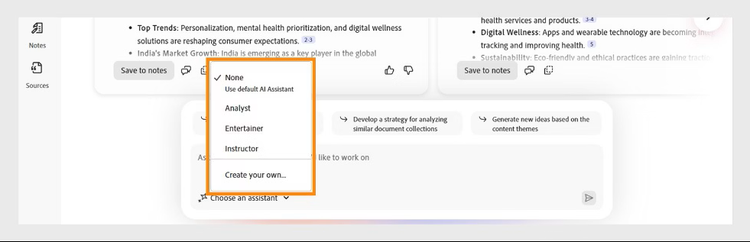
Finding a specific record should not require exposing unrelated personal data. Acrobat Studio supports targeted discovery using AI Assistant search and summaries within PDF Spaces, allowing teams to locate documents based on content, document type or context rather than browsing through entire folders.
Secure long-term handling of personal records.
Many documents containing personal information need to remain accessible for extended periods. Acrobat Studio supports continuity by keeping records in centralised shared workspaces rather than individual devices or email chains. This helps organisations maintain consistent access controls and document handling practices as staff and systems change over time.
Visible processes for accountability and review.
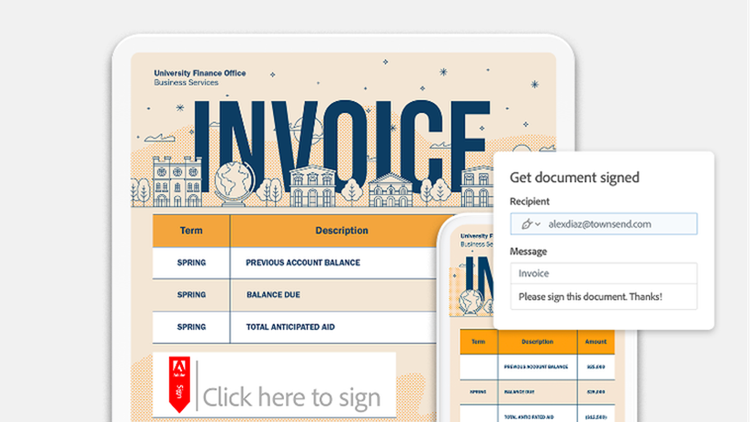
Organisations may need to demonstrate how information is managed in practice. Acrobat Studio supports this through e-signature tracking and activity status views, which show who has reviewed, signed, or interacted with a document and when. This creates a clear operational record of how documents move through the organisation.
Benefits of privacy-first, collaborative document management.
When teams manage documents in shared, structured workspaces, privacy becomes part of how work flows rather than something checked at the end. This approach supports stronger information handling across everyday business activity, including:
- More confident handling of personal information
Teams work from shared records and controlled spaces instead of passing sensitive files through inboxes or personal drives. This reduces accidental exposure and helps ensure information is handled consistently across departments. - Clear ownership of documents and decisions
Shared workspaces make it easier to see who created, reviewed and approved a document. This visibility supports accountability around how personal and sensitive information is handled at each stage of its lifecycle. - Fewer duplicate or outdated records
By working from a central source of truth, teams avoid creating multiple versions of documents that may contain conflicting or unnecessary personal data. This helps reduce the risk of retaining information that is no longer required. - Stronger boundaries when working with external parties
Secure links, access controls and protected files allow organisations to share only what is needed with suppliers, partners or customers, without opening up full internal document libraries. - Consistent practices as teams and systems change
As organisations grow or move between platforms, shared workspaces and structured document handling help preserve the same privacy conscious approach, even when staff, tools or locations change.
Use Acrobat tools for free
- Sign in to try 25+ tools, like convert or compress
- Add comments, fill in forms and sign PDFs for free
- Store your files online to access from any device
Create a free account | Create free account Adobe Acrobat Sign in
Frequently asked questions.