Acrobat
How to compress PDFs on a Mac to reduce file size.
Learn how to compress PDFs on your Mac to reduce file size and make documents easier to share with Adobe Acrobat.
Published by Adobe Acrobat Australia on 17 June 2025
Learn how to compress PDFs on a Mac by following these simple steps.
PDF documents are easy to share and access from any Mac computers. Their compatibility across devices is what makes PDFs a popular way to share information that is readable on any machine or operating system.
However, all the elements embedded in a PDF – images, text and illustrations etc. – can make your PDF balloon in file size, making them difficult to share. This means you might need to make your PDFs smaller.
This guide will show you how easy it is to compress your large PDF documents into smaller file sizes. If you want to know how to compress a PDF on a Mac desktop or laptop by using a simple, powerful Adobe online tool, read on.
How to compress a PDF on a Mac online.
- Launch Safari or any other internet browser. Navigate to the Acrobat online PDF compressor.
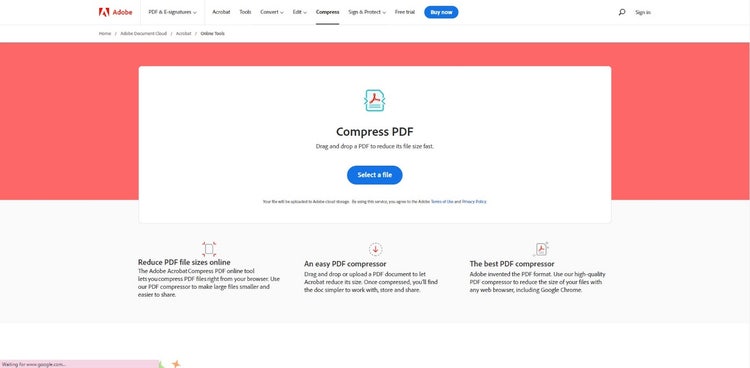
- Click the Select a File button and locate your PDF file. You can also simply drag and drop your document into the Compress PDF size field. The PDF compressor will show you different levels of compression and quality (high, medium and low) and the estimated sizes of your compressed PDFs.
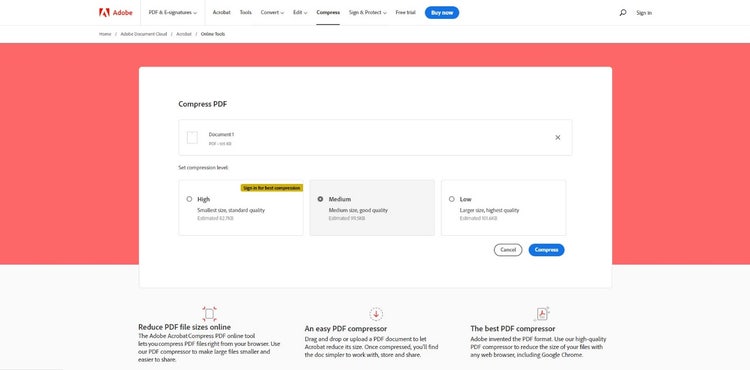
- Once the compression is complete, download your compressed PDF file. The PDF compressor will also show you exactly how much was taken off the file size.

Compress multiple PDFs.
You can compress a single file easily with an online PDF compressor. If you need to compress multiple PDFs, though, it’s smart to use an even more powerful tool. Adobe Acrobat Pro gives you everything you need to compress several PDFs — just follow these simple steps:
- Launch Acrobat Pro.
- Open the “Optimise PDF” tool.
- Locate your file and click Open.
- Click Reduce File Size in the top menu.

- Select appropriate compatibility settings and click OK.
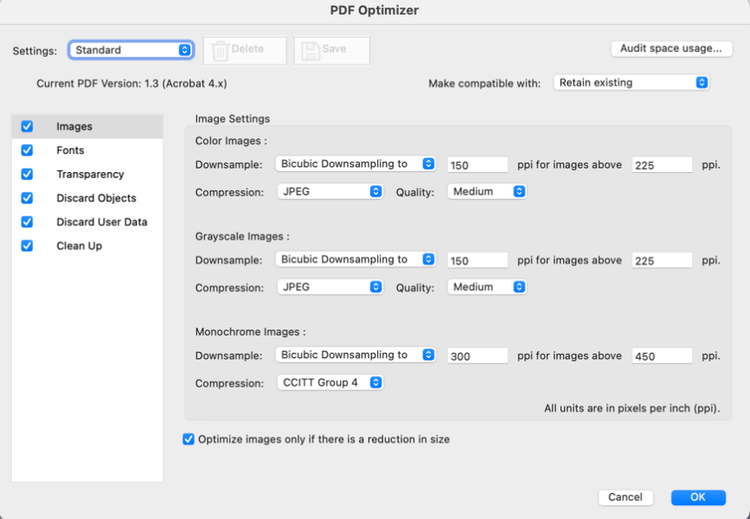
- Name your file and click Save.
You can apply these settings to multiple PDFs using the dropdown menu: Reduce File Size > Reduce Multiple Files. Add all the PDFs you want to compress and then hit OK.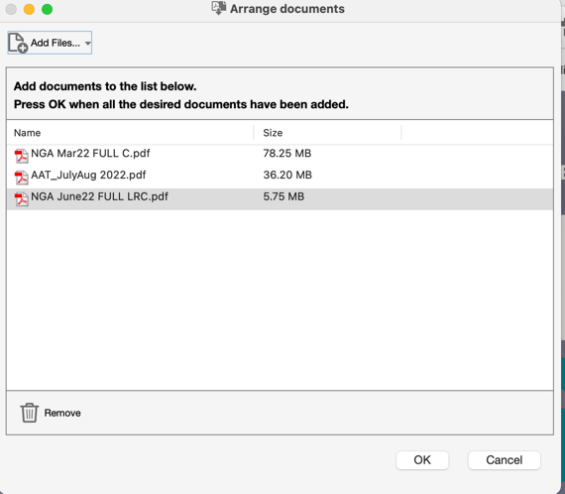
Why compress PDFs? The benefits.
Most email clients have size limits on attachments and your PDFs could bounce back if they haven’t been compressed. Reducing file size will ensure your documents are received on time.
You can optimise the storage on your own machine by compressing all the PDFs you have created. Remember to keep a backup if you want to keep your original, uncompressed PDFs.
Customise your compressed PDFs to ensure you maintain the exact quality you want.
Alternatives to compressing PDFs.
File transfer software enables you to send large PDFs that might bounce back if you try to email them. And you can also share PDFs by sending an anonymous or public link that makes the files accessible to anyone who clicks the link. The full-size is PDF is stored on the Adobe Document Cloud.
Discover what else you can do to improve your PDF workflow with Adobe Acrobatand Acrobat online services today. Need to make further edits to your compressed file? Use our Edit PDF tool to make those last-minute changes before you send it.
Frequently asked questions.
More resources