
Try these tutorials with Illustrator
Create illustrations and other graphics with vectors.
Aprende a alinear objetos en Illustrator con la herramienta Objetos en trazado. Crea una escena llena de movimiento con ballenas y burbujas mientras adquieres una nueva habilidad para hacer tus proyectos más fáciles, ordenados y creativos.
Sumérgete en este tutorial donde aprenderás a dominar la herramienta Objetos en trazado de Illustrator, una función que transformará la manera en que alineas y organizas tus diseños. A través de una ilustración vibrante con ballenas y burbujas en movimiento, descubrirás cómo dar ritmo y fluidez a tus creaciones, haciéndolas más eficaces y visualmente impactantes.
Como plus, la artista te invita a experimentar cómo cada burbuja cobra vida y tu ilustración marina alcanza un nuevo nivel de realismo y armonía al combinar el uso de las herramientas Fusión + Desenfoque. ¡Prepárate para llevar tu creatividad a otro nivel con técnicas prácticas y resultados profesionales!
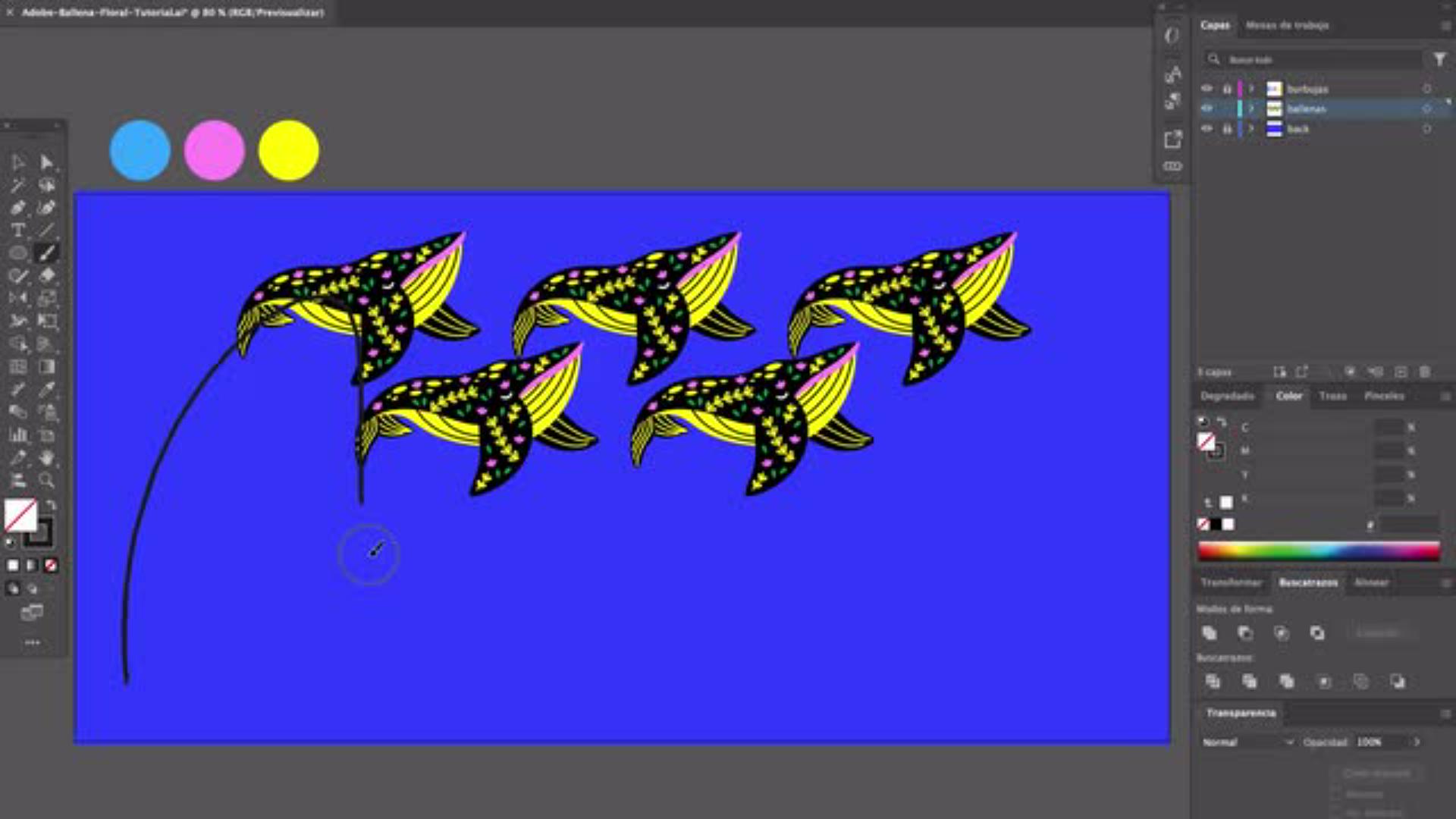
La creadora Yeti Iglesias propone usar la herramienta Pincel para dibujar un trazado que definirá la dirección y el flujo de tu diseño. Este trazado es la base donde luego alinearás objetos y construirás tu escena, asegurando una composición fluida y llena de intención creativa.
Para alinear objetos, primero se deben seleccionar utilizando la herramienta de selección, asegurando que cada elemento esté listo para colocarse en la posición correcta sobre el trazado.
En este tutorial, trabajarás con un documento que ya incluye ilustraciones listas para usar: hermosas ilustraciones de ballenas, diseñadas para integrarse en tu lienzo o mesa de trabajo. Comenzar con estos objetos preparados te permitirá centrarte en lo más importante: darles vida, forma y personalidad a través del diseño.
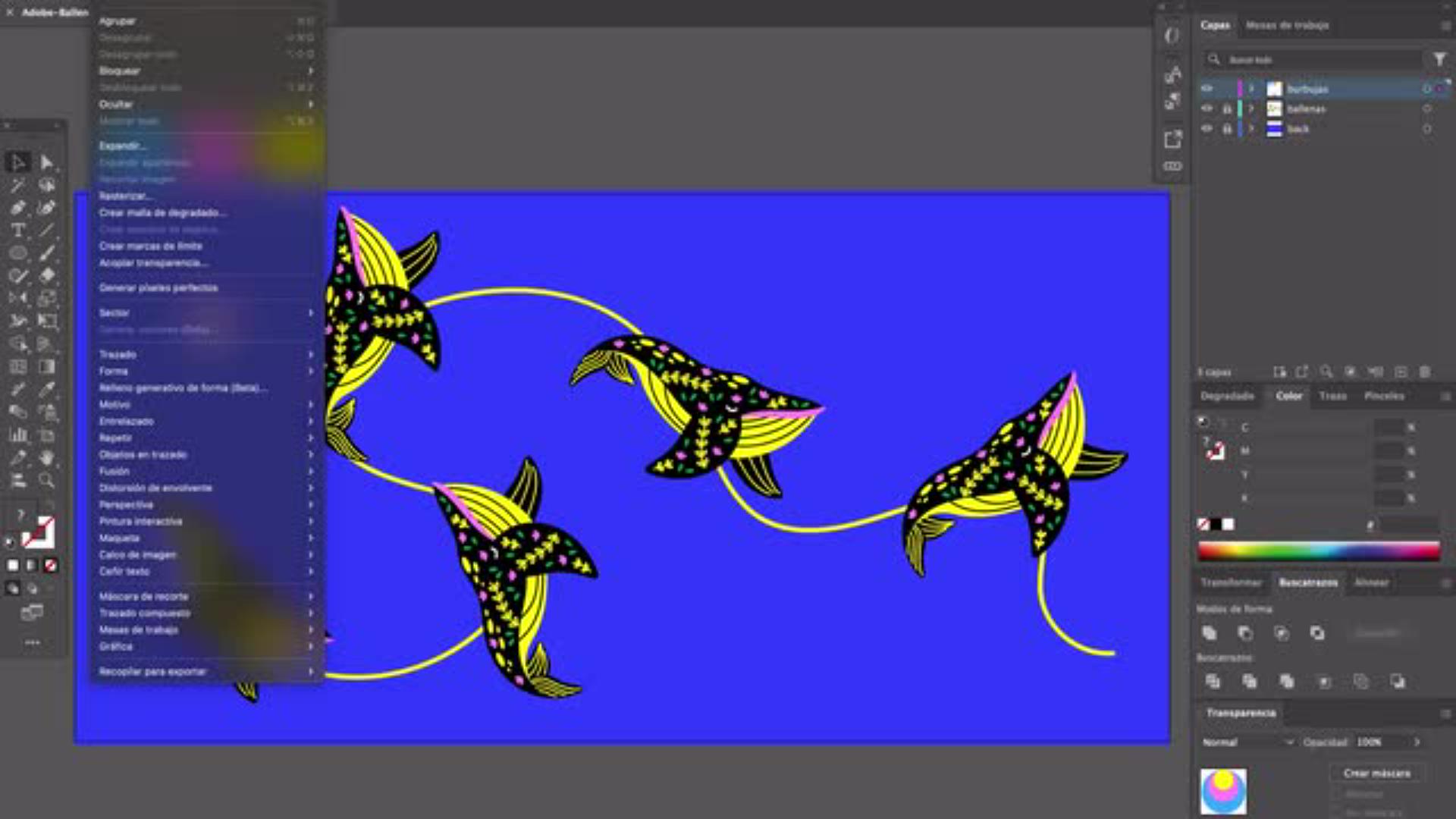
La herramienta Objetos en trazado de Adobe Illustrator es tu aliada para alinear objetos con precisión y sin esfuerzo. Con ella, podrás organizar las ballenas siguiendo exactamente el trazado que dibujaste, manteniendo la distancia, forma y posición perfectas gracias a las opciones de alineación y distribución.
Desde el panel de propiedades o el cuadro de diálogo correspondiente, podrás mover, reordenar o reemplazar elementos con un simple clic. Esta función de distribución asegura que cada ajuste mantenga la coherencia del diseño, como si todas las ballenas nadaran juntas en perfecta armonía.
La herramienta Objetos en trazado te brinda opciones para jugar con el espacio entre los elementos, en este caso las ballenas: arriba de tu selección aparece un circulo blanco con flechas azules que debes mover a la derecha o izquierda, segun quieras que el espaciado sea menor o mayor.
Otra función interesante, es la posibilidad de hacer rotar las ballenas: en la parte de abajo de tu selección verás un círculo blanco con una flecha azul en círculo, que debes mover como si quisieras dibujar circunferencias para que la magia suceda.
Para dar más vida a tu composición marina, después de alinear las ballenas, pasarás a ilustrar burbujas con círculos y elipses de distintos colores. Usarás el efecto Fusión para conseguir un acabado tridimensional y realista que aporte profundidad y equilibrio visual al diseño.
Experimentarás con la repetición, la variación de escala y la ubicación estratégica de cada burbuja para llenar los espacios de manera armónica. Así, tu archivo final tendrá un efecto burbujeante y dinámico que resaltará el tema marino y hará que la escena cobre vida. Combina colores, tamaños y posiciones hasta lograr una atmósfera única que solo tú puedes diseñar.
Aprender a dominar la herramienta objetos en trazado de Adobe Illustrator 2025 es una inversión directa en tu crecimiento como creativo. Este tutorial no solo te ayuda a perfeccionar la alineación y el control del espacio entre tus objetos, sino que también te inspira a experimentar con nuevas formas de diseño, explorar diferentes posiciones y lograr composiciones visualmente equilibradas.
Gracias al uso preciso de cuadrículas, el panel de propiedades y las opciones de alinear objetos en Illustrator, descubrirás cómo dar más fuerza a tus ilustraciones y optimizar cada documento para que tus ideas se vean claras y potentes. Los beneficios son inmediatos: lograrás un diseño más ordenado, transmitirás tu mensaje de manera efectiva y tendrás mayor libertad para crear logos, texto, ilustraciones y elementos que encajen perfectamente en el área o la mesa de trabajo.
Con cada práctica, ganarás velocidad y precisión, dos cualidades esenciales para cualquier diseñador que busca profesionalizar su trabajo en Adobe Illustrator. Y lo mejor: este aprendizaje se quedará contigo, listo para aplicarlo en tu próximo archivo, tema o creación, ya sea un proyecto personal, un encargo de cliente o un reto creativo que quieras explorar.
Esta ilustradora independiente mexicana se ha ganado el reconocimiento internacional gracias a un estilo único y atrevido, marcado por un uso audaz del color y una visión creativa que inspira a otros diseñadores y artistas. Su enfoque visual combina técnica, personalidad y un dominio impecable de la composición, convirtiendo cada proyecto en una pieza memorable. Sus creaciones se distinguen por integrar plantas, formas orgánicas, sombras, degradados y texturas que aportan dinamismo y profundidad. Este conjunto de elementos genera ilustraciones con espacio bien equilibrado y un acabado visual que capta la atención desde el primer vistazo. Ha trabajado en proyectos de ilustración para marcas internacionales, donde su capacidad de potenciar mensajes y conceptos a través de imágenes impactantes ha sido clave. Sus ilustraciones no solo decoran, sino que comunican de forma estratégica, elevando el valor visual de cada campaña y fortaleciendo la identidad de marca.
Web:yetiglesias.com | Instagram:yetiglesias



All Consent Allowed