Explore varied styles with third-party generative models
Explore multiple illustration styles in Illustrator in record time to spark new directions and speed up ideation.
Intro and meet author Sydney Michuda
[Sydney Michuda]: Did you know you can use a range of AI partner models in Illustrator to create vector artwork?
My name is Sydney Michuda, creative director of Super Creative.
And in this video, I'll explore AI partner models while experimenting with illustration styles.
Let's jump in.
I'm creating some illustrations for a Pride music event, and I'd like to make a fun rainbow cassette.
But I'd like to quickly explore a range of styles to propose to the client.
To start, I'll head to Window, click the Contextual Task Bar, and click Generate Vectors.
Generate multiple illustration styles from one prompt
With the new AI partner models, there are a bunch of different options, each with their own benefits.
But let's start with Auto Select to see what Illustrator thinks is best.
I'll type in my Prompt, select Subject, keep the Detail in the middle, add my project color palette, and hit Continue.
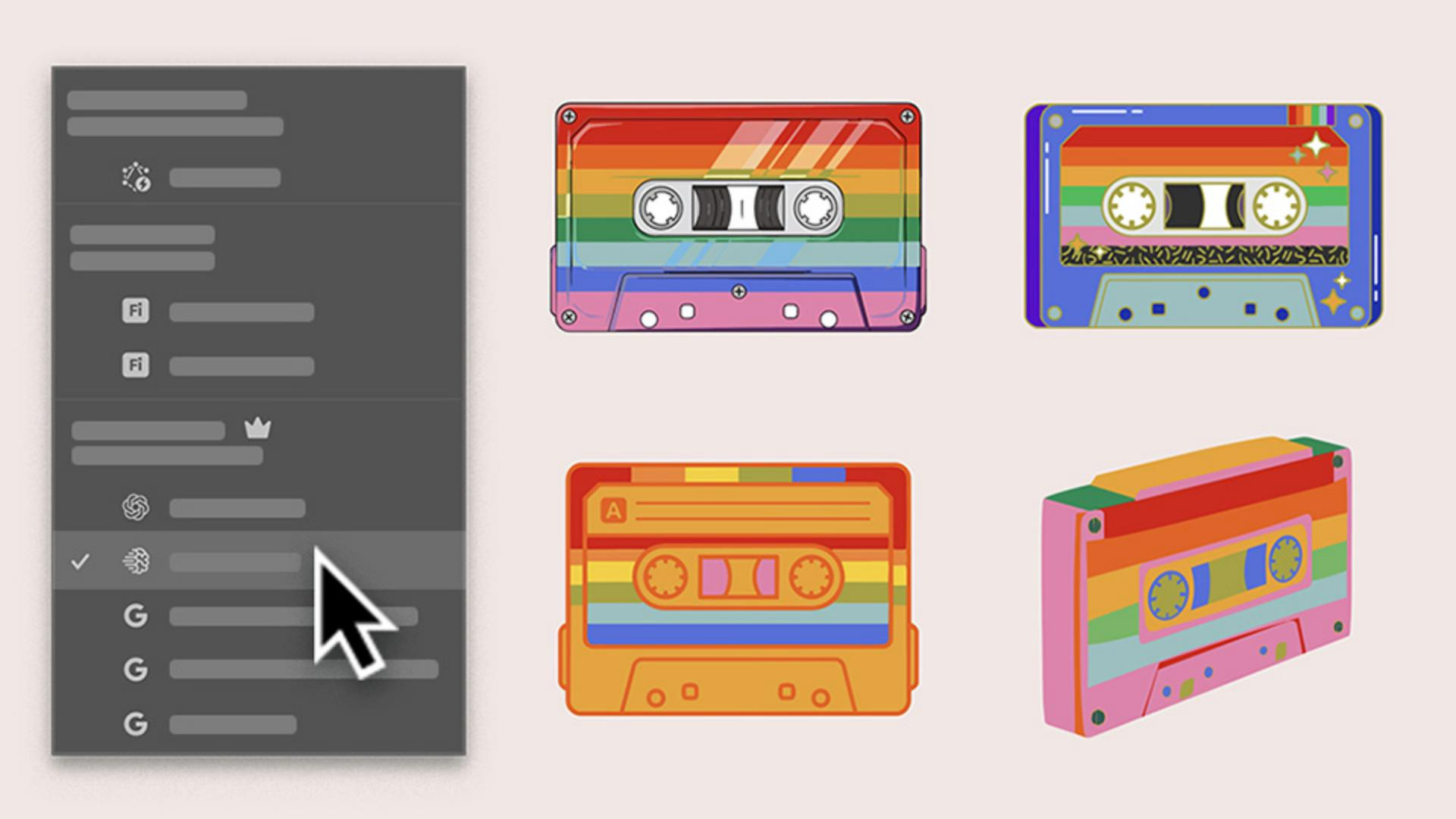
It's selected Imagen 4, so let's see what we get.
Okay, that looks awesome and it's a great option.
It's highly stylized and almost realistic.
Let's iterate some more and see what else we can get.
Compare styles to identify the strongest direction
Let's try the same prompt in settings but select Gemini 3.
That's really cool too - very different from the first illustration.
It's simpler and more playful.
Let's try another generation with GPT Image 4o selected.
That's also really neat.
It has more unique detail and funky elements.
Use a sketch to guide new concepts with Generative Shape Fill
I'd like to see the cassette from more of an angled view.
So, let's use Generative Shape Fill, which also has access to third-party models.
I'll select my grouped sketch, hit Generative Shape Fill, click Settings, add the same prompt, slide the Shape Strength down, and hit Generate.
Very cool.
That has its own flavor too, especially without the outlines.
Now I have four cassette illustrations and different styles to propose to the client before creating and refining a whole set, all with the help of the AI partner models in Illustrator.
Again, my name is Sydney Michuda of Super Creative.
Generate multiple illustration styles from one prompt
Start with Generate Vectors and a short prompt to produce several style variations in seconds. Use Auto Select to let Illustrator choose the most suitable model and generate your first illustration direction.
Compare styles to identify the strongest direction
Run the same prompt with different models to see how each interprets the concept. Review the results side by side and identify the directions worth refining.
Expand concepts from a sketch with Generative Shape Fill
Apply the same prompt to your sketch with Generative Shape Fill to explore additional styles across models. Share a set of concepts with your client, then refine the approved concept in your own vector style.
You can control how Adobe websites use cookies and similar technologies by making choices below. But note that if you disable cookies and similar technologies entirely, Adobe websites may not function properly.
Cookies are small text files stored by your web browser when you use websites. There are also other technologies that can be used for similar purposes like HTML5 Local Storage and local shared objects, web beacons, and embedded scripts. These technologies help us do things like remembering you and your preferences when you return to our sites, measure how you use the website, conduct market research, and gather information about the ads you see and interact with.
You can make choices in the menu below about what cookies and other technologies you want us to use on Adobe sites when you visit them from this browser. You can always change those choices later by clicking on the Cookie Preferences link at the bottom of the page.
If enabled:
We can improve your experience by tailoring the site and the content to things we think might be of interest
We can better keep track of your preferences — like what language you prefer to use
We will better understand your likely interests so we can provide you more relevant Adobe ads and content on non-Adobe websites and in non-Adobe apps
It will help us improve the performance of our website and those of our partners who use the Adobe Experience Cloud
If disabled:
We won’t be able to remember you from session to session so the experience may not be tailored to your interests
You’ll still have access to the content of the site but certain features that depend on cookies may not function
You’ll still see ads, they just may not be as relevant to you
General information
You can control how Adobe websites use cookies and similar technologies by making choices below. But note that if you disable cookies and similar technologies entirely, Adobe websites may not function properly.
Cookies are small text files stored by your web browser when you use websites. There are also other technologies that can be used for similar purposes like HTML5 Local Storage, web beacons, and embedded scripts. These technologies help us do things like remembering you and your preferences when you return to our sites, measure how you use the website, conduct market research, and gather information about the ads you see and interact with.
You can make choices in the menu below about what cookies and other technologies you want us to use on Adobe sites when you visit them from this browser. You can always change those choices later by clicking on the Cookie Preferences link at the bottom of the page.
If enabled:
We can improve your experience by tailoring the site and the content to things we think might be of interest
We can better keep track of your preferences — like what language you prefer to use
We will better understand your likely interests so we can provide you more relevant Adobe ads and content on non-Adobe websites and in non-Adobe apps
It will help us improve the performance of our website and those of our partners who use the Adobe Experience Cloud
If disabled:
We won’t be able to remember you from session to session so the experience may not be tailored to your interests
We’ll still count your use of our site and services
You’ll still have access to the content of the site but certain features that depend on cookies may not function
You’ll still see ads, they just may not be as relevant to you
Operate the site and core servicesOperate site and measure engagement
Always active
These cookies are required, and they are used to enable the site and related services core functionality. Without them the site could not operate, so they cannot be disabled.
These cookies enable the site and related services’ core functionality and collect statistics about user engagement, such as counting active use to help us understand trends. These cookies cannot be disabled.
Measure performance
These cookies are used to analyze site usage to measure and improve performance. Without them Adobe cannot know what content is most valued and how often unique visitors return to the site, making it hard to improve information we offer to you.
These cookies are used to analyze site usage to measure and improve performance. Without them Adobe cannot know what content is most valued, making it hard to improve information we offer to you.
Extend functionality
These cookies are used to enhance the functionality of Adobe sites such as remembering your settings and preferences to deliver a personalized experience; for example, your username, your repeated visits, preferred language, your country, or any other saved preference.
Personalize advertising
These cookies are used to enable Adobe and our partners to serve ads more relevant to your interests. Without them you will still see ads, but they might not be as relevant to you.
Personalize advertising
These cookies are used to enable Adobe and our partners to serve ads more relevant to your interests. Without them you will still see ads, but they might not be as relevant to you.