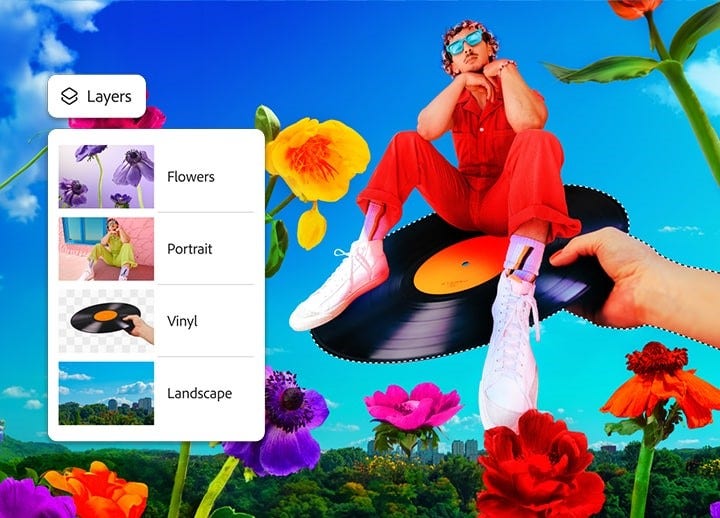
Schülerinnen und Schüler, Studierende und Azubis erhalten Photoshop als Teil von Adobe Creative Cloud mit 75% Rabatt. Spare bei einem der führenden Bildbearbeitungsprogramme und mehr als 20 weiteren Programmen, die dir alles bieten, was du für deinen Beruf oder deine Passion brauchst. Gestalte einzigartige Kreationen mit Photoshop für Smartphone und Tablet.
Normalerweise 77,99€/MonatAlternativ: 19,34€/Monatinkl. MwSt. für das Jahres-Abo mit monatlicher Abrechnung im ersten Jahr. Bedingungen beachten.
Mit Photoshop auf dem Desktop, iPhone, iPad oder im Web kannst du immer und überall kreativ sein. Schneide deine Bilder zu, oder erweitere sie. Passe Farbe und Kontrast an. Ergänze Bildinhalte. Oder entferne störende Elemente.
Deine Fotos und du = eine ausdrucksstarke Kombi.
Nutze unsere Tools für schnelle Fotobearbeitung, unvergessliche Memes und eindrucksvolle Grafiken, und dir gelingen Social-Posts mit Wow-Effekt. Mit nur wenigen Klicks bekommt deine Marke einen Boost, gibst du deiner Inspiration Ausdruck und ziehst neue Follower an.
Spiele in deiner eigenen Liga.
Mit Dokumenten im richtigen Look kannst du wirkungsvoll auf dich aufmerksam machen. Gestalte eigene Grafiken und Illustrationen für Dia-Shows und Berichte, und in Sachen Eindruck ist dir die volle Punktzahl sicher.
Aufmerksamkeit für deine Sache.
Designe Poster, Flyer und Anzeigen für Themen oder Events, die dir wichtig sind, und veröffentliche sie im Netz oder gedruckt. Starte mit Vorlagen, Schriften und Stockelementen von Creative Cloud und gib ihnen deinen individuellen Touch.
Das passende Design für deine Pläne.
Nutze unsere Tutorial-Sammlung zur Erweiterung deiner Skills – für einen erfolgreichen Start ins Berufsleben oder dein eigenes Business. Designe professionelle Lebensläufe und Portfolios, bewirb dich erfolgreich für Gigs, oder mache deinen Onlineshop bekannt – mit einer unendlichen Zahl an kostenlosen Kreativressourcen.
style
s-spacing, static links
Das sagen Schülerinnen und Schüler, Studierende und Azubis.
Avrey Ovard
Parsons School of Design, Studiengang: Modedesign
Ellie Warnke
Savannah College of Art and Design, Studiengang: Modedesign
style
two up, grid-width-8, hinting-mobile, xl spacing bottom
Vernetzte Kreativ-Software für Social-Klicks und den Unterricht.
Spare 75% beim Kauf von einem Creative Cloud Pro-Abo für Schüler und Studierende. Enthalten sind mehr als 20 Programme, darunter Adobe Photoshop, Adobe Acrobat, illustrator und Premiere, sowie kostenlose Ressourcen und kreative Unterstützung. Alle deine Möglichkeiten sind nur einen Klick entfernt, denn die Creative Cloud-Programme sind eng aufeinander abgestimmt.
Schülerinnen, Schüler, Studierende und Azubis können Photoshop mit einem Kostenlose 7-Tage-Testversion starten für Creative Cloud Pro testen. Das Creative Cloud Pro-Abo bietet Zugang zu über 20 Programmen, darunter Adobe Photoshop, Acrobat, Illustrator, Lightroom und Premiere, sowie 100 GB Cloud-Speicherplatz. Nach Ablauf der kostenlosen Testphase gilt der Preis für Schülerinnen, Schüler, Studierende und Azubis von Normalerweise 77,99€/Monat19,34€/Monatinkl. MwSt. im ersten Jahr und 34,99€/Monatinkl. MwSt. danach. Jahres-Abo mit monatlicher Zahlung. Weitere Informationen findest du in den Nutzungsbedingungen.
Photoshop ist im Creative Cloud Pro-Abo für Schülerinnen, Schüler, Studierende und Azubis enthalten. Der Preis beträgt 19,34€/Monatinkl. MwSt. im ersten Jahr. Jahres-Abo mit monatlicher Zahlung. Weitere Informationen findest du in den Nutzungsbedingungen oder im Vergleich der Abos und Preise.
Berechtigte Schülerinnen, Schüler, Studierende und Azubis sparen 75% auf das Creative Cloud Pro-Abo. Sie zahlen Normalerweise 77,99€/Monat19,34€/Monatinkl. MwSt. im ersten Jahr und 34,99€/Monatinkl. MwSt. danach. Jahres-Abo mit monatlicher Zahlung. Erfahre , wie Schülerinnen, Schüler, Studierende und Azubis mit Adobe sparen. Weitere Informationen findest du in den Nutzungsbedingungen.
Wenn du die Creative Cloud Pro-Abo-Variante mit einer verifizierten E-Mail-Adresse einer Bildungseinrichtung kaufst, qualifizierst du dich sofort für die Tarife für Lernende. Falls du keine E-Mail-Adresse einer Bildungseinrichtung hast oder diese nicht verifiziert werden kann, kannst du nach dem Kauf zusätzliche Berechtigungsnachweise einreichen.
Über 20 Anwendungen sind in der Creative Cloud Pro für Schülerinnen und Schüler, Studierende und Azubis enthalten, darunter Foto-Apps wie Photoshop und Lightroom, Print- und Grafik-Design-Apps wie Adobe Illustrator und Video-Apps wie Adobe Premiere und After Effects. Alle diese Anwendungen sind darauf ausgelegt, zusammenzuarbeiten, damit deine Arbeit in einer Applikation problemlos in ein Projekt einer anderen übertragen werden kann.
Creative Cloud bietet dir Zugriff auf mehrere Tausend hochwertige, lizenzfreie Medien und Vorlagen aus Adobe Stock für den schnellen Einstieg in deine Projekte, z. B. Fotos, Illustrationen, Vektorgrafiken, Video-Clips, Design-Templates und 3D-Elemente. Viele dieser Elemente können im Rahmen eines Creative Cloud-Abos kostenlos für gewerbliche oder private Zwecke genutzt werden. Bei manchen Premium-Elementen muss vorab eine Lizenz erworben werden, um sie nutzen zu können.
Jede App in Creative Cloud enthält Tutorials, um dir den Einstieg in die Grundlagen zu erleichtern. Sobald du die Basics beherrschst, schau dir Behance an – dort findest du weitere Tutorials und Anleitungen zu spezifischen Techniken. Egal ob du Grafiken in Adobe Illustrator erstellst oder Filmmaterial in Adobe Premiere bearbeitest – die passende Antwort wartet auf dich.
Ja. Photoshop und deine Creative Cloud Pro-Abo-Variante synchronisieren sich auf mehreren Geräten und enthalten verschiedene Apps, die speziell für die Erstellung von Social Media-Content und andere Arbeiten unterwegs entwickelt wurden. Erfahre mehr über die Nutzung von Photoshop auf deinem iPhone.
style
l spacing, static links
background
#f5f5f5
Cookie Settings
General information
You can control how Adobe websites use cookies and similar technologies by making choices below. But note that if you disable cookies and similar technologies entirely, Adobe websites may not function properly.
Cookies are small text files stored by your web browser when you use websites. There are also other technologies that can be used for similar purposes like HTML5 Local Storage and local shared objects, web beacons, and embedded scripts. These technologies help us do things like remembering you and your preferences when you return to our sites, measure how you use the website, conduct market research, and gather information about the ads you see and interact with.
You can make choices in the menu below about what cookies and other technologies you want us to use on Adobe sites when you visit them from this browser. You can always change those choices later by clicking on the Cookie Preferences link at the bottom of the page.
If enabled:
We can improve your experience by tailoring the site and the content to things we think might be of interest
We can better keep track of your preferences — like what language you prefer to use
We will better understand your likely interests so we can provide you more relevant Adobe ads and content on non-Adobe websites and in non-Adobe apps
It will help us improve the performance of our website and those of our partners who use the Adobe Experience Cloud
If disabled:
We won’t be able to remember you from session to session so the experience may not be tailored to your interests
You’ll still have access to the content of the site but certain features that depend on cookies may not function
You’ll still see ads, they just may not be as relevant to you
General information
You can control how Adobe websites use cookies and similar technologies by making choices below. But note that if you disable cookies and similar technologies entirely, Adobe websites may not function properly.
Cookies are small text files stored by your web browser when you use websites. There are also other technologies that can be used for similar purposes like HTML5 Local Storage, web beacons, and embedded scripts. These technologies help us do things like remembering you and your preferences when you return to our sites, measure how you use the website, conduct market research, and gather information about the ads you see and interact with.
You can make choices in the menu below about what cookies and other technologies you want us to use on Adobe sites when you visit them from this browser. You can always change those choices later by clicking on the Cookie Preferences link at the bottom of the page.
If enabled:
We can improve your experience by tailoring the site and the content to things we think might be of interest
We can better keep track of your preferences — like what language you prefer to use
We will better understand your likely interests so we can provide you more relevant Adobe ads and content on non-Adobe websites and in non-Adobe apps
It will help us improve the performance of our website and those of our partners who use the Adobe Experience Cloud
If disabled:
We won’t be able to remember you from session to session so the experience may not be tailored to your interests
We’ll still count your use of our site and services
You’ll still have access to the content of the site but certain features that depend on cookies may not function
You’ll still see ads, they just may not be as relevant to you
Operate the site and core servicesOperate site and measure engagement
Always active
These cookies are required, and they are used to enable the site and related services core functionality. Without them the site could not operate, so they cannot be disabled.
These cookies enable the site and related services’ core functionality and collect statistics about user engagement, such as counting active use to help us understand trends. These cookies cannot be disabled.
Measure performance
These cookies are used to analyze site usage to measure and improve performance. Without them Adobe cannot know what content is most valued and how often unique visitors return to the site, making it hard to improve information we offer to you.
These cookies are used to analyze site usage to measure and improve performance. Without them Adobe cannot know what content is most valued, making it hard to improve information we offer to you.
Extend functionality
These cookies are used to enhance the functionality of Adobe sites such as remembering your settings and preferences to deliver a personalized experience; for example, your username, your repeated visits, preferred language, your country, or any other saved preference.
Personalize advertising
These cookies are used to enable Adobe and our partners to serve ads more relevant to your interests. Without them you will still see ads, but they might not be as relevant to you.