Fotos bearbeiten wie Laura Zalenga: mit dem Entfernen-Werkzeug in Photoshop. Öffne jetzt das Tutorial!
Veröffentlicht am
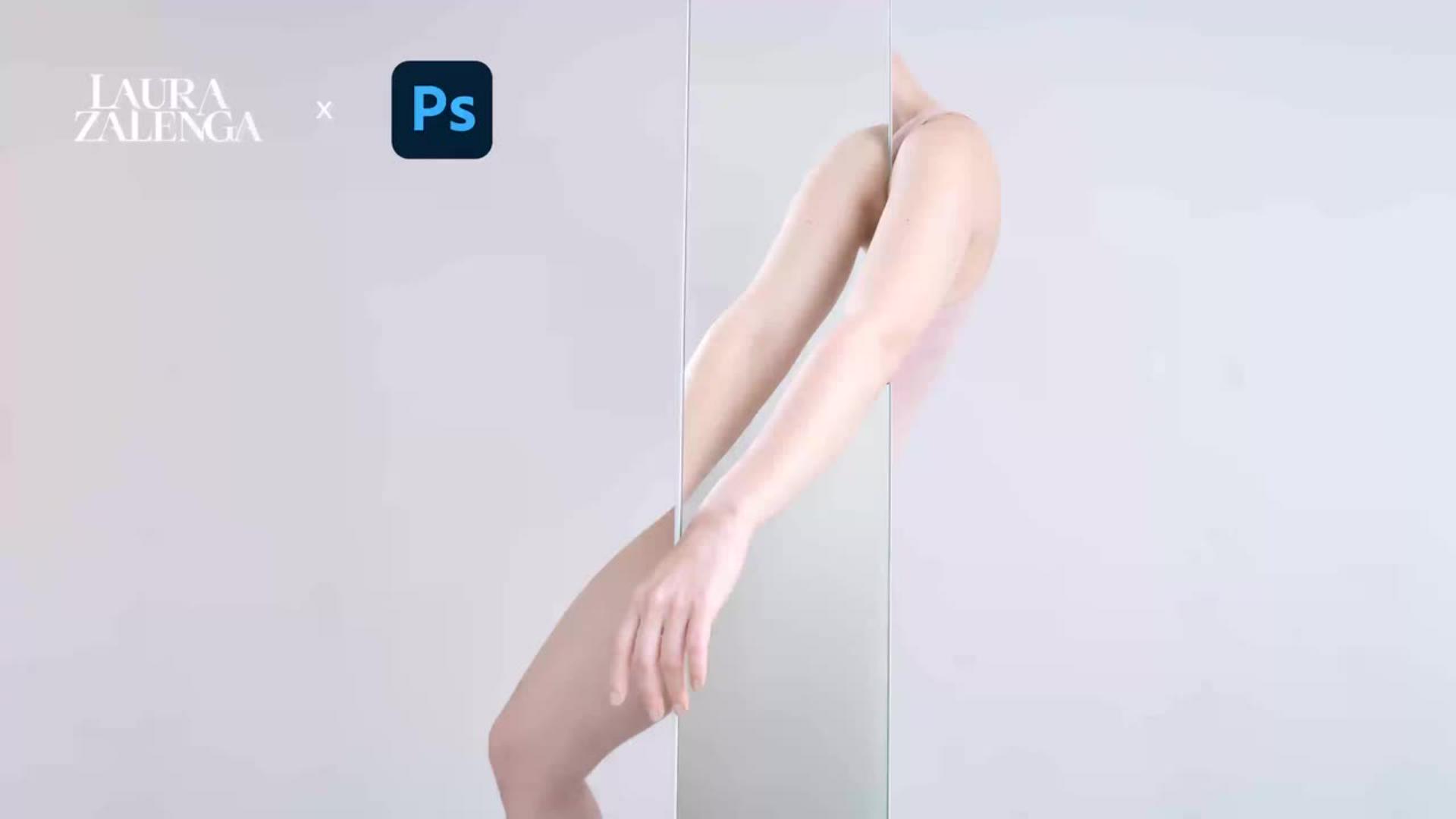
Mit minimalem Aufwand extrem minimalistische Bildkonzepte umsetzen – Fotokünstlerin Laura Zalenga nutzt dafür am liebsten das Entfernen-Werkzeug in Photoshop. Erfahre im interaktiven Tutorial, wie sie damit ihr Spiegelbild zum Thema Symmetrie Schritt für Schritt aufräumt und die Farbstimmung und Helligkeit mithilfe von Einstellungsebenen anpasst.
Manchmal braucht es nur eine leere Wand, einen Spiegel und eine Idee.
Mein Name ist Laura Zelenga und in meinen konzeptuellen Selbstporträts experimentiere ich mit dem Spiel aus Emotionen, Reduktion und Kreativität.
Das Thema, für das ich dieses Konzept entwickelt habe, war Symmetrie.
Und das allererste, an das ich dachte, war die Spiegelachse und die Achsensymmetrie aus dem Autounterricht.
Deshalb hab ich mich entschieden, mit Spiegel zu arbeiten, das Konzept aber eigentlich gleich wieder gebrochen, weil ich gar nicht den Winkel des Spiegels und den Blickwinkel nutze, aus dem man Symmetrisch sieht, sondern viel mehr mit der visuellen Tatsache arbeite, dass sich auch hier die Linien wieder treffen.
Die Bilder hab ich dann mit der Kamera auf dem Stativ gemacht und mit dem Handy als Selbsterlöser vor mir, die Bilder kontrollieren zu können.
Und im Edit ging es dann vor allem darum, bei diesem extrem minimalistischen Konzept alles zu entfernen, was vom Bild ablenkt.
Für diesen Edit nutzen wir das wunderbare Entfernen Werkzeug, all das, was vom Konzept ablenkt, schnell und einfach zu entfernen, wie zum Beispiel die Montageösen des Spiegels und den Teil des Bodens, den wir sehen und der unnötig ablenkt.
Am Ende nutzen wir noch die selektive Farbkorrektur für die letzten Feinabstimmungen im Bild.
Let's go.
Das lernst im interaktiven Tutorial von Fotoartist Laura Zalenga:
Störende Elemente im Foto mithilfe des Entfernen-Werkzeugs loswerden.
Das Lasso-Tool und die kontextbezogene Taskleiste nutzen, um Elemente aus dem Bild zu entfernen.
Farbstimmung aufwärmen mithilfe einer Einstellungsebene für Farbkorrektur.
Bild aufhellen mithilfe einer Einstellungsebene für Belichtung.
Fotografin Laura Zalenga zeigt dir Schritt für Schritt, wie sie ihr Bild von störenden Elementen befreit und dessen minimalistische Wirkung gezielt verstärkt. Anhand ihres eigenen Fotos erklärt sie, wie sie mit dem Entfernen-Werkzeug und der kontextbezogenen Taskleiste Details wie Spiegelaufhängungen oder ablenkende Haare sauber retuschiert. Anschließend nimmt sie dich mit in ihre individuelle Farb- und Lichtbearbeitung: Du kannst lernen, wie du mithilfe von Einstellungsebenen eine wärmere, hellere Bildstimmung erzeugst. Öffne jetzt das interaktive Tutorial über den Button unter dem Video und starte selbst mit der Nachbearbeitung!
Über die Fotografin
Laura Zalenga
ist eine international anerkannte Fotokünstlerin, die konzeptionelle Fotografie mit digitaler Bildbearbeitung verbindet. Ihre Arbeiten entstehen häufig als Selbstporträts und übersetzen innere Zustände, Emotionen und gesellschaftliche Themen in eine klare, symbolische Bildsprache. Mithilfe von Adobe Photoshop entwickelt sie surreale Bildwelten, in denen Idee, Inszenierung und digitale Nachbearbeitung eng ineinander greifen.
In ihren interaktiven Tutorials gibt Laura Zalenga Einblicke in ihren kreativen Prozess – von der Bildidee über die fotografische Umsetzung bis hin zur finalen digitalen Komposition. Dabei zeigt sie, wie sich mit präziser Bildbearbeitung und ihren Lieblingstools emotionale Bildkonzepte technisch sauber und wirkungsvoll umsetzen lassen.
You can control how Adobe websites use cookies and similar technologies by making choices below. But note that if you disable cookies and similar technologies entirely, Adobe websites may not function properly.
Cookies are small text files stored by your web browser when you use websites. There are also other technologies that can be used for similar purposes like HTML5 Local Storage and local shared objects, web beacons, and embedded scripts. These technologies help us do things like remembering you and your preferences when you return to our sites, measure how you use the website, conduct market research, and gather information about the ads you see and interact with.
You can make choices in the menu below about what cookies and other technologies you want us to use on Adobe sites when you visit them from this browser. You can always change those choices later by clicking on the Cookie Preferences link at the bottom of the page.
If enabled:
We can improve your experience by tailoring the site and the content to things we think might be of interest
We can better keep track of your preferences — like what language you prefer to use
We will better understand your likely interests so we can provide you more relevant Adobe ads and content on non-Adobe websites and in non-Adobe apps
It will help us improve the performance of our website and those of our partners who use the Adobe Experience Cloud
If disabled:
We won’t be able to remember you from session to session so the experience may not be tailored to your interests
You’ll still have access to the content of the site but certain features that depend on cookies may not function
You’ll still see ads, they just may not be as relevant to you
General information
You can control how Adobe websites use cookies and similar technologies by making choices below. But note that if you disable cookies and similar technologies entirely, Adobe websites may not function properly.
Cookies are small text files stored by your web browser when you use websites. There are also other technologies that can be used for similar purposes like HTML5 Local Storage, web beacons, and embedded scripts. These technologies help us do things like remembering you and your preferences when you return to our sites, measure how you use the website, conduct market research, and gather information about the ads you see and interact with.
You can make choices in the menu below about what cookies and other technologies you want us to use on Adobe sites when you visit them from this browser. You can always change those choices later by clicking on the Cookie Preferences link at the bottom of the page.
If enabled:
We can improve your experience by tailoring the site and the content to things we think might be of interest
We can better keep track of your preferences — like what language you prefer to use
We will better understand your likely interests so we can provide you more relevant Adobe ads and content on non-Adobe websites and in non-Adobe apps
It will help us improve the performance of our website and those of our partners who use the Adobe Experience Cloud
If disabled:
We won’t be able to remember you from session to session so the experience may not be tailored to your interests
We’ll still count your use of our site and services
You’ll still have access to the content of the site but certain features that depend on cookies may not function
You’ll still see ads, they just may not be as relevant to you
Operate the site and core servicesOperate site and measure engagement
Always active
These cookies are required, and they are used to enable the site and related services core functionality. Without them the site could not operate, so they cannot be disabled.
These cookies enable the site and related services’ core functionality and collect statistics about user engagement, such as counting active use to help us understand trends. These cookies cannot be disabled.
Measure performance
These cookies are used to analyze site usage to measure and improve performance. Without them Adobe cannot know what content is most valued and how often unique visitors return to the site, making it hard to improve information we offer to you.
These cookies are used to analyze site usage to measure and improve performance. Without them Adobe cannot know what content is most valued, making it hard to improve information we offer to you.
Extend functionality
These cookies are used to enhance the functionality of Adobe sites such as remembering your settings and preferences to deliver a personalized experience; for example, your username, your repeated visits, preferred language, your country, or any other saved preference.
Personalize advertising
These cookies are used to enable Adobe and our partners to serve ads more relevant to your interests. Without them you will still see ads, but they might not be as relevant to you.
Personalize advertising
These cookies are used to enable Adobe and our partners to serve ads more relevant to your interests. Without them you will still see ads, but they might not be as relevant to you.