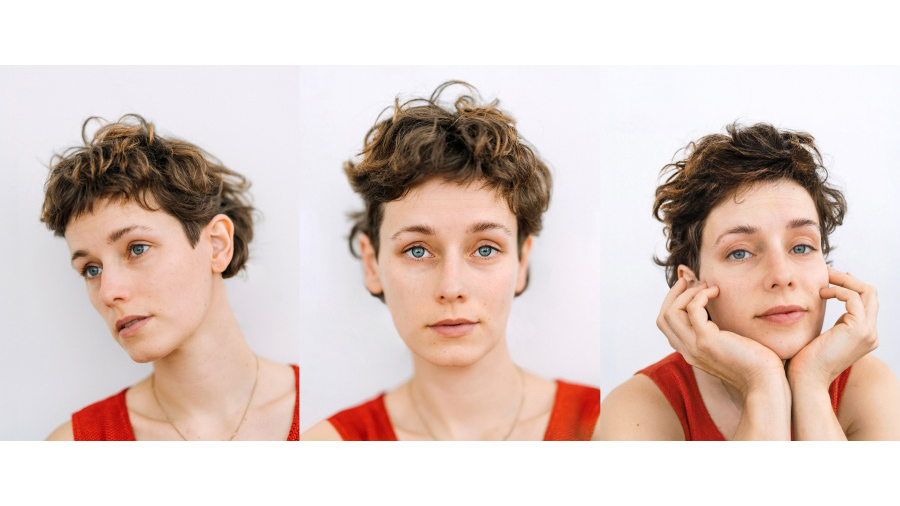
Digital Art mit Fotografin Laura Zalenga: Dreamwave-Porträt
Mach ein Porträt in Photoshop zum Kunstwerk: Schritt für Schritt mit dem Photoshop-Tutorial von Laura Zalenga.
Veröffentlicht am
Manchmal erlaube ich mir Photoshop als meine ganz persönliche, unendliche Spielwiese zu sehen und wild mit den Möglichkeiten zu experimentieren.
Und heute nehme ich dich mit.
Mein Name ist Laura Zalenga und ich entwickle konzeptuelle Selbstporträtkunst für Brands wie Sony, Adobe und Disney, in der ich Kreativität, Minimalismus und emotionale Tiefe verbinde.
In diesem Tutorial zeige ich dir, was das Umkehren der Farben, Bewegungsunschärfe und ein Farbverlauf aus einem einfachen Porträt zaubern können.
Als erstes dupliziere ich die Grundebene und verwandle sie in ein Smart-Objekt.
Dann wende ich den Filter Umkehren an, um die Farben zu invertieren.
Ich lege eine Maske für die Ebene an und blende durch Malen mit dem Pinsel in schwarzer Farbe auf der Maske Teile aus.
Jetzt dupliziere ich die Ebene und wende den Bewegungsunschärfe-Filter an.
Den Mischmodus dieser Ebene setze ich auf Ineinander kopieren.
Am Ende erstelle ich noch eine neue Einstellungsebene mit Verlaufsumsetzung, nutze eine der lila Vorlagen und kehre den Verlauf schließlich um.
Viel Spaß auf der Spielwiese der kreativen Möglichkeiten!
Das lernst du im Tutorial
Photoshop kann mehr als nur klassische Bildbearbeitung: Für Laura ist es eine kreative Spielwiese für neue Ideen und visuelle Experimente. Die Fotografin zeigt dir in diesem Tutorial ihren persönlichen Workflow für einen auffälligen Neon-Look mit futuristischer Bildwirkung.
Dabei lernst du Schritt für Schritt:
Farben mit dem Umkehren-Filter invertieren.
Mithilfe von Ebenenmasken gezielt Bereiche des Effekts ausblenden.
Mit Bewegungsunschärfe dynamische Licht- und Bewegungseffekte erzeugen.
Den Mischmodus „Ineinanderkopieren“ für intensive Überlagerungen einsetzen.
Mit einer Verlaufsumsetzung einen knalligen Dreamwave-Look gestalten.
Kreative Effekte und digitale Porträtkunst
Du willst ein einfaches Selbstporträt in ein experimentelles digitales Artwork verwandeln? Dann starte Lauras Tutorial über den Button oben auf der Seite und probiere dich direkt in Photoshop an der Kombination von Farb-Inversion, Unschärfe und leuchtenden Verläufen. Laura Zalenga zeigt dir Schritt für Schritt wie du einen modernen Look zwischen Neonästhetik und digitaler Kunst entwickelst, den du easy auch auf deine Bilder anwenden kannst.
Über die Fotokünstlerin
Laura Zalenga ist eine international anerkannte Fotokünstlerin, die konzeptionelle Fotografie mit digitaler Bildbearbeitung verbindet. Ihre Arbeiten entstehen häufig als Selbstporträts und übersetzen innere Zustände, Emotionen und gesellschaftliche Themen in eine klare, symbolische Bildsprache. Mithilfe von Adobe Photoshop entwickelt sie surreale Bildwelten, in denen Idee, Inszenierung und digitale Nachbearbeitung eng ineinandergreifen.
You can control how Adobe websites use cookies and similar technologies by making choices below. But note that if you disable cookies and similar technologies entirely, Adobe websites may not function properly.
Cookies are small text files stored by your web browser when you use websites. There are also other technologies that can be used for similar purposes like HTML5 Local Storage and local shared objects, web beacons, and embedded scripts. These technologies help us do things like remembering you and your preferences when you return to our sites, measure how you use the website, conduct market research, and gather information about the ads you see and interact with.
You can make choices in the menu below about what cookies and other technologies you want us to use on Adobe sites when you visit them from this browser. You can always change those choices later by clicking on the Cookie Preferences link at the bottom of the page.
If enabled:
We can improve your experience by tailoring the site and the content to things we think might be of interest
We can better keep track of your preferences — like what language you prefer to use
We will better understand your likely interests so we can provide you more relevant Adobe ads and content on non-Adobe websites and in non-Adobe apps
It will help us improve the performance of our website and those of our partners who use the Adobe Experience Cloud
If disabled:
We won’t be able to remember you from session to session so the experience may not be tailored to your interests
You’ll still have access to the content of the site but certain features that depend on cookies may not function
You’ll still see ads, they just may not be as relevant to you
General information
You can control how Adobe websites use cookies and similar technologies by making choices below. But note that if you disable cookies and similar technologies entirely, Adobe websites may not function properly.
Cookies are small text files stored by your web browser when you use websites. There are also other technologies that can be used for similar purposes like HTML5 Local Storage, web beacons, and embedded scripts. These technologies help us do things like remembering you and your preferences when you return to our sites, measure how you use the website, conduct market research, and gather information about the ads you see and interact with.
You can make choices in the menu below about what cookies and other technologies you want us to use on Adobe sites when you visit them from this browser. You can always change those choices later by clicking on the Cookie Preferences link at the bottom of the page.
If enabled:
We can improve your experience by tailoring the site and the content to things we think might be of interest
We can better keep track of your preferences — like what language you prefer to use
We will better understand your likely interests so we can provide you more relevant Adobe ads and content on non-Adobe websites and in non-Adobe apps
It will help us improve the performance of our website and those of our partners who use the Adobe Experience Cloud
If disabled:
We won’t be able to remember you from session to session so the experience may not be tailored to your interests
We’ll still count your use of our site and services
You’ll still have access to the content of the site but certain features that depend on cookies may not function
You’ll still see ads, they just may not be as relevant to you
Operate the site and core servicesOperate site and measure engagement
Always active
These cookies are required, and they are used to enable the site and related services core functionality. Without them the site could not operate, so they cannot be disabled.
These cookies enable the site and related services’ core functionality and collect statistics about user engagement, such as counting active use to help us understand trends. These cookies cannot be disabled.
Measure performance
These cookies are used to analyze site usage to measure and improve performance. Without them Adobe cannot know what content is most valued and how often unique visitors return to the site, making it hard to improve information we offer to you.
These cookies are used to analyze site usage to measure and improve performance. Without them Adobe cannot know what content is most valued, making it hard to improve information we offer to you.
Extend functionality
These cookies are used to enhance the functionality of Adobe sites such as remembering your settings and preferences to deliver a personalized experience; for example, your username, your repeated visits, preferred language, your country, or any other saved preference.
Personalize advertising
These cookies are used to enable Adobe and our partners to serve ads more relevant to your interests. Without them you will still see ads, but they might not be as relevant to you.
Personalize advertising
These cookies are used to enable Adobe and our partners to serve ads more relevant to your interests. Without them you will still see ads, but they might not be as relevant to you.