Ad Maker helps you design ads that work everywhere.

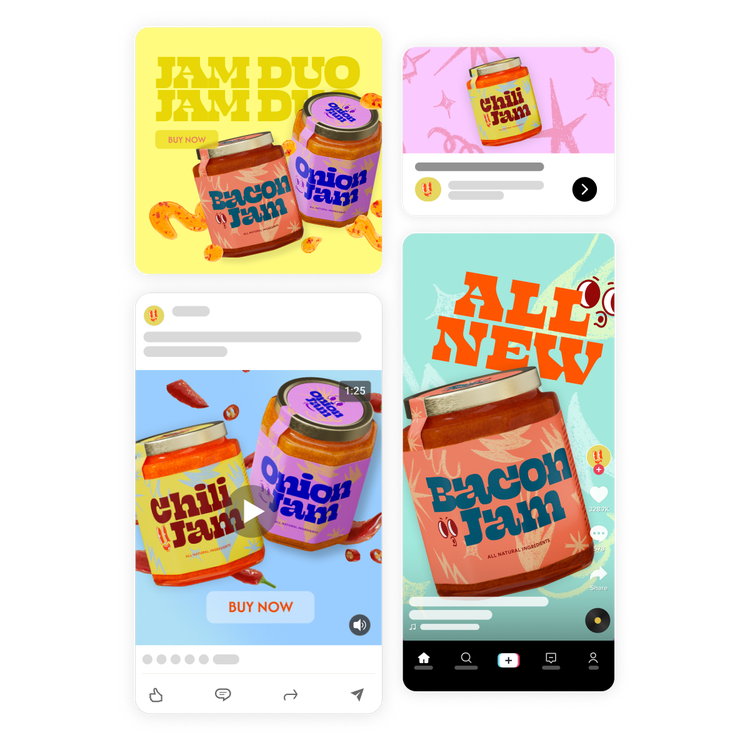
Adobe Express is a powerful ad creation tool that makes it quick and easy to make high-performing ads for multiple platforms. Create once, then publish across top channels, including TikTok, Google, LinkedIn, Amazon, Facebook, and Instagram. Move faster, stay on brand, and reach more customers — all from one app.
Create now

Free online ad maker.

Make eye-catching advertisements in minutes with our free ad maker. Customize your ad with trending images, fonts, and design assets.

Create now

https://main--da-express-milo--adobecom.aem.live/media_18d08a1c5ab83df52287444316308a375e0ba9cfe.mp4?loop=true
Advertisements
Blank Template
Icon: blank
Start from scratch
9:16
Tasks
Facebook-ad, Instagram-ad, Instagram-story-ad, Print-ad, Snapchat-ad, Display-ad, Youtube-display-ad, Youtube-video-ad
Topics
Mini
Yes

Collection ID

(To pull in manually curated templates if needed)

Orientation

(Horizontal/Vertical)

Horizontal

Width

(Full, Std, sixcols)

Full

Limit

(number of templates to load each pagination. Min. 5)

23
Behaviors (still/multiple-pages/video/animated)
still, video, animated

Sort

Most Viewed

Rare & Original

Newest to Oldest

Oldest to Newest

Newest to Oldest
Locales
EN

Premium

(true, false, all) true or false will limit to premium only or free only.

false
Make your ad for free on the Adobe Express app.
https://adobesparkpost.app.link/COaFJORi7pb
Adobe Express enables you to quickly and easily make standout content from thousands of beautiful templates on mobile and web. No design skills needed and it’s FREE to get started.

Browse advertisement templates for any platform with Adobe Express.

Unique and creative advertisements help promote your business, keep customers engaged, and grow your clientele. With the Adobe Express professional templates, you can create attention-grabbing ads with your logo, branding, and fonts. Resize your ad to use it across all your channels, including Instagram, Facebook, Twitter, YouTube, your website, and any printed destination.

Blank Template
Icon: blank
Start from scratch
9:16
Tasks
Facebook-ad, Instagram-ad, Instagram-story-ad, Print-ad, Snapchat-ad, Display-ad, Youtube-display-ad, Youtube-video-ad
Topics

Collection ID

(To pull in manually curated templates if needed)

Orientation

(Horizontal/Vertical)

Vertical

Width

(Full, Std, sixcols)

sixcols

Limit

(number of templates to load each pagination. Min. 5)

23

Behaviors

(still/multiple-pages/video/animated)

still, video, animated

Sort

Most Viewed

Rare & Original

Newest to Oldest

Oldest to Newest

Newest to Oldest
Locales
EN

Premium

(true, false, all) true or false will limit to premium only or free only.

false

How to create an ad with Adobe Express.

1. Pick an ad template.

Explore professional templates made for popular platforms, including TikTok, LinkedIn, Amazon, Google, Facebook, and Instagram.

2. Customize it.

Make the ad your own by adjusting imagery, fonts, and copy. Easily generate commercially safe AI imagery with text prompts. And use Animation tools to make it move.

3. Export and publish.

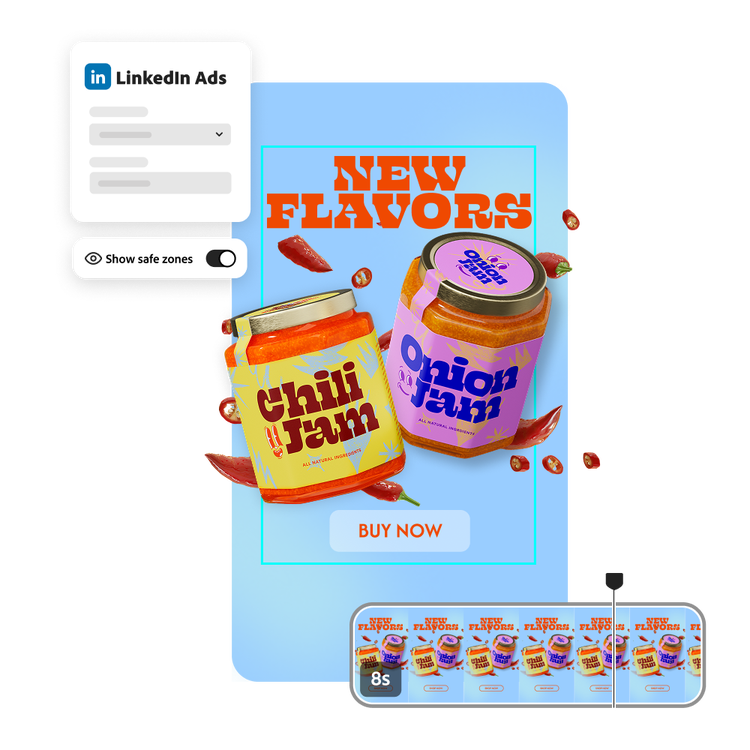
Use the Safe Zone tool to check your design against platform specs. Then export it directly to TikTok, LinkedIn, Amazon, and Google. Or download Meta ads to your device to share.

TikTok Ads creation.

Create scroll-stopping videos with TikTok Symphony Assistant in Adobe Express. Start from customizable TikTok ad templates, drop in your clips or photos, and share directly to your TikTok account in a few clicks. It’s everything you need in one easy-to-use ad creation tool.

Learn more

LinkedIn Ads creation.

Adobe Express is your one-stop shop for LinkedIn ads that are quick to publish and make an impact. Start with professionally designed video or image ad templates made for performance, customize with your brand, and publish directly to LinkedIn Campaign Manager in a few clicks.
Learn more

Amazon Ads creation.

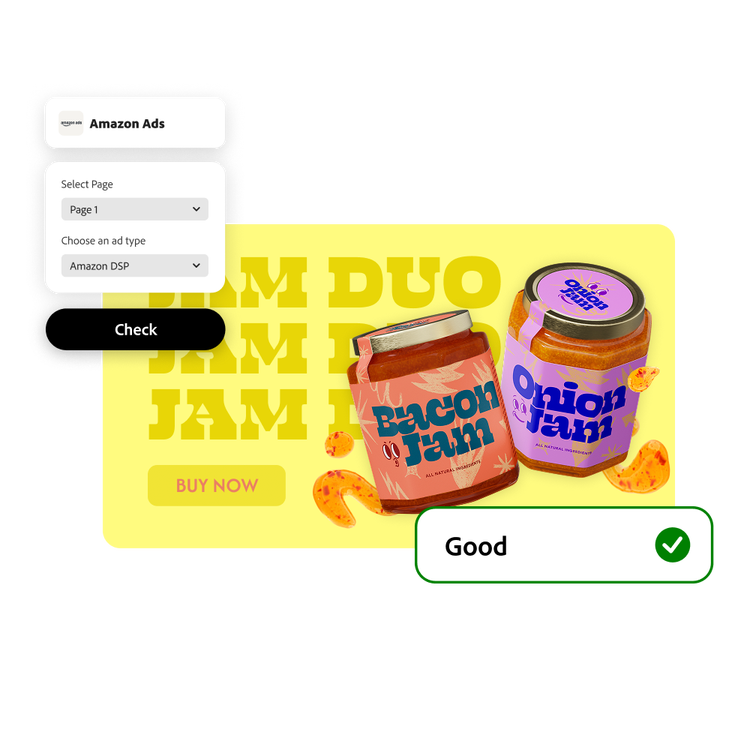
Adobe Express helps you design and publish high-performing Amazon ads in minutes. Easily edit platform-ready Amazon ads templates, use the Check Design tool for real-time policy guidance, and connect directly to your Amazon creative asset library for seamless publishing. With Adobe Express, Amazon ad design is faster, easier, and always on brand.

Learn more

Adobe Express helps you create eye-catching Google Ads optimized for Performance Max campaigns. Create in minutes with customizable Google Ads templates. Use drag-and-drop tools and one-click resizing to fine-tune your Google Ads designs. Then effortlessly connect to your Google Asset Library to publish them.

Learn more

Browse marketing and social media ad templates.

Get your point across in a single glance by using impactful images and a clear tag line. Whether you're advertising a service, product, or event, Adobe Express has a template to make your brand look polished. Swap out images, logos, and type in your message. Resize your ad to use it across all your channels, even printed destinations.

Blank Template
Icon: blank
Start from scratch
9:16
Tasks
LinkedIn-Video-Ad, TikTok-Ad, Facebook-Reel-Ad, Facebook-Story-Ad, Instagram-Reel-Ad, Instagram-Story-Ad, Google-square-image, Google-square-video, Google-landscape-image, Google-landscape-video, Google-portrait-image, Google-portrait-video, Facebook-ad, Instagram-ad, Instagram-story-ad, Print-ad, Snapchat-ad, Display-ad, Youtube-display-ad, Youtube-video-ad
Topics

Collection ID

(To pull in manually curated templates if needed)

Orientation

(Horizontal/Vertical)

Vertical

Width

(Full, Std, sixcols)

sixcols

Limit

(number of templates to load each pagination. Min. 5)

23

Sort

Most Viewed

Rare & Original

Newest to Oldest

Oldest to Newest

Newest to Oldest
Locales
EN

Behaviors

(still/multiple-pages/video/animated)

still, video, animated

Premium

(true, false, all) true or false will limit to premium only or free only.

false

How to use the ad creator.

Adobe Express makes ad design simple.

Adobe Express puts the power of creation in your hands. You can resize your text, move it around the page, add special effects filters, make elements transparent, and change border configuration. The magic layout function moves your text as you experiment with different layouts, so you always see what your design will look like. Adobe Express makes it easy to design and create an advertisement precisely how you want it to look. The Adobe Express intuitive, easy-to-use functions mean you spend less time trying to figure out how to use the program and more time creating the perfect ad. Best of all, Adobe Express is completely free to use.

Boost business with stunning advertisement templates, graphics, and animations that complement your brand image. With Adobe Express, you have an endless array of options to highlight your products and services in digital and print formats. Push the boundaries of your creative marketing efforts with eye-catching advertisements that turn heads.

Frequently asked questions.

How can Adobe Express help me create ads?
Adobe Express is a cross-platform advertising tool built specifically for creating and publishing digital ads. It offers professionally designed templates for almost any ad type, along with direct integrations to major platforms, like TikTok, Google, LinkedIn, Amazon, and more. So you can design, optimize, and publish high-performing ads quickly and easily — all in one place.
Does Adobe Express directly integrate with the ad platforms?
Yes. Adobe Express seamlessly integrates with TikTok, Google Performance Max (PMAX), LinkedIn, and Amazon — with more add-ons on the way. After enabling the appropriate add-ons within Adobe Express, you can export directly to each platform without juggling multiple tools or downloads.
Can I get Adobe Express for free? If so, what’s included?
Yes, we have a free plan available for anyone. Enjoy everything you need to stand out, including thousands of templates, hundreds of Adobe Stock images, photo editing and effects, and much more. Visit our plans and pricing for details.
Are the ad templates customizable?
Yes, Adobe Express templates are highly customizable, so you can ensure they fit your brand. The templates are designed for each ad platform — you don’t have to second-guess sizing or specs. Plus, the Safe Zones tool shows you exactly what areas will be hidden by the ad platform’s interface once the ad is live.
How does Adobe Express simplify ad creation for those new to marketing or design?
Adobe Express offers a user-friendly interface with drag-and-drop functionality, customizable templates, the built-in Safe Zones tool, and commercially safe AI generated imagery for quick content creation. Easy resizing tools allow you to design once and repurpose everywhere. And free add-on integrations allow you to export directly to popular ad platforms.

Frequently asked questions.

How should I get started making an advertisement?
Consider the objective of your ad, and what action you want your reader to take after seeing your ad. Then, decide where you’ll be sharing your ad. Lastly, gather any images or text you want to use in your ad. Now you’re all set to get started from a blank canvas or from thousands of our professionally made templates.
Can I animate my advertisement?
Absolutely. For ads that you plan to share digitally, animation is a great way to capture your audience’s attention. Choose from dozens of animation options to add life to the images of text in your design.
How do I get my ad to reach my audience?
Do a quick search to see what types of content your general audience enjoys most. Then, incorporate those aspects into your design. Duplicate your project to make multiple versions of your ad, and see which version your audience responds to the most. Enjoy the process of getting creative, and improving your strategy more and more over time.
Can I get Adobe Express for free? If so, what’s included?
Anyone can get Adobe Express for free. Our free plan includes thousands of templates, hundreds of royalty-free Adobe Stock photos, basic editing and photo effects, and more. Learn more about our plans and pricing.
Can I create my own ad template?
Adobe Express allows you to make any existing or new project into a shared template. These templates will be copied to your library and anyone who has access to the library will be able to start new projects from these templates.