



Remove and replace GIF backgrounds online.
Make your GIFs stand out with Adobe Express. Quickly remove unwanted backgrounds and customize your animation with new colors, images, or designs—no advanced editing skills needed.

1. Select.
Upload a GIF video from your device. For best results, pick one with a clear subject in the video.
2. Remove.
Use the background remover to clear out unwanted areas, then customize by adding a new color, image, or design.

3. Continue editing.
Download your new GIF to save, share, or keep editing in Adobe Express.
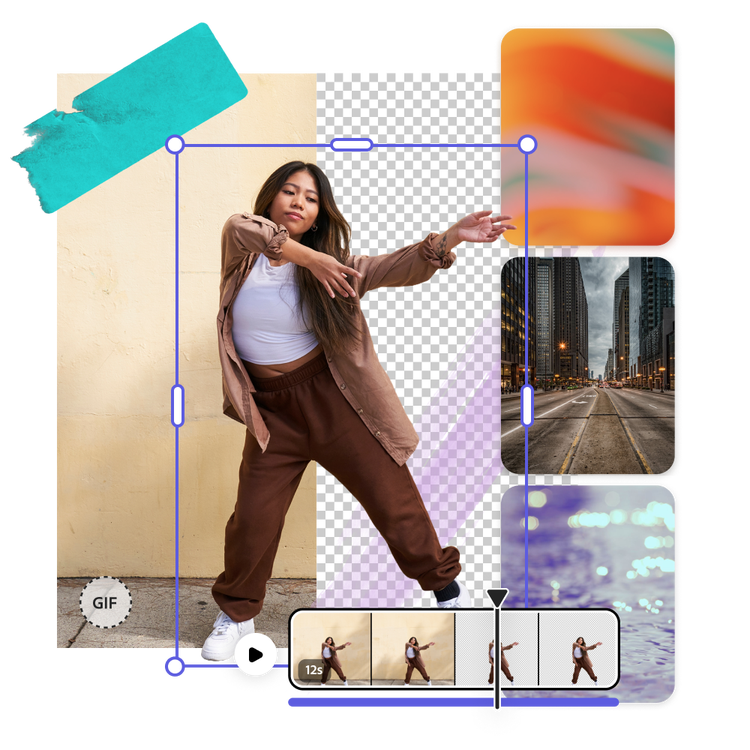
Let your subjects shine with the GIF background remover.
With an Adobe Express Premium plan, you can seamlessly remove the background of your GIF in one click. Once you’ve removed the background, swap in a new background using your own photo, or choose from tons of stock photos for free. When you’re done, save your new GIF to use wherever you like.
Download your new GIF.
Your new GIF is ready to go in seconds. After you’ve removed the background from your GIF and you’ve chosen a new photo, design, or color for the background, download it to your device or further customize it within Adobe Express. Add text, filter effects, graphics, and so much more. When you’re done, use the built-in Content Scheduler to publish your new GIF across all your social channels anytime.

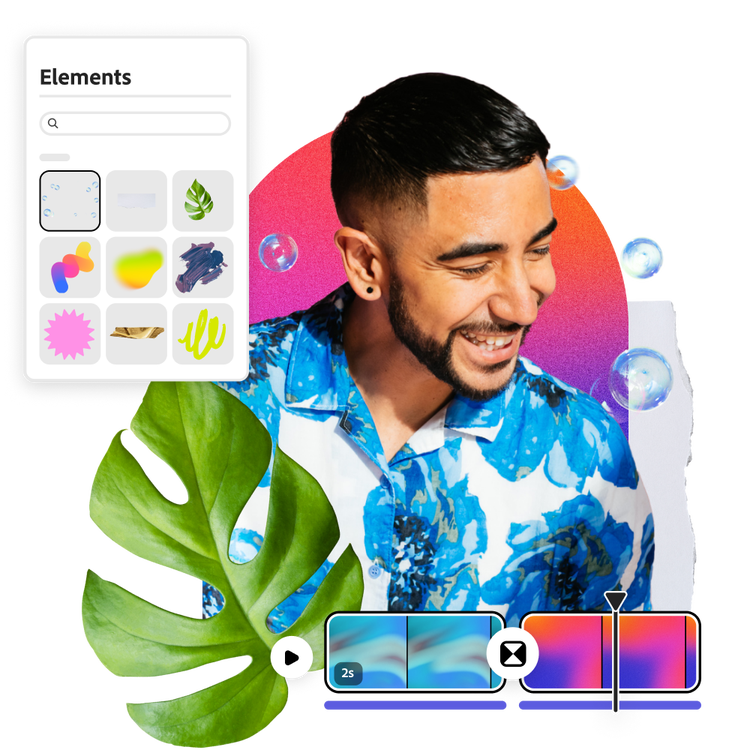
Elevate your GIF with creative editing tools.
Edit your background-free GIF in Adobe Express to transform it into something new. Add in a solid color background sampled from the image in a complementary way. If you’re making a GIF with a funny message or congratulating a co-worker, choose from tons of Adobe Stock Fonts and add one-click animated effects to make your entire GIF move. The possibilities are endless after the GIF background remover frees up the subject of your image.
Stand out with Adobe Express.
Adobe Express is the quick and easy create-anything app to make impactful social posts, images, videos, flyers, presentations, documents, and more. Create one-of-a-kind content fast, regardless of skill level, with powerful generative AI, easy-to-use editing tools, thousands of customizable templates, and Adobe Stock design assets at your side.
Frequently asked questions.
Why should I use a GIF background remover?
The Adobe Express GIF background remover helps you make your animations cleaner, more versatile, and ready for any project. By removing the background, you can place your GIF on different colors, designs, or images without distracting edges or clutter. This makes your GIFs look more professional and adaptable, whether you’re creating memes, marketing content, social media posts, or presentations. It also saves you time compared to manually editing frames, so you can focus on creativity instead of tedious cleanup.
Do I need editing experience to use the background remover for GIFs?
No editing experience is needed. The Adobe Express all-in-one content creation app makes it easy to remove the background on a GIF and replace it with anything you want.
Will removing the background affect the quality of my GIF?
No, the Adobe Express GIF background remover is designed to preserve your animation’s resolution. The subject remains crisp and clear while only the background is altered, so you don’t have to worry about losing quality or smoothness.
Can I change the GIF’s background?
Yes, you can easily use the GIF background remover as a starting point to swap the background of a picture. Once the background has been removed, open the Adobe Express editor and add the image on a background of your choice, like a texture from Adobe Stock or scrapbook style color block.
Can I use Adobe Express for free? If so, what’s included?
Yes, we have a free plan available for anyone. Enjoy everything you need to stand out, including dozens of Quick Action tools, thousands of templates, photo editing—including the PNG background remover—and much more. Visit our plans and pricing for details.

